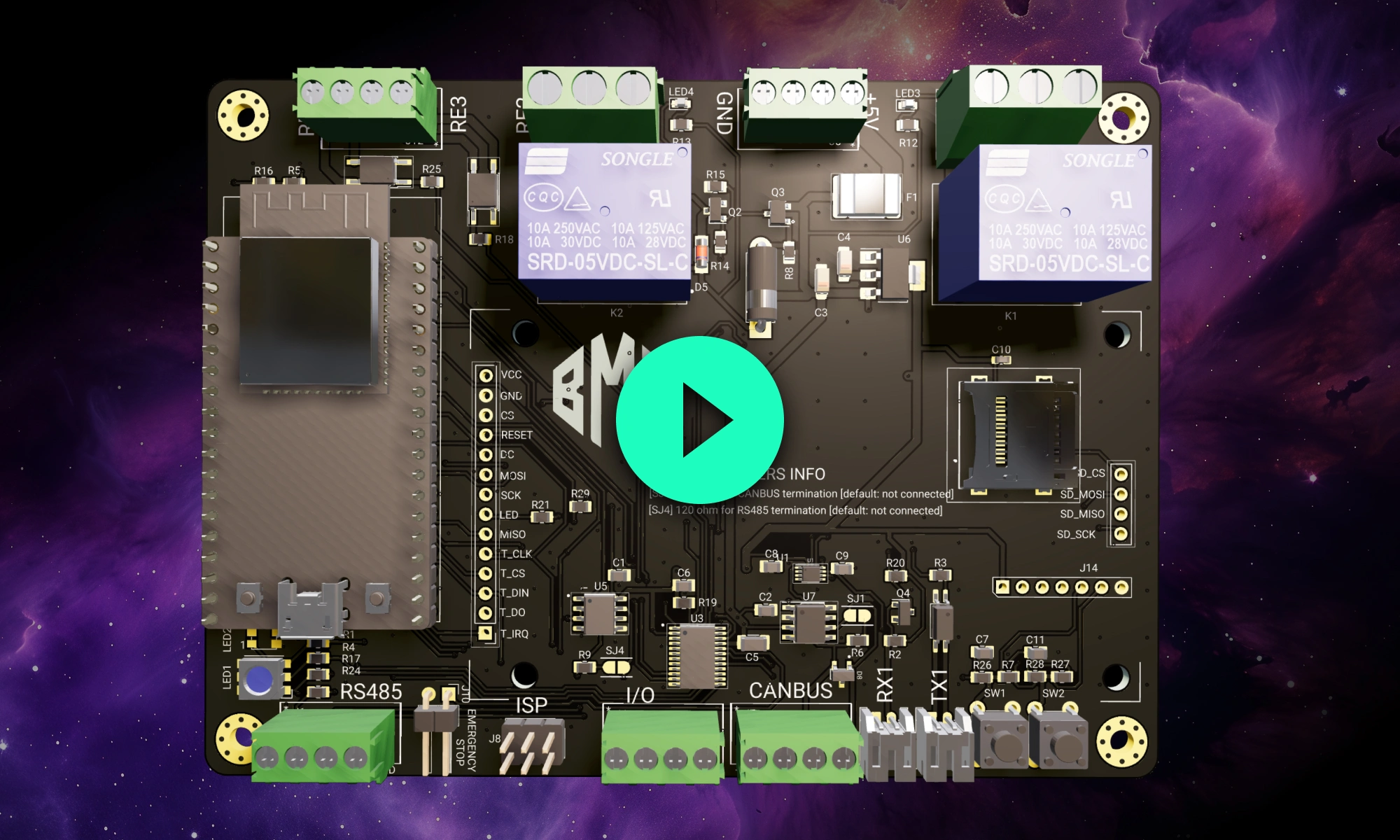
We're excited to unveil our Smart Polygon system in Flux! This powerful capability builds on top of our automatic copper fills to transform how you create and manage custom copper areas in your PCB designs.
Smart Polygons in Flux behave intuitively like traces, making them straightforward to learn and use—start directly from any pad with automatic net association, simply click to place and adjust points, and watch as copper intelligently reflows in real-time. Let’s dive in!
What Are Polygons and Why Do They Matter?
In PCB design, polygons are customizable copper shapes directly tied to a specific net. They’re crucial because they significantly influence the electrical performance and reliability of your PCB. Polygons allow you to optimize your board layout for specific electrical properties, including improved grounding, controlled impedance, and efficient heat distribution.
Specifically, polygons are indispensable for:
Ground and Power Planes: Ensure stable and reliable power distribution, reducing electrical noise and voltage fluctuations.
High Current Management: Create wide copper paths to efficiently carry higher currents, reducing resistance and heat.
RF and Antenna Design:Precisely shape copper areas to meet specific RF performance criteria, critical in high-frequency applications.
Thermal Management: Improve heat dissipation by strategically placing copper to draw heat away from sensitive components.
Signal Integrity: Minimize electromagnetic interference (EMI) and cross-talk by carefully shaping and placing copper planes.
{{polygons-examples}}
Unlike zones—which define areas where copper cannot exist—polygons actively conduct electricity and shape your board's electrical performance, making them fundamental for advanced PCB designs.
Flux's Approach: Polygons Made Easy
At Flux, we prioritize intuitive, user-friendly workflows. Automatic copper fills were the first step. Now with polygons, we've continued this approach:
Easy Start: Begin directly from any pad—Flux automatically associates the polygon with the correct net.
Simple Drawing: Just click to place points and easily adjust your shapes afterward. No complicated setup required.
Automatic Copper Flow: Flux intelligently reflows copper in real-time, automatically handling object avoidance, ensuring clearances, and connectivity.
Polygons in Flux behave intuitively like traces, making them straightforward to learn and use, right from the start.
Powerful Capabilities, Accessible to Everyone
Polygons in Flux pack powerful functionality without complexity:
Multi-layer Polygons: Easily extend your copper shapes across multiple layers with automatic via stitching, simplifying complex designs.
Smart Editing: Quickly edit polygons—drag points to reshape, double-click to add or remove points—keeping your workflow smooth and fast.
Automatic Island Removal: Flux automatically removes disconnected copper "islands," ensuring your polygon remains clean and electrically connected.
Use Cases (With Examples)
Polygons unlock new possibilities in your PCB designs. Here are a few practical ways you'll benefit:
Smart Espresso Brewer: Optimize thermal and power management in consumer electronics with custom polygon shapes, ensuring reliability and consistent performance.
RF Antenna Filter: For RF antenna design, use polygons to minimize impedance mismatches and optimize current flow across transmission lines and radiating structures.
Electronic Speed Controller: For electronic speed controller design, use polygons to create low-impedance power paths that reduce voltage drops and improve current delivery to the motor.
ESP32 4 Ways Power Meter: When switching 220V loads with a 5V control signal using relays, use polygons to create wide, low-resistance traces that safely handle high current loads on the relay’s switched side.
RPi Pico Stepper Motor Driver: For stepper motor driver circuits, use polygons to improve thermal dissipation from the driver ICs and MOSFETs, enhancing reliability and performance under load.
12V to 5V Buck Converter: Use polygons to efficiently handle higher current paths, improving power distribution and thermal management.
Polygons for Designers of All Levels
Whether you're just dipping your toes into PCB design or you’re a veteran engineer tackling complex layouts, polygons in Flux offer the ideal balance of simplicity and capability:
Beginner-Friendly: Instantly intuitive—just click and draw. See immediate results as copper pours automatically.
Professional-Grade Control: Create sophisticated split planes, RF elements, and high-current copper shapes effortlessly, without losing precision or capability.
Try Polygons Today
Polygons are available now in Flux, ready to enhance your PCB design capabilities. Explore this powerful feature today and experience firsthand how advanced design can truly be this easy.
Dive in now and check out our detailed polygon documentation or jump straight into Flux to try it yourself. We can't wait to hear what you think!
Smart Polygons in Flux behave intuitively like traces, making them straightforward to learn and use—start directly from any pad with automatic net association, simply click to place and adjust points, and watch as copper intelligently reflows in real-time. Let’s dive in!
What Are Polygons and Why Do They Matter?
In PCB design, polygons are customizable copper shapes directly tied to a specific net. They’re crucial because they significantly influence the electrical performance and reliability of your PCB. Polygons allow you to optimize your board layout for specific electrical properties, including improved grounding, controlled impedance, and efficient heat distribution.
Specifically, polygons are indispensable for:
Ground and Power Planes: Ensure stable and reliable power distribution, reducing electrical noise and voltage fluctuations.
High Current Management: Create wide copper paths to efficiently carry higher currents, reducing resistance and heat.
RF and Antenna Design:Precisely shape copper areas to meet specific RF performance criteria, critical in high-frequency applications.
Thermal Management: Improve heat dissipation by strategically placing copper to draw heat away from sensitive components.
Signal Integrity: Minimize electromagnetic interference (EMI) and cross-talk by carefully shaping and placing copper planes.
{{polygons-examples}}
Unlike zones—which define areas where copper cannot exist—polygons actively conduct electricity and shape your board's electrical performance, making them fundamental for advanced PCB designs.
Flux's Approach: Polygons Made Easy
At Flux, we prioritize intuitive, user-friendly workflows. Automatic copper fills were the first step. Now with polygons, we've continued this approach:
Easy Start: Begin directly from any pad—Flux automatically associates the polygon with the correct net.
Simple Drawing: Just click to place points and easily adjust your shapes afterward. No complicated setup required.
Automatic Copper Flow: Flux intelligently reflows copper in real-time, automatically handling object avoidance, ensuring clearances, and connectivity.
Polygons in Flux behave intuitively like traces, making them straightforward to learn and use, right from the start.
Powerful Capabilities, Accessible to Everyone
Polygons in Flux pack powerful functionality without complexity:
Multi-layer Polygons: Easily extend your copper shapes across multiple layers with automatic via stitching, simplifying complex designs.
Smart Editing: Quickly edit polygons—drag points to reshape, double-click to add or remove points—keeping your workflow smooth and fast.
Automatic Island Removal: Flux automatically removes disconnected copper "islands," ensuring your polygon remains clean and electrically connected.
Use Cases (With Examples)
Polygons unlock new possibilities in your PCB designs. Here are a few practical ways you'll benefit:
Smart Espresso Brewer: Optimize thermal and power management in consumer electronics with custom polygon shapes, ensuring reliability and consistent performance.
RF Antenna Filter: For RF antenna design, use polygons to minimize impedance mismatches and optimize current flow across transmission lines and radiating structures.
Electronic Speed Controller: For electronic speed controller design, use polygons to create low-impedance power paths that reduce voltage drops and improve current delivery to the motor.
ESP32 4 Ways Power Meter: When switching 220V loads with a 5V control signal using relays, use polygons to create wide, low-resistance traces that safely handle high current loads on the relay’s switched side.
RPi Pico Stepper Motor Driver: For stepper motor driver circuits, use polygons to improve thermal dissipation from the driver ICs and MOSFETs, enhancing reliability and performance under load.
12V to 5V Buck Converter: Use polygons to efficiently handle higher current paths, improving power distribution and thermal management.
Polygons for Designers of All Levels
Whether you're just dipping your toes into PCB design or you’re a veteran engineer tackling complex layouts, polygons in Flux offer the ideal balance of simplicity and capability:
Beginner-Friendly: Instantly intuitive—just click and draw. See immediate results as copper pours automatically.
Professional-Grade Control: Create sophisticated split planes, RF elements, and high-current copper shapes effortlessly, without losing precision or capability.
Try Polygons Today
Polygons are available now in Flux, ready to enhance your PCB design capabilities. Explore this powerful feature today and experience firsthand how advanced design can truly be this easy.
Dive in now and check out our detailed polygon documentation or jump straight into Flux to try it yourself. We can't wait to hear what you think!
Share
Nico Tzovanis
Nico is a professional electronics and PCB design engineer at Flux. Find him on Flux @nico
Go 10x faster from idea to PCB
Work with Flux like an engineering intern—automating the grunt work, learning your standards, explaining its decisions, and checking in for feedback at key moments.
Imagine starting a project with over 800,000+ parts at your fingertips, ready to go without any setup. With Flux community-powered part library, you have everything you need to build at scale —all in one place, with real-time supply chain data, intelligent filters, and powerful AI tools.
Today, we’re taking collaboration one step further by giving hardware teams a shared virtual space that’s built for innovation. Today, we’re launching Flux for Organizations: a new way for hardware teams to collaborate.
The ATmega328p stands out in the microcontroller world; our post breaks down its datasheet and pinout, offering valuable insights into its functionality and versatility. Learn how this powerful microcontroller can enhance your projects.
This blog will explore functional block diagrams, their pivotal role in system design, the symbiotic relationship with ladder logic, structured text, and the broader realm of PLC programming. Why FBDs are so important within complex systems.
Are you creating the right hardware solution for the problem that truly matters? Learn how to validate ideas, prototype fast, and use modern tools to turn concepts into successful products.
This blog post highlights a series of innovative reference designs developed by renowned manufacturers using Flux. These reference designs encompass a variety of applications, including advanced light sensing, robust data communication, and compact distance measurement. This diverse array showcases the adaptability and effectiveness of Flux in meeting the varied needs of industrial sensing applications
It can be daunting when you and your team are looking to embrace cloud software for the first time. This blog discusses the major principles for your team to better understand the ins and outs of choosing the right cloud-based software.
Easily calculate resistor values with Flux online Resistor Color Code Calculator. This powerful tool saves time and eliminates errors for electronics enthusiasts and professionals.
Copilot bridges the firmware<>hardware gap by providing firmware engineers with direct access to hardware information like netlists and pins, streamlining firmware development and reducing delays.
Explore the mechanics of converting AC to DC in this comprehensive blog post. The article covers everything from the role of transformers in adjusting voltage levels to the function of bridge rectifiers and capacitors in shaping the waveform.
We’re not just offering a tool; we're building a home where the open-source hardware community can truly flourish. Join us in this exciting journey toward a more collaborative and innovative future.
In this post, we’ll explore why these concepts matter, how they impact signal integrity and power distribution, and what to keep in mind as you design. If you want to go deeper into implementation details—like when to use zones, where to place stitching vias, or how to avoid stack-up pitfalls—we’ve created a detailed PDF guide just for that.