Routing PCB Traces in Flux

How to route?
I couldn’t find relevant documentation for direct PCB trace-routing instructions in Flux. That probably means this specific workflow is not currently documented as a supported feature in Flux.
Inspect P1 connections
Learn PCB routing UI
Check layout issues
Inspect P1 placement
Set board first
how do I use Flux?

@copilot how do I use Flux?
1y
Using Flux is a straightforward process. Here's a general guide to get you started:
  1. Create an Account: Begin by creating an account on Flux. You can sign up here[1].
  2. Learn the Basics: Familiarize yourself with the interface and tools. You can check out Flux’s documentation for a comprehensive look at its features and how to integrate them into your workflow[2].
  3. Migrate Existing Projects: If you're switching from another CAD program like EasyEDA or KiCad, there are tutorials available to help you migrate your projects to Flux[3][4].
  4. Design Your Schematic: Start designing your circuit schematic by placing components from the library onto the canvas. You can then connect them as needed.
  5. Simulate Your Design: Use the simulator to test your circuit before creating a PCB. There are tutorials available to help you understand how simulation models run inside Flux[5].
  6. Create a PCB Layout: Once your design is confirmed, you can proceed to lay out the PCB by arranging components and routing traces.
  7. Finalize and Manufacture: After completing your design, you can download the necessary files for manufacturing your PCB.
If you have any specific questions or need help with a particular feature, feel free to ask!
1y
Someone is typing...
4
create a high level mermaid block diagram of this project. Include key component...

@copilot create a high level mermaid block diagram of this project. Include key component's manufacturer part number in each block whenever possible.
1y
Certainly! Here's a high-level mermaid block diagram of your ESP32-WROOM-32E based project. This diagram includes the key components and their manufacturer part numbers:
graph TD;
    A[USB-C Connector\nTYPE-C-31-M-12] --> B[Voltage Regulator\nAMS1117-3.3]
    B --> C[ESP32-WROOM-32E\nESP32-WROOM-32E]
    C --> D[USB to Serial Converter\nCH340C]
    subgraph Power_Supply
        B
    end
    subgraph MCU
        C
    end
    subgraph USB_Interface
        A
        D
    end
Explanation:
  • USB-C Connector (TYPE-C-31-M-12): This block represents the USB-C interface which is used for power and data transfer.
  • Voltage Regulator (AMS1117-3.3): This provides regulated 3.3V to the ESP32.
  • ESP32-WROOM-32E (ESP32-WROOM-32E): The main microcontroller unit of the system.
  • USB to Serial Converter (CH340C): Used to convert USB signals to serial for communication with the ESP32.

1

1y
if i were to write up an online course to show step-by-step how to make this design from scratch, can you tell me which order to build this design? including important datasheet details for each device?
1y
Creating an online course to guide users step-by-step on building this ESP32-WROOM-32E-based design from scratch is a great idea! Here's a suggested order with key steps and important datasheet details to include:
Module 1: Introduction to the Project
  • Overview of the project and its applications.
  • Introduction to the main components:
Module 2: Understanding the Components and Reading Datasheets
  • ESP32-WROOM-32E:
    • Detailed walkthrough of the ESP32 datasheet: pinout, power supply requirements, GPIO capabilities, communication interfaces $UART, SPI, I2C$.
    • Mention operating conditions, especially power consumption modes.
  • CH340C:
    • Explain what USB to serial conversion is and why CH340C is used.
    • Datasheet focus: Power requirements, pin descriptions, and typical application circuits.
  • AMS1117-3.3:
    • Discuss voltage regulation, specifically converting 5V from USB to 3.3V for ESP32.
    • Datasheet focus: Output voltage accuracy, dropout voltage, and thermal considerations.
  • USB-C Connector (TYPE-C-31-M-12):
    • Simple explanation of USB-C features.
    • Important specs: Pinout, mechanical stability.
Module 3: Schematic Design
  • Schematic overview using Flux:
    • Explain how to add components to the schematic.
    • Connecting Components:
      • Connect USB1:VBUSUSB1:VBUS to U1:VINU1:VIN and C5:P1C5:P1 for power input.
      • Connect U1:VOUTU1:VOUT to U2:VDDU2:VDD for regulated 3.3V power.
  • Power Supply Design:
    • Adding decoupling capacitors: Place C3C3 and C6C6 near the ESP32 VDDVDD and GNDGND pins.
    • Mention the importance of decoupling capacitors in power supply stability.
  • Microcontroller Connections:
    • Basic connections of GPIOs.
    • Ensure ENEN (enable) and IO0IO0 (boot mode selection) are correctly interfaced.
Module 4: Layout Design
  • PCB layout design principles:
    • Stress the importance of component placement and routing best practices.
    • Layout considerations: Keep traces short, minimize loop areas in power lines, and separate analog and digital grounds if possible.
Module 5: Firmware Development and Testing
  • Setting up the ESP32 development environment.
  • Writing and uploading a basic program to test UART communication via CH340C.
Module 6: Testing and Debugging
  • Testing each module segment: ensuring voltage levels are correct before powering all sections.
  • Troubleshooting common issues: Power, communication, EMI concerns.
Additional Resources
  • Datasheets for each component: Highlight the key sections and specifications.
  • Recommended tools for design and testing: Flux, Multimeter, Oscilloscope.
This course should give learners a comprehensive understanding of building the ESP32-WROOM-32E design from scratch, with clear insights into component functionality, schematic and PCB design, and testing methodologies. Feel free to add exercises and quizzes to test learners' understanding throughout the course!
1y
give me a high-level description of this project and what i can do with it. as if i'm teaching an engineer why we're even making this project.
1y
High-Level Description of the ESP32-WROOM-32E Reference Design
This project is a reference design centered around the ESP32-WROOM-32E module, aimed at engineers looking to build devices with robust wireless connectivity capabilities. It's designed to be a comprehensive guide that showcases how to effectively utilize an ESP32 module in a product, featuring key components like USB-C connectivity, onboard voltage regulation, and a USB-to-serial converter.
Key Features and Components
  • ESP32-WROOM-32E: This is a powerful microcontroller with built-in Wi-Fi and Bluetooth capabilities. It provides designers with rich features to build a wide range of connected applications.
  • USB-C Connectivity: Modern power and data transfer standard, allowing for easy interfacing and charging.
  • Voltage Regulation (AMS11173.3AMS1117-3.3): Converts 5V from USB-C to the 3.3V required by the ESP32, ensuring stable operation.
  • CH340C USB-to-Serial Converter: Facilitates communication between the ESP32 and the computer, enabling easy programming and debugging.
Potential Applications and Use Cases
  • IoT Devices: This design can be used as a basis for developing a variety of Internet of Things (IoT) applications, such as smart home devices, environmental sensors, or industrial monitoring systems.
  • Prototyping Platform: Engineers and developers can use this reference design to quickly prototype and test new ideas, leveraging the ESP32's extensive capabilities for wireless communication and sensor interfacing.
  • Embedded Systems Learning Tool: This project can serve as an educational tool for learning about embedded systems design, wireless communication, and microcontroller programming.
Why Build This Project?
  • Practical Understanding: By engaging with this project, engineers gain hands-on experience with critical concepts in modern electronics design, such as power management, communication protocols, and PCB layout techniques.
  • Foundation for Advanced Projects: This reference design provides a solid foundation upon which more complex applications can be built, reducing development time and risk associated with starting from scratch.
  • Versatility: With its comprehensive feature set, the design can be adapted and expanded to fit a wide range of applications and use cases, making it a versatile tool for engineers.
Overall, this project is not just about the creation of a functional device; it's also an opportunity to explore cutting-edge technology, enhance problem-solving skills, and innovate new solutions in the rapidly growing field of connected devices.
1y
Someone is typing...
3
ESP_TX
ESP_IO0
ESP_RX
ESP_EN
R4
Resistance
1kΩ
Q1
U2
IC1
Q2


No results...

ESP32-WROOM-32E Reference Design 0a6b thumbnail
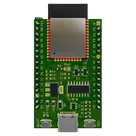
This project is a reference design for an ESP32-WROOM-32E based device. It features USB-C for power and data transfer, onboard voltage regulation, and multiple peripheral connections. It also includes a CH340C for USB to serial conversion #referenceDesign #project #ESP32 #ESP32WROOM #RF #WIFI #MCU #simpleEmbedded #espressif #template

Properties

Pricing & Availability

Distributor

Qty 1

Arrow

$0.33–$1.10

Digi-Key

$2.45–$13.25

LCSC

$5.53–$6.27

Mouser

$4.84

TME

$0.63

Verical

$0.42–$1.26

Controls