Cost Calculation Inquiry


0:30
Chat History
Project
Net (RL2 - OUT)
I'm sorry, but I can't do that, yet.
Label 3.3V net
Naming conventions
Access documentation
315 days
Ready.
RL9
RL5
RL2
RL3
RL16
RL10
RL1
RL7
RL12
RL6
RL14
RL4
RL8
RL13
RL15
RL11
create a high level mermaid block diagram of this project. Include key component...

@copilot create a high level mermaid block diagram of this project. Include key component's manufacturer part number in each block whenever possible.
1y
Sure! Here's a high-level block diagram of your project using Mermaid syntax. I'll create blocks for each key component and include the manufacturer part number for the ones provided.
Diagram
Each block represents a relay or connector in your project. The connections indicate the interaction between J1 (the connector) and each relay. If there are specific manufacturer part numbers for the relays, please provide them so I can update the diagram.
1y
Someone is typing...
37
please explain what VCC does.

2y
VCC stands for Voltage Common Collector. It is a terminology often used in circuits and it represents the supply voltage. That means it is the source of power that drives the circuit.
In a digital circuit, specifically, VCC refers to the higher voltage level against which other voltages in the circuit are compared or referenced to. For example, for a logic gate operating in two states (0 and 1), state 0 is represented by Ground level or 0 volts, while state 1 is represented by VCC, which might be 5 volts, 3.3 volts, etc., depending on the specific integrated circuit.
In the context of your project, the relays require a power source to operate and this power is provided with VCC. The VCC pin of each relay module should be connected to the power source, which is commonly the power rail of your circuit. For each relay (Designators RL1 to RL16), you have a VCC pin which must be connected to the power source to enable the relay to operate. The voltage level for the power source would typically be according to the relay specifications, often within the range of 3.3 to 5 volts for many commonly used small relays. You have a common net e90cb8b24bbb7e63e61cdad1208faeda connecting several relay VCC pins to J1 Pin_18 and to other VCC power source points in your circuit.
2y
Someone is typing...
12
please explain what RL16 does.

@copilot please explain what RL16 does.
2y
RL16 is a relay, one of many in your project as suggested by your 16-channel module project. It acts as a switch that is operated electronically. It has three pins: Ground (GND), Output (OUT), and Voltage In (VCC).
Here is what each pin does:
- GND: This is the Ground pin, it is connected to the system or power supply ground.
- VCC: This stands for the voltage at the common collector. This pin is for power input and should be connected to your power supply.
- OUT: This will output either a high or low signal based on whether the relay is switched on or off, respectively. This is typically connected to the device that you intend to switch on and off.
In your project, RL16's 'OUT' pin is connected to Pin 2 of the connector J1 defined in your circuit. This suggests that RL16 controls whichever device is on the other side of J1's Pin 2. The device to be switched on or off wasn't specified in the project information.
Keep in mind that while a relay is simple in concept, for optimal and safe functionality, you need to make sure your relay can handle the voltage and current requirements of the device it's controlling.
2y
Someone is typing...
11
hola

1y
¡Hola! ¿Cómo puedo ayudarte con tu proyecto de diseño electrónico hoy?
1y
estoy revisando este ejemplo, quiseira ver como haces el ruteo
1y
Entiendo que quieres discutir sobre cómo hacer el ruteo en el ejemplo del proyecto de un módulo de relé de 16 canales. Vamos a enfocarnos en cómo conectar los componentes y cómo manejar las redes indicadas en el esquema del proyecto.
Te daré algunos consejos generales sobre el ruteo y luego, si necesitas, podemos entrar en detalles específicos de conexiones.
Para rastrear en Flux o cualquier otra herramienta de diseño PCB:
-
Planifica tu ruteo: Antes de empezar, revisa tu esquema y organiza mentalmente cómo vas a conectar cada componente. Esto incluye decidir cuáles trazas necesitarán ser más gruesas (por ej., las de potencia) y cuáles pueden ser más finas.
-
Organiza los componentes: Coloca los componentes en el PCB de manera que minimices las trazas cruzadas. Los componentes relacionados deben estar cerca uno del otro.
-
Rutea las trazas de potencia primero: Las trazas que llevan mayor corriente deben ser más gruesas y tener caminos más directos. En este proyecto, eso incluirá las conexiones de VCC a los relés.
-
Usa capas adicionales si es necesario: Si estás trabajando en un diseño multicapa, puedes usar las capas interiores para las trazas de potencia y las exteriores para señales y conexiones menos críticas.
-
Ten en cuenta la separación y aislamiento: Asegúrate de que las trazas de señal estén suficientemente separadas unas de otras y de las trazas de potencia para evitar interferencias.
Para el proyecto específico del módulo de relé de 16 canales que mencionaste, aquí tienes un ejemplo de cómo procedería con algunos ruteos basándome en las redes que proporcionaste:
-
Conexiones de VCC (Alimentación) y GND (Tierra):Todas las terminales VCC de los relés (RL1 a RL16) deben conectarse a un punto común de VCC. Esto puede lograrse utilizando una barra de buses o una traza gruesa que se ramifique a cada relé.
- Ejemplo: Connect RL1:VCC to VCC:P1, RL2:VCC to VCC:P1, etc...
Lo mismo se aplica para las conexiones de tierra (GND).- Ejemplo: Connect RL1:GND to RL2:GND, RL2:GND to RL3:GND, etc...
-
Conexiones de salida (OUT) a J1:Cada terminal OUT de un relé específico se conecta a un pin específico en el conector J1 según las redes definidas. Estas pueden ser rutas más finas ya que generalmente llevan menos corriente.
- Ejemplo: Connect RL11:OUT to J1:Pin_12, RL10:OUT to J1:Pin_14, etc...
Recuerda, estas son instrucciones generales y ejemplos simplificados. La ejecución específica dependerá de los detalles adicionales de tu diseño, como las dimensiones de la PCB, los requisitos de corriente de las cargas conectadas, y otros factores.
¿Te gustaría discutir más sobre cómo rastrear alguna red específica o tienes preguntas sobre otro aspecto del diseño?
1y
Someone is typing...
30
where is complete schematic?

@copilot where is complete schematic?
1y
It seems like the description provided lays out the foundation of your 16-channel relay module schematic, including the designations for relays (RL1 through RL16), their connections to ground (GND), output (OUT), and voltage supply (VCC) pins, a power supply component (VCC), and a single connector (J1) with multiple pins for interfacing with the relay outputs.
Based on the information given, here's a structured breakdown of the primary connections within your project:
-
Power Supply (VCC) Connections:
- Each relay has a VCC and GND pin that need to be connected to the power supply and ground respectively. The VCC pins are designated for connection to a power source to energize the relay coils.
-
Relay Output Connections:
- The OUT pin of each relay is connected to various pins of the J1 connector, effectively allowing for the control of different loads based on the relay activation.
-
Ground Connections:
- All relays share a common ground connection that links back to the ground of the power supply, ensuring a complete circuit for the coil side of each relay.
-
Relay Activation:
- Although not explicitly mentioned, control signals to activate each relay would typically come from an external source, such as a microcontroller or switch. These would interface with the relay modules, likely through additional pins not detailed in the description.
-
Net Connections:
- The schematic details various nets, essentially showing how the outputs of the relays (RL1-RL16) are connected to specific pins on the J1 connector. These nets provide a clear guide on which relay output connects to which pin on J1, outlining how the relays facilitate control over connected devices or loads.
Without a visual diagram or more detailed descriptions of component placements and additional components (if any beyond those listed), that's the high-level view of your schematic. It describes a system where 16 relays control the connection between a power source and various outputs, managed through connector J1.
This setup is foundational for a variety of applications, from home automation to industrial control systems, allowing for the remote or automated switching of devices, lights, motors, and other electrical loads.
If there's anything specific you're looking for or need further elaboration on, please let me know!
1y
Someone is typing...
33
list all J1 pins in a table format. For each pin provide its pin number, pin nam...

2y
Certainly! Based on the provided information, here is a table listing all pins of the connector designated as J1, including their pin numbers, names, and the functions deduced from the connections described in the project details.
Table
| Pin Number | Pin Name | Function |
|---|---|---|
| 1 | Pin_1 | Relay 1 Output (RL1:OUT) |
| 2 | Pin_2 | Relay 16 Output (RL16:OUT) |
| 3 | Pin_3 | Relay 2 Output (RL2:OUT) |
| 4 | Pin_4 | Relay 15 Output (RL15:OUT) |
| 5 | Pin_5 | Relay 3 Output (RL3:OUT) |
| 6 | Pin_6 | Relay 14 Output (RL14:OUT) |
| 7 | Pin_7 | Relay 4 Output (RL4:OUT) |
| 8 | Pin_8 | Relay 13 Output (RL13:OUT) |
| 9 | Pin_9 | Relay 5 Output (RL5:OUT) |
| 10 | Pin_10 | Relay 12 Output (RL12:OUT) |
| 11 | Pin_11 | Relay 6 Output (RL6:OUT) |
| 12 | Pin_12 | Relay 11 Output (RL11:OUT) |
| 13 | Pin_13 | Relay 7 Output (RL7:OUT) |
| 14 | Pin_14 | Relay 10 Output (RL10:OUT) |
| 15 | Pin_15 | Relay 8 Output (RL8:OUT) |
| 16 | Pin_16 | Relay 9 Output (RL9:OUT) |
| 17 | Pin_17 | Common Ground (GND) |
| 18 | Pin_18 | Common VCC (RL VCC Supply) |
This table synthesizes the role each pin on connector J1 plays within the 16 channel relay module project. Each of the relay outputs is wired to a specific pin, enabling actuation of different electrical loads. Pin 17 is designated as a common ground, and Pin 18 serves as a common voltage supply (VCC) for the relay's coils, consistent with the layout that such relay modules typically follow.
2y
Someone is typing...
21
please erase half of this

1y
It appears you're asking to modify the project by removing a significant portion of it. Since you've not specified which half or which parts you're interested in removing or keeping, I'll need a bit more detail to provide a helpful response.
Could you please specify which sections or components you'd like removed from your project? For instance, are you looking to focus on specific relays, reduce the number of channels, or remove components associated with certain functionalities? Providing this additional detail will enable me to assist you more effectively.
1y
Someone is typing...
34
whats j1?

@copilot whats j1?
1y
The component J1 in your project appears to be a connector, as indicated by its designator prefix "J." It has the following pins:
- Pin_1
- Pin_3
- Pin_5
- Pin_7
- Pin_9
- Pin_11
- Pin_13
- Pin_15
- Pin_17
- Pin_18
- Pin_16
- Pin_14
- Pin_12
- Pin_10
- Pin_8
- Pin_6
- Pin_4
- Pin_2
However, I don't see a manufacturer part number (MPN) or specific manufacturer's name provided. This connector is likely being used to interface the relay outputs with some external circuitry or system.
If you have more specific details or need further assistance regarding the connector, feel free to ask!
1y
Someone is typing...
47
please explain what J1 does.

explain
1y
1y
J1 is a connector component in your schematic. Here's a breakdown of its role and how it is connected:
J1's Role
- Connects Relay Outputs to External Loads: J1 is used to interface the relay outputs with external electrical loads. It essentially serves as a bridge between your relay module and the devices you want to control via the relays.
- Pin_1: Connected to RL1:$OUT$
- Pin_2: Connected to RL16:$OUT$
- Pin_3: Connected to RL2:$OUT$
- Pin_4: Connected to RL15:$OUT$
- Pin_5: Connected to RL3:$OUT$
- Pin_6: Connected to RL14:$OUT$
- Pin_7: Connected to RL4:$OUT$
- Pin_8: Connected to RL13:$OUT$
- Pin_9: Connected to RL5:$OUT$
- Pin_10: Connected to RL12:$OUT$
- Pin_11: Connected to RL6:$OUT$
- Pin_12: Connected to RL11:$OUT$
- Pin_13: Connected to RL7:$OUT$
- Pin_14: Connected to RL10:$OUT$
- Pin_15: Connected to RL8:$OUT$
- Pin_16: Connected to RL9:$OUT$
- Pin_17: Connected to GND: GND for all connected relays.
- Pin_18: Provides VCC to multiple relay coils via VCC
J1 is crucial for connecting the relay outputs to the external devices or loads you want to control. Each pin on J1 is mapped to the output pin of a relay, allowing the user to conveniently connect multiple external devices.
If you need further details or modifications, feel free to ask!
1y
Someone is typing...
43
explain this project.

@copilot explain this project.
1y
This project involves the design of a 16-channel relay module which provides the capability to control different types of electrical loads through 16 separate relay channels. Each relay can independently switch on or off a circuit, allowing for versatile control of electrical devices.
Here is a summary breakdown of the project:
-
Relays (RL1 to RL16): Each relay has three pins: GND (Ground), OUT (Output to controlled device), and VCC (Voltage Common Collector). These are the key components allowing electrically operated switches within the module.
-
Common VCC (Voltage Common Collector): Several VCC designators are noted, which represent the power supply input for the relay coils. Since they are marked with "Exclude from BOM: true," these are likely not physical components but rather points for power distribution within the design. There might be some redundancy in the designators for VCC.
-
J1 Connector: A connector with 18 pins labeled from Pin_1 to Pin_18. This could serve as the interface for the module, allowing it to connect to external devices or control circuitry. The pins on this connector are used to relay outputs (OUT from RL1 to RL16) and possibly for power distribution (VCC and GND).
-
Project Nets: These define the electrical connections between components. For example, the net $34cfa3a78ff0555c1c322dfbcf16c09a$ connects $RL11:(OUT)$ to $J1:(Pin_12)$, establishing a path for RL11's output to interface with an external circuit via the J1 connector. Other nets similarly connect each relay's output to specific J1 pins. There are also nets for GND and VCC, ensuring all relays have power and a common ground.
The intent behind this project is to create a versatile and scalable module that can control up to 16 separate electrical loads. This could be used in automation, where different devices need to be turned on or off based on specific conditions or inputs. By routing the outputs through a single connector (J1), the design simplifies the interface with external control electronics, such as a microcontroller or computer, which would control the relays' operation.
Technical Summary
- 16 Independent Channels: Allows for multiple devices to be controlled independently.
- Connector J1: Serves as a single interface point for control signals, potentially simplifying the integration with other systems.
- Distributed Power Supply: The VCC nets indicate multiple points for connecting the power supply necessary for relay operation.
- Common Grounding: The GND pin on each relay is connected to a common ground net, reflecting a shared electrical reference point necessary for consistent operation.
The overall architecture hints at a well-structured design aimed at reliability and ease of integration within a larger system, focusing on modular control of multiple output channels.
1y
Someone is typing...
28
how do I use Flux?

2y
Using Flux, the browser-based electronics CAD program, is straightforward and allows you to design electrical schematics and lay out PCBs effectively. Here's a basic guide to get you started:
-
Starting a New Project:
- When you first log into Flux, you can start a new project directly from the dashboard. This is where you can name your project and set initial parameters like board dimensions.
-
Designing the Schematic:
- In the Schematic Editor, you can place components by dragging them from the library onto the canvas. Use the search feature to find specific parts.
- Connect components by drawing wires between their pins. Right-click to end a wire.
- You can organize your design using labels for nets and power symbols for cleaner schematics.
-
Laying Out the PCB:
- Switch to the PCB Layout view to arrange the physical placement of components on your board.
- Use the autorouter or manually route traces between component pads, considering trace width for current requirements and avoiding sharp angles.
- Define your board shape by drawing the outline on the appropriate layer.
-
Checking and Exporting:
- Use the design rule checker (DRC) to identify any potential issues with your design, like short circuits or spacing violations.
- Once your design is complete, you can export your schematics and PCB layouts in standard formats for manufacturing, like Gerber files.
-
Collaboration and Sharing:
- Flux supports collaborative workflows, allowing you to share your projects with team members for real-time editing and feedback.
-
Learning Resources:
- Flux offers extensive help and tutorials if you're looking for a deep dive into its capabilities[1]. You might want to check out the "First project in Flux" tutorial to get a hands-on walkthrough of the entire process.
- Additionally, Flux has a YouTube channel[2], offering a vast array of video tutorials, crash courses, and recorded events. It can be an invaluable resource for both beginners and experienced users.
Whether you're new to electronics design or looking to refine your skills, Flux provides a versatile platform for bringing your projects to life. If you have specific questions or encounter any challenges, feel free to ask for more detailed guidance.
2y
Someone is typing...
24
please explain what RL1 does.

@copilot please explain what RL1 does.
2y
In your project, RL1 appears to be a relay module with three pins: GND (Ground), OUT (Output), and VCC (Voltage Common Collector, often referring to power supply).
As an electromechanical device, a relay's main function is to act as a switch that can be opened or closed based on a signal received at the input. In electrical systems, relays are often used where it is necessary to control a circuit by a separate low-power signal, or where several circuits must be controlled by one signal.
In your project, RL1 will be acting as a switch to enable/disable a specific path in your circuit.
- RL1's GND pin is connected to ground, which serves as the reference point in the electrical circuit for zero volts.
- The VCC pin is connected to the power supply for the relay.
- The OUT pin handles the signal after it's passed through the relay.
Moreover, from your project's netlist, RL1's OUT pin is connected to Pin_1 of J1. This means RL1 could be controlling some part of the circuit connected through J1:Pin_1, acting as a switch for the path between RL1:OUT and J1:Pin_1.
2y
Someone is typing...
14
explain this project.

make it a 4 channel module
2y
2y
This project is designed to create a 16-channel relay module, capable of controlling various types of electrical loads. Each relay (designated as RL1 through RL16) acts as an electronically operated switch that can be controlled to turn on or off the flow of electricity to the load it's connected to. This setup allows for precise control over multiple devices or circuits simultaneously, making it an essential component in home automation, industrial control systems, or any application requiring multiple channels of electrical control.
Key Elements of the Project:
-
Relays (RL1 to RL16): Each relay has three pins:
- GND (Ground): Common ground for all the relays, essential for completing the circuit.
- OUT (Output): Connects to the individual electrical load each relay controls.
- VCC (Voltage Common Collector): Powers the relay.
-
J1 Connector: A multi-pin connector that likely serves as the interface for controlling the relays or connecting to the loads. It has 18 pins, labeled Pin_1 through Pin_18, with different pins connected to different relays and power supplies.
-
VCC Sources: These are marked to be excluded from both the Bill of Materials (BOM) and Printed Circuit Board (PCB), indicating these may be external or virtual elements used for simulation purposes or to designate power connections within the schematic.
The project includes detailed nets, which are electrical connections between various components:
-
Power Connections (Net
e90cb8b24bbb7e63e61cdad1208faedaande14ffc3db07e9ffb11bdf2502d9dc731): These nets connect the VCC pins of the relays to power sources (VCC designators), ensuring each relay receives the power required to operate. -
Ground Network (Net
98b306d12b8001ac0a0bbda727c539d6): Connects the GND pins of all relays together and to the ground, providing a common ground reference for the entire module. -
Output Connections: Several nets (e.g.,
34cfa3a78ff0555c1c322dfbcf16c09a,ddc175a1575b495929f742baa56c9150, etc.) define connections from the OUT pins of the relays to specific pins on the J1 connector. These connections indicate where the control signals or power for the loads connected to the relays are routed.
By toggling the state of each relay, the user can control whether or not electricity flows to the load connected to each OUT pin. This control can be achieved through a microcontroller or any control mechanism connected to the J1 connector, depending on the specific implementation details which are not provided in the description. With 16 channels, this relay module can manage multiple devices independently, making it versatile for various applications requiring multiple control points.
2y
Someone is typing...
25
explain this project.

@copilot explain this project.
1y
This project is a design for a 16-channel relay module intended to control various types of electrical loads. A relay is an electrically operated switch that allows you to control a high-power circuit with a low-power signal. In this case, the module supports 16 channels, meaning it can independently control up to 16 circuits. Here's a breakdown of the project's key components and how they are interconnected based on the provided description:
Components Overview:
- Relays (RL1 to RL16): These are the core components of the project, each having three pins: GND (Ground), OUT (Output), and VCC (Voltage Common Collector). These relays enable or disable their respective channels.
- VCC (Power Supply Connections): Represented as "VCC" designators with a single pin named P1. These are virtual elements used for schematics only, indicating power supply connections. They are excluded from the Bill of Materials (BOM) and PCB layout, implying they are internal or external power supplies without physical components on the board.
- J1: A multi-pin connector (often used for interfacing with the relays). It appears to serve as the control interface for the relays, having 18 pins with various connections to the relay outputs and power/ground.
Nets are electrical connections between components. Here's a summary of critical connections:
- Power Distribution: A net connects the VCC pins of multiple relays (RL1-RL8, RL10-RL16) and several VCC power supply connections to distribute power to the relays.
- Ground Connection: There's a net connecting the GND pin of all relays (RL1-RL16) and one of the connector pins (J1 Pin 17), grounding all relay modules.
- Relay Outputs to Connector: Each relay's OUT pin is connected to a specific pin on the J1 connector. These connections allow the relay module to interface with external circuits or devices that the relays control.
The primary purpose of this project is to provide a means to control up to 16 separate circuits or devices, potentially ranging from lights and motors to more sophisticated electronic devices, depending on the relay ratings and the intended application. The relay module acts as an intermediary, enabling small, low-power signals (likely from a microcontroller or similar device via the J1 connector) to control higher-power circuits safely and efficiently.
Usage:
In practice, a user would employ this relay module by sending control signals to the J1 pins corresponding to each relay's OUT connection. Applying a control signal to a specific pin activates its corresponding relay, closing its switch and allowing power from the relay's VCC to flow to the OUT pin, thereby powering or activating the connected load. The presence of a shared ground (GND) ensures that the control signals have a common reference point for all relays, crucial for reliable operation.
1y
Someone is typing...
26

46
are there any issues in this project?

@copilot are there any issues in this project?
1y
The project appears to involve a 16-channel relay board designed to control different electrical loads, but there are a few potential areas of concern or questions worth addressing:
-
Duplicate Designators: There are multiple entries with the designator "VCC". These might need to be clarified or consolidated as they seem to represent power pins. Also, ensure that
VCCandGNDconnections are consistently named throughout the design. -
Undefined Route Branch Points: There are several unspecified "Route Branch Point" elements. These could indicate incomplete routing or be placeholders that need to be defined.
-
Relay Connections: Each relay (RL1 to RL16) needs to have its VCC and GND pins correctly connected to power and ground nets, respectively. Most relays seem to be properly connected based on net definitions, but the specific connections and their context should be verified.
-
Power and Load Compatibility: Make sure that the power supply associated with the VCC pin is sufficient for the relays and loads you intend to control. Additionally, consider whether any protection circuitry (like flyback diodes or snubbers) might be needed to handle inductive loads safely.
-
Connector J1: This connector appears to interface with all relay outputs. Ensure that it matches the specifications for the external connections it serves and check that it can handle the current requirements of the connected loads.
-
Component Placement and Routing: Though not visible here, ensuring that the physical layout on the PCB is optimized for safe operation is important, particularly regarding trace widths for power handling and ensuring separation where necessary for high-voltage applications.
-
Document Consistency: Ensure all the designators, especially the ones that are manually added, align with your schematic and documentation for consistency.
Let me know if you would like to delve into any specific aspect or need further clarification on a particular issue!
1y
Someone is typing...
45
what is this

2y
It seems like you're asking about the functionality of the "@copilot" command in Flux.ai. When you use "@copilot" in a comment or chat within a Flux project, you're invoking the AI design assistant, Copilot. This AI can help you with various tasks related to your hardware design project, such as:
- Answering complex questions about your design
- Providing feedback on your schematics
- Suggesting part selections or alternatives
- Wiring up your schematics
- Parsing component datasheets
- Accessing Flux documentation to answer your questions about using Flux
For example, you could ask "@copilot what is the voltage range for vddio on u4?" to get specific information about a component in your design. Or you could ask "@copilot how do I add a part to the library?" to get help with using Flux's features.
Remember to provide clear and specific information in your prompts to get the most relevant and valuable suggestions from Copilot.
Source(s):
2y

Raspberry Pi pico gpio
2y
The Raspberry Pi Pico is a compact microcontroller board built around the RP2040, a brand new chip developed by Raspberry Pi. It has a rich set of peripheral interfaces, which includes 26 General Purpose Input/Output (GPIO) pins that can be used for various custom applications.
Here are the features of the GPIO pins on the Raspberry Pi Pico:
-
Flexible: GPIO pins can be used for multiple functions including digital input/output, analog input (3 analog channels available), PWM, SPI, I2C, UART and more.
-
3.3V Logic Levels: The GPIO pins are designed to operate at 3.3V logic levels. Higher voltage levels may damage the Pico.
-
Digital Input/Output: Each GPIO pin can be configured as a digital input or output, with configurable interrupt generation on rising, falling or state change.
-
Analog Inputs: The Pico has 3 GPIO pins (26-29) which can be used as analog inputs.
-
PWM Outputs: Pulse Width Modulation (PWM) can be used for controlling motors, dimming LEDs and more.
Please refer to the Raspberry Pi Pico's data sheet for the complete pinout and detailed information on how to use each pin. Each pin can deliver or sink a maximum of 16 mA. Also, remember to connect all the GND pins for optimal performance.
2y
Someone is typing...
2
please explain what J1 does.

@copilot please explain what J1 does.
2y
J1 is a pin header connector in your circuit, specifically a 2x9 vertical pin header. Its main role is to provide an interface for connecting external components or systems to your circuit.
In your project, each pin of J1 is connected individually to the OUT pin of each of the sixteen relays (RL1 to RL16). This suggests that J1 is being used to output the state of each relay to an external system, perhaps a microcontroller, a display module, or other parts of a larger system. In other words, the state of each relay (whether it's activated or not) can be read through an appropriate connection to the corresponding pin on J1.
Also note that pin 17 of J1 is connected to the GND pin of all relays, providing a common ground. Pin 18 of J1 is connected to the VCC (power supply) of all the relays, to power them up.
2y
Someone is typing...
3
list all ICs and the decoupling capacitors attached to each.
Ensure to include a...
@copilot list all ICs and the decoupling capacitors attached to each.
Ensure to include all ICs present in the design, including digital ICs, power converters, LDOs, etc.
For every IC, clearly state:
- What power net the decoupling capacitors are attached to. What is the stated voltage of that net.
- The voltage rating and value of the attached decoupling capacitors.
- Signal with the expression “[WARNING]” if any of the following conditions are met: no decoupling capacitors are attached; the voltage of the power net is higher than the voltage rating of the capacitor; No voltage range was stated for the capacitor. Give a separate “[WARNING]” for each condition. Signal with the expression “[OK]” if none of those conditions are met
- Express the result in a markdown-formatted table
1y
Based on the detailed description of your project, it appears there are no specific integrated circuits (ICs) or detailed elements such as power converters, LDOs (Low Drop-Out regulators), or digital ICs explicitly mentioned within the provided project components. This project primarily focuses on relay modules, with each relay module designated with a specific RL number (e.g., RL1, RL2, ..., RL16) and associated nets for power and output signaling.
For ICs and the associated decoupling capacitors, details such as power nets, voltage ratings, and capacitor values are crucial. However, in the context of your project details, these specifics are missing—either because they are not part of the project's scope defined here or not included in the provided project description.
Given the absence of ICs and their respective decoupling capacitors in the project details, I am unable to generate a markdown-formatted table fulfilling your request accurately. Decoupling capacitors are typically connected to the power supply pins of ICs to smooth out transient voltage spikes and provide a stable voltage supply. The conditions for warnings—such as missing decoupling capacitors, the power net voltage being higher than the capacitor's voltage rating, or an unspecified voltage range for the capacitor—cannot be evaluated without explicit information on ICs and capacitors.
For future reference or project adjustments, when including ICs in your design, ensure to provide:
- The designator and type of each IC.
- The power net(s) each IC is connected to, with stated voltages.
- Specifications for each decoupling capacitor, including its connection to power nets, voltage rating, and capacitance value.
This information would enable a thorough analysis based on the criteria you've outlined. If there are any ICs and capacitors within your project that were not mentioned or if you have further details to add, please do so, and I'll be more than happy to assist you with your query.
1y
Someone is typing...
29
explain this project.
@copilot explain this project.
1y
Certainly! This project is a 16-channel relay module that allows you to control various electrical loads. Here is a breakdown of the project components and how they are connected:
Project Components
-
Relays (RL1 to RL16)
- Each relay has:
- Pin 1: GND
- Pin 2: OUT (Output)
- Pin 3: VCC
- Each relay has:
-
Connector (J1)
- An 18-pin connector that links the relay outputs to other components.
- Pins are named Pin_1 to Pin_18.
-
Power Supply (VCC)
- Multiple instances of VCC are present, but they are essentially the same node.
-
Ground (GND)
- Connects to all relay GND pins.
- Connect RL1:GND, RL2:GND, RL3:GND, RL4:GND, RL5:GND, RL6:GND, RL7:GND, RL8:GND, RL9:GND, RL10:GND, RL11:GND, RL12:GND, RL13:GND, RL14:GND, RL15:GND, and RL16:GND to J1:Pin_17.
- Net RL4−VCC: Connect RL1:VCC, RL2:VCC, RL3:VCC, RL4:VCC, RL5:VCC, RL6:VCC, RL7:VCC, RL8:VCC, J1:Pin_18 to VCC instances.
- Net RL13−VCC: Connect RL9:VCC, RL10:VCC, RL11:VCC, RL12:VCC, RL13:VCC, RL14:VCC, RL15:VCC, RL16:VCC to respective VCC instances.
- Connect RL1:OUT to J1:Pin_1
- Connect RL2:OUT to J1:Pin_3
- Connect RL3:OUT to J1:Pin_5
- Connect RL4:OUT to J1:Pin_7
- Connect RL5:OUT to J1:Pin_9
- Connect RL6:OUT to J1:Pin_11
- Connect RL7:OUT to J1:Pin_13
- Connect RL8:OUT to J1:Pin_15
- Connect RL9:OUT to J1:Pin_16
- Connect RL10:OUT to J1:Pin_14
- Connect RL11:OUT to J1:Pin_12
- Connect RL12:OUT to J1:Pin_10
- Connect RL13:OUT to J1:Pin_8
- Connect RL14:OUT to J1:Pin_6
- Connect RL15:OUT to J1:Pin_4
- Connect RL16:OUT to J1:Pin_2
- Relays: Control electrical loads.
- Connector (J1): Interfaces relay outputs with other components or systems.
- VCC: Provides power to the relays.
- GND: Common ground for all relays.
Make sure to verify the routing and requirements for power and control signals specific to your relays.
If you have any further questions or need clarifications, feel free to ask!
1y
Someone is typing...
38
please explain what RL1 does.

2y
RL1 appears to be a relay module in the schematic. Relay modules act as a switch which uses a small amount of current to control a large amount of current.
They are essential for isolating sections of a circuit from each other. The RL1 relay module in this circuit appears to have the following pins:
- GND (Ground): This is usually the common ground for all the electrical circuitry in your projects.
- OUT (Output): This is where the desired output after signal processing is given out.
- VCC (Voltage at the Common Collector): This is the voltage supply for the operation of the circuit.
This RL1 Relay is connected to:
- Its VCC pin is connected to various other components in the circuit as well as a VCC power source via Net
e90cb8b24bbb7e63e61cdad1208faeda. - The GND pin is connected to other relays' GND pin and J1 connector through Net
98b306d12b8001ac0a0bbda727c539d6. - The OUT pin is connected to the 'Pin_1' of J1 connector via Net
ff9cd742037a27ef57e6422f1df75c42.
This relay could be controlling an external device or load, as it's common for the output from a relay to be connected to other pieces of hardware. The signal processed by this relay comes from the 'Pin_1' of connector J1, and its output will depend on the logic and source voltage of your project.
2y

quiero que tenga conexion i2c
2y
Por sus deseos de que el proyecto tenga una conexión I2C, supongo que quiere que los módulos de relé se comuniquen con un MCU o similar a través de I2C.
Desafortunadamente, los módulos de relé genéricos como los indicados (RL1, RL2, etc.) no admiten conexiones I2C directamente porque las señales I2C requieren de una lógica interna de hardware que no está presente en estos módulos. Sin embargo, hay varias formas de agregar compatibilidad con I2C a su proyecto.
-
Utilice un módulo de relé I2C: Estos módulos tienen un chip de interfaz I2C incorporado que puede interpretar señales I2C y activar los relés apropiados.
-
Utilice un microcontrolador (MCU) con una interfaz I2C: Puede conectar su MCU a los módulos de relé existentes. El MCU escucharía las señales I2C y activaría los relés apropiados en función de esas señales.
Teniendo en cuenta su modificación, aquí le presento una forma de distribuir las conexiones en base a la suposición de que los relés requieren una única señal de control (sin contar VCC y GND) para funcionar.
Interfaz I2C
Ejemplo de conexión para un MCU (que llamaremos U1) y el primer relé (RL1):
- Conecte
U1:SDAal pin SDA de cualquier otro dispositivo I2C que desee conectar. - Conecte
U1:SCLal pin SCL de cualquier otro dispositivo I2C que desee conectar. - Conecte
U1:GNDaRL1:GNDy a cualquier otro GND de su proyecto. - Conecte
U1:VCCaRL1:VCCy a cualquier otro VCC de su proyecto. - Asigne una señal de salida, por ejemplo
U1:IO1, aRL1:OUT.
Para los otros relés, simplemente asigne otra señal de salida del MCU a su respectivo OUT.
Recuerde, esto requerirá programación en el MCU para activar los relés en respuesta a las señales I2C. Y esta es solo una suposición basada en la información limitada proporcionada en el esquema, es posible que su sistema real requiera una configuración diferente. Tendrá que verificar las datasheets y la documentación técnica correspondiente para asegurarse de que los cambios son correctos y seguros de implementar.
2y
@ copilot cual es el rele i2c
2y
Un relé I2C es un módulo que cuenta con relés mecánicos o de estado sólido que pueden ser controlados a través del protocolo I2C. Tienen una interfaz I2C integrada que permite comunicarse con una microcontroladora o con otros dispositivos I2C en el bus para manejar con precisión las conmutaciones del relé.
Estos módulos de relé suelen tener una tarjeta controladora que utiliza un chip de interfaz I2C, como el PCF8574 de Texas Instruments o el MCP23017 de Microchip, que proporciona entradas y salidas GPIO adicionales. Estos GPIO pueden luego ser usados para controlar los estados de conmutación de los relés.
Uno de los modelos más comunes de relevador I2C es el módulo de expansión de E/S digitales basado en el PCF8574, que puede controlar hasta 8 relés. También hay placas de desarrollo disponibles que utilizan el MCP23017, que puede controlar hasta 16 relés.
Algunas ventajas de usar un relé I2C incluyen:
- Reducción del número de pines necesarios en la microcontroladora.
- Expansión fácil del sistema (muchos dispositivos I2C en la misma línea).
- Simplicidad en la comunicación (usando dos cables: SDA y SCL).
Por lo tanto, si estás buscando integrar un módulo de relé en tu proyecto que permita el control I2C, deberás buscar específicamente un "módulo de relé I2C" en vendedores de componentes electrónicos. Ten en cuenta que la implementación específica puede variar, así que siempre es una buena idea revisar la datasheet específica del módulo que estás utilizando.
2y
Someone is typing...
6
hi

2y
Hello! How can I assist you with your 16-channel relay module project today?
2y
Someone is typing...
18
please explain what RL1 does.

1y
Relay RL1 is a component of the 16 channel relay module project, which is designed to control various electrical loads. Each relay in this project, including RL1, works as an electrically operated switch. Here's a breakdown of what RL1 does based on its pins and connections:
-
Pin 1 (GND): This pin is connected to the ground (common reference point) of the circuit, providing a path for current to return to the source. It is essential for completing the circuit and allowing the relay to operate properly.
-
Pin 2 (OUT): This pin is associated with the relay's switch contact. For RL1 specifically, it connects to pin 1 of connector J1. This pin becomes active or "closed" when the relay is energized, allowing current to flow through to the connected load (in this case, whatever is connected to J1:Pin_1).
-
Pin 3 (VCC): This pin is connected to a positive voltage supply. For RL1, it is part of a net that includes several VCC elements (positive voltage supply points) and other relay VCC pins, indicating that all these components share a common power supply. This voltage is necessary to energize the relay coil, which in turn closes the switch and allows current to flow through the OUT pin.
In summary, RL1 functions as a switch in this module, controlling the flow of electricity to a connected load when energized. The connection of RL1:OUT to J1:Pin_1 suggests that RL1 is used to control whatever device or circuit is connected to that specific pin of J1, allowing for precise control over multiple channels or paths of electricity in a complex system.
1y
Someone is typing...
35
can I import a symbol using an excel spreadsheet

@copilot can I import a symbol using an excel spreadsheet
1y
As of my last update in September 2023, Flux.ai, the browser-based electronics CAD program, doesn't directly support importing symbols or components from an Excel spreadsheet into your projects. Symbol creation and component import typically involve using the tool's graphical interface or integrating predefined libraries within the software.
However, depending on your precise needs, there are a few workarounds you might consider:
-
Manual Entry: If your Excel sheet isn't overly extensive, manually entering the data into Flux to create or modify symbols and components might be feasible.
-
Scripting and APIs: For users with programming experience or access to coding resources, you could write a script to convert Excel data into a format that can be understood by Flux.ai. This might involve using the Excel file to generate a script or data file that conforms to the specifications required by Flux's component library format, if such a specification is available and exposed by Flux.ai's API or import capabilities.
-
External Tools: There are tools and software available that can convert Excel data into various formats. Converting your Excel spreadsheet into a compatible format for other EDA (Electronic Design Automation) tools and then importing it into Flux.ai might be an option if Flux supports importing from those other EDA tools. This route could be somewhat convoluted and would require checking compatibility between the formats.
-
Community and Support: The maker and electronics design communities are vibrant and resourceful. It might be worth asking in forums or support communities associated with Flux.ai for advice. There's a chance other users have encountered similar challenges and found solutions.
Remember, software capabilities evolve, and what might not be possible today could be feasibly implemented in the future. Therefore, it's also worth checking any updates or contacting Flux.ai support for the latest features and capabilities.
1y
Someone is typing...
32
please explain what J1 does.

@copilot please explain what J1 does.
1y
J1 is a connector in your schematic, specifically an 18-pin connector, which allows multiple connections to be made between your relay module and other circuits or devices. Below are the specific connections of J1 and its role in the circuit:
-
Pins 1, 3, 5, 7, 9, 11, 13, 15, 17: Relay Outputs
- These pins are connected to the "OUT" pins of the 16 relays (RL1 to RL16) and provide control signals to external devices or circuits.
- For example, J1:Pin_1 is connected to RL1:OUT, J1:Pin_3 is connected to RL2:OUT, and so on.
-
Pins 2, 4, 6, 8, 10, 12, 14, 16, 18: Power and Ground Connections
- J1:Pin_2 to J1:Pin_16 are also connected to various relay "OUT" pins but cover more relays.
- J1:Pin_17 is connected to the GND of all relays, providing a common ground.
- J1:Pin_18 is connected to the VCC of multiple relays, providing a common power supply line.
- J1:Pin_1 to RL1:OUT
- J1:Pin_2 to RL16:OUT
- J1:Pin_3 to RL2:OUT
- J1:Pin_4 to RL15:OUT
- J1:Pin_5 to RL3:OUT
- J1:Pin_6 to RL14:OUT
- J1:Pin_7 to RL4:OUT
- J1:Pin_8 to RL13:OUT
- J1:Pin_9 to RL5:OUT
- J1:Pin_10 to RL12:OUT
- J1:Pin_11 to RL6:OUT
- J1:Pin_12 to RL11:OUT
- J1:Pin_13 to RL7:OUT
- J1:Pin_14 to RL10:OUT
- J1:Pin_15 to RL8:OUT
- J1:Pin_16 to RL9:OUT
- J1:Pin_17 to GND (Common Ground for all relays)
- J1:Pin_18 to VCC (Common Power for several relays)
- J1 acts as the primary interface for controlling the relays and providing power and ground connections.
1y

Max load in the outputs?
1y
The maximum load that each relay output can handle depends on the specifications of the relay components you're using (RL1 through RL16). Common specifications for typical relays used in similar applications are as follows:
-
AC Load:
- Current: 10 A
- Voltage: 250 V AC
-
DC Load:
- Current: 10 A
- Voltage: 30 V DC
- Assuming the relays used can handle maximum loads as specified for generic relay modules found in 16-channel relay boards.
- Check the exact part number or datasheet for the relays if available. If the information isn't specified, you can use the above values as a typical assumption.
- Ensure proper heatsinking and ventilation if relays are operating near their maximum load to avoid overheating.
- Confirm the traces on the PCB design can handle the current without excessive heat.
If you were using a specific relay like the SRD-05VDC-SL-C, the datasheet would provide exact maximum ratings.
In Summary:
- AC Load: 10 A @ 250 V AC
- DC Load: 10 A @ 30 V DC
Please verify the exact specifications from the datasheet of the relay you intend to use for precise information.
1y
Someone is typing...
39
show me all components
@copilot show me all components
2y
Sure, here are all components in your project:
-
16 Channel Relay Modules (Designator: RL1, RL2, RL3, RL4, RL5, RL6, RL7, RL8, RL9, RL10, RL11, RL12, RL13, RL14, RL15, RL16). Each relay module has the following pins:
- GND (Pin 1)
- OUT (Pin 2)
- VCC (Pin 3)
-
Connector (Designator: J1) with 18 pins (Pin_1 to Pin_18). There is no explicit MPN or Manufacturer Name specified for this connector.
-
VCC Nodes (Designator: VCC). These nodes are marked to be excluded from both BOM and PCB. Each of these nodes has one pin (P1).
Please note that there are multiple "undefined: Route Branch Points" under some relay modules and the connector. These might represent additional points for branching connections but please verify as I am inferring from the project description.
2y
Someone is typing...
15
please explain what RL16 does.

1y
Sure! Let's break down the role of RL16 in your circuit.
RL16 Details:
- Pins:
- 1 (GND): Ground connection
- 2 (OUT): Output connection
- 3 (VCC): Power supply connection
- GND: RL16 pin 1 is connected to the common ground (GND) net.
- VCC: RL16 pin 3 is connected to the power supply net "Net (RL13 - VCC)," along with other relays like RL13, RL12, RL11, RL10, RL9, RL14, and RL15.
- OUT: RL16 pin 2 is connected to Pin 2 of connector J1 through the net "Net (J1 - Pin_2)."
RL16 is a relay, an electromechanical switch used to control a high-power load with a low-power signal. When RL16 is activated (typically by applying a voltage to its VCC pin and connecting its GND pin), it allows current to flow from its OUT pin to ground or other connected circuitry, thereby controlling the connected load or device.
In this design, RL16 is controlled via a signal received at Pin 2 of J1. This setup allows you to control the RL16 relay and the connected load through Pin 2 of J1.
Let me know if there are any more specific aspects of RL16 you would like to delve into!
1y
Someone is typing...
40
explain this project.
2y
Seguro, se puede agregar un extensor I²C para administrar todas las salidas del módulo Relay. Esto se puede hacer utilizando un CI como el PCA9685 de NXP que proporciona 16 canales PWM controlables a través de I²C.
Aquí están los pasos básicos para conectar el PCA9685 a su circuito:
-
Agregar un módulo PCA9685 a su esquema.
- Conecte
VCCyGNDdel PCA9685 a sus líneas de alimentación respectivas. - Conecte las líneas
SDAySCLa la interfaz i2c de su microcontrolador. - Configure las líneas
OEyEXTCLKsegún las instrucciones del fabricante si es necesario.
- Conecte
-
Conectar cada uno de los pines
OUTde los relays (RL1 a RL16) a uno de los canales de salida PWM del PCA9685 (puede ir de OUT0 a OUT15). -
Conectar el
GNDde todos los relays a la líneaGNDen su circuito. -
Conexión de la línea
VCCde los relays a la línea de alimentación de su circuito. -
En código, tendría que establecer la dirección I²C del PCA9685 y luego emitir comandos para controlar las salidas individuales.
Tenga en cuenta que este es solo un enfoque básico para lograr esta función. Puede haber otros aspectos para considerar, como las configuraciones de protección y señalización adecuadas para su aplicación específica.
¿Qué tipo de microcontrolador está utilizando para este proyecto? Esa información podría ser útil para brindarle más detalles específicos.
2y

2y
这是一个16通道继电器模块的设计项目。每个继电器有3个引脚(GND,OUT,VCC)。继电器定制器标号从RL1到RL16。项目目标是将这些继电器控制不同类型的电气负载。
总的来说,这个项目的主要组成部分如下:
- 16个继电器模块 (RL1至RL16): 每个继电器都需要接通电源(VCC),接地(GND),与控制引脚(OUT)。
- 电源模块 (VCC): 提供电力供控制继电器用。一个继电器模块的VCC引脚连接到一个公共电源网络。
- 连接器 (J1): 有18个引脚,用来连接继电器与外部设备或系统。
以下是电气连接信息:
- 所有继电器的GND引脚都连接在一起,并连接到J1连接器的Pin_17
- 所有继电器的VCC引脚分为两组连接到共享电源:第一组包括RL1, RL2, RL3, RL4, RL5, RL6, RL7, 和 RL8;第二组包括RL9, RL10, RL11, RL12, RL13, RL14, RL15, 和 RL16
- 每个继电器的OUT引脚都分别连接到J1连接器的不同引脚,以实现对每个继电器的独立控制
注意:项目中存在一些undefined的路由分支点,它们可能是布局和设计的一部分,或者是还未完成的设计元素。
2y
解释这个项目
2y
2y
This project is a 16 channel relay module. Relays are devices that allow us to control a high-voltage circuit with a low-voltage signal.
The main components of this project include:
-
16 Relays (RL1 - RL16): These are the central components of the project. Each relay has 3 connections: Ground (GND), Output (OUT), and Voltage in (VCC).
-
Header Connector (J1): This component is likely to connect the relay module with a microcontroller or some other device. It has 18 pins, and seems to be connected to the OUT and VCC of each relay as well as the common GND.
Schematic Layout:
Relay Power Supplies:
- The VCC pins of all the relays (RL1 - RL16) are connected to the VCC of the header connector (J1) at Pin_18 and to a common power net, ensuring that each relay receives the necessary operating voltage.
Relay Grounds:
- The Ground (GND) pins of all relays are tied together to a common ground, which is also connected to Pin_17 on J1. This provides a common reference point for all voltage levels in the circuit.
Relay Outputs:
- The Output (OUT) pins of the relays are each connected to different Pins in the J1 header connector. For instance, RL1's OUT is tied to Pin_1 of the J1 connector, RL2's OUT is tied to Pin_3 of J1, and so forth. This forms the interfacing for the relays with the downstream system.
Please note that there are points in the project labeled "undefined: Route Branch Point", which might mean that there are parts in the schematic that are not connected anywhere, or they're connected to complex elements that aren't represented in the provided project description. This could potentially be an error in the schematic.
2y
Someone is typing...
5

41
explain this project.

@copilot explain this project.
1y
This project entails the design of a 16-channel relay module capable of controlling various electrical loads through 16 individual relays. Each relay can switch a connected device or load on or off, allowing for comprehensive control of multiple devices through electrical signals. Below is a detailed explanation of the project's components and connectivity based on the provided information:
Project Components:
-
Relays (RL1 - RL16): There are 16 relays, each with the following pins:
- GND (Ground)
- OUT (Output)
- VCC (Voltage Common Collector)
-
Connectors (J1): A connector with 18 pins, likely serving as the interface for signals controlling the relays or for external connection to the loads.
-
VCC (Power Supply Points): There are multiple VCC designators mentioned, which seem to represent power supply points for the relays. These points are designated as not to be included in the Bill of Materials (BOM) or the PCB, indicating they might be for schematic representation purposes only.
- Electrical connections, or "nets", are defined to interconnect specific relay outputs to the connector J1, enabling control signals to be passed from the connector pins to the relay modules to activate the switching functionality.
- Power distribution is identified with multiple VCC points connected to the VCC pins of several relays, presumably to power the relay coils.
- A common ground net is shared across all relays and one of J1's pins, ensuring a shared reference point for all the relays.
- By applying a control signal to the proper pin on J1, a corresponding relay can be triggered to open or close its switch, allowing for the control of a connected device or load.
- VCC and GND connections ensure that each relay is powered and has a common ground reference for proper operation.
This module can be utilized for various applications, including home automation, industrial control systems, device switching, and anywhere multiple devices need to be controlled individually in an electrical circuit.
Summary:
The project is a complex module designed to control up to 16 separate electrical loads, providing substantial flexibility in managing various devices or systems through a single interface connector (J1).
1y
Someone is typing...
36
VCC
J1
42
explain this project.

Was optocoupler used
1y
1y
Sure! It looks like your project involves designing a 16-channel relay module, allowing you to control different types of electrical loads through a relay setup. Here's a detailed breakdown:
Project Overview:
- Objective: Control different electrical loads using a 16-channel relay module.
- Components: Relays, connectors, and power nets.
- Key Designators: Relays (RL1 to RL16) and a connector (J1).
Each relay has three pins:
- GND: Ground connection.
- OUT: Output that switches the load.
- VCC: Power supply for the relay.
- Pins: 18 pins, numbered Pin_1 to Pin_18. Pins are connected to the output of the relays.
- Common GND Net: All relay GND pins ($RL1$-$GND$, $RL2$-$GND$, ... $RL16$-$GND$) are connected to a common ground net.
- Common VCC Net: Different groups of relays share VCC connections:
- Some relays are grouped in the
Net $RL4$ - $VCC$including $RL4$-$VCC$ to $RL8$-$VCC$, $RL1$-$VCC$, and $RL2$-$VCC$. - Another group is defined by
Net $RL13$ - $VCC$including $RL13$-$VCC$, $RL14$-$VCC$, $RL15$-$VCC$, $RL16$-$VCC$, etc.
- Some relays are grouped in the
- Each relay's output (OUT) is connected to a specific pin on connector $J1$:
- $RL1$-$OUT$ to $J1$-$Pin_1$
- $RL2$-$OUT$ to $J1$-$Pin_3$
- $RL3$-$OUT$ to $J1$-$Pin_5$
- And so forth...
- Power Supply: Assumes typical relay voltage (e.g., 5V or 12V).
- Control Logic: Assumes relay control might be driven by a microcontroller or similar.
- Load Types: Controls various loads, potentially including LEDs, motors, or other devices.
- This setup could be used in home automation, industrial control systems, or IoT applications where multiple devices need to be controlled remotely or automatically.
This design organizes and connects 16 relays, grounding and powering them, and providing a clear interface through the connector $J1$ to interact with various loads.
Let me know if you have more specific questions or if you need any modifications!
1y
Someone is typing...
44
please explain what VCC does.

@copilot please explain what VCC does.
1y
In an electronic circuit, VCC stands for "Voltage Common Collector." It is a term historically rooted in descriptions of power supply configurations in transistor circuits. Despite its origins, VCC is now broadly used to denote the positive supply voltage in many types of circuits. Here’s a more detailed explanation:
- Voltage Source: VCC represents the positive voltage supply connected to the collector terminal of transistors in traditional NPN transistor circuits.
- Power Supply: In digital electronics, VCC generally refers to the main positive power supply voltage. For example, in a 5V digital circuit, VCC would be 5 Volts.
- Common Notation: The exact label (VCC, VDD, VSS, VEE) depends on the type of transistors or logic families used:
- VCC: Positive voltage supply in bipolar junction transistor (BJT) circuits.
- VDD: Positive voltage supply in field-effect transistor (FET) circuits.
- VSS: Ground (0V) in FET circuits.
- VEE: Negative voltage supply, often used in BJT circuits.
In your 16-channel relay control circuit, VCC is handled by several components and nets:
- Designators: $VCC$ refers to all instances where the positive voltage supply is required.
- Connections: Multiple relay $VCC$ pins ($RL1$:3, $RL2$:3, etc.) are connected to nets designated for distributing the supply voltage.
- Net Names: Various nets like Net (RL4 - VCC), Net (RL13 - VCC), etc., are responsible for routing the supply voltage to the respective relays.
In essence, the VCC pin in each relay ($RL1$:3, $RL2$:3, etc.) should be connected to the positive power source to activate the relay coils.
Understanding VCC in this context helps ensure proper routing of the circuit's power needs, keeping it functional and reliable. Feel free to ask if you need further details or specifics about your project!
1y
Someone is typing...
48
explain
@copilot explain
1y
Certainly! You have a project for a 16-channel relay module that allows control over various electrical loads. The components and connections can be outlined as follows:
Components:
-
Relays (RL1 to RL16): These are the primary elements used to switch electrical loads. Each relay has three pins:
- GND: Ground connection.
- OUT: Output connected to the load.
- VCC: Supply voltage.
-
Connector (J1): This is an 18-pin connector used to interface the relay module with an external circuit or control system. The pin names are Pin_1 to Pin_18.
-
VCC and GND Nets:
- GND is a common ground connection for all relays and also connected to Pin_17 of J1.
- VCC lines supply power to the relays, divided into two groups:
- Net RL4−VCC: Connects RL1, RL2, RL3, RL4, RL5, RL6, RL7, and RL8, as well as three VCC components and Pin_18 of J1.
- Net RL13−VCC: Connects RL9, RL10, RL11, RL12, RL13, RL14, RL15, and RL16.
-
Relay Output Connections (OUT):
- Each relay's
OUTpin is connected to a corresponding pin on the connector J1. For example:- RL1 (OUT) is connected to J1 (Pin_1).
- RL2 (OUT) is connected to J1 (Pin_3).
- This pattern continues similarly for all relays.
- Each relay's
The design allows each relay to be controlled individually, thereby managing 16 different loads. The connector J1 serves as a central point for input control signals and connections to external circuitry. This setup is suitable for applications where multiple controlled outputs are necessary, such as automation or remote control systems.
If you have specific questions or need details about a particular section, feel free to ask!
1y
Someone is typing...
49
why is this not connected?
@copilot why is this not connected?
1y
To understand why something might not be connected, it's important to first identify which specific connections or components you're referring to in your schematic. Based on the project description, you have:
- Multiple relays ($RL1$, $RL2$, ..., $RL16$) each with pins: GND, OUT, VCC.
- A connector $J1$ with many pins.
- Various nets connecting different pins on these components.
Your project contains all necessary connections between relays and the $J1$ connector. However, if something appears not fully connected or you're missing expected connections, consider the following:
-
Check the Nets Definition: Ensure each relay's OUT, GND, and VCC pins are connected to the appropriate nets. You might have missed a relay connection.
-
Verify Component Connections: Verify if each relay has its VCC and GND connected to the power and ground nets. OUT pins should also be connected correctly as per your design requirements.
-
Visual Inspection: Visually inspect the schematic for any visible gaps or overlaps that might indicate a missing connection.
-
Validation Tool: Use Flux's validation tools to highlight unconnected pins or incorrect connections. This can help identify any oversight or error in connections.
Could you provide more details or specify which specific part seems disconnected in your schematic?
1y
Someone is typing...
Reviews

- Wirelessly connects nets on schematic. Used to organize schematics and separate functional blocks. To wirelessly connect net portals, give them same designator. #portaljharwinbarrozo43.0M
- Wirelessly connects power nets on schematic. Identical to the net portal, but with a power symbol. Used to organize schematics and separate functional blocks. To wirelessly connect power net portals, give them the same designator. #portal #powerjharwinbarrozo11.4M
- A generic fixed resistor for rapid developing circuit topology. Save precious design time by seamlessly add more information to this part (value, footprint, etc.) as it becomes available. Standard resistor values: 1.0Ω 10Ω 100Ω 1.0kΩ 10kΩ 100kΩ 1.0MΩ 1.1Ω 11Ω 110Ω 1.1kΩ 11kΩ 110kΩ 1.1MΩ 1.2Ω 12Ω 120Ω 1.2kΩ 12kΩ 120kΩ 1.2MΩ 1.3Ω 13Ω 130Ω 1.3kΩ 13kΩ 130kΩ 1.3MΩ 1.5Ω 15Ω 150Ω 1.5kΩ 15kΩ 150kΩ 1.5MΩ 1.6Ω 16Ω 160Ω 1.6kΩ 16kΩ 160kΩ 1.6MΩ 1.8Ω 18Ω 180Ω 1.8KΩ 18kΩ 180kΩ 1.8MΩ 2.0Ω 20Ω 200Ω 2.0kΩ 20kΩ 200kΩ 2.0MΩ 2.2Ω 22Ω 220Ω 2.2kΩ 22kΩ 220kΩ 2.2MΩ 2.4Ω 24Ω 240Ω 2.4kΩ 24kΩ 240kΩ 2.4MΩ 2.7Ω 27Ω 270Ω 2.7kΩ 27kΩ 270kΩ 2.7MΩ 3.0Ω 30Ω 300Ω 3.0KΩ 30KΩ 300KΩ 3.0MΩ 3.3Ω 33Ω 330Ω 3.3kΩ 33kΩ 330kΩ 3.3MΩ 3.6Ω 36Ω 360Ω 3.6kΩ 36kΩ 360kΩ 3.6MΩ 3.9Ω 39Ω 390Ω 3.9kΩ 39kΩ 390kΩ 3.9MΩ 4.3Ω 43Ω 430Ω 4.3kΩ 43KΩ 430KΩ 4.3MΩ 4.7Ω 47Ω 470Ω 4.7kΩ 47kΩ 470kΩ 4.7MΩ 5.1Ω 51Ω 510Ω 5.1kΩ 51kΩ 510kΩ 5.1MΩ 5.6Ω 56Ω 560Ω 5.6kΩ 56kΩ 560kΩ 5.6MΩ 6.2Ω 62Ω 620Ω 6.2kΩ 62KΩ 620KΩ 6.2MΩ 6.8Ω 68Ω 680Ω 6.8kΩ 68kΩ 680kΩ 6.8MΩ 7.5Ω 75Ω 750Ω 7.5kΩ 75kΩ 750kΩ 7.5MΩ 8.2Ω 82Ω 820Ω 8.2kΩ 82kΩ 820kΩ 8.2MΩ 9.1Ω 91Ω 910Ω 9.1kΩ 91kΩ 910kΩ 9.1MΩ #generics #CommonPartsLibraryjharwinbarrozo1.5M
- A generic fixed capacitor ideal for rapid circuit topology development. You can choose between polarized and non-polarized types, its symbol and the footprint will automatically adapt based on your selection. Supported options include standard SMD sizes for ceramic capacitors (e.g., 0402, 0603, 0805), SMD sizes for aluminum electrolytic capacitors, and through-hole footprints for polarized capacitors. Save precious design time by seamlessly add more information to this part (value, footprint, etc.) as it becomes available. Standard capacitor values: 1.0pF 10pF 100pF 1000pF 0.01uF 0.1uF 1.0uF 10uF 100uF 1000uF 10,000uF 1.1pF 11pF 110pF 1100pF 1.2pF 12pF 120pF 1200pF 1.3pF 13pF 130pF 1300pF 1.5pF 15pF 150pF 1500pF 0.015uF 0.15uF 1.5uF 15uF 150uF 1500uF 1.6pF 16pF 160pF 1600pF 1.8pF 18pF 180pF 1800pF 2.0pF 20pF 200pF 2000pF 2.2pF 22pF 20pF 2200pF 0.022uF 0.22uF 2.2uF 22uF 220uF 2200uF 2.4pF 24pF 240pF 2400pF 2.7pF 27pF 270pF 2700pF 3.0pF 30pF 300pF 3000pF 3.3pF 33pF 330pF 3300pF 0.033uF 0.33uF 3.3uF 33uF 330uF 3300uF 3.6pF 36pF 360pF 3600pF 3.9pF 39pF 390pF 3900pF 4.3pF 43pF 430pF 4300pF 4.7pF 47pF 470pF 4700pF 0.047uF 0.47uF 4.7uF 47uF 470uF 4700uF 5.1pF 51pF 510pF 5100pF 5.6pF 56pF 560pF 5600pF 6.2pF 62pF 620pF 6200pF 6.8pF 68pF 680pF 6800pF 0.068uF 0.68uF 6.8uF 68uF 680uF 6800uF 7.5pF 75pF 750pF 7500pF 8.2pF 82pF 820pF 8200pF 9.1pF 91pF 910pF 9100pF #generics #CommonPartsLibraryjharwinbarrozo1.5M
- A generic fixed inductor for rapid developing circuit topology. *You can now change the footprint and 3D model at the top level anytime you want. This is the power of #genericsjharwinbarrozo15.4k
- An electrical connector acting as reusable interface to a conductor and creating a point where external circuits can be connected.Terminal
- 47 kOhms ±5% 0.125W, 1/8W Chip Resistor 0805 (2012 Metric) Automotive AEC-Q200 Thick Film #forLedBlinkjharwinbarrozo1.2M
- 10uF Capacitor Aluminum Polymer 20% 16V SMD 5x5.3mm #forLedBlink #commonpartslibrary #capacitor #aluminumpolymer #radialcanjharwinbarrozo1.2M
- Yellow 595nm LED Indication - Discrete 1.7V 1206 (3216 Metric) #forLedBlinkjharwinbarrozo1.1M


Inspect
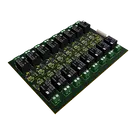
16 channel relay module
Controls
Properties
Availability & Pricing
| Distributor | Qty 1 | |
|---|---|---|
Assets
- 16-ch-relay.png
id=16-ch-relay
Thumbnail

Welcome 👋
Flux helps you build PCBs faster with an AI teammate!
Create your account to collaborate, stay updated, fork your own version, and get instant answers from our AI agent.
sajal200
copilot
Table