创建SOP16芯片原件库
Thought for 1 min 37 sec
看起来你之所以找不到 HC01-SOP16-1.27,很可能是“还未发布到库”或“权限仍为私有”。这是 Flux 文档对“发布到库与可见性”的原文说明:
“Understanding Permissions
Publishing a component to the library doesn't automatically make it publicly accessible to all users. Only people specified in your project's permissions can find and use your component in the library.
This permission-based approach gives you control over who can access your components:
Private components: Set permissions to limit access to just yourself or your team
Public components: Set permissions to "Everyone" to make your component available to the entire Flux community
By default, a project's permissions are set to Private, meaning only you can access it.
To manage permissions:
Click on the "Share" button in the menu of your project
Adjust the permissions as needed
Publish the changes for the new permissions to take effect in the library
Remember that a change to your permissions is a change to your project, and must be published again to be reflected in the library.
Component Persistence
Once a part is published, it cannot be un-published. This ensures that your component doesn't disappear from projects that utilize it.
However, you can:
Change permissions: Modify who can access your component in the library
Archive the component: When you archive#archive-a-project a component, its permissions are changed to Private, hiding it from others in the library
Regardless of these changes, if anyone is already using your published component in a project, it will persist in that project, ensuring design continuity.
When you've created a new component and want to make it available in the library, follow these steps:
Type ⌘P on Mac or Ctrl P on Windows, or
Click on the Flux Menu in the upper left corner of the screen
Choose "Publish to Library..."
Select "Publish"
The publishing process involves these key steps:
Open the component project you want to publish
Click on the Flux Menu in the top-left corner of the screen
Choose "Publish to library..."
Review the component details
Click "Publish"
Once published, your component will appear in the library for users who have permission to access it, based on your project's permission settings.
Publishing is the act of sharing your brand new component, or updates to your component, to the Flux library. This process makes your components discoverable and usable by others according to the permissions you set.
Publishing is important because new projects in Flux don't show up in the library by default. You have to intentionally choose to share them there. The same is true for making changes to published components. After you've made the changes you want, you must publish again to make those changes visible to others.”
Source
请按上面步骤确保:已发布到库,且权限满足你当前账号可见;然后再在库里搜索 HC01-SOP16-1.27 使用。若仍找不到,告诉我当前项目是否已经完成发布和权限设置。
we want an array 4x4 of rp2040 with shared boot flash
Thought for 1 min 33 sec
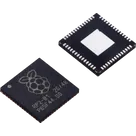
我们要构建一块“4×4 个 RP2040 共享启动用 QSPI Flash”的板。
计划:
- 放置 16×RP2040,按 4×4 网格;每个 VDD-GND 对就近放置 100nF 去耦(≤5 mm,基于知识库指导);每颗配 12 MHz 低 ESR<100 Ω 晶振;加 SWD 与 RUN/BOOT 管脚。
- 共享 QSPI:一颗外部 QSPI Flash,SCLK/IO0–IO3 总线扇出;为每颗 MCU 实施 CSN 隔离/复位门控(多路复用/缓冲),并配置必要上拉与串联电阻。
- 电源与接口:设计公共电源与大容量电容;按需布置 USB/UART、测试点与地过孔拼接。
- 连接与约束:为 16 颗分配索引与 CSN 控制,建立启动仲裁与编程时序;完成原理图连线。
- PCB:4×4 栅格布局;QSPI 走线长度控制与阻抗;去耦紧邻放置;ERC/DRC 通过后发布。
说明:
- 依据知识库:RP2040 需外接 QSPI Flash 并正确连线;晶振选 12 MHz 且 ESR<100 Ω;每对电源引脚各放 100nF 去耦,距离不超过 5 mm。
- 若你确认采用“单颗 Flash + 每 MCU 独立受控 CSN(经多路复用/缓冲/门控)”方案,我即可开始执行。需要改为“多颗 Flash(分区)”或“共享外部时钟”也可调整。请告知是否现在开始。
Choose flash sharing scheme
Decoupling and crystal parts
Power rail sizing
Programming/debug topology
Flux workflow question


vilas
copilot
vilas
copilot
GPIO29,GPIO27, andGPIO25. These will be used to control the brightness of each color of the LED.vilas
copilot
vilas
vilas
copilot
copilot