Project UUID Inquiry

1:35
Using Knowledge Base Tool.
Reading docs about How to find the project UUID or unique ID in Flux; where is it shown (URL, project settings, share dialog, API) and any limitations.
Reading docs about Where to find a project ID or UUID in Flux; does the project URL include an ID? Any docs referencing project identifiers.
Reading docs about Does Flux expose a project UUID or ID? How to view or copy a project ID in the app or settings.
- Flux Documentation: https://docs.flux.ai/Introduction/the-flux-method
- Flux User Community: https://www.flux.ai/p/slack-community
Ready.
- IO32
- IO33
- IO34
- IO35
- IO36
- SENSOR_VP
- SENSOR_VN
-
Start a New Project: After logging into Flux, you can start a new project by selecting the option to create a new schematic.
-
Design Your Schematic: You can use the Flux library to drag and drop the desired electrical components onto the schematic editor. You can then connect these components as per your circuit design.
-
PCB Layout: Once you have your schematic ready, you can then proceed to design the PCB layout. Again, Flux offers tools that enable you to place components onto a PCB and route the interconnections.
-
Share and Collaborate: Flux is built for collaboration, you can share your design with others and work together on the project[1].
-
Export Your Design: Once your design is complete, you can export it in a variety of formats, including Gerber (for PCB manufacturing), BOM (Bill of Materials), and various 3D formats.
- IO18 (Pin Number 30): SCK
- IO23 (Pin Number 37): SI
- IO5 (Pin Number 29): SDA
- IO14 (Pin Number 13): D0
- IO15 (Pin Number 23): D1
- IO4 (Pin Number 26): D2
- IO0 (Pin Number 25): D3
- IO2 (Pin Number 24): D4
- IO16 (Pin Number 27): D5
- IO17 (Pin Number 28): D6
- IO33 (Pin Number 9): D7
- IO19 (Pin Number 31): XCLK
- IO21 (Pin Number 33): PWDN
- IO27 (Pin Number 12): RESET
- IO13 (Pin Number 16): HREF
- IO12 (Pin Number 14): VSYNC
- IO34 (Pin Number 6): PCLK
- General Purpose I/O (GPIO): If $IO16$ is a general-purpose input/output (GPIO) pin, many modules offer GPIO pins that can be used as replacements.
- Pin Compatibility: Ensure compatibility in terms of voltage levels, pin arrangements, and any additional required features.
-
ESP32 GPIO Pin: Since your project mentions Espressif Systems and several GPIOs (input/output pins similar to $IO16$), you can use another GPIO pin from the same module: $IO14$, $IO27$, or $IO26$.
-
Multiplexing: Check if the module supports multiplexing, enabling you to reuse another pin without changing your design drastically.
- Replacing IO16 with IO27:
- Connect $P27$:12 (if specific connections are made to the old pin IO16, replicate them on the new pin)
- SD0/SD1 (P:SDI/SD1, P:SDO/SD0)
- CMD (P:SCS/CMD)
- CLK (P:SCK/CLK)
- SD2 (P:SHD/SD2)
- SD3 (P:SWP/SD3)
- Several GPIO (General Purpose Input/Output) pins are available such as IO0, IO2, IO4, IO5, IO13, IO15, IO16, IO17, IO18, IO19, IO21, IO22, IO23, IO25, IO26, IO27, IO32, IO33, IO34, and IO35.
- There are several Ground (GND) connections denoted.
- The design includes an Enable pin (EN) and two sensor pins (SENSOR_VP and SENSOR_VN).
- The I2C pins (SDA: IO21, and SCL: IO22), SPI pins (CLK: IO18, MISO: IO19, CS: IO5 and MOSI: IO23), and UART pins (RX: IO3 and TX: IO1) are valuable for interfacing with most peripherals.
- Inputs to the chip also include Power-in (VDD) and Ground.
- Raspberry Pi (any version that suits your need)
- Camera Module (compatible with Raspberry Pi)
- Microphone(s)
- Speaker
- Optional: Servo motors for the robot (optional, if you want your robot to move or gesture)
- Raspbian OS (or any preferred OS compatible with Raspberry Pi)
- Python 3.x
- OpenAI's GPT or GPT-3 API
- OpenCV for camera interfacing
- PyAudio and SpeechRecognition for audio processing
-
Install the latest version of Python, OpenCV, PyAudio and SpeechRecognition (for audio input), and GPT-3 API in your Raspberry Pi.
-
OpenCV is used to capture and analyze images from the Raspberry Pi camera module. You may need to install some extra dependencies to use OpenCV with the camera.
-
Use the OpenCV library in Python to capture the frames from the Camera.
-
Use models like Haar cascades or deep learning models (like FaceNet) with OpenCV for face detection or object detection.
-
Use the PyAudio library to capture the audio from the microphone. Then, use SpeechRecognition to convert the spoken words into text. This will be the input for our GPT model.
-
Send this input to the GPT model. You'll need an API key from OpenAI to use their GPT models.
-
The GPT model will generate a response based on the input and return it as text. This will be the output response that your robot will give.
-
Convert this text into speech. You can use Google's Text To Speech (gtts) library in Python to convert text to speech.
-
Use the pygame library in Python to play the converted speech audio.
- PIR VCC: Conecta al pin de alimentación de 3.3V o 5V del ESP32.
- PIR GND: Conecta a cualquier pin GND del ESP32.
- PIR OUT: Conecta al pin GPIO del ESP32 donde deseas leer la señal del sensor.
- Conecta PIR VCC al pin VDD pin2 del ESP32.
- Conecta PIR GND a GND.
- Conecta PIR OUT al pin IO32 pin8 del ESP32.
- Connect PIR VCC to ESP32:VDD
- Connect PIR GND to ESP32:GND
- Connect PIR OUT to ESP32:IO32
- Each SD card module is driven by a separate SPI bus
- Enough GPIOs are available for two separate SPI buses and their corresponding CS (chip select) pins
-
Connect the Chip Select (CS) pin on the SD Card Module to any unused GPIO on the ESP32. For instance, you can use
IO23 (pin 37)assuming it is not being used for anything else. This pin will be used to activate the SD Card Module when the ESP32 wants to communicate with it. -
Connect the Serial Clock (SCK) pin on the SD Card Module to
SCK/CLK (pin 20)on the ESP32. -
Connect the Master-In-Slave-Out (MISO) pin on the SD Card Module to
SDO/SD0 (pin 21)on the ESP32. -
Connect the Master-Out-Slave-In (MOSI) pin on the SD Card Module to
SDI/SD1 (pin 22)on the ESP32. -
Connect the VCC and GND pins on the SD Card Module to the respective power supply and ground points in your circuit. The
VDD (pin 2)on the ESP32 module can be used for VCC, and any of the availableGND (pins 1, 15, 38, 39)for the ground connection.
-
Begin by adding the microSD Card Module to your Flux project via the components tab.
-
You'll then want to use the Wire Tool to establish the following connections:
- Tie the SD Card's CS pin to
IO23 (pin 37)on the ESP32. - Connect the SD Card's SCK pin to
SCK/CLK (pin 20)on the ESP32. - Associate the SD Card's MISO pin with
SDO/SD0 (pin 21)on the ESP32. - Link the SD Card's MOSI pin to
SDI/SD1 (pin 22)on the ESP32.
- Tie the SD Card's CS pin to
-
The VCC pin of the SD Card Module should be paired with the
VDD (pin 2)on the ESP32 module. -
Attach the GND pin of the SD Card Module to any GND pin on the ESP32 (
GND - pins 1, 15, 39, or 38)
-
OV2640 | ESP32-WROOM-32:
-
VCC | 3.3V (Any known stable 3.3V source)
-
GND | GND (P15, P38, P39 or P1)
-
SIOC | IO22 (P36)
-
SIOD | IO21 (P33)
-
VSYNC | IO27 (P12)
-
HREF | IO26 (P11)
-
PCLK | IO25 (P10)
-
XCLK | IO23 (P37)
-
D9 | IO22 (P36)
-
D8 | IO21 (P33)
-
D7 | IO19 (P31)
-
D6 | IO18 (P30)
-
D5 | IO17 (P28)
-
D4 | IO16 (P27)
-
D3 | IO15 (P23)
-
D2 | IO14 (P13)
-
D1 | IO13 (P16)
-
D0 | IO12 (P14)
-
-
RESET and PWDN pins are not compulsory to use. However, if you want, you can connect them to any available GPIOs. These pins allow more control over the module, like resetting the module or power it down to save energy.
-
Extra care must be taken to ensure that the XCLK pin output a 20 MHz clock signal.
-
Audio Decoder/Amplifier: This can be an I2S DAC or a combination of a DAC and an amplifier such as the MAX98357A, which can be directly driven by the ESP32. This will convert the digital audio data fetched from the web stream into audible signals that can be output to a speaker.
-
Speaker: You will need a small 8-ohm speaker to interact with the amplifier.
-
Power Supply: ESP32 typically runs on 3.3V, hence a suitable power supply is required. This can be a simple USB power supply if the radio is to be stationary, or a battery for mobile applications.
-
WiFi Access: Since the ESP32 already has built-in WiFi, you don't need an additional component, but you will need access to a WiFi network to play the web radio.
-
Software: You will need to program the ESP32 to connect to your WiFi, connect to a radio stream over the internet, decode the incoming data, and output it via the I2S protocol to your Digital to Analog Converter (DAC).
- Connect
ESP32:VDDto the power source Vcc pin. - Connect
ESP32:GNDto the ground of the circuit.
- Connect
ESP32:IO22(I2S SCK) toMAX98357A:BCLK. - Connect
ESP32:IO25(I2S WS) toMAX98357A:LRC. - Connect
ESP32:IO19(I2S SD) toMAX98357A:DIN.
- Two pieces of LED
- Two current limiting resistors (for instance, 220ohm depending on your LED requirements)
- Connect the anode (long leg) of the LED to terminal IO32.
- Connect the cathode (short leg) of the LED to one end of the resistor.
- Connect the other end of the resistor to the GND terminal.
- Connect the anode (long leg) of the LED to terminal IO12.
- Connect the cathode (short leg) of the LED to one end of the resistor.
- Connect the other end of the resistor to the GND terminal.
- OV2640
D2 (IO16)-> ESP32-WROOM-32IO12 - OV2640
D3 (IO15)-> ESP32-WROOM-32IO13 - OV2640
D4 (IO4)-> ESP32-WROOM-32IO4 - OV2640
D5 (IO17)-> ESP32-WROOM-32IO14 - OV2640
D6 (IO18)-> ESP32-WROOM-32IO15 - OV2640
D7 (IO19)-> ESP32-WROOM-32IO2 - OV2640
D8 (IO5)-> ESP32-WROOM-32IO18 - OV2640
VSYNC (IO2)-> ESP32-WROOM-32IO19 - OV2640
HREF (IO22)-> ESP32-WROOM-32IO22 - OV2640
PCLK (IO21)-> ESP32-WROOM-32IO26 - OV2640
XCLK (IO0)-> ESP32-WROOM-32IO27 - OV2640
SIOD (IO26)-> ESP32-WROOM-32IO25 - OV2640
SIOC (IO27)-> ESP32-WROOM-32IO23 - OV2640
RST (IO32)-> ESP32-WROOM-32IO16 - OV2640
PWDN (IO33)-> ESP32-WROOM-32IO17
VDD.GND, to connect the GND of the OV2640.-
From the OV2640 module, connect SIOC to the ESP32-WROOM-32 IO22 (Pin number 36 as per your project list). This will serve as the Serial Clock line.
-
Connect SIOD from the OV2640 to IO21 (Pin number 33) on the ESP32. This will serve as the Serial Data I/O.
-
The VSYNC (Vertical Sync output) pin of OV2640 should be connected to the IO25 (Pin number 10) of ESP32.
-
Connect PWDN (Power Down) of OV2640 module to IO33 (Pin number 9) of ESP32-WROOM-32
-
The XCLK (System Clock Input) pin on the OV2640 should be connected to IO32 (Pin Number 8) on the ESP32.
-
OV2640's HREF (Horizontal Reference output) should be connected to IO26 (Pin number 11) on the ESP32.
-
D7-D0 (Pixel Data output) of OV2640 should be connected to D7-D0 on ESP32 (IO35, IO34, IO5, IO39, IO18, IO36, IO19, IO21). Note: not all these pins may be available on the ESP32-WROOM-32, check the pin mapping and connect as much pins as possible to get the maximum pixel data. You can use fewer pins if you want lower pixel data.
-
Connect GND (Ground) on the OV2640 to one of the GND pins on the ESP32-WROOM-32 (any of the GND pins mentioned in your project: Pin number 38, 39, 15 or 1).
-
Lastly, connect 3V3/DOVDD (Power supply) from the OV2640 to one of the VDD pins on the ESP32-WROOM-32 (Pin Number 2).
Reviews

- Wirelessly connects nets on schematic. Used to organize schematics and separate functional blocks. To wirelessly connect net portals, give them same designator. #portaljharwinbarrozo43.0M
- Wirelessly connects power nets on schematic. Identical to the net portal, but with a power symbol. Used to organize schematics and separate functional blocks. To wirelessly connect power net portals, give them the same designator. #portal #powerjharwinbarrozo11.4M
- A generic fixed resistor for rapid developing circuit topology. Save precious design time by seamlessly add more information to this part (value, footprint, etc.) as it becomes available. Standard resistor values: 1.0Ω 10Ω 100Ω 1.0kΩ 10kΩ 100kΩ 1.0MΩ 1.1Ω 11Ω 110Ω 1.1kΩ 11kΩ 110kΩ 1.1MΩ 1.2Ω 12Ω 120Ω 1.2kΩ 12kΩ 120kΩ 1.2MΩ 1.3Ω 13Ω 130Ω 1.3kΩ 13kΩ 130kΩ 1.3MΩ 1.5Ω 15Ω 150Ω 1.5kΩ 15kΩ 150kΩ 1.5MΩ 1.6Ω 16Ω 160Ω 1.6kΩ 16kΩ 160kΩ 1.6MΩ 1.8Ω 18Ω 180Ω 1.8KΩ 18kΩ 180kΩ 1.8MΩ 2.0Ω 20Ω 200Ω 2.0kΩ 20kΩ 200kΩ 2.0MΩ 2.2Ω 22Ω 220Ω 2.2kΩ 22kΩ 220kΩ 2.2MΩ 2.4Ω 24Ω 240Ω 2.4kΩ 24kΩ 240kΩ 2.4MΩ 2.7Ω 27Ω 270Ω 2.7kΩ 27kΩ 270kΩ 2.7MΩ 3.0Ω 30Ω 300Ω 3.0KΩ 30KΩ 300KΩ 3.0MΩ 3.3Ω 33Ω 330Ω 3.3kΩ 33kΩ 330kΩ 3.3MΩ 3.6Ω 36Ω 360Ω 3.6kΩ 36kΩ 360kΩ 3.6MΩ 3.9Ω 39Ω 390Ω 3.9kΩ 39kΩ 390kΩ 3.9MΩ 4.3Ω 43Ω 430Ω 4.3kΩ 43KΩ 430KΩ 4.3MΩ 4.7Ω 47Ω 470Ω 4.7kΩ 47kΩ 470kΩ 4.7MΩ 5.1Ω 51Ω 510Ω 5.1kΩ 51kΩ 510kΩ 5.1MΩ 5.6Ω 56Ω 560Ω 5.6kΩ 56kΩ 560kΩ 5.6MΩ 6.2Ω 62Ω 620Ω 6.2kΩ 62KΩ 620KΩ 6.2MΩ 6.8Ω 68Ω 680Ω 6.8kΩ 68kΩ 680kΩ 6.8MΩ 7.5Ω 75Ω 750Ω 7.5kΩ 75kΩ 750kΩ 7.5MΩ 8.2Ω 82Ω 820Ω 8.2kΩ 82kΩ 820kΩ 8.2MΩ 9.1Ω 91Ω 910Ω 9.1kΩ 91kΩ 910kΩ 9.1MΩ #generics #CommonPartsLibraryjharwinbarrozo1.5M
- A generic fixed capacitor ideal for rapid circuit topology development. You can choose between polarized and non-polarized types, its symbol and the footprint will automatically adapt based on your selection. Supported options include standard SMD sizes for ceramic capacitors (e.g., 0402, 0603, 0805), SMD sizes for aluminum electrolytic capacitors, and through-hole footprints for polarized capacitors. Save precious design time by seamlessly add more information to this part (value, footprint, etc.) as it becomes available. Standard capacitor values: 1.0pF 10pF 100pF 1000pF 0.01uF 0.1uF 1.0uF 10uF 100uF 1000uF 10,000uF 1.1pF 11pF 110pF 1100pF 1.2pF 12pF 120pF 1200pF 1.3pF 13pF 130pF 1300pF 1.5pF 15pF 150pF 1500pF 0.015uF 0.15uF 1.5uF 15uF 150uF 1500uF 1.6pF 16pF 160pF 1600pF 1.8pF 18pF 180pF 1800pF 2.0pF 20pF 200pF 2000pF 2.2pF 22pF 20pF 2200pF 0.022uF 0.22uF 2.2uF 22uF 220uF 2200uF 2.4pF 24pF 240pF 2400pF 2.7pF 27pF 270pF 2700pF 3.0pF 30pF 300pF 3000pF 3.3pF 33pF 330pF 3300pF 0.033uF 0.33uF 3.3uF 33uF 330uF 3300uF 3.6pF 36pF 360pF 3600pF 3.9pF 39pF 390pF 3900pF 4.3pF 43pF 430pF 4300pF 4.7pF 47pF 470pF 4700pF 0.047uF 0.47uF 4.7uF 47uF 470uF 4700uF 5.1pF 51pF 510pF 5100pF 5.6pF 56pF 560pF 5600pF 6.2pF 62pF 620pF 6200pF 6.8pF 68pF 680pF 6800pF 0.068uF 0.68uF 6.8uF 68uF 680uF 6800uF 7.5pF 75pF 750pF 7500pF 8.2pF 82pF 820pF 8200pF 9.1pF 91pF 910pF 9100pF #generics #CommonPartsLibraryjharwinbarrozo1.5M
- A generic fixed inductor for rapid developing circuit topology. *You can now change the footprint and 3D model at the top level anytime you want. This is the power of #genericsjharwinbarrozo15.5k
- An electrical connector acting as reusable interface to a conductor and creating a point where external circuits can be connected.Terminal
- 47 kOhms ±5% 0.125W, 1/8W Chip Resistor 0805 (2012 Metric) Automotive AEC-Q200 Thick Film #forLedBlinkjharwinbarrozo1.2M
- 10uF Capacitor Aluminum Polymer 20% 16V SMD 5x5.3mm #forLedBlink #commonpartslibrary #capacitor #aluminumpolymer #radialcanjharwinbarrozo1.2M
- Yellow 595nm LED Indication - Discrete 1.7V 1206 (3216 Metric) #forLedBlinkjharwinbarrozo1.1M


Pricing & Availability
Distributor | Qty 1 |
|---|
Assets
ESP32-WROOM-32-Footprint_V5.kicad_mod
ESP32-WROOM-32-Footprint_V5
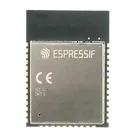
ESP32-WROOM-32
defaultDefaultESP32-WROOM-32-3D.step
ESP32-WROOM-32-3D3D Model
ESP32-WROOM-32-removebg-preview.png
ESP32-WROOM-32-removebg-previewThumbnailESP32-WROOM-32-Footprint_V5-2.kicad_mod
ESP32-WROOM-32-Footprint_V5-2FootprintControls
Welcome 👋
Flux accelerates your PCB design with AI.
Create your account to start using this component and bring your ideas to life.