Function of Voltage Regulator U1

5:05
Exploring U1 functionality.
Reviewing the bill of materials.
Analyzing the schematic.
Looking for "functional description and what the device does" in en.CD00000444.pdf
Looking for "recommended application circuit and typical use" in en.CD00000444.pdf
Looking for "output voltage, input voltage range, and output current capability" in en.CD00000444.pdf
Looking for "pin functions VIN VOUT GND feedback enable switching node if applicable" in en.CD00000444.pdf
Running multiple web searches.
Found 10 results.
Found 10 results.
Clarifying U1 connections.
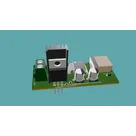
U1 is the 12 V regulator in this design.
- In the BOM, U1 is U1, which is a positive fixed linear voltage regulator with a 12 V output and up to about 1.5 A capability in a TO-220 package.
- In the schematic, its pins are:
- IN: input supply
- GND: ground
- OUT: regulated 12 V output
- Its OUT pin is on the same net as C3 and C4, which indicates those capacitors are supporting/stabilizing the 12 V rail.
- Its IN pin is tied to the input side with C6, which suggests C6 is the input bypass/filter capacitor for this regulator.
So, functionally, the path is:
input supply -> U1 -> regulated 12 V output
That fits the project’s stated architecture: a supply that takes 24 V in and generates 12 V and 3.3 V, where U1 is the 12 V branch. The recommended way to explain a project block like this is to describe what is actually connected and use concrete values, which is exactly what this interpretation follows
Explain U2 too
Check U1 support parts
Find U1 datasheet limits
15 days


Welcome 👋
Flux accelerates your PCB design with AI.
Create your account to start using this component and bring your ideas to life.
