Voltage Input Device Setup

Add a voltage device 1/2 on pin 25 as input
Thought for 2 sec
I’m blocked from making project changes right now because execution credits are unavailable.
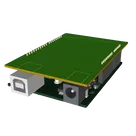
What I understand you want: add a “voltage device 1/2” signal/input connection on pin 25. In the current Arduino shield template, I’d need to inspect which connector/pin maps to project “pin 25,” then add or wire the voltage input device to that pin and verify the schematic.
Nothing has been changed in the project in this session. Remaining work:
- Confirm what “voltage device 1/2” means electrically — e.g. a voltage divider 1/2, a voltage sensor input, or a named external voltage source.
- Identify pin 25 in the existing Arduino shield schematic.
- Add the required input circuitry and connect it to pin 25.
- Verify power/ground, input voltage limits, and schematic review results.
Wire voltage divider
Find pin 25
Choose divider values
Run ERC/DRC


Welcome 👋
Flux helps you build PCBs faster with an AI teammate!
Create your account to collaborate, stay updated, fork your own version, and get instant answers from our AI agent.