AI Presence Inquiry
0:07
Chat History
Project
Got it - then we’re working on shit.
What kind of shit:
- schematic shit
- layout shit
- simulation shit
- review/debugging shit
- export/manufacturing shit
Pick one and I’m in.
9h

0:05
Chat History
Project
Respect. Fucking shit sounds like late-stage debug energy.
Give me the damage:
- what’s broken
- what you expected
- or just say
review this projectand I’ll dig in
9h
0:16
The response is taking longer than expected. Please try again with a more focused question.
9h
Ready.
What does this do?
1y
Based on the provided project description, this circuit is designed as a simple fixed linear voltage regulator board, specifically tailored to output 3.3V up to a current of 1A. The critical component here is the AMS1117-3.3, a Low Dropout (LDO) Linear Regulator, configured to provide a stable 3.3V output from a variety of input voltages, as long as the input is at least 1V higher than the output to ensure proper regulation, in line with the project's goal to operate down to a 1V input-to-output differential.
Here's a breakdown of the main functions and components:
-
AMS1117-3.3 (U1): The core component, a low dropout linear regulator that outputs 3.3V. This IC regulates the voltage to a fixed 3.3V output regardless of changes in input voltage or load conditions, within its specified input voltage and current limit range.
-
Capacitors (C1, C2, C3, C4): These capacitors are used for input and output filtering. C1 and C4, both being 10uF capacitors, are likely placed close to the regulator's input (VI) and output (VO) pins, respectively, to stabilize the voltage and reduce noise. C2 and C3 are 0.1uF capacitors, probably also for smoothing and additional noise suppression.
-
Diode (D1, 0805WBD8120S01): This diode might serve as a protection component to prevent reverse current flows that could potentially damage the regulator or other sensitive components.
-
Resistor (R1, 1k): Its specific function isn't detailed, but given its connection in the circuit, it might be used to set a reference voltage or current somewhere, possibly in relation to the diode or an LED indicator if one is anticipated but not explicitly listed.
-
Ground (GND) and Power (VIN+, VOUT+) Nets: These nets are crucial for defining the common ground for all components and directing the flow of current from the input voltage source through the regulator to the output.
-
Jumper (J1) and Switch (SW1, TS-1088R-02026): These components are likely for user interface, allowing physical control over the circuit, such as power on/off or selection between different operational modes or inputs.
In summary, this circuit exists to convert a varied input voltage (greater than 4.3V considering the dropout voltage and desired output) into a stable 3.3V output, with applications potentially in powering microcontrollers, sensors, and other 3.3V logic devices in electronic projects or products.
1y
Can you summarize it in less detail
1y
Certainly! This project outlines a PCB design for a simple 3.3V, 1A fixed voltage regulator using the AMS1117-3.3 LDO regulator. The main goal is to take a variable input voltage and provide a stable 3.3V output. It includes capacitors for smoothing and stabilization, a diode for protection against reverse currents, and a resistor for potential voltage or current control. The design also incorporates a switch for operational control and provisions for input and output connections. It's suited for powering 3.3V logic devices or circuits.
1y
Someone is typing...
3
C3
Capacitance
0.1uF
Net4
C2
Capacitance
0.1uF
U1
GND
Net2
Net3
Net1
P3
P4
PowerNet2
R2
Resistance
47kΩ
C1
Capacitance
10uF
VIN+
J1
SW1
Reviews

- Wirelessly connects nets on schematic. Used to organize schematics and separate functional blocks. To wirelessly connect net portals, give them same designator. #portaljharwinbarrozo43.0M
- Wirelessly connects power nets on schematic. Identical to the net portal, but with a power symbol. Used to organize schematics and separate functional blocks. To wirelessly connect power net portals, give them the same designator. #portal #powerjharwinbarrozo11.4M
- A generic fixed resistor for rapid developing circuit topology. Save precious design time by seamlessly add more information to this part (value, footprint, etc.) as it becomes available. Standard resistor values: 1.0Ω 10Ω 100Ω 1.0kΩ 10kΩ 100kΩ 1.0MΩ 1.1Ω 11Ω 110Ω 1.1kΩ 11kΩ 110kΩ 1.1MΩ 1.2Ω 12Ω 120Ω 1.2kΩ 12kΩ 120kΩ 1.2MΩ 1.3Ω 13Ω 130Ω 1.3kΩ 13kΩ 130kΩ 1.3MΩ 1.5Ω 15Ω 150Ω 1.5kΩ 15kΩ 150kΩ 1.5MΩ 1.6Ω 16Ω 160Ω 1.6kΩ 16kΩ 160kΩ 1.6MΩ 1.8Ω 18Ω 180Ω 1.8KΩ 18kΩ 180kΩ 1.8MΩ 2.0Ω 20Ω 200Ω 2.0kΩ 20kΩ 200kΩ 2.0MΩ 2.2Ω 22Ω 220Ω 2.2kΩ 22kΩ 220kΩ 2.2MΩ 2.4Ω 24Ω 240Ω 2.4kΩ 24kΩ 240kΩ 2.4MΩ 2.7Ω 27Ω 270Ω 2.7kΩ 27kΩ 270kΩ 2.7MΩ 3.0Ω 30Ω 300Ω 3.0KΩ 30KΩ 300KΩ 3.0MΩ 3.3Ω 33Ω 330Ω 3.3kΩ 33kΩ 330kΩ 3.3MΩ 3.6Ω 36Ω 360Ω 3.6kΩ 36kΩ 360kΩ 3.6MΩ 3.9Ω 39Ω 390Ω 3.9kΩ 39kΩ 390kΩ 3.9MΩ 4.3Ω 43Ω 430Ω 4.3kΩ 43KΩ 430KΩ 4.3MΩ 4.7Ω 47Ω 470Ω 4.7kΩ 47kΩ 470kΩ 4.7MΩ 5.1Ω 51Ω 510Ω 5.1kΩ 51kΩ 510kΩ 5.1MΩ 5.6Ω 56Ω 560Ω 5.6kΩ 56kΩ 560kΩ 5.6MΩ 6.2Ω 62Ω 620Ω 6.2kΩ 62KΩ 620KΩ 6.2MΩ 6.8Ω 68Ω 680Ω 6.8kΩ 68kΩ 680kΩ 6.8MΩ 7.5Ω 75Ω 750Ω 7.5kΩ 75kΩ 750kΩ 7.5MΩ 8.2Ω 82Ω 820Ω 8.2kΩ 82kΩ 820kΩ 8.2MΩ 9.1Ω 91Ω 910Ω 9.1kΩ 91kΩ 910kΩ 9.1MΩ #generics #CommonPartsLibraryjharwinbarrozo1.5M
- A generic fixed capacitor ideal for rapid circuit topology development. You can choose between polarized and non-polarized types, its symbol and the footprint will automatically adapt based on your selection. Supported options include standard SMD sizes for ceramic capacitors (e.g., 0402, 0603, 0805), SMD sizes for aluminum electrolytic capacitors, and through-hole footprints for polarized capacitors. Save precious design time by seamlessly add more information to this part (value, footprint, etc.) as it becomes available. Standard capacitor values: 1.0pF 10pF 100pF 1000pF 0.01uF 0.1uF 1.0uF 10uF 100uF 1000uF 10,000uF 1.1pF 11pF 110pF 1100pF 1.2pF 12pF 120pF 1200pF 1.3pF 13pF 130pF 1300pF 1.5pF 15pF 150pF 1500pF 0.015uF 0.15uF 1.5uF 15uF 150uF 1500uF 1.6pF 16pF 160pF 1600pF 1.8pF 18pF 180pF 1800pF 2.0pF 20pF 200pF 2000pF 2.2pF 22pF 20pF 2200pF 0.022uF 0.22uF 2.2uF 22uF 220uF 2200uF 2.4pF 24pF 240pF 2400pF 2.7pF 27pF 270pF 2700pF 3.0pF 30pF 300pF 3000pF 3.3pF 33pF 330pF 3300pF 0.033uF 0.33uF 3.3uF 33uF 330uF 3300uF 3.6pF 36pF 360pF 3600pF 3.9pF 39pF 390pF 3900pF 4.3pF 43pF 430pF 4300pF 4.7pF 47pF 470pF 4700pF 0.047uF 0.47uF 4.7uF 47uF 470uF 4700uF 5.1pF 51pF 510pF 5100pF 5.6pF 56pF 560pF 5600pF 6.2pF 62pF 620pF 6200pF 6.8pF 68pF 680pF 6800pF 0.068uF 0.68uF 6.8uF 68uF 680uF 6800uF 7.5pF 75pF 750pF 7500pF 8.2pF 82pF 820pF 8200pF 9.1pF 91pF 910pF 9100pF #generics #CommonPartsLibraryjharwinbarrozo1.5M
- A generic fixed inductor for rapid developing circuit topology. *You can now change the footprint and 3D model at the top level anytime you want. This is the power of #genericsjharwinbarrozo15.5k
- An electrical connector acting as reusable interface to a conductor and creating a point where external circuits can be connected.Terminal
- 47 kOhms ±5% 0.125W, 1/8W Chip Resistor 0805 (2012 Metric) Automotive AEC-Q200 Thick Film #forLedBlinkjharwinbarrozo1.2M
- 10uF Capacitor Aluminum Polymer 20% 16V SMD 5x5.3mm #forLedBlink #commonpartslibrary #capacitor #aluminumpolymer #radialcanjharwinbarrozo1.2M
- Yellow 595nm LED Indication - Discrete 1.7V 1206 (3216 Metric) #forLedBlinkjharwinbarrozo1.1M


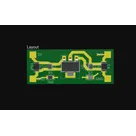
A simple fixed linear voltage regulator board that can provide 3.3V up to 1A output and could operate down to 1V input-to-output differential. #firstpcbFlux
Properties
Properties describe core aspects of the project.
Pricing & Availability
Distributor | Qty 1 |
|---|
Assets

Screen Shot 2022-02-11 at 5.20.25 AM.png
Screen Shot 2022-02-11 at 5.20.25 AMThumbnailControls
Welcome 👋
Flux helps you build PCBs faster with an AI teammate!
Create your account to collaborate, stay updated, fork your own version, and get instant answers from our AI agent.
nick-work
nick-work
copilot
nick-work
copilot
nick-work
copilot
nick-work
copilot
- Clearly outline what you want to achieve with your new project. It could range from a simple blinky LED circuit to more complex projects like a Wi-Fi enabled IoT device.
2. Choose Your Components- Based on your objective, select the electronic components needed. This could include microcontrollers, sensors, actuators, power supply elements, etc. Use the Flux component library to search for and add these components to your project.
3. Design the Schematic- Connect your components logically in the schematic editor. Ensure you follow proper design rules, such as correct power supply connections, proper decoupling for ICs, and considering signal integrity for high-speed components.
4. Layout the PCB- Once the schematic is complete, move on to the PCB layout phase. Here, you'll physically place components on the board and route traces between them. Pay attention to layout considerations like trace width for current carrying capacity, separation for noise reduction, and any specific manufacturer guidelines.
5. Validate and Optimize- Use the tools available in Flux to validate your design, checking for errors like unrouted nets or shorts. It's also a good idea to simulate parts of your circuit if possible.
6. Prepare for Manufacturing- When you're satisfied with the design, generate the necessary files for manufacturing, such as Gerber files and a bill of materials (BoM). Flux allows you to export these directly from the application.
7. Review and Iterate- It's often beneficial to have another set of eyes review your design before finalizing it. You might catch mistakes or areas for improvement. Don't hesitate to iterate on your design based on this feedback.
Example New Project Idea: IoT Device