Rocket Avionics Design Assistance

0:58

General (prev)
Project
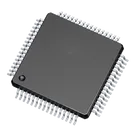
I don’t see the STM32F405RGT6 MCU symbol in your schematic yet. Would you like me to add the STM32F405RGT6 into your design now?
198 days
@library add STM32F405RGT6 in LQFP64 to the schematic now.
198 days

1:32

General (prev)
Chat History
Project
Action
Library

Starting 1 component search

Searching: "STM32F405RGT6"

Completed 1 component search.

Checking if I can make the changes for you.

I can add the following component to your schematic:
Let me know when you’d like me to proceed with placement and any specific orientation or position preferences!
198 days
What is pin 1 of U1
198 days

is thinking...

198d 0:34:30

198 days

Ready.


how to supply this mcu

1y
@copilot How to power up this mcu?
2y
To power up the STM32F405RGT6 microcontroller in your project, you need to use three main power pins.
  1. VDDA: This is the power supply for the analog section of the ARM microcontroller. You could generally use a 3.3V power source for this pin.
  2. VDD: The chip uses a separate power supply for the digital part. You can provide the same 3.3V on any VDD pin like VDD1, VDD2, VDD3, or VDD4 - these are internally connected and usually we can power any VDD pin.
  3. VBAT: This is the power input for battery or an external source. This maintains the real-time clock and backup registers when the main power is off.
At the same time, the power supply ground return should be connected to the VSSA (analog ground) and VSS (digital ground) pins on the microcontroller.
The pin numbers are according to the description in your project.
Please note that decoupling capacitors near the power supply pins are generally recommended to avoid transients in power supply.
Remember to adhere to the recommended operating conditions from the STM32F405RGT6 datasheet and the recommendations from the power supply manufacturer.
There might be additional details or requirements for your specific use case. Please refer to the datasheet of the STM32F405RGT6 to ensure proper powering of the chip.
2y
what decoupling capacitors should i use?
2y
The exact values for decoupling capacitors could vary based on the specifics of your application and the microcontroller you are using. However, there is a commonly used practice for decoupling microcontrollers like the STM32F405RGT6.
  • Each voltage source (VDD) pin on the board should be bypassed to the corresponding ground pin (VSS) with a 100nF (0.1μF) ceramic capacitor. This can mitigate high-frequency noise.
  • A larger 10μF electrolytic capacitor is typically placed near the power source in order to counteract any lower-frequency fluctuations.
For both capacitors, it is general practice to pick components with a voltage rating at least twice that of the supply voltage, to provide a safety margin.
Additionally, VCAP1 and VCAP2 pins need to be connected to ground through 2.2uF capacitors each, these are used for the internal voltage regulator.
So, summarizing:
  • 100nF ceramic capacitors for each VDD pin.
  • One 10μF electrolytic capacitor near the power source.
  • 2.2uF capacitors for each VCAP pin.
Please note these are default assumptions and the exact values should be determined based on your application requirements and the recommendations from the datasheet of your microcontroller. These values also assume that you use a 3.3V supply voltage.
Here is where you connect them:
  • Connect one end of the 100nF ceramic capacitor to VDD1, VDD2, VDD3, VDD4, and the other end to VSS1, VSS2 respectively
  • Connect one end of the 10uF electrolytic capacitor to the power source, and the other end to ground
  • Connect one end of the 2.2uF capacitor to VCAP1 and VCAP2 respectively, and the other end to ground.
Remember to place the capacitors as close as possible to the respective pins of the microcontroller. Distance from the pins can impact performance.
2y
What max distance is acceptable?
2y
The recommended distance for decoupling capacitors to be most effective is as close to the relevant pins as possible, preferably within 10mm. However, in general, the following guidelines should be observed:
  • Bypass capacitors (like the 100nF ceramics) should ideally be located within 2-5mm of the IC pins they are servicing.
  • Larger bulk decoupling capacitors (like the 10μF capacitor) can be located a bit further away, approximately within 10-20mm of the IC, or close to the power supply entry point to the PCB.
  • The 2.2μF capacitors for VCAP1 and VCAP2 pins should be placed as close as possible to these pins.
Remember that these are ideal conditions. Practical designs may vary based on PCB layout, space availability, and other factors. The key point is to minimize the loop area formed by the power supply or ground path with the path through the decoupling capacitor. Lesser the loop area, better the decoupling performance. Long traces between the capacitor and the IC pin can introduce parasitic inductance, which reduces the effectiveness of the capacitors.
It's always a good idea to follow the guidelines provided in the microcontroller datasheet and other application notes provided by the manufacturer.
2y
How to power up this mcu?
2y
how to supply this mcu
2y
Someone is typing...
New Comment

Someone is typing...
2
New Comment

Someone is typing...
2
New Comment

Someone is typing...
2
give me diagram elevator 4 floors use stm32f4

@copilot set PA15 as input pin
2y
To set PA15 as an input pin, you would typically need to configure the GPIO settings of the microcontroller in your software code. However, as an AI assistant, I can't directly modify your software code.
Here's a general example of how you might do it in C code for an STM32 microcontroller:

C


GPIO_InitTypeDef GPIO_InitStruct = {0};

/* Enable GPIO Clock */
__HAL_RCC_GPIOA_CLK_ENABLE();

/* Configure GPIO pin as input */
GPIO_InitStruct.Pin = GPIO_PIN_15;
GPIO_InitStruct.Mode = GPIO_MODE_INPUT;
GPIO_InitStruct.Pull = GPIO_NOPULL;
HAL_GPIO_Init(GPIOA, &GPIO_InitStruct);
Please replace GPIOA and GPIO_PIN_15 with the appropriate values for your specific microcontroller and pin. Also, ensure that the microcontroller's datasheet and reference manual are consulted for the correct configuration procedure.
Remember to include the necessary header files and ensure that the HAL (Hardware Abstraction Layer) library is properly set up in your project.
If you need help with a specific microcontroller or development environment, please provide more details.
Source(s):
2y
@copilot set PB4 as External interrupt using baremetal code
2y
To set PB4 as an external interrupt using baremetal code, you would typically need to configure the relevant registers in your microcontroller. However, the exact code will depend on the specific microcontroller you are using.
Here's a general outline of the steps you would need to take:
  1. Configure PB4 as an input pin.
  2. Enable the external interrupt for PB4 in the interrupt mask register.
  3. Set the interrupt trigger (rising edge, falling edge, or both) in the interrupt sense control register.
  4. Write an interrupt service routine (ISR) for the interrupt vector associated with PB4.
Please provide the specific microcontroller you are using so I can give a more detailed answer.
Source(s):
2y
@copilot set PB4 as External interrupt
2y
To set PB4 as an external interrupt in Flux, you would typically follow these steps:
  1. First, ensure that PB4 is not being used by any other function in your design.
  2. Next, you need to configure the microcontroller's interrupt settings. This usually involves setting the appropriate register values in the microcontroller to enable external interrupts and specify the interrupt source as PB4.
  3. After that, you need to write an interrupt service routine (ISR) that will be executed when the interrupt occurs. This is a function that is automatically called by the microcontroller when the specified interrupt source (in this case, PB4) triggers an interrupt.
  4. Finally, you need to connect PB4 to the interrupt source in your schematic. This could be a button, sensor, or any other device that you want to trigger the interrupt.
Please note that the exact steps can vary depending on the specific microcontroller you are using. You should refer to the microcontroller's datasheet for detailed instructions.
If you need more specific help, please provide the part number of the microcontroller you are using.
Source(s):
2y
set pa15 as input pin
2y
give me diagram elevator 4 floors use stm32f4
2y
Someone is typing...
2
please explain what BOOT0 does.

mhj nmiuhhtttrfsddsaaasdty
1y
@copilot please explain what BOOT0 does.
2y
BOOT0 is a boot selection option provided by the STM32 range of microcontrollers, including your STM32F405RGT6.
This pin is used to select the boot source at the microcontroller startup. The level applied to the BOOT0 pin (high or low) determines where the controller fetches the first instruction (the reset vector).
  • If BOOT0 pin is tied to GND (i.e., given a LOW state), the MCU boots from Flash memory.
  • If BOOT0 pin is tied to VDD (i.e., given a HIGH state), the MCU boots from System Memory where the built-in bootloader is located. This can be used to reprogram the Flash memory using UART, USB, CAN, or SPI, which can be useful if your application wants to support firmware updates.
Remember to configure your BOOT0 pin according to your requirements in your PCB design. If you always want to boot from the Flash memory, you can tie BOOT0 to GND. If you want to be able to change the boot sequence without modifying the hardware, you might want to connect BOOT0 to a switch or jumper.
2y
2y
If you want to tie the BOOT0 pin to Ground (GND), here are some generic steps to follow in Flux:
  1. Add a Ground component to your project. You can usually find this in the 'Sources' category in the component library.
  2. Connect BOOT0 (Pin 60) terminal of your STM32F405RGT6 microcontroller to the terminal of the Ground (GND) component using the 'Wire Tool'.
  3. Save your design and check the connectivity in the 'Design Rule Check' section.
Remember that booting with BOOT0 tied to GND will result in the microcontroller starting from Flash memory. This is typically what you want for most applications where the program is pre-loaded onto the Flash and no runtime reprogramming is required.
My understanding is based on generic principles. You would need to consult the specific actions depending on the exact user interface and options provided by the Flux software.
2y
How to used
2y
In your project, if you want to use the GND (Ground) reference, it's typically used to complete an electrical circuit.
This provides a common return path for current. In terms of connectivity, every component that requires a ground connection should be connected to it.
In your project, you have multiple power and ground pins, like VDD, VCAP, and VSS. VDD pins are power supply pins and should be connected to your positive power supply. VCAP are typically decoupled to ground with capacitors for stability in the power supply.
Similarly, VSS pins are typically your ground pins on the STM32F405RGT6 Microcontroller and should be connected to the ground of your power supply.
Given that you haven't made any electrical connections in your project yet, these are basic connections you can start with.
2y
Someone is typing...
8
do it

2y
Based on the current chat thread's schematic position, the closest component is PA4, a terminal part. This is typically used as a connection point in a schematic. However, without further context or a more specific question, I can't provide additional information. What would you like to know about PA4?
2y
2y
Someone is typing...
6


  • Ground
    A common return path for electric current. Commonly known as ground.
  • Net Portal
    Wirelessly connects nets on schematic. Used to organize schematics and separate functional blocks. To wirelessly connect net portals, give them same designator. #portal
  • Power Net Portal
    Wirelessly connects power nets on schematic. Identical to the net portal, but with a power symbol. Used to organize schematics and separate functional blocks. To wirelessly connect power net portals, give them the same designator. #portal #power
  • Generic Resistor
    A generic fixed resistor for rapid developing circuit topology. Save precious design time by seamlessly add more information to this part (value, footprint, etc.) as it becomes available. Standard resistor values: 1.0Ω 10Ω 100Ω 1.0kΩ 10kΩ 100kΩ 1.0MΩ 1.1Ω 11Ω 110Ω 1.1kΩ 11kΩ 110kΩ 1.1MΩ 1.2Ω 12Ω 120Ω 1.2kΩ 12kΩ 120kΩ 1.2MΩ 1.3Ω 13Ω 130Ω 1.3kΩ 13kΩ 130kΩ 1.3MΩ 1.5Ω 15Ω 150Ω 1.5kΩ 15kΩ 150kΩ 1.5MΩ 1.6Ω 16Ω 160Ω 1.6kΩ 16kΩ 160kΩ 1.6MΩ 1.8Ω 18Ω 180Ω 1.8KΩ 18kΩ 180kΩ 1.8MΩ 2.0Ω 20Ω 200Ω 2.0kΩ 20kΩ 200kΩ 2.0MΩ 2.2Ω 22Ω 220Ω 2.2kΩ 22kΩ 220kΩ 2.2MΩ 2.4Ω 24Ω 240Ω 2.4kΩ 24kΩ 240kΩ 2.4MΩ 2.7Ω 27Ω 270Ω 2.7kΩ 27kΩ 270kΩ 2.7MΩ 3.0Ω 30Ω 300Ω 3.0KΩ 30KΩ 300KΩ 3.0MΩ 3.3Ω 33Ω 330Ω 3.3kΩ 33kΩ 330kΩ 3.3MΩ 3.6Ω 36Ω 360Ω 3.6kΩ 36kΩ 360kΩ 3.6MΩ 3.9Ω 39Ω 390Ω 3.9kΩ 39kΩ 390kΩ 3.9MΩ 4.3Ω 43Ω 430Ω 4.3kΩ 43KΩ 430KΩ 4.3MΩ 4.7Ω 47Ω 470Ω 4.7kΩ 47kΩ 470kΩ 4.7MΩ 5.1Ω 51Ω 510Ω 5.1kΩ 51kΩ 510kΩ 5.1MΩ 5.6Ω 56Ω 560Ω 5.6kΩ 56kΩ 560kΩ 5.6MΩ 6.2Ω 62Ω 620Ω 6.2kΩ 62KΩ 620KΩ 6.2MΩ 6.8Ω 68Ω 680Ω 6.8kΩ 68kΩ 680kΩ 6.8MΩ 7.5Ω 75Ω 750Ω 7.5kΩ 75kΩ 750kΩ 7.5MΩ 8.2Ω 82Ω 820Ω 8.2kΩ 82kΩ 820kΩ 8.2MΩ 9.1Ω 91Ω 910Ω 9.1kΩ 91kΩ 910kΩ 9.1MΩ #generics #CommonPartsLibrary
  • Generic Capacitor
    A generic fixed capacitor ideal for rapid circuit topology development. You can choose between polarized and non-polarized types, its symbol and the footprint will automatically adapt based on your selection. Supported options include standard SMD sizes for ceramic capacitors (e.g., 0402, 0603, 0805), SMD sizes for aluminum electrolytic capacitors, and through-hole footprints for polarized capacitors. Save precious design time by seamlessly add more information to this part (value, footprint, etc.) as it becomes available. Standard capacitor values: 1.0pF 10pF 100pF 1000pF 0.01uF 0.1uF 1.0uF 10uF 100uF 1000uF 10,000uF 1.1pF 11pF 110pF 1100pF 1.2pF 12pF 120pF 1200pF 1.3pF 13pF 130pF 1300pF 1.5pF 15pF 150pF 1500pF 0.015uF 0.15uF 1.5uF 15uF 150uF 1500uF 1.6pF 16pF 160pF 1600pF 1.8pF 18pF 180pF 1800pF 2.0pF 20pF 200pF 2000pF 2.2pF 22pF 20pF 2200pF 0.022uF 0.22uF 2.2uF 22uF 220uF 2200uF 2.4pF 24pF 240pF 2400pF 2.7pF 27pF 270pF 2700pF 3.0pF 30pF 300pF 3000pF 3.3pF 33pF 330pF 3300pF 0.033uF 0.33uF 3.3uF 33uF 330uF 3300uF 3.6pF 36pF 360pF 3600pF 3.9pF 39pF 390pF 3900pF 4.3pF 43pF 430pF 4300pF 4.7pF 47pF 470pF 4700pF 0.047uF 0.47uF 4.7uF 47uF 470uF 4700uF 5.1pF 51pF 510pF 5100pF 5.6pF 56pF 560pF 5600pF 6.2pF 62pF 620pF 6200pF 6.8pF 68pF 680pF 6800pF 0.068uF 0.68uF 6.8uF 68uF 680uF 6800uF 7.5pF 75pF 750pF 7500pF 8.2pF 82pF 820pF 8200pF 9.1pF 91pF 910pF 9100pF #generics #CommonPartsLibrary
  • Generic Inductor
    A generic fixed inductor for rapid developing circuit topology. *You can now change the footprint and 3D model at the top level anytime you want. This is the power of #generics
  • Terminal
    Terminal
    An electrical connector acting as reusable interface to a conductor and creating a point where external circuits can be connected.
  • RMCF0805JT47K0
    47 kOhms ±5% 0.125W, 1/8W Chip Resistor 0805 (2012 Metric) Automotive AEC-Q200 Thick Film #forLedBlink
  • 875105359001
    10uF Capacitor Aluminum Polymer 20% 16V SMD 5x5.3mm #forLedBlink #commonpartslibrary #capacitor #aluminumpolymer #radialcan
  • CTL1206FYW1T
    Yellow 595nm LED Indication - Discrete 1.7V 1206 (3216 Metric) #forLedBlink

Inspect

STM32F405RGT6

STM32F405RGT6
Description

Created
Last updated by jharwinbarrozo
2 Contributor(s)
jharwinbarrozo
fabiodordoni

Controls

Availability & Pricing

DPNStockQty 1
438–6.4K$7.603–$7.642
126K$11.67
119K$3.3361
12.1K$10.40
1160$16.49
2338–13K$5.318–$15.3051

Assets