PCB Design for Raspberry Pi Pico

I want to design a PCB which will mount Raspberry pi pico 2H. There will be an 18 pin FCC with 0.5mm pitch which will connect to following pins of Pico: 3.3V, 15, GND, 10, 11, 12, 14, 13, 9, 22, Not-Connected, 5, 7, 6, 8, Not-Connected, Not-Connected, Not-Connected. There is another 4 pin crow-tail connector which is connected to following pico pins: 3.3V, GND, 2, 3. These are all GPIO pin numbers of Pico. There will be 4 holes in the corner of the PCB for mounting.
Your goal is a carrier PCB for a Raspberry Pi Pico 2H with your exact connector pin mapping and 4 corner mounting holes.
  • I’ve created the plan and it’s ready to execute.
  • Because this current project isn’t editable, start it as a new project here:
  • Create new project
Click the link, then click Start on the plan bar.
PICO WH. It's not PICO 2H
Your goal is now a carrier PCB for a Raspberry Pi Pico WH. I updated the plan accordingly; revising the plan when requirements change matches the project-modification workflow
Click it, then click Start on the plan bar.
Add ESD protection
Specify connector orientation
Add pull resistors
please explain what U3 does.

11
please explain what R10 does.

20
what is this?

3
please explain what C7 does.

21
explain this project.

5
create a high level mermaid block diagram of this project. Include key component...

5
please explain what D1 does.

8
please explain what GPIO29\_ADC3, +3V3, Q1, C21, R16, VSYS, R15, R17 do.

19
I'm not currently able to talk here. Please message me in the Copilot Tab on the...

23
please explain what Q1 does.

13
explain this project.

15
explain this project.

7
explain this project.

6
explain this project.

14
please explain what U3 does.

10
please explain what Q1 does.

16
explain this project.

12
create a high level mermaid block diagram of this project. Include key component...

18


No results...

Pico Macro Keyboard

Pico Macro Keyboard thumbnail
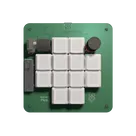
The Pico Macro Keyboard is a compact and powerful macro pad built using the latest Raspberry Pi Pico 2. Inspired by the Figma Creator Micro, this keyboard is designed for customizable control and enhanced productivity. It features mechanical switches with per-key RGB lighting, along with two rotary encoders for added functionality. With a modular 4-layer PCB and fully customizable keymaps, it seamlessly integrates with any software, making it perfect for designers, gamers, and power users alike.

Pricing & Availability

Distributor

Qty 1

Arrow

$2.61

Digi-Key

$9.30–$10.93

LCSC

$8.46–$8.58

Mouser

$9.53

Verical

$8.04–$8.59

Controls