Downloading Footprint Data

i need this footprint in my Kicad
Thought for 1 min 5 sec
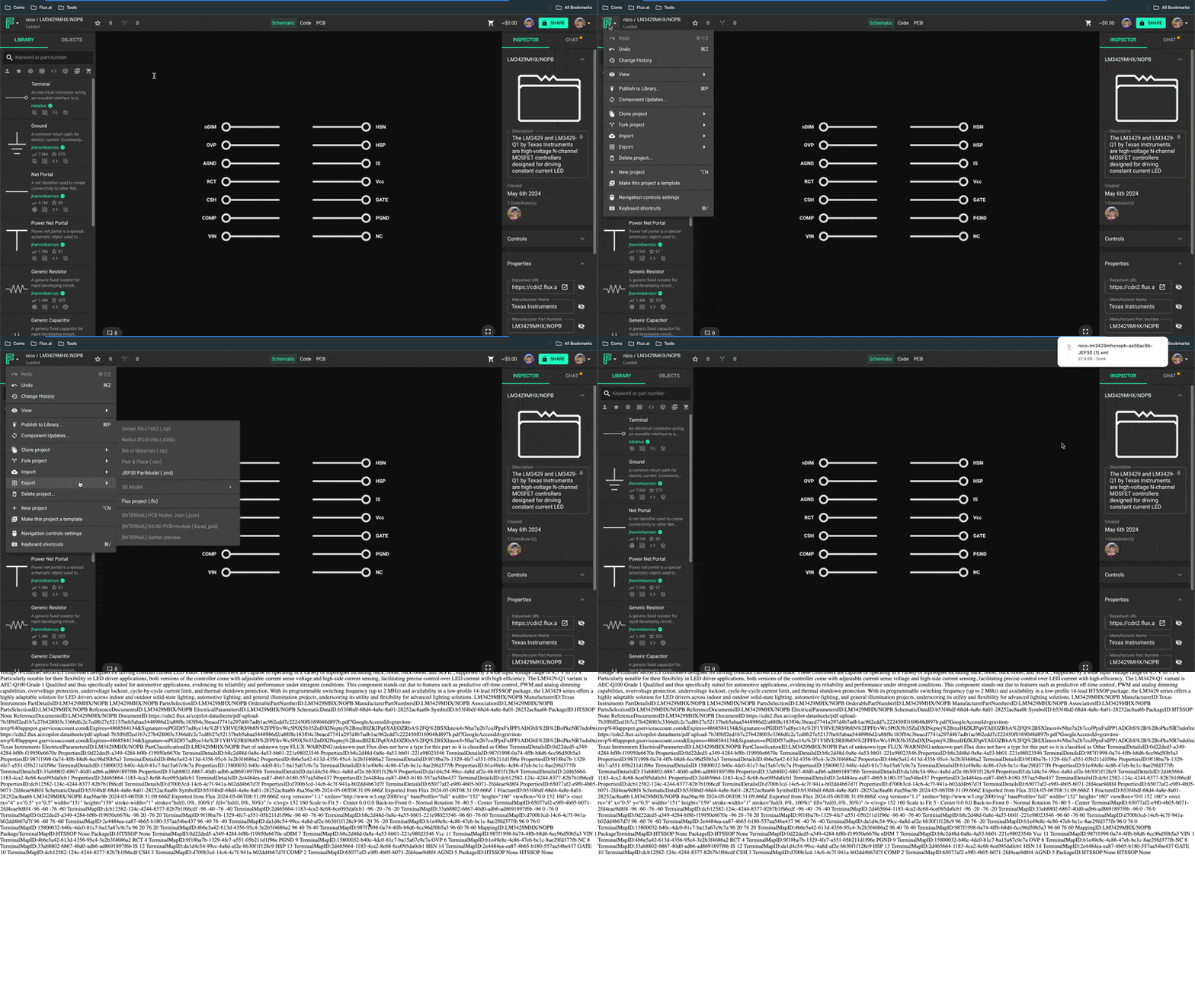
Thanks — for KiCad specifically, I couldn’t find Flux documentation for a direct “export footprint/library to KiCad” feature. The most relevant entry I found is the JEP30 component export:
“This is the most relevant entry I found related to the topic”
“JEP30 PartModel Export
To export a JEP30 XML file:
- Open the target component
- Click on the Flux menu on the top left.
- Select "Export"->"JEP30 PartModel"
”
Source
Image
If JEP30 works for your workflow, you can export the component that way. If you specifically need a native KiCad footprint/library (.kicad_mod/.kicad_sym), the docs don’t show a direct export path. You can browse the docs or ask the community:
Would exporting the component as JEP30 meet your needs, or do you require a KiCad-native file?
Clarify need for KiCad file
Ask about alternative workflow
Specify part and constraints
Ask about one‑way migration
Ask about library reuse strategy
Welcome 👋
Flux accelerates your PCB design with AI.
Create your account to start using this component and bring your ideas to life.