Downloading Footprint Data

i need this footprint in my Kicad
Thought for 1 min 5 sec
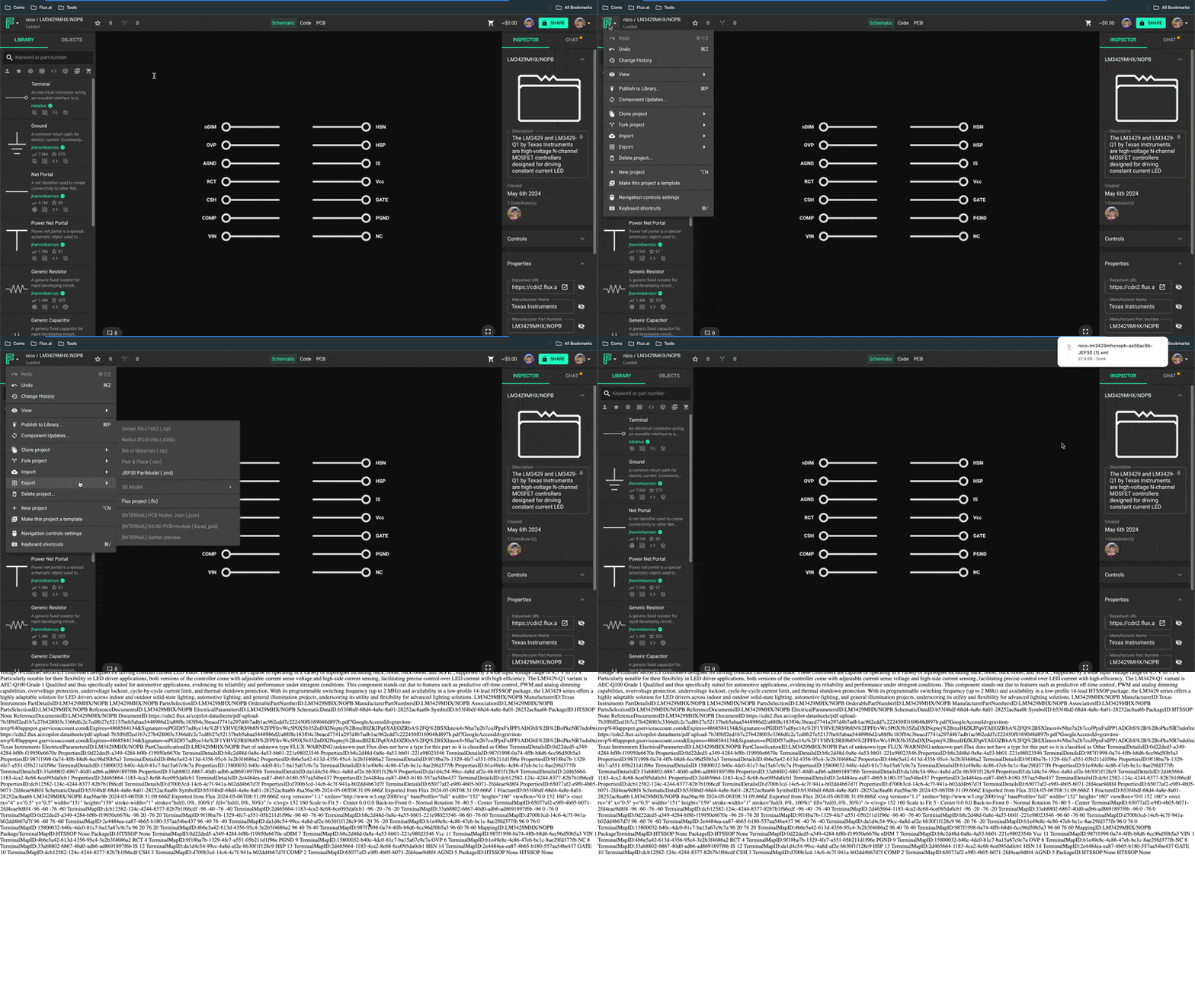
Thanks — for KiCad specifically, I couldn’t find Flux documentation for a direct “export footprint/library to KiCad” feature. The most relevant entry I found is the JEP30 component export:
“This is the most relevant entry I found related to the topic”
“JEP30 PartModel Export
To export a JEP30 XML file:
- Open the target component
- Click on the Flux menu on the top left.
- Select "Export"->"JEP30 PartModel"
”
Source
Image
If JEP30 works for your workflow, you can export the component that way. If you specifically need a native KiCad footprint/library (.kicad_mod/.kicad_sym), the docs don’t show a direct export path. You can browse the docs or ask the community:
Would exporting the component as JEP30 meet your needs, or do you require a KiCad-native file?
Clarify need for KiCad file
Ask about alternative workflow
Specify part and constraints
Ask about one‑way migration
Ask about library reuse strategy
To get started, talk to Flux or create a New Document.

Welcome 👋
Flux accelerates your PCB design with AI.
Create your account to start using this component and bring your ideas to life.