Wearable AI Badge Design

A premium wearable AI communication badge with a cursive letter Z design, called ZARIYA. Circular form factor, 2 inch diameter. Glowing cyan LED ring around the edge. Small round 1.28 inch display in the center showing "ZARIYA" in elegant text. Brushed dark titanium metallic surface. Futuristic law enforcement and fleet management device. Product photography, studio lighting, dark background, photorealistic, 8K, highly detailed, 3D render
56 days
1:07
Inter.
Assess.
Navig.
Creating.
Your goal is a 2-inch circular wearable badge (ZARIYA) with a cyan LED edge ring and a 1.28-inch round center display, premium brushed dark titanium look, robust enough for law enforcement/fleet use.
Plan summary:
- Finalize ID and requirements (2" OD, LED bezel, display opening, robustness).
- Define electronics architecture (MCU/wireless, power, LED drivers, display, I/O).
- Schematic capture (add parts, protection, connections).
- PCB layout (circular board, LED ring, center display).
- Enclosure/finish, then validation hooks and checks.
Click Start to run this plan. Let me know if you’d like to change anything.
Plan
- Design the premium wearable AI communication badge named ZARIYA with a 2-inch diameter circular form factor. The device will feature a glowing cyan LED ring around the edge and a 1.28-inch round display at the center displaying “ZARIYA”. The badge must embody a brushed dark titanium aesthetic and be robust, secure, and production-ready for law enforcement and fleet management applications.
#Implementation plan
-
Finalize Industrial Design
- Define the 2-inch outer diameter with a circular PCB layout.
- Establish a design for the perimeter cyan LED ring and central 1.28-inch round display cut-out.
- Specify the brushed dark titanium aesthetic and device robustness in design documentation.
-
Define Electronics Architecture
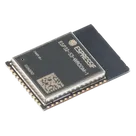
- Integrate the ESP32-S3 as the core MCU with wireless capabilities.
- Architect the power subsystem including battery, charger, and regulators to meet design constraints.
- Include peripheral interfaces for potential buttons, a microphone/speaker, and haptics.
-
Schematic Capture
- Add the ESP32-S3 and peripheral components to the schematic.
- Insert supporting components (resistors, capacitors, power protection) and drivers for the LED ring and display.
- Prepare net connections following the defined architecture.
-
PCB Layout
- Configure a circular PCB design with 2-inch diameter.
- Place the LED ring around the board perimeter and integrate the display's central footprint.
- Establish layout rules and stackup requirements for robust, secure operation.
-
Enclosure and Finish
- Document the need for a robust enclosure with a brushed dark titanium finish.
- Prepare mounting solutions and design aesthetics reflective of premium law enforcement/fleet management tools.
-
Validation and Testing Preparation
- Set up test points and firmware hooks for LED ring and display functionality.
- Verify connections and components for robust performance and safety compliance.
#Success criteria
- The design meets a 2-inch circular form factor with an integrated cyan LED ring and 1.28-inch central display that shows “ZARIYA".
- The schematic and PCB layout support a robust, secure design appropriate for law enforcement/fleet management applications.
- The aesthetic and mechanical designs align with a brushed dark titanium finish and premium quality.
Start the plan
Confirm key requirements
Pick display interface
Choose LED ring type
Define power target
56 days


Welcome 👋
Flux accelerates your PCB design with AI.
Create your account to start using this component and bring your ideas to life.