Thermal Energy Harvesting Design
3:25
Using Knowledge Base Tool.
Starting 6 component searches
Dispatching Library tool to find: "Thermoelectric generator"
Dispatching Library tool to find: "LiPo battery"
Searching: "BQ25570RGTR"
Searching: "INA219"
Searching: "TMP117"
Searching: "MCP1700-3302E"
Creating search plan for: "Thermoelectric generator"
Creating search plan for: "LiPo battery"
Searching: "Seeking thermoelectric generator modules that employ the Seebeck effect to convert thermal gradients into electrical energy. The device should be suitable for PCB-mounted applications in low-power energy harvesting systems, requiring efficient thermal-to-electric conversion."
Searching: "Searching for compact thermoelectric generator (TEG) modules designed for PCB integration. The module should work within defined temperature differentials and offer a small footprint, ideal for low-power circuit energy harvesting."
Searching: "Looking for thermoelectric devices based on the Seebeck effect that convert heat into electricity. Prioritize modules with clear thermal conversion characteristics and mechanical dimensions compatible with PCB layout constraints."
Searching: "Targeting thermoelectric energy harvester components that can be mounted on a PCB for applications requiring energy recovery from a temperature gradient. Key considerations include voltage generation efficiency, current output, and physical size."
Found 11 results.
Searching: "Thermoelectric generator"
Searching: "Seeking a rechargeable lithium polymer battery designed for portable power applications such as RC models, drones, or consumer electronics. Focus on typical specifications including a nominal voltage around 3.7V per cell, high energy density, and compact form factor. This initial search aims to capture a broad range of LiPo battery options available from various vendors."
Searching: "Searching for a lithium polymer battery with a nominal 3.7V specification, suitable for powering portable devices. Key parameters to consider include capacity (mAh), discharge rate (C rating), and physical dimensions for integration into designs requiring lightweight and compact power sources. This level of specificity refines the search to standard LiPo cells commonly used in hobby and consumer electronics."
Searching: "Looking for a highly specified LiPo battery intended for PCB or integrated applications, with a nominal voltage of 3.7V and around 500mAh capacity. The search should focus on batteries with standardized connectors and size footprints that facilitate easy mounting on boards, while balancing energy density with safety features such as built-in protection circuits if available."
Found 35 results.
Searching: "LiPo battery"
Completed 6 component searches.
Starting 1 component search
Dispatching Library tool to find: "4.7k resistor"
Creating search plan for: "4.7k resistor"
Searching: "Looking for a standard resistor with a nominal value of 4.7 kiloohms, typically used for biasing, voltage division, or current limiting in PCB applications. Basic search to find listings that are not package-specific and not tied to any particular tolerance or power rating."
Searching: "Seeking a surface mount chip resistor with a resistance of 4.7k ohms intended for PCB mounting. This search should surface components with common tolerances (e.g., 1% or 5%) and standard package sizes like 0603 or 0805 for general-purpose applications."
Searching: "Searching for a 0603 surface mount resistor rated at 4.7k ohms, suitable for high-density PCB designs. The part is expected to have standard power ratings (e.g., 1/10 or 1/8 watt) and typical construction quality for signal or power circuits."
Found 54 results.
Searching: "4.7k resistor"
Completed 1 component search.
Checking if I can make the changes for you.
Checking if I can make the changes for you.
Using Schematic Tool.
Table
| Part Name | Manufacturer Part Number | Quantity | Footprint | Datasheet | Manufacturer |
|---|---|---|---|---|---|
| Thermoelectric Module | TEC1-12705 | 1 | Module | TekTeg | |
| Energy Harvesting PMIC | BQ25570RGRT | 1 | QFN-20 | Texas Instruments | |
| LiPo Rechargeable Battery | 1200 mAh Lipo Battery | 1 | Pouch | ___ | Adafruit |
| High-Side Current Sensor | INA219BIDR | 1 | SOIC-8 | Texas Instruments Inc. | |
| Digital Temperature Sensor | TMP117AIDRVR | 1 | WSON-6 | Texas Instruments Inc. | |
| 3.3 V LDO Regulator | MCP1700-3302E/TO | 1 | TO-92-3 | Microchip |
Ready.

- Voltage Regulation:
- In reverse bias, this Zener diode maintains a stable voltage across it, which is essential for voltage regulation. This can help in creating a stable reference voltage for your circuit.
- Overvoltage Protection:
- Zener diodes are often used to protect circuits from overvoltage conditions. They will clamp the voltage to a specified value, preventing higher voltages from damaging sensitive components.
- Reference in Voltage-sensitive Circuits:
- It can also be used as a reference voltage in various applications, including analog-to-digital converters and other precision circuits.
- Anode (A):
- This pin should be connected to the ground or to a lower potential point in your circuit.
- Cathode (K):
- Connected to the node where you want to regulate or clamp the voltage.

-
Voltage Measurement for Multiple Cells:
- The ATTINY841-SSU has a limited number of I/O pins and ADC channels. You may need to use a voltage divider or a multiplexer to measure the voltage of each cell.
-
Balancing Mechanism:
- You'll need a balancing mechanism for each cell to equalize the voltage across all cells when charging. This might require adding additional MOSFETs or resistors for passive balancing.
-
Overvoltage and Undervoltage Protection:
- You need to implement protection for each cell to prevent overcharging and deep discharge. This could involve additional comparators or firmware-controlled thresholds.
-
Increased Voltage Tolerance:
- Ensure that all components, such as F1's fuse and D2's TVS diode, are rated for the higher combined voltage of 4 cells.
-
Firmware Modifications:
- Update the firmware to handle multiple cells. This includes adjusting any ADC measurements and implementing the logic to manage multiple cells.
-
Increase Voltage Measurement Inputs:
- Use a multiplexer to cycle through each cell's voltage if the available ADC channels are insufficient. Connect the output of the multiplexer to one of the ADC channels on the U1.
-
Balancing Circuit for Each Cell:
- Add MOSFETs or resistors for each cell for passive balancing. This can be controlled using additional I/O pins from the ATTINY or by extending the use of existing ones.
-
Implement Cell Protection:
- You'll likely need external comparators or update your firmware logic to monitor each cell's voltage using the ADC.
-
Update Components:
- Confirm that each component can handle the new total voltage. The combined voltage of 4 cells could be up to 16.8V when fully charged.
-
Firmware Changes:
- Modify the firmware to handle data from multiple cells for voltage monitoring and balancing.
- I/O Limitations: Since the ATTINY841 has limited I/O, consider carefully how each pin is used. You might need external components like multiplexers to manage the increased complexity.
- Power Routing: Ensure that traces can handle the increased power for higher cell counts.


- Designator: REMOTE
- Connected to:
- EXTTEMP1:P2: This might be an external temperature sensor input.
- R23:P1: 10K resistor connected between REMOTE and another network.
- VREF:P1: Likely a voltage reference signal.
- U1:AREF/PA0: Connected to the Analog Reference (AREF) and PA0 pin of ATTINY841.
- R19:P1: 10K resistor connected between REMOTE and another network.
- D1:P1: Zener diode connection to stabilize voltage.
- R2:P2: 1K resistor as part of the voltage divider or biasing network.
- D1:P2: Another connection to the Zener diode.
-
Voltage Reference and Stability:
- The D1 Zener diode used in multiple connections suggests it stabilizes the voltage across REMOTE net, ensuring consistent signal levels.
-
Analog Reference and External Peripherals:
- Connection to U1:AREF/PA0 on ATTINY841 makes REMOTE likely to serve as an analog reference or input for analog signals from external sensors.
-
Temperature Sensing:
- The connection to EXTTEMP1:P2 indicates using REMOTE to monitor external temperature, providing feedback for the BMS system.


-
Connect the audio input to the pin 3 (called input) of the LM386. If there is a DC offset or you need to filter out noise, you can use a capacitor in series with your signal line. Typically, a 10uF capacitor should be sufficient.
-
Connect the power supply (VCC) to the pin 6. The typical operating voltage range for LM386 is 4-12V.
-
Ground (GND) should be connected to the pin 4 and pin 2 (our reference zero for all signals).
-
The output is from pin 5, which can be connected to your speaker or whatever audio output device you have.
-
For gain control, a capacitor can be connected between pins 1 and 8. Using a 10uF capacitor gives a maximum gain of 200. Not placing a capacitor between pins 1 and 8 will give you a gain of 20 by default.
-
You should also place a decoupling capacitor (10uF is typical) between the power supply line and ground near the LM386 to filter potential power supply noise.
-
Finally, it's advisable to bypass the amplifiers with a small capacitor at the power input for stability.

- Microcontroller Core: Executes the software application that controls your BMS (Battery Management System). The application logic implemented in the microcontroller governs how the BMS responds to various battery states, such as charging, discharging, and balancing cells.
- I/O Ports: Facilitates interfacing with other circuit components such as LEDs, connectors, and sensors. For instance, U1 can drive LEDs to indicate the operational status and communicate with external devices through serial communication protocols.
- ADC (Analog to Digital Converter): Enables the BMS to monitor battery cell voltages by converting analog voltage values into digital values that the microcontroller can process.
- Timer/Counter: Useful for creating time-based/delay functions which can be critical for tasks like cell balancing or measuring time intervals for charge/discharge rates.
- Serial Communication Interfaces (SPI, USART): These interfaces allow U1 to communicate with peripheral devices or external controllers, enabling functionalities such as remote monitoring and control of the BMS.
- Power Management: The ATTINY841's variety of power-down modes helps in reducing the power consumption of the BMS when active monitoring or control is not needed, optimizing the overall power efficiency of the system.

U1 (an ATTINY841-SSU from Microchip), is a microcontroller that is typically used to manage inputs and outputs for a specific purpose. This microcontroller might be used to monitor voltages and/or temperatures from the battery cells, calculate state of charge, manage balancing and communicate this data to other devices.R1 to R30) and capacitors (C1, C2, C4, C5), including a crystal (Y1). The resistors, capacitors, and crystal will be supporting the operation of the microcontroller, or managing the voltages and currents from the battery cells. For instance, the crystal allows the microcontroller to keep time.Q1) could be used for enabling/disabling charge and discharge paths, or for controlling other elements such as a passive balance circuit.F1), which provides protection in the event of excessive current flow. A TVS diode (D2) is included for protection against voltage spikes.J2, POWER, TX, RX, EXTTEMP1, REMOTE) for input/output interfacing. These might be used for communication with the battery cells or to other parts of the BMS.LED3, LED4), which may be utilized for indicating state of charge or error statuses etc.
Table
| Pin Number | Pin Name | Function |
|---|---|---|
| 1 | VCC | Supply voltage input |
| 2 | XTAL1/PB0 | Crystal Oscillator 1 / Port B0 |
| 3 | XTAL2/PB1 | Crystal Oscillator 2 / Port B1 |
| 4 | Reset / Port B3 | |
| 5 | PB2 | Port B2 |
| 6 | PA7 | Port A7 |
| 7 | PA6 | Port A6 |
| 8 | PA5 | Port A5 |
| 9 | PA4 | Port A4 |
| 10 | PA3 | Port A3 |
| 11 | PA2 | Port A2 |
| 12 | PA1 | Port A1 |
| 13 | AREF/PA0 | Analog Reference / Port A0 |
| 14 | GND | Ground |

- Designator: VCC
- Role: Provides power to various components in your circuit.
- Connections:
- Provides the positive voltage supply for components.
- Typically tied to the positive terminal of a power source.
- Part Number: RL0805FR-7W0R22L
- Resistance: 220 ohms
- Role: Current-limiting resistor
- Connections:
- Connected to the TXD0 pin and U2.
- Typically used to limit the current through LEDs or other sensitive components.
- Part Number: EL3H7(B)(TA)-G
- Role: Optocoupler/Optoisolator
- Pins and Connections:
- Pin 1 (P1): Connects to R5 and to the TXD0 pin.
- Pin 2 (P2): Connected to GND.
- Pin 3 (P3): Connected to the P1 pin of the TX connector.
- Pin 4 (P4): Connected to the P2 pin of the TX connector.
- Power Supply:
- VCC net supplies power to various components such as U2 and other connected ICs and sensors.
- Current Limiting:
- R5 acts as a current-limiting resistor to protect the LED in U2.
- Optoisolation:
- U2, the optocoupler, isolates part of the circuit to ensure that controlling and controlled circuits are electrically separated, thus preventing high voltage from damaging control circuits.

-
Electrical Isolation: It allows a signal to be transferred from one circuit to another while keeping the two circuits electrically isolated. This can help protect sensitive parts of the circuit from high voltages or electrical noise.
-
Signal Transference: The optoisolator contains an LED and a photodetector. When a signal is applied to the input, it lights up the LED, which in turn activates the photodetector on the output side, thus transferring the signal.
-
Noise Reduction: It can reduce noise and remove ground loops, making it valuable in data communication and control systems.
- Input Pins: Generally, one of the pins (e.g., U2:P1 connected to R5) would receive the signal to be isolated.
- Output Pins: The output, driven by the photodetector in the presence of an LED active signal, is connected to other parts of the circuit. For U2, this is typically U2:P3 and U2:P4.


-
R6: Connects between net
4df09fd982218b1891a50ada7a5e3981and net349bd8fd099d45ff30a7c5771054267c. This could be working as a pull-up or pull-down resistor or as part of an RC circuit. -
R12: Connects between net
43520edbea2b9f2df8f694f0f7b0ab06and net4df09fd982218b1891a50ada7a5e3981. It might be part of a series resistor array or a part of a voltage divider circuit. -
R26: Connects between net
4643749d9f666a37f09e16a8efb92feaand net227e2979933b937871b4435df41232a4. Its role could be limiting current through an LED or other components, or it could be part of a voltage divider network. -
R30: Connects between net
4643749d9f666a37f09e16a8efb92feaand net2d5e87aecb08041c934b8b4fd89b8a59. Just like R26, it can be part of a current limiting configuration or a voltage divider. -
R25: Connects between net
4df09fd982218b1891a50ada7a5e3981and net372263840ee1628e5f459719ce4f25f5. Its role can be similar to R6 and R12, but the specific function depends on what other components are in these nets. -
R8: Connects between net
2b67bf15c098238babbd2c59aa46cf42and net4df09fd982218b1891a50ada7a5e3981, its role can be similar to R12. -
R29: Connects between net
2b67bf15c098238babbd2c59aa46cf42and net372263840ee1628e5f459719ce4f25f5. It may perform a similar function to R25. -
R22: Connects between net
3ae3a101d02ba516b01de1eb55765c24and net4df09fd982218b1891a50ada7a5e3981. Its role is going to be dependent on the other components present in these nets. -
R24: Connects between net
3ae3a101d02ba516b01de1eb55765c24and net68bcaecd967bb4ded1102ed7b6ea95a6. Considering its placement, it can have a function similar to R6 or R12.

- What power net the decoupling capacitors are attached to. What is the stated voltage of that net.
- The voltage rating and value of the attached decoupling capacitors.
- Signal with the expression “[WARNING]” if any of the following conditions are met: no decoupling capacitors are attached; the voltage of the power net is higher than the voltage rating of the capacitor; No voltage range was stated for the capacitor. Give a separate “[WARNING]” for each condition. Signal with the expression “[OK]” if none of those conditions are met
- Express the result in a markdown-formatted table
- Power Net: VCC
- Voltage: Not explicitly stated, using a typical voltage of 5V for VCC (Please correct if this assumption is incorrect).
- Attached Decoupling Capacitors:
- C1:
- Capacitance: 100nF (0.1µF)
- Voltage Rating: Not stated [WARNING]
- C2:
- Capacitance: 1µF
- Voltage Rating: Not stated [WARNING]
- C1:
- Power Net: REMOTE (assuming VREF could be the voltage reference net)
- Voltage: Not explicitly stated, typically could be around 2.5V based on general VREF values (Please correct if this assumption is incorrect).
- Attached Decoupling Capacitors: None found [WARNING]
Markdown
| IC | Power Net | Voltage of Power Net | Attached Capacitors | Capacitance | Voltage Rating | Status | |--------------|-----------|----------------------|----------------------------------------------|-------------|----------------|-------------------| | ATtiny841-SSU | VCC | 5V | C1 | 100nF | Not stated | [WARNING] | | ATtiny841-SSU | VCC | 5V | C2 | 1µF | Not stated | [WARNING] | | AZ432ANTR-E1 | REMOTE | 2.5V (assumption) | None | N/A | N/A | [WARNING] |
-
ATtiny841-SSU:
- C1: [WARNING] No voltage range was stated for the capacitor.
- C2: [WARNING] No voltage range was stated for the capacitor.
-
AZ432ANTR-E1: [WARNING] No decoupling capacitors attached.
- It is part of the net $Net (RESET - P1)$ through its Pin 2, connecting to the microcontroller's reset pin ($\sim$RESET$/PB3$).

-
Pin compatibility: The ATTINY841 and ATTINY441 come in a similar 14-pin SOIC package, so you should be able to drop in the ATTINY441 in place of the ATTINY841 in your PCB layout. However, some pins have different functions between the two chips, so you may need to redesign your schematic accordingly.
-
Memory size: The ATTINY841 has 8K bytes of In-System Programmable Flash, whereas the ATTINY441 only has 4K bytes. You'll need to make sure that your code fits within this reduced size.
-
Hardware peripherals: Check that all the hardware peripherals you're using in the ATTINY841 are also available on the ATTINY441. For example, the ATTINY441 has only one Hardware Multiplier, whereas the ATTINY841 has two. If your design utilizes two Hardware Multipliers, you will need to adjust your code accordingly.
-
Code compatibility: Since both chips use the same AVR architecture, most of your code should run without issue on both chips. However, always verify this on the actual device.
-
ATTINY841-SSU: This microcontroller appears to be central to your project. Ensure that the pins are correctly configured for your specific application, especially considering SPI communication with MISO, MOSI, SCK lines, and handling of the XTAL pins with the attached crystal oscillator.
-
External Crystal Configuration:
- Make sure the crystal (Y1) is properly connected to the microcontroller (U1) with the required load capacitors (C4 and C5).
- Verify the crystal's frequency 8 MHz is suitable for your application.
-
Power Supply:
- The microcontroller typically requires a stable voltage supply; ensure that the power supply is according to the ATTINY841 datasheet recommendations.
-
VCC and GND Net Connections:
- Properly ensure that all VCC and GND pins on each device are connected to the supply and ground, respectively, especially for U1 and other IC components.
-
Fuse (F1) and TVS Diode (D2):
- Ensure the fuse (F1) and TVS diode (D2) are rated correctly for your application conditions.
- Confirm the TVS diode chosen will clamp the expected voltage spikes effectively.
-
Unused Pins:
- Check any unused microcontroller pins to ensure they are configured as inputs or outputs properly to prevent floating inputs, which can cause instability.
-
Signal Interfaces:
- SPI signals are in the net list with MISO, MOSI, and SCK included. Verify these nets are correctly routed and terminated if necessary.
-
Component Placement:
- Ensure all components are positioned correctly on the PCB for the best performance, particularly those sensitive to noise such as crystals and bypass capacitors.
-
Mounting Holes (H1, H2, H3):
- Ensure mounting holes are adequately defined in your PCB layout for mechanical stability.
-
Designator Repetition:
- Ensure unique naming and prevent repeating designator prefixes, which could cause confusion during schematic capture and PCB design.

- Objective: Ensure all components are correctly placed and soldered.
- Steps:
- Verify the orientation of polarized components like diodes (D1, D2), LEDs (LED3, LED4), and the ATTINY841-SSU (U1).
- Check solder joints under a magnifying glass or microscope for cold solder or bridges, especially around U1, Y1 (crystal), and connector pins.
- Objective: Ensure the BMS can be safely powered without short circuits.
- Steps:
- Without connecting the main battery power, apply a low voltage (e.g., 5V from a lab power supply) to POWER: P1 and ground to POWER: P2.
- Measure the voltage at U1: VCC to ensure it's within the ATTINY841's operating range (2.7V to 5.5V).
- Check for any unexpected heat generation from components, indicating a potential short.
- Objective: Ensure the ATTINY841 can be programmed.
- Steps:
- Connect a compatible programmer to J2 (presuming an ISP programming interface).
- Attempt to read the device ID from U1 to confirm communication.
- Load a simple "blink" sketch to test basic operation.
- Objective: Test individual functionalities before full integration.
- Steps:
- LEDs (LED3, LED4): Load test firmware to blink these LEDs to ensure they're operational.
- External Crystal (Y1): Verify that U1 can use the external crystal by checking the system clock accuracy.
- TVS Diode (D2): Measure continuity in reverse bias to ensure it does not conduct under normal circumstances.
- FET (Q1): Test FET gating from U1 to ensure it turns on and off as expected.
- Fuse (F1): Check resistance across F1 to ensure it's not open circuit.
- Objective: Confirm communication through TX/RX interfaces.
- Steps:
- Using test firmware, confirm UART functionality by sending data from U1 (TXD0: P1) and receiving on a connected UART-to-USB adapter.
- Verify SPI functionality (if used) by confirming MISO/MOSI communication with a test device or logic analyzer.
- Objective: Test all input and output connections including button presses or connections to REMOTE and EXTTEMP1 connectors.
- Steps:
- Connect test sensors or switches to input interfaces and confirm response in test firmware.
- Test output interfaces by connecting them to a test load (e.g., an LED or resistor) and activate them through test firmware.
- Objective: Ensure the BMS works as a complete system.
- Steps:
- Integrate all components and perform a full system test under controlled conditions.
- Monitor cell balancing functionality, ensuring that the ATTINY841 correctly manages voltage levels across cells.
- Validate over-voltage and under-voltage protection features by simulating conditions that should trigger these protections.
- Test communication interfaces for reliability under normal operation and stress conditions.
- Objective: Ensure that the BMS can operate over extended periods.
- Steps:
- Enable logging in the firmware to record key operational parameters.
- Operate the BMS under normal conditions for an extended period (e.g., 48 hours), monitoring the logs for any abnormalities.
- Objective: Verify all safety features are operational.
- Steps:
- Test the fuse (F1) by creating a controlled short condition to ensure it disconnects the power supply.
- Simulate voltage spikes to test the TVS diode (D2) protection.
- Objective: Ensure all tests are documented and review any failures or issues.
- Steps:
- Document each test performed, including parameters, results, and observations.
- Review any failures or issues encountered during testing and plan for revisions or troubleshooting.

-
Function of Y1 (Crystal Oscillator): Y1 provides a precise 8 MHz clock signal. Crystal oscillators like Y1 are used in circuits for generating accurate frequencies, which are essential for controlling the timing of operations in microcontrollers and other digital integrated circuits. The frequency of 8 MHz suggests that Y1 is likely used to clock a microcontroller or similar digital logic device in your project.
-
Role in Your Project with ATTINY841-SSU (U1): Given that Y1 is connected to pins XTAL1/PB0 and XTAL2/PB1 of U1 (the ATTINY841-SSU microcontroller), its role is to serve as the external clock source for U1. Microcontrollers, particularly those in the AVR family like the ATTINY841, offer the option of using an internal RC oscillator or an external crystal oscillator for greater accuracy. Using an external crystal like Y1 allows the microcontroller to operate with a stable and precise clock signal, which is vital for applications requiring accurate timing and baud rates for communication interfaces. This setup enhances the device's reliability, especially in low-voltage situations, by ensuring the microcontroller operates at a precise frequency regardless of environmental conditions that might alter an internal RC oscillator's frequency.
- Connect Y1:1 to U1:XTAL2/PB1
- Connect Y1:2 to U1:XTAL1/PB0
-
ATTINY841-SSU (U1): The core of the BMS, a versatile microcontroller from Microchip with numerous I/O options, including analog inputs for voltage measurement and PWM outputs for managing load and charge control. The use of an external crystal (Y1) with this MCU indicates a requirement for accurate timing or frequency generation, enhancing the BMS's reliability in low voltage situations.
-
Crystal Oscillator (Y1): Provides an external timing source to the ATTINY841-SSU for increased timing accuracy, which is crucial for precise measurements and control.
-
Power Supply Components:
- Fuse (F1): Protects the circuit from overcurrent situations.
- TVS Diode (D2): Protects against voltage spikes.
- Decoupling Capacitors (C1 and C2): Stabilize the power supply to the microcontroller.
-
Sensing and Feedback:
- Resistors (Various): Serve multiple purposes including setting bias conditions, limiting LED current, and voltage division for measuring.
- LEDs (LED3 and LED4): Provide visual feedback for the state of the BMS.
-
Connectivity:
- Connectors (POWER, TX, RX, EXTTEMP1, REMOTE): Allow for power input/output, communication with external devices, and the connection of external temperature sensors.
- SPI Interface (MOSI, MISO, SCK): Used for communication between the microcontroller and other SPI devices or microcontrollers.
-
Protection and Control:
- N-channel MOSFET (Q1): Likely used for switching loads or charging circuits on and off under the control of the microcontroller.
- Current Sensing Resistors (R12, R29, R30): For monitoring current flow through critical paths, allowing the BMS to make decisions based on the charge or discharge current.


- Review Schematic: Ensure that the schematic accurately represents all connections and components as planned.
- Gather Equipment: Assemble all necessary testing equipment, including a multimeter, a power supply, an oscilloscope, and any other relevant tools.
- Component Check: Verify all components against the BOM to ensure correct specifications and presence.
- Power Supply Connection: Connect the power supply to
POWER: P1andGROUNDwithout turning it on. Ensure that the supply is set to the correct voltage according to the ATTINY841 specifications. - Basic Power Test: Turn on the power supply at a low current limit to check for shorts. Observe if the current drawn is within expected limits.
- Crystal Oscillator (Y1):
- Functionality Check: Power the circuit and use an oscilloscope to check for an 8MHz signal at
Y1:P1andY1:P2.
- Functionality Check: Power the circuit and use an oscilloscope to check for an 8MHz signal at
- Voltage Reference (D1):
- Output Measurement: Measure the output voltage across
D1:P1toD1:P2to ensure it matches the specified reference voltage.
- Output Measurement: Measure the output voltage across
- Microcontroller (U1):
- Programming Check: Verify that U1 can be programmed successfully via the ISP headers (J2).
- I/O Function Test: Write and upload a test script to check each I/O pin for correct operation.
- SPI Communication (MOSI, MISO, SCK):
- Signal Integrity: Confirm the integrity of the SPI signals using an oscilloscope at
U1:PA5 (MISO),U1:PA6 (MOSI), andU1:PA4 (SCK).
- Signal Integrity: Confirm the integrity of the SPI signals using an oscilloscope at
- Serial Communication (TXD0, RXD0):
- Loopback Test: Connect
TXD0toRXD0and perform a loopback test to verify UART functionality.
- Loopback Test: Connect
- Fuse (F1) and TVS Diode (D2):
- Overcurrent Protection: Test by gradually increasing the current until F1 trips.
- Surge Protection: Verify the functionality of D2 using a surge generator if available, or check for correct placement and orientation.
- LEDs (LED3, LED4):
- Indicator Test: Write a test script to blink LEDs to ensure they are working correctly.
- Balance Resistors (R12, R29, R30, etc.):
- Resistor Activation: Activate each balance resistor through software control and measure voltage across them to verify operation.
- Load Test:
- DUMP_LOAD_ENABLE: Test the dump load circuit by activating it and confirming the expected operation.
- Complete System Functionality: With all individual components and sections tested, run the BMS in its intended configuration with a battery pack.
- Balance Control Test: Simulate cells with different voltages and observe if the BMS correctly balances the cells.
- Document Findings: Record all measurements, observations, and any deviations from expected results.
- Code Repository: Ensure all firmware used for testing is stored in a version-controlled repository.
- Review: Go through the testing documentation to identify any steps for optimization or areas needing rework.
- Different resistors, capacitors, diodes, LEDs, connectors, a transistor, a phototransistor, and a fuse.
- An 8MHz crystal Y1: CSTNE8M00G55A000R0.
- A microcontroller U1: ATTINY841-SSU, which is the brain of this BMS. It discusses with all other components, performs calculations and implements control logic.
- A TVS diode D2: SMBJ5.0A to protect the circuit from voltage spikes.
- A JST connector for power input and several other connectors for different signals.


-
Core of the BMS (Battery Management System): U1 likely manages the charging and discharging processes to ensure that the connected battery or batteries operate within their safe operating limits. This includes monitoring voltages, controlling current flow, and possibly temperature as well, to prevent overcharging, deep discharge, and other conditions that could damage the battery pack.
-
Communication Interface: The ATTINY841 supports various communication protocols. Given the project's nets and connections, it may be set up to communicate with external devices or modules for monitoring or for firmware updates. While specific communication interfaces (like SPI, indicated by MOSI, MISO, and SCK nets) are noted, the project doesn't specify the full range of communication U1 manages.
-
Balance Control: The mention of a higher balance current and integration of components like resistors, capacitors, and transistors around U1 supports the conclusion that this microcontroller also governs the balancing operations. This basically means that it ensures all cells within the battery pack charge and discharge evenly, extending the pack's life and efficiency.
-
Protection and Monitoring: With the inclusion of a fuse (F1), TVS diode (D2), and an external crystal (Y1), U1 is part of a design built for safety and reliability. The fuse and TVS diode protect against overcurrent and voltage spikes, while the external crystal oscillator ensures the microcontroller can maintain reliable timing, particularly in "low voltage situations".
-
Peripheral Controls: With multiple pins dedicated to general purpose I/O (GPIO) - like PA and PB ports -, U1 can interface with external components like LEDs, sensors, and other controls to inform the user of the system's status or to further interact with the BMS environment.
- Pin 1: Connected to the VCC net, which generally supplies power.
- Pin 2: Connected to the MISO (Master In Slave Out) net, part of the SPI (Serial Peripheral Interface), used for communication between the microcontroller and other SPI devices.
- Pin 3: Connected to the MOSI (Master Out Slave In) net, the complementary part of the SPI interface.
- Pin 4: Connected to the SCK (Serial Clock) net, which provides the clock signal for the SPI communication.
- Pin 5: Connected to the GND (Ground) net.
- Pin 6: Connected to the RESET net, used to reset the microcontroller or target device.
- Connect J2:Pin_1 to the VCC net to provide power.
- Connect J2:Pin_2 to the MISO net for SPI communication.
- Connect J2:Pin_3 to the MOSI net for SPI communication.
- Connect J2:Pin_4 to the SCK net for SPI clock.
- Connect J2:Pin_5 to the GND net to complete the power circuit.
- Connect J2:Pin_6 to the RESET net to allow external reset functionality.
- Manufacturer Part Number: JK-nSMD150SF
- Voltage: 8V
- Current: 1.5A
- Normal Operation: Under normal current conditions (less than 1.5A), the resettable fuse allows current to pass through with minimal resistance.
- Overcurrent Condition: If the current exceeds 1.5A, the fuse heats up and its resistance increases significantly. This high resistance state limits the current flow and protects the circuit.
- Reset State: Once the overcurrent condition is resolved and power is cycled, the fuse cools down and returns to its original low-resistance state, allowing normal operation to resume.

3ae3a101d02ba516b01de1eb55765c24 via its pin 1, and this net is also responsible for connections involving TXD0 and U1:PA1.- Connect U1:2 $XTAL1/PB0$ to R5:2.
Reviews
Des | Net | Des | Net | ... | |
|---|---|---|---|---|---|
None | |||||
None | |||||
None | |||||
None | |||||
None | |||||
None | |||||
None | |||||
None | |||||
None | |||||
None | |||||
None | |||||
None | |||||
None | |||||
None | |||||
None | |||||
None | |||||
None | |||||
None | |||||
None | |||||
None | |||||
None | |||||
None | |||||
None | |||||
None | |||||
None | |||||
None | |||||
None | |||||
None |
Designator | Ruleset | |
|---|---|---|
Designator | MPN | |
|---|---|---|
None |

- Wirelessly connects nets on schematic. Used to organize schematics and separate functional blocks. To wirelessly connect net portals, give them same designator. #portaljharwinbarrozo43.0M
- Wirelessly connects power nets on schematic. Identical to the net portal, but with a power symbol. Used to organize schematics and separate functional blocks. To wirelessly connect power net portals, give them the same designator. #portal #powerjharwinbarrozo11.4M
- A generic fixed resistor for rapid developing circuit topology. Save precious design time by seamlessly add more information to this part (value, footprint, etc.) as it becomes available. Standard resistor values: 1.0Ω 10Ω 100Ω 1.0kΩ 10kΩ 100kΩ 1.0MΩ 1.1Ω 11Ω 110Ω 1.1kΩ 11kΩ 110kΩ 1.1MΩ 1.2Ω 12Ω 120Ω 1.2kΩ 12kΩ 120kΩ 1.2MΩ 1.3Ω 13Ω 130Ω 1.3kΩ 13kΩ 130kΩ 1.3MΩ 1.5Ω 15Ω 150Ω 1.5kΩ 15kΩ 150kΩ 1.5MΩ 1.6Ω 16Ω 160Ω 1.6kΩ 16kΩ 160kΩ 1.6MΩ 1.8Ω 18Ω 180Ω 1.8KΩ 18kΩ 180kΩ 1.8MΩ 2.0Ω 20Ω 200Ω 2.0kΩ 20kΩ 200kΩ 2.0MΩ 2.2Ω 22Ω 220Ω 2.2kΩ 22kΩ 220kΩ 2.2MΩ 2.4Ω 24Ω 240Ω 2.4kΩ 24kΩ 240kΩ 2.4MΩ 2.7Ω 27Ω 270Ω 2.7kΩ 27kΩ 270kΩ 2.7MΩ 3.0Ω 30Ω 300Ω 3.0KΩ 30KΩ 300KΩ 3.0MΩ 3.3Ω 33Ω 330Ω 3.3kΩ 33kΩ 330kΩ 3.3MΩ 3.6Ω 36Ω 360Ω 3.6kΩ 36kΩ 360kΩ 3.6MΩ 3.9Ω 39Ω 390Ω 3.9kΩ 39kΩ 390kΩ 3.9MΩ 4.3Ω 43Ω 430Ω 4.3kΩ 43KΩ 430KΩ 4.3MΩ 4.7Ω 47Ω 470Ω 4.7kΩ 47kΩ 470kΩ 4.7MΩ 5.1Ω 51Ω 510Ω 5.1kΩ 51kΩ 510kΩ 5.1MΩ 5.6Ω 56Ω 560Ω 5.6kΩ 56kΩ 560kΩ 5.6MΩ 6.2Ω 62Ω 620Ω 6.2kΩ 62KΩ 620KΩ 6.2MΩ 6.8Ω 68Ω 680Ω 6.8kΩ 68kΩ 680kΩ 6.8MΩ 7.5Ω 75Ω 750Ω 7.5kΩ 75kΩ 750kΩ 7.5MΩ 8.2Ω 82Ω 820Ω 8.2kΩ 82kΩ 820kΩ 8.2MΩ 9.1Ω 91Ω 910Ω 9.1kΩ 91kΩ 910kΩ 9.1MΩ #generics #CommonPartsLibraryjharwinbarrozo1.5M
- A generic fixed capacitor ideal for rapid circuit topology development. You can choose between polarized and non-polarized types, its symbol and the footprint will automatically adapt based on your selection. Supported options include standard SMD sizes for ceramic capacitors (e.g., 0402, 0603, 0805), SMD sizes for aluminum electrolytic capacitors, and through-hole footprints for polarized capacitors. Save precious design time by seamlessly add more information to this part (value, footprint, etc.) as it becomes available. Standard capacitor values: 1.0pF 10pF 100pF 1000pF 0.01uF 0.1uF 1.0uF 10uF 100uF 1000uF 10,000uF 1.1pF 11pF 110pF 1100pF 1.2pF 12pF 120pF 1200pF 1.3pF 13pF 130pF 1300pF 1.5pF 15pF 150pF 1500pF 0.015uF 0.15uF 1.5uF 15uF 150uF 1500uF 1.6pF 16pF 160pF 1600pF 1.8pF 18pF 180pF 1800pF 2.0pF 20pF 200pF 2000pF 2.2pF 22pF 20pF 2200pF 0.022uF 0.22uF 2.2uF 22uF 220uF 2200uF 2.4pF 24pF 240pF 2400pF 2.7pF 27pF 270pF 2700pF 3.0pF 30pF 300pF 3000pF 3.3pF 33pF 330pF 3300pF 0.033uF 0.33uF 3.3uF 33uF 330uF 3300uF 3.6pF 36pF 360pF 3600pF 3.9pF 39pF 390pF 3900pF 4.3pF 43pF 430pF 4300pF 4.7pF 47pF 470pF 4700pF 0.047uF 0.47uF 4.7uF 47uF 470uF 4700uF 5.1pF 51pF 510pF 5100pF 5.6pF 56pF 560pF 5600pF 6.2pF 62pF 620pF 6200pF 6.8pF 68pF 680pF 6800pF 0.068uF 0.68uF 6.8uF 68uF 680uF 6800uF 7.5pF 75pF 750pF 7500pF 8.2pF 82pF 820pF 8200pF 9.1pF 91pF 910pF 9100pF #generics #CommonPartsLibraryjharwinbarrozo1.5M
- A generic fixed inductor for rapid developing circuit topology. *You can now change the footprint and 3D model at the top level anytime you want. This is the power of #genericsjharwinbarrozo15.1k
- An electrical connector acting as reusable interface to a conductor and creating a point where external circuits can be connected.Terminal
- 47 kOhms ±5% 0.125W, 1/8W Chip Resistor 0805 (2012 Metric) Automotive AEC-Q200 Thick Film #forLedBlinkjharwinbarrozo1.2M
- 10uF Capacitor Aluminum Polymer 20% 16V SMD 5x5.3mm #forLedBlink #commonpartslibrary #capacitor #aluminumpolymer #radialcanjharwinbarrozo1.2M
- Yellow 595nm LED Indication - Discrete 1.7V 1206 (3216 Metric) #forLedBlinkjharwinbarrozo1.1M


Inspect
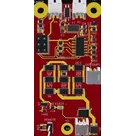
BMS
Controls
Properties
Availability & Pricing
| Distributor | Qty 1 | |
|---|---|---|
| Arrow | $2.13–$3.39 | |
| Digi-Key | $1.81–$4.28 | |
| LCSC | $3.74–$4.49 | |
| Mouser | $3.95–$4.32 | |
| Verical | $1.88–$3.32 | |
Assets
- thumb.PNG
id=thumb

Welcome 👋
Flux helps you build PCBs faster with an AI teammate!
Create your account to collaborate, stay updated, fork your own version, and get instant answers from our AI agent.
ermao4250060
copilot
-
8-bit AVR Microcontroller: It operates with an 8-bit architecture, providing a good balance between low power consumption and processing capability suitable for a wide range of applications.
-
Pins Dedicated for Various Functions: With its pins, U1 connects to other components for input/output operations, control signals, power management, and communication with other devices. Specifically, the ATTINY841-SSU offers:
- VCC and GND Pins: For power supply.
- Analog and Digital I/O Pins: Multiple pins (e.g., PA0-PA7, PB0-PB3) serve as versatile I/O options that can be programmed for analog input, digital input/output, PWM outputs, etc.
- SPI Interface Pins: Used for Serial Peripheral Interface communication, which is helpful for communicating with other microcontrollers and peripherals.
- External Interrupt Pins: Can be used to respond to external events (e.g., button presses, sensor outputs) in real-time.
- Analog Comparator: Can compare two voltages and output the comparison result.
- ADC (Analog to Digital Converter): Converts analog signals into digital data that the microcontroller can process.
- PWM (Pulse Width Modulation) Channels: Used for controlling motors, dimming LEDs, or generating audio signals.
Role in Your Project:- Controller of the BMS (Battery Management System): Given the project description as a DIY BMS (Battery Management System), U1 likely serves as the central unit managing battery cell monitoring, balancing, and protection mechanisms.
- Communication: Handles data transmission and reception through serial communication interfaces, potentially to communicate with a monitoring system or other devices.
- Sensing and Actuation: Interacts with sensors to monitor voltage levels, temperatures, or other relevant parameters. It can also control actuators, like relays or switches, based on programmed logic for charging, discharging, or balancing operations.
- Protection: Works in tandem with protection mechanisms, such as over-voltage, under-voltage, or temperature alarms, ensuring the safety and longevity of the battery pack it manages.
External Support Components:RESET/PB3 (pin 4) to ensure reliable startup and operational conditions.