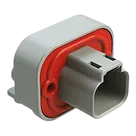
Part Review and Datasheet Update

Review all available part information (MPN, package, pin count, description, properties). If no datasheet URL is already set, search the web for the official datasheet and update the part's Datasheet property with the URL. Then cross-check the schematic symbol, footprint, and pin descriptions against the datasheet. Summarize key specs and flag any mismatches.
Thought for 4 sec
I’ll review the part metadata, confirm or find the official datasheet, cross-check the symbol/footprint/pins against it, then report any mismatches.
Worked for 3 mins 17 sec
Completed the part review and created the report: AT13-2P-BM01 Part Datasheet Review.
Open items:
- Datasheet was already set, so I did not overwrite it; the official Amphenol URL was identified in the report.
- Main issues flagged: undefined pin descriptions, mount metadata not explicitly “Through Hole,” cosmetic footprint naming without hyphens, and no BOM row in the part project.
Suggested next steps:
- Update terminal descriptions to “Contact 1” and “Contact 2.”
- Change mount/package metadata to explicitly reflect through-hole right-angle PCB connector.
- Optionally replace the stored datasheet URL with the official Amphenol PDF URL.
Fix metadata and review
Fix flagged issues
Use official datasheet
Run part review
Check footprint naming