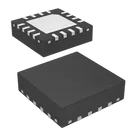
adrian95 / ADXL335BCPZ-RL7

Loaded

0

0

Files

Schematic

PCB

Log InSign Up

Pin Number Correction

flux

2:15

Planning terminal edits.

Thinking deeply about your request.

Working on your request.

Analyzing the schematic.

Working on your request.

Analyzing the schematic.

Exploring terminal properties.

Working on your request.

Reading docs about Flux terminal pin grouping properties Section Pin Group Sub-symbol functional groups how to assign terminal properties.

Getting tool assistance.

Working on your request.

Reading docs about Flux documentation Creating Pin Groups terminals pin group property schematic symbols.

Gathering information for plan.

Working on your request.

Working on your request.

Searching for a component.

Finished searching for a component.

Considering datasheet extraction.

Working on your request.

Looking for "Extract the complete pin configuration/pin function table for the ADXL335 LFCSP package, including pin numbers 1-16 and exposed paddle/EP, pin names, and descriptions." in ADXL335.pdf

Constructing execution plan.

Deciding on symbol structure.

Defining group structure.

Considering group membership in properties.

Clarifying sub-symbol requirements.

Citing technical documentation.

Clarifying update requirements.

I've made a plan and started work on it.
Plan
#Goal
  • Update the ADXL335BCPZ-RL7 project to ensure that each terminal is assigned exactly one functional group, in strict alignment with the official ADXL335 datasheet. Each pin will be uniquely grouped (e.g. Power, Ground, Analog Outputs, Self-Test, No Connect, Exposed Pad) with no duplicate group membership.
#Implementation plan
  1. Extract and verify the official ADXL335 datasheet pinout from https://www.analog.com/media/en/technical-documentation/data-sheets/ADXL335.pdf.
    1. Identify each pin's function and corresponding terminal property in the datasheet.
  2. Audit the current terminal assignments on the ADXL335BCPZ-RL7 project, referencing the current mapping:
    • NC@1=1, ST=2, COM@1=3, NC@2=4, COM@2=5, COM@3=6, COM@4=7, ZOUT=8, NC@3=9, YOUT=10, NC@4=11, XOUT=12, NC@5=13, VS@1=14, VS@2=15, NC@6=16, EP=EP.
  3. Define unique functional groups based on datasheet functions:
    1. Assign Power (VS) group to pins VS@1 and VS@2.
    2. Assign Ground group for the COM pins (COM@1, COM@2, COM@3, COM@4).
    3. Assign Analog Outputs group to XOUT, YOUT, and ZOUT.
    4. Assign Self-Test group to the ST pin.
    5. Assign No Connect group to all NC pins (NC@1, NC@2, NC@3, NC@4, NC@5, NC@6).
    6. Assign Exposed Pad group to the EP terminal.
  4. Modify the terminal properties in the project:
    1. Update or add properties such as Section, Pin Group, Pin Description, and Pin Type to reflect the unique assignment for each terminal.
    2. Ensure each terminal belongs to one and only one functional group based on the defined mapping.
  5. Verify the updated properties for accuracy and completeness against the datasheet to ensure no pin is unassigned or doubly assigned.
#Success criteria
  • Each terminal in the ADXL335BCPZ-RL7 part project is assigned exactly one functional group corresponding to its datasheet function.
  • The terminal groups are clearly defined as Power, Ground, Analog Outputs, Self-Test, No Connect, and Exposed Pad with no duplicate membership.
  • Verification confirms that all physical pins from the datasheet are represented exactly once in the updated terminal mapping.
2 days

Started implementing a plan

#Goal

- Update the ADXL335BCPZ-RL7 project to ensure that each terminal is assigned exactly one functional group, in strict alignment with the official ADXL335 datasheet. Each pin will be uniquely grouped (e.g. Power, Ground, Analog Outputs, Self-Test, No Connect, Exposed Pad) with no duplicate group membership.

#Implementation plan

1. Extract and verify the official ADXL335 datasheet pinout from https://www.analog.com/media/en/technical-documentation/data-sheets/ADXL335.pdf.

1. Identify each pin's function and corresponding terminal property in the datasheet.

2. Audit the current terminal assignments on the ADXL335BCPZ-RL7 project, referencing the current mapping:

- NC@1=1, ST=2, COM@1=3, NC@2=4, COM@2=5, COM@3=6, COM@4=7, ZOUT=8, NC@3=9, YOUT=10, NC@4=11, XOUT=12, NC@5=13, VS@1=14, VS@2=15, NC@6=16, EP=EP.

3. Define unique functional groups based on datasheet functions:

1. Assign **Power** (VS) group to pins VS@1 and VS@2.

2. Assign **Ground** group for the COM pins (COM@1, COM@2, COM@3, COM@4).

3. Assign **Analog Outputs** group to XOUT, YOUT, and ZOUT.

4. Assign **Self-Test** group to the ST pin.

5. Assign **No Connect** group to all NC pins (NC@1, NC@2, NC@3, NC@4, NC@5, NC@6).

6. Assign **Exposed Pad** group to the EP terminal.

4. Modify the terminal properties in the project:

1. Update or add properties such as Section, Pin Group, Pin Description, and Pin Type to reflect the unique assignment for each terminal.

2. Ensure each terminal belongs to one and only one functional group based on the defined mapping.

5. Verify the updated properties for accuracy and completeness against the datasheet to ensure no pin is unassigned or doubly assigned.

#Success criteria

- Each terminal in the ADXL335BCPZ-RL7 part project is assigned exactly one functional group corresponding to its datasheet function.

- The terminal groups are clearly defined as Power, Ground, Analog Outputs, Self-Test, No Connect, and Exposed Pad with no duplicate membership.

- Verification confirms that all physical pins from the datasheet are represented exactly once in the updated terminal mapping.

2 days

Task completed.

1:40

Searching for datasheet.

Accessing knowledge base.

Looking for "ADXL335 pin configuration table pin numbers names descriptions 16-lead LFCSP exposed pad" in ADXL335.pdf

Fetching web page.

Analyzing the schematic.

Found 1 results.

Analyzing the schematic.

2 days

Set Section to "Power" on VS@1 and VS@2, Set Pin Group to "Power" on VS@1 and VS@2, and 27 more changes

0:01

Set VS@1's Section to "Power"

Set VS@1's Pin Group to "Power"

Set VS@1's Pin Description to "Supply Voltage"

Set VS@1's Pin Type to "Power In"

Set VS@1's Pin Orientation to "Top"

Set VS@2's Section to "Power"

Set VS@2's Pin Group to "Power"

Set VS@2's Pin Description to "Supply Voltage"

Set VS@2's Pin Type to "Power In"

Set VS@2's Pin Orientation to "Top"

Set COM@1's Section to "Ground"

Set COM@1's Pin Group to "Ground"

Set COM@1's Pin Description to "Common Ground"

Set COM@1's Pin Type to "Ground"

Set COM@1's Pin Orientation to "Bottom"

Set COM@2's Section to "Ground"

Set COM@2's Pin Group to "Ground"

Set COM@2's Pin Description to "Common Ground"

Set COM@2's Pin Type to "Ground"

Set COM@2's Pin Orientation to "Bottom"

Set COM@3's Section to "Ground"

Set COM@3's Pin Group to "Ground"

Set COM@3's Pin Description to "Common Ground"

Set COM@3's Pin Type to "Ground"

Set COM@3's Pin Orientation to "Bottom"

Set COM@4's Section to "Ground"

Set COM@4's Pin Group to "Ground"

Set COM@4's Pin Description to "Common Ground"

Set COM@4's Pin Type to "Ground"

Set COM@4's Pin Orientation to "Bottom"

Set XOUT's Section to "Analog Outputs"

Set XOUT's Pin Group to "Analog Outputs"

Set XOUT's Pin Description to "X Channel Output"

Set XOUT's Pin Type to "Output"

Set XOUT's Pin Orientation to "Right"

Set YOUT's Section to "Analog Outputs"

Set YOUT's Pin Group to "Analog Outputs"

Set YOUT's Pin Description to "Y Channel Output"

Set YOUT's Pin Type to "Output"

Set YOUT's Pin Orientation to "Right"

Set ZOUT's Section to "Analog Outputs"

Set ZOUT's Pin Group to "Analog Outputs"

Set ZOUT's Pin Description to "Z Channel Output"

Set ZOUT's Pin Type to "Output"

Set ZOUT's Pin Orientation to "Right"

Set ST's Section to "Self-Test"

Set ST's Pin Group to "Self-Test"

Set ST's Pin Description to "Self-Test Input"

Set ST's Pin Type to "Input"

Set ST's Pin Orientation to "Left"

Set NC@1's Section to "No Connect"

Set NC@1's Pin Group to "No Connect"

Set NC@1's Pin Description to "No Connect"

Set NC@1's Pin Type to "Not Connected"

Set NC@1's Pin Orientation to "Left"

Set NC@2's Section to "No Connect"

Set NC@2's Pin Group to "No Connect"

Set NC@2's Pin Description to "No Connect"

Set NC@2's Pin Type to "Not Connected"

Set NC@2's Pin Orientation to "Left"

Set NC@3's Section to "No Connect"

Set NC@3's Pin Group to "No Connect"

Set NC@3's Pin Description to "No Connect"

Set NC@3's Pin Type to "Not Connected"

Set NC@3's Pin Orientation to "Left"

Set NC@4's Section to "No Connect"

Set NC@4's Pin Group to "No Connect"

Set NC@4's Pin Description to "No Connect"

Set NC@4's Pin Type to "Not Connected"

Set NC@4's Pin Orientation to "Left"

Set NC@5's Section to "No Connect"

Set NC@5's Pin Group to "No Connect"

Set NC@5's Pin Description to "No Connect"

Set NC@5's Pin Type to "Not Connected"

Set NC@5's Pin Orientation to "Left"

Set NC@6's Section to "No Connect"

Set NC@6's Pin Group to "No Connect"

Set NC@6's Pin Description to "No Connect"

Set NC@6's Pin Type to "Not Connected"

Set NC@6's Pin Orientation to "Left"

Set EP's Section to "Exposed Pad"

Set EP's Pin Group to "Exposed Pad"

Set EP's Pin Description to "Exposed Pad"

Set EP's Pin Type to "Not Connected"

Set EP's Pin Orientation to "Bottom"

2 days

flux

0:04

Updated the ADXL335BCPZ-RL7 terminals so each pin has exactly one datasheet-aligned functional group: Power, Ground, Analog Outputs, Self-Test, No Connect, or Exposed Pad. Verified all 16 LFCSP pins plus EP are represented exactly once with matching Section, Pin Group, Pin Description, and Pin Type; the verification record is saved in ADXL335BCPZ-RL7 Pin Group Verification.
Audit terminal groups
Verify NC and EP
Document pin mapping
Run ERC review
2 days

​
Sign up to send
ST
NC

Reviews


  • Ground
    Ground
    A common return path for electric current. Commonly known as ground.
    jharwinbarrozo
    20.5M
  • Net Portal
    Net Portal
    Wirelessly connects nets on schematic. Used to organize schematics and separate functional blocks. To wirelessly connect net portals, give them same designator. #portal
    jharwinbarrozo
    43.0M
  • Power Net Portal
    Power Net Portal
    Wirelessly connects power nets on schematic. Identical to the net portal, but with a power symbol. Used to organize schematics and separate functional blocks. To wirelessly connect power net portals, give them the same designator. #portal #power
    jharwinbarrozo
    11.4M
  • Generic Resistor
    Generic Resistor
    A generic fixed resistor ideal for rapid circuit topology development. Its footprint automatically adapts based on the selected package case code—supporting 0402, 0603, 0805, 1203, and many other standard SMD packages, as well as axial horizontal and vertical configurations. Save precious design time by seamlessly add more information to this part (value, footprint, etc.) as it becomes available. Standard resistor values: 1.0 ohm, 10 ohm, 100 ohm, 1.0k ohm, 10k ohm, 100k ohm, 1.0M ohm 1.1 ohm, 11 ohm, 110 ohm, 1.1k ohm, 11k ohm, 110k ohm, 1.1M ohm 1.2 ohm, 12 ohm, 120 ohm, 1.2k ohm, 12k ohm, 120k ohm, 1.2M ohm 1.3 ohm, 13 ohm, 130 ohm, 1.3k ohm, 13k ohm, 130k ohm, 1.3M ohm 1.5 ohm, 15 ohm, 150 ohm, 1.5k ohm, 15k ohm, 150k ohm, 1.5M ohm 1.6 ohm, 16 ohm, 160 ohm, 1.6k ohm, 16k ohm, 160k ohm, 1.6M ohm 1.8 ohm, 18 ohm, 180 ohm, 1.8K ohm, 18k ohm, 180k ohm, 1.8M ohm 2.0 ohm, 20 ohm, 200 ohm, 2.0k ohm, 20k ohm, 200k ohm, 2.0M ohm 2.2 ohm, 22 ohm, 220 ohm, 2.2k ohm, 22k ohm, 220k ohm, 2.2M ohm 2.4 ohm, 24 ohm, 240 ohm, 2.4k ohm, 24k ohm, 240k ohm, 2.4M ohm 2.7 ohm, 27 ohm, 270 ohm, 2.7k ohm, 27k ohm, 270k ohm, 2.7M ohm 3.0 ohm, 30 ohm, 300 ohm, 3.0K ohm, 30K ohm, 300K ohm, 3.0M ohm 3.3 ohm, 33 ohm, 330 ohm, 3.3k ohm, 33k ohm, 330k ohm, 3.3M ohm 3.6 ohm, 36 ohm, 360 ohm, 3.6k ohm, 36k ohm, 360k ohm, 3.6M ohm 3.9 ohm, 39 ohm, 390 ohm, 3.9k ohm, 39k ohm, 390k ohm, 3.9M ohm 4.3 ohm, 43 ohm, 430 ohm, 4.3k ohm, 43K ohm, 430K ohm, 4.3M ohm 4.7 ohm, 47 ohm, 470 ohm, 4.7k ohm, 47k ohm, 470k ohm, 4.7M ohm 5.1 ohm, 51 ohm, 510 ohm, 5.1k ohm, 51k ohm, 510k ohm, 5.1M ohm 5.6 ohm, 56 ohm, 560 ohm, 5.6k ohm, 56k ohm, 560k ohm, 5.6M ohm 6.2 ohm, 62 ohm, 620 ohm, 6.2k ohm, 62K ohm, 620K ohm, 6.2M ohm 6.8 ohm, 68 ohm, 680 ohm, 6.8k ohm, 68k ohm, 680k ohm, 6.8M ohm 7.5 ohm, 75 ohm, 750 ohm, 7.5k ohm, 75k ohm, 750k ohm, 7.5M ohm 8.2 ohm, 82 ohm, 820 ohm, 8.2k ohm, 82k ohm, 820k ohm, 8.2M ohm 9.1 ohm, 91 ohm, 910 ohm, 9.1k ohm, 91k ohm, 910k ohm, 9.1M ohm #generics #CommonPartsLibrary
    jharwinbarrozo
    1.5M
  • Generic Capacitor
    Generic Capacitor
    A generic fixed capacitor ideal for rapid circuit topology development. You can choose between polarized and non-polarized types, its symbol and the footprint will automatically adapt based on your selection. Supported options include standard SMD sizes for ceramic capacitors (e.g., 0402, 0603, 0805), SMD sizes for aluminum electrolytic capacitors, and through-hole footprints for polarized capacitors. Save precious design time by seamlessly add more information to this part (value, footprint, etc.) as it becomes available. Standard capacitor values: 1.0pF, 10pF, 100pF, 1000pF, 0.01uF, 0.1uF, 1.0uF, 10uF, 100uF, 1000uF, 10000uF 1.1pF, 11pF, 110pF, 1100pF 1.2pF, 12pF, 120pF, 1200pF 1.3pF, 13pF, 130pF, 1300pF 1.5pF, 15pF, 150pF, 1500pF, 0.015uF, 0.15uF, 1.5uF, 15uF, 150uF, 1500uF 1.6pF, 16pF, 160pF, 1600pF 1.8pF, 18pF, 180pF, 1800pF 2.0pF, 20pF, 200pF, 2000pF 2.2pF, 22pF, 220pF, 2200pF, 0.022uF, 0.22uF, 2.2uF, 22uF, 220uF, 2200uF 2.4pF, 24pF, 240pF, 2400pF 2.7pF, 27pF, 270pF, 2700pF 3.0pF, 30pF, 300pF, 3000pF 3.3pF, 33pF, 330pF, 3300pF, 0.033uF, 0.33uF, 3.3uF, 33uF, 330uF, 3300uF 3.6pF, 36pF, 360pF, 3600pF 3.9pF, 39pF, 390pF, 3900pF 4.3pF, 43pF, 430pF, 4300pF 4.7pF, 47pF, 470pF, 4700pF, 0.047uF, 0.47uF, 4.7uF, 47uF, 470uF, 4700uF 5.1pF, 51pF, 510pF, 5100pF 5.6pF, 56pF, 560pF, 5600pF 6.2pF, 62pF, 620pF, 6200pF 6.8pF, 68pF, 680pF, 6800pF, 0.068uF, 0.68uF, 6.8uF, 68uF, 680uF, 6800uF 7.5pF, 75pF, 750pF, 7500pF 8.2pF, 82pF, 820pF, 8200pF 9.1pF, 91pF, 910pF, 9100pF #generics #CommonPartsLibrary
    jharwinbarrozo
    1.5M
  • Generic Inductor
    Generic Inductor
    A generic fixed inductor suitable for rapid circuit topology development. The footprint automatically adapts based on the selected package, supporting standard SMD sizes (e.g., 0402, 0603, 0805) as well as well-known inductor packages such as SDR1806, PA4320, SRN6028, and SRR1260. Standard inductor values: 1.0 nH, 10 nH, 100 nH, 1.0 µH, 10 µH, 100 µH, 1.0 mH 1.2 nH, 12 nH, 120 nH, 1.2 µH, 12 µH, 120 µH, 1.2 mH 1.5 nH, 15 nH, 150 nH, 1.5 µH, 15 µH, 150 µH, 1.5 mH 1.8 nH, 18 nH, 180 nH, 1.8 µH, 18 µH, 180 µH, 1.8 mH 2.2 nH, 22 nH, 220 nH, 2.2 µH, 22 µH, 220 µH, 2.2 mH 2.7 nH, 27 nH, 270 nH, 2.7 µH, 27 µH, 270 µH, 2.7 mH 3.3 nH, 33 nH, 330 nH, 3.3 µH, 33 µH, 330 µH, 3.3 mH 3.9 nH, 39 nH, 390 nH, 3.9 µH, 39 µH, 390 µH, 3.9 mH 4.7 nH, 47 nH, 470 nH, 4.7 µH, 47 µH, 470 µH, 4.7 mH 5.6 nH, 56 nH, 560 nH, 5.6 µH, 56 µH, 560 µH, 5.6 mH 6.8 nH, 68 nH, 680 nH, 6.8 µH, 68 µH, 680 µH, 6.8 mH 8.2 nH, 82 nH, 820 nH, 8.2 µH, 82 µH, 820 µH, 8.2 mH #generics #CommonPartsLibrary
    jharwinbarrozo
    15.9k
  • Terminal
    Terminal
    An electrical connector acting as reusable interface to a conductor and creating a point where external circuits can be connected.
    natarius
  • RMCF0805JT47K0
    RMCF0805JT47K0
    General Purpose Thick Film Standard Power and High-Power Chip Resistor 47 kOhms ±5% 0.125W, 1/8W Chip Resistor 0805 (2012 Metric) Automotive AEC-Q200 Thick Film Features: - RMCF – standard power ratings - RMCP – high power ratings - Nickel barrier terminations standard - Power derating from 100% at 70ºC to zero at +155ºC - RoHS compliant, REACH compliant, and halogen free - AEC-Q200 compliant
    jharwinbarrozo
    1.2M
  • 875105359001
    875105359001
    10 µF 16 V Aluminum - Polymer Capacitors Radial, Can - SMD 30mOhm 2000 Hrs @ 105°C #commonpartslibrary #capacitor #aluminumpolymer #radialcan
    jharwinbarrozo
    1.2M
  • CTL1206FYW1T
    CTL1206FYW1T
    Yellow 595nm LED Indication - Discrete 1.7V 1206 (3216 Metric)
    jharwinbarrozo
    1.1M

ADXL335BCPZ-RL7

ADXL335BCPZ-RL7 thumbnail
Accelerometer X, Y, Z Axis ±3g 1.6kHz (X,Y), 550Hz (Z) 16-LFCSP-LQ (4x4)
The ADXL335BCPZ-RL7 is a low-power, complete 3-axis accelerometer with analog voltage outputs proportional to acceleration. It measures acceleration along the X, Y, and Z axes with a full-scale range of ±3 g.
This device integrates a micro-electromechanical system (MEMS) sensor with signal conditioning circuitry, enabling direct analog output without the need for external amplification. The RL7 suffix indicates tape-and-reel packaging for automated assembly.
The ADXL335BCPZ-RL7 is designed for compact, battery-powered, and motion-sensitive applications where low power consumption and ease of integration are critical.
Functional Overview
The accelerometer operates using a capacitive sensing structure. Acceleration causes displacement of an internal mass, changing capacitance, which is converted into a proportional analog voltage output.
Each axis operates independently and provides a continuous analog signal that can be read by a microcontroller’s ADC. External capacitors allow the user to configure bandwidth per axis, enabling optimization for noise or response speed.
Electrical Characteristics
Supply Voltage Range: 1.8 V to 3.6 V
Supply Current: Typical: 350 µA
Measurement Range: ±3 g
Sensitivity (Typical): 300 mV/g
Zero-g Bias Level: Approximately VCC / 2
Bandwidth: Adjustable via external capacitors Typical limits: X, Y axes: up to 1600 Hz Z axis: up to 550 Hz
Output Characteristics
Output Type: Analog (ratiometric to supply voltage)
Axes: Three independent outputs (XOUT, YOUT, ZOUT)
Output Impedance: Approximately 32 kΩ
Noise Density: X/Y axes: ~150 µg/√Hz Z axis: ~300 µg/√Hz
Mechanical Characteristics
Package Type: 16-lead LFCSP
Package Dimensions: Approximately 4 mm × 4 mm × 1.45 mm
Mounting: Surface mount
Packaging Option: Tape and reel (RL7)
Environmental Specifications
Operating Temperature Range: −40°C to +85°C
Storage Temperature Range: −65°C to +150°C
Shock Survival: Up to 10,000 g
Interface Requirements
External Components: Capacitors required for bandwidth selection (one per axis)
Interface Type: Analog voltage outputs compatible with ADC inputs
Pin Description (Summary)
ST: Self-test input XOUT: X-axis analog output YOUT: Y-axis analog output ZOUT: Z-axis analog output VCC: Power supply GND: Ground NC: No connection / reserved
Applications
Tilt and orientation sensing Motion and vibration detection Portable electronics Gaming controllers Wearable devices Industrial monitoring systems
Key Features
Three-axis acceleration measurement Low power consumption Analog output for simple interfacing Compact MEMS package Adjustable bandwidth Wide temperature operating range Tape-and-reel packaging for automated manufacturing
#commonpartslibrary #integratedcircuit #sensor #accelerometer

Properties

Sensor

Analog Devices Inc.

ADXL335BCPZ-RL7

analog.com/media/en/technical-documentation/data-sheets/ADXL335.pdf

creativecommons.org/licenses/by/4.0/

U

parametric-v1

Pricing & Availability

Distributor

Qty 1

Controls

Welcome 👋

Flux accelerates your PCB design with AI.

Create your account to start using this component and bring your ideas to life.

      Introducing AI Placement!
      AI Placement Demo

      AI-Powered Component Placement

      Let AI place your components intelligently. AI Placement analyzes your schematic and positions components for optimal routing, signal integrity, and board density.

      From Schematic to Layout in Seconds

      Skip the tedious manual placement. AI Placement generates a starting layout you can refine, saving hours of repetitive work on every new design.

      Works With Auto-Layout

      Pair AI Placement with Auto-Layout for a complete AI-driven PCB design flow — from component placement through trace routing, all with one click.

      Try it