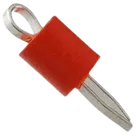
Part Review and Datasheet Update

Review all available part information (MPN, package, pin count, description, properties). If no datasheet URL is already set, search the web for the official datasheet and update the part's Datasheet property with the URL. Then cross-check the schematic symbol, footprint, and pin descriptions against the datasheet. Summarize key specs and flag any mismatches.
Worked for 3 mins 51 sec
Reviewed the part against the official Keystone datasheet already set on the project, so no Datasheet URL update was needed. The main issues are: terminal pin type is
Unspecified instead of passive/test-point style, pin description is missing, manufacturer name is shortened, package/case metadata is missing, and the footprint drill size needs confirmation against the 0.040 in / ~1.0 mm datasheet hole. Full review is in Keystone 5000 Part Information Review.Fix part metadata
Check drill size
Run ERC/DRC
Show BOM entry
Refine this doc
Ask about this doc
Keystone 5000 Part Information Review
Scope
Reviewed the current Flux part project metadata, schematic terminal, available footprint/3D/symbol assets, and the official datasheet URL already present on the project. The part-project sync workflow requires using the datasheet as the source of truth, exact pin-number matching, and exact terminal count matching.
Current Project Metadata
Table
| Field | Current project value | Datasheet / review result | Status |
|---|---|---|---|
| Manufacturer Part Number | 5000 | 5000 | OK |
| Manufacturer Name | Keystone | Keystone Electronics Corp. | Minor mismatch / shortened name |
| Datasheet URL | http://www.keyelco.com/product-pdf.cfm?p=1309 | Official Keystone product PDF was already set | OK; no web search/update needed |
| Part Type | Connectors | Through-hole PC test point / connector-style test point | Acceptable, though “Test Point” or “Connector” would be more precise |
| Designator Prefix | J | J is appropriate for connector/test-point style part | OK |
| Description | KEYSTONE - 5000 - TEST POINT, CONNECTOR, RED | Miniature THM Test Point - Red | OK but could be clearer |
| Package / Case Code | Not set | THM / through-hole miniature PC test point | Missing recommended property |
| Max Current | Not set | Not specified in the Keystone PDF | OK to leave unset |
Datasheet-Derived Key Specs
- Part: Keystone Electronics 5000
- Function: Single red through-hole miniature PC test point for probe/clip hookup
- Mounting: Through-hole mount (THM)
- Terminal count: 1 electrical terminal / 1 mounting hole
- Recommended PCB hole: 0.040 in diameter, approximately 1.0–1.02 mm
- Terminal/contact material: 0.010 in × 0.020 in phosphor bronze
- Finish: Silver plate
- Base material: Nylon 46, UL 94V-0
- Color: Red
- Current rating: Not specified in the provided Keystone PDF
- Notable use notes: Snap-fit retention for wave soldering, wire-form loop for safe non-slip testing, suitable for high-density PC boards, usable with J-hooks/EZ-hooks/grabbers/alligator clips/probes.
Schematic Symbol / Terminal Cross-Check
Table
| Datasheet expectation | Current schematic | Status |
|---|---|---|
| 1 terminal/pin | 1 terminal component present | OK |
| Pin number 1 | Terminal has Pin Number: 1 | OK |
| Single test-point function | Terminal designator is 1; no pin description property observed | Usable, but description missing |
| Passive probe/test node behavior | Pin Type: Unspecified | Mismatch / improvement recommended: set to Passive or equivalent passive terminal type |
Symbol Notes
- The project has a default symbol asset:
5000 Symbol.svg. - The terminal count matches the datasheet’s single electrical test point.
- The main mismatch is metadata quality on the terminal: the terminal is electrically passive but is currently typed as
Unspecified, and no concise pin description such as “Test Point Terminal” was found.
Footprint / Mechanical Cross-Check
Table
| Datasheet expectation | Current project | Status |
|---|---|---|
| Single through-hole plated pad / mounting hole | Footprint contains one pad named/designated 1 | OK by pad count |
| Recommended drill/hole: 0.040 in / ~1.0–1.02 mm | Pad geometry/hole size was not exposed in the current layout query result | Needs manual/asset verification |
| Through-hole test-point body / loop | 3D model asset 5000.stp is present | OK |
| Footprint asset | 5000.kicad_mod present and marked as footprint | OK |
Footprint Notes
- The available layout tree shows a default footprint with one pad, which matches the datasheet’s one-terminal part.
- I could not confirm the pad’s drill diameter or annular ring from the accessible layout data. The key footprint item to verify is that pad 1 is a through-hole pad with a ~1.0 mm drill matching the Keystone datasheet.
Assets Review
Table
| Asset | Type | Role | Status |
|---|---|---|---|
5000.stp | STEP | 3D model | Present |
5000.kicad_mod | KiCad footprint | Default footprint | Present |
5000 Symbol.svg | SVG | Default symbol / thumbnail | Present |
Mismatches / Issues Flagged
-
Terminal pin type is
Unspecified- Datasheet function is a passive single test-point terminal.
- Recommended correction: set terminal
Pin TypetoPassive.
-
Terminal pin description is missing
- Recommended property:
Pin Description = Test Point Terminal.
- Recommended property:
-
Manufacturer name is shortened
- Current:
Keystone - Datasheet:
Keystone Electronics Corp. - Recommended correction: update
Manufacturer Nameto the official datasheet name if you want canonical metadata.
- Current:
-
Package / Case Code is missing
- Recommended value:
THM, miniature through-hole PC test pointor similar concise package/mechanical form.
- Recommended value:
-
Footprint drill size could not be confirmed from accessible layout data
- Datasheet requirement: 0.040 in / ~1.0–1.02 mm mounting hole.
- Recommended verification: inspect the
5000.kicad_modfootprint pad drill and ensure pad 1 is a plated through-hole with ~1.0 mm drill.
Recommended Fixes
If you want me to clean this part up, the safe metadata updates are:
- Project property:
Manufacturer Name = Keystone Electronics Corp. - Project property:
Package or Case Code = THM miniature through-hole PC test point - Terminal
1:Pin Type = Passive - Terminal
1:Pin Description = Test Point Terminal
I would not set
Max Current, because the datasheet extraction did not provide a current rating.Scope
Current Project Metadata
Datasheet-Derived Key Specs
Schematic Symbol / Terminal Cross-Check
Symbol Notes
Footprint / Mechanical Cross-Check
Footprint Notes
Assets Review
Mismatches / Issues Flagged
Recommended Fixes