Chat

Welcome to Flux

Treat Flux like your intern. Tell it what you'd like to build and it'll get to work. You can also ask it questions, brainstorm ideas, and teach it your preferences. Learn More

Explain this part
Write a part description
Describe each pin
Verify Part Details
Recommend similar parts
Check availability & lifecycle
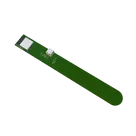
cpy this sensor part 2 times and connect to different snsorpin

@copilot cpy this sensor part 2 times and connect to different snsorpin
2y
To copy the sensor part twice and connect each to a different sensor pin as per your request, let's assume that the new sensors will be designated as sensor1 and sensor2, and they will be connected to sensor_pin1 and sensor_pin2 respectively. For the purpose of this explanation, I'll also assume that sensor_pin1 and sensor_pin2 correspond to two GPIO pins on the ESP32-S3 microcontroller (U1), given that specific GPIO pins weren't mentioned. Common choices for such sensor connections are GPIO pins due to their programmable nature. Without specific pin numbers, I'll choose IO21 (pin 68) and IO34 (pin 65) for demonstration purposes. Adjust these pin assignments based on your actual project requirements.
Steps to duplicate sensor part and connect:
  1. Copy Sensor to sensor1 and sensor2:
    • Create two sensor components similar to the original sensor in your project description. These will be named sensor1 and sensor2.
  2. Add sensor_pin1 and sensor_pin2:
    • Since the original sensor connection isn't detailed, I'll assume standard digital or analog connections. Thus, sensor_pin1 and sensor_pin2 will be designated as additional GPIO connections on the ESP32-S3.
  3. Connect sensor1 and sensor2 to ESP32-S3:
    • Since the exact nature of the sensor connections (digital input, digital output, analog input, etc.) to the ESP32-S3 is not specified, I will assume they are digital inputs for this example. Adjust as necessary for your specific use case.
Here are the hypothetical connection details, assuming sensor1 and sensor2 have pins named P1 and GND in line with the existing structure:
  • Connect sensor1:P1 to U1:IO21 (GPIO 21 on the ESP32-S3 for sensor1).
  • Connect sensor1:GND to GND.
  • Connect sensor2:P1 to U1:IO34 (GPIO 34 on the ESP32-S3 for sensor2).
  • Connect sensor2:GND to GND.
Please note: The GPIO pins mentioned (IO21 and IO34) are placeholders. Make sure to choose GPIO pins that are suitable for your sensor type and that are not already used by other components in your design.
Code representation example (to add these connections in your project file):

Yaml


# Assuming 'sensor1' and 'sensor2' configurations are identical to the 'sensor' you have
- Designator: sensor1
  Pins: 1 (name: P1)
  Element Properties:
    Exclude from BOM: true
    Designator Prefix: Net
    Exclude from PCB: true
  Pins: 1 (name: GND)
  Element Properties:
    Exclude from BOM: true

- Designator: sensor2
  Pins: 1 (name: P1)
  Element Properties:
    Exclude from BOM: true
    Designator Prefix: Net
    Exclude from PCB: true
  Pins: 1 (name: GND)
  Element Properties:
    Exclude from BOM: true

# Connection details
## Net: Sensor1_Connection
  Members: sensor1:(P1), U1:(IO21)
## Net: Sensor2_Connection
  Members: sensor2:(P1), U1:(IO34)
Reminder: Please adjust the pin connections according to your specific application needs and the available GPIO pins on your ESP32-S3.
2y
Someone is typing...
2
USB_D+
UART_TX
VUSB
3V3
USB_D-
USB_D+
3V3
UART_RX
USB_D-
R3
Resistance
5.1kΩ
C1
Capacitance
0.1uF
C2
Capacitance
1uF
J2
R1
Resistance
10KΩ
U1


WiFi Soil Monitor Module

WiFi Soil Monitor Module thumbnail
This is a WiFi Soil Monitor reference design based on ESP32-S3 microcontroller for WiFi connectivity, a Type-C USB for power #reusable #module #simple-embedded #espressif #sublayout

Properties

M

Pricing & Availability

Distributor

Qty 1

Digi-Key

$4.36–$5.46

LCSC

$4.15

Mouser

$6.12

Controls