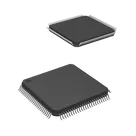
vasyl / MSP430F6458IPZ

Loaded

0

1

Files

Schematic

PCB

Log InSign Up

Chat

yettiecopperdudbolt248227

yettiecopperdudbolt248227

@web look up the datasheets for P5.7/RTCCLK and explain it in detail, including its purpose, key functions, and common applications. Describe how it operates within a circuit and any notable characteristics. Also, explain the family or series this component belongs to, highlighting its variations, key differences, and typical use cases compared to other models in the series.
308 days

flux

0:00

The response is taking longer than expected. Please try again with a more focused question.
308 days

​
Sign up to send

To get started, talk to Flux or create a New Document.

Reviews

Documents

    Documents are markdown text files which describe project goals, capture details, or even simulation outputs.

    Assets

    kicad_mod

    F_MSP430F6458IPZ.kicad_mod

    F_MSP430F6458IPZFootprint
    MSP430F6458IPZ-thumb.png

    MSP430F6458IPZ-thumb.png

    MSP430F6458IPZ-thumbThumbnail
    stp

    PZ0100A.stp

    3D_PZ0100A3D Model
    MSP430F6459IPZR-Symbol.svg

    MSP430F6459IPZR-Symbol.svg

    MSP430F6459IPZR-SymbolDefault

    MSP430F6458IPZ

    MSP430F6458IPZ thumbnail
    Microcontroller IC 16-Bit 20MHz 384KB (384K x 8) FLASH 100-LQFP (14x14) #Microcontroller #MSP #part #MCU #IoT

    Properties

    Microcontroller

    Texas Instruments

    MSP430F6458IPZ

    ti.com/general/docs/suppproductinfo.tsp?distId=10&gotoUrl=https%3A%2F%2Fwww.ti.com%2Flit%2Fgpn%2Fmsp430f6459

    creativecommons.org/licenses/by/4.0/

    QFP50P1600X1600X160-100N

    U

    Pricing & Availability

    Distributor

    Qty 1

    Controls

    Welcome 👋

    Flux helps you build PCBs faster with an AI teammate!

    Create your account to collaborate, stay updated, fork your own version, and get instant answers from our AI agent.

        Introducing AI Placement!
        AI Placement Demo

        AI-Powered Component Placement

        Let AI place your components intelligently. AI Placement analyzes your schematic and positions components for optimal routing, signal integrity, and board density.

        From Schematic to Layout in Seconds

        Skip the tedious manual placement. AI Placement generates a starting layout you can refine, saving hours of repetitive work on every new design.

        Works With Auto-Layout

        Pair AI Placement with Auto-Layout for a complete AI-driven PCB design flow — from component placement through trace routing, all with one click.

        Try it