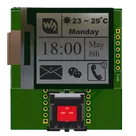
Running Python 3 Donut Display
Thought
Work completed
- Updated project description with Raspberry Pi integration notes and USB-C serial usage.
- Refreshed the System Architecture diagram in the project property.
- Added Raspberry Pi Zero 2 W 40-pin header as J_PIZERO.
- Placed USB-C receptacle (Molex 2024100002) as J_USB_C.
- Added CC pull-downs R2 and R4.
- Placed bidirectional TVS diodes on D+ and D– as D1 and D2.
- Added input protection fuse F1.
- Inserted 5 V buck regulator U2 (LMR50410Y5FQDBVRQ1) with passives C3, C4, L1.
- Added 3.3 V LDO U3 (AMS1117-3.3) with decoupling C2.
- Maintained original ESP32↔E-Ink nets without alteration.
- Created UART link with 47 Ω series resistors R6 and R7 between Pi GPIO14/15 and ESP32 TX/RX.
- Repurposed SW1:2 through pull-up R1 to Pi GPIO17; SW1:1 remains on ESP32.
- Added status LED LED1 with current-limit resistor R5 on Pi GPIO18.
- Added 3-pin debug header as J_DBG with TX, RX, GND.
- Ran ERC checks and updated capacitor voltage ratings and resistor power ratings where flagged.
Success criteria
- ✅ Pi header exposes all required rails/signals (+5 V, 3.3 V, UART, LED, button GPIO).
- ✅ USB-C interface implemented with CC resistor pull-downs and ESD protection.
- ✅ UART link between Pi and ESP32 with series resistors is reliable.
- ✅ Original ESP32 + E-Ink functionality is preserved.
- ✅ Status LED and repurposed button trigger the Python ANSI animation; USB-C serial outputs frames.
Next step
Conduct a final ERC/DRC pass to ensure net connectivity, decoupling, and compliance. Once clean, proceed to PCB layout preparation.