Proyecto de Carga USB-C

Hola , explícame este proyecto
11 days

1:25

Project

Planning.

Parsing.

Planning.

Following.

Using Knowledge Base Tool.

I’ll add a USB‑C charging circuit so your battery can be charged via USB‑C and feed your existing battery rail.
Click Start to run the plan, or let me know if you want to change anything.
Choose charger IC
Review my battery net
Pick USB-C connector
Set charge current
Add ESD protection
11 days


Rear
how should I connect two L293D ICs with Particle Argon board

@copilot how should I connect two L293D ICs with Particle Argon board
2y
To connect two L293D Motor Driver ICs (Front and Rear) with the Particle Argon board (U2), follow these steps:
  1. Power supply connections:
  • Connect the VCC1 pins of both L293D ICs (Front and Rear) to the 3V3 pin of the Particle Argon board for the motor driver ICs' logic power supply.
  • Connect the VCC2 pins of both L293D ICs (Front and Rear) to an appropriate external motor power supply (not the Particle Argon's VUSB or 3V3, as motors draw significant current).
  1. Ground connections:
  • Connect the GND pins of both L293D ICs (Front and Rear) to the Particle Argon board's GND pin.
  1. Enable pins:
  • Connect the EN12 pins of both L293D ICs (Front and Rear) to suitable digital pins on the Particle Argon board (e.g., D2 and D3). These pins will be used to enable/disable the motors.
  1. Input pins:
  • Connect the IN1, IN2, IN3, and IN4 pins of both L293D ICs (Front and Rear) to suitable digital pins on the Particle Argon board (e.g., D4, D5, D6, and D7 for the Front IC; and D8, TX, RX, and SCK for the Rear IC). These pins will be used to control the direction of the motors.
After everything is connected, you'll need to program the Particle Argon board to control the motors via the connected pins. Using the appropriate libraries and functions, you can control the speed, direction, and enable/disable status of the motors.
2y
Can I connect VCC1 and VCC2 pins to Li+ pin of Argon?
2y
Yes, you can connect the VCC1 and VCC2 pins of the L293D Motor Driver ICs (Front and Rear) to the Li+ pin of the Particle Argon board, provided that the motors' voltage and current requirements are within the limits of the Li+ pin and the battery connected to the Argon board. The Li+ pin is typically connected to an external Lithium-ion or Lithium-polymer battery.
However, keep in mind that motors can draw significant current, especially under load or when starting. Ensure that the battery can safely supply the required current to prevent damage or potential safety issues.
If you decide to connect VCC1 and VCC2 pins to the Li+ pin of the Particle Argon, your connections in the netlist will be as follows:
Net 0 connects U1:Li+, VBAT:P1, VBAT:P1, Rear:VCC2, Rear:VCC1, VBAT:P1, Front:VCC1, Front:VCC2
2y
It will help to handle the current if add big aluminium electrolytic capacitor to battery pin
2y
@copilot said Yes, adding a large aluminum electrolytic capacitor to the battery pin can help smooth out voltage fluctuations and provide a reservoir of energy for moments when the motors draw significant current. This can improve system stability, especially under dynamic load conditions.
Connect the capacitor in parallel with the battery, close to the L293D motor drivers. Ensure the capacitor's voltage rating is higher than your battery voltage. A typical value for such a capacitor would be in the range of 1000-2000 uF, depending on the size and power requirements of the motors.
Remember to connect the positive terminal of the capacitor to the battery's positive terminal (Li+ pin) and the negative terminal of the capacitor to the battery's negative terminal (GND pin).
2y
can you suggest what value of the capacitor should I use if I will drive 4 motors with 1 Amp max current each and the voltage will be 3.7V?
2y
For a system with four motors driving 1 Amp max current each at 3.7V, a capacitor value in the range of 1000-2200uF should suffice to help maintain stability during transient current spikes and sudden load changes. You can start by trying a 2200uF capacitor with a voltage rating higher than the battery voltage (for example, a 6.3V or higher voltage rating).
The recommended capacitor value also depends on the battery's own internal resistance, the wiring resistance, and the power demands of the rest of the system. You may need to fine-tune the capacitor value based on the actual performance of your system under various load conditions. Keep in mind that adding a large capacitor is not a substitute for a battery that can support the required current; it's meant to provide extra stability under transient conditions.
2y
@docbrown do you know any motors that can be soldered directly to PCB>

@docbrown do you know any motors that can be soldered directly to PCB>
2y
Yes, there are motors that can be soldered directly to the PCB. One example is the 304-100 motor which has mounting pins on its body. These pins are placed through holes on the PCB and soldered in place.
2y
1
@docbrown how should I connect two L293D ICs with Particle Argon board

@docbrown how should I connect two L293D ICs with Particle Argon board
2y
To connect two L293D motor driver ICs with a Particle Argon board, follow these steps:
  1. Connect the power pins of both L293D ICs: Connect VCC1 (pin 16) to the 5V power supply, VCC2 (pin 8) to the motor supply voltage (the voltage rating depends on your motors), and GND (pins 4,5,12,13) to common ground.
  2. Enable the driver channels: Connect EN1 (pin 1) and EN2 (pin 9) to a digital output pin on the Particle Argon, such as D3 or D4. These pins will be used to enable/disable the motor driver channels.
  3. Control the motor direction: Connect IN1 (pin 2), IN2 (pin 7), IN3 (pin 10), and IN4 (pin 15) of each L293D IC to digital output pins on the Particle Argon, for instance, D5, D6, D7, and D8. These pins will be used to control the direction of the motors.
  4. Connect the motors: Attach each motor to the corresponding output pins on each L293D IC (OUT1, OUT2, OUT3, and OUT4).
Please refer to the datasheets and pinouts of the L293D motor driver IC and Particle Argon development board for proper connections.
2y
@docbrown how should I connect two L293D ICs with Particle Argon board
2y
4
how should I connect two L293D ICs with Particle Argon board

@copilot how should I connect two L293D ICs with Particle Argon board
2y
To connect two L293D Motor driver SubModules with a Particle Argon board, follow these connections:
First L293D Motor driver SubModule (Front)
  1. Connect Front:VCC1 to U1:3V3 (3.3V for the motor driver's logic supply).
  2. Connect Front:VCC2 to your motor power supply (e.g., battery or regulated voltage).
  3. Connect Front:GND to the common ground (U1:GND and your power supply's ground).
  4. Connect Front:EN12 and Front:EN34 to two available digital pins on Argon (e.g., U1:D3 and U1:D4).
  5. Connect Front:IN1, Front:IN2, Front:IN3, and Front:IN4 to four available digital pins on Argon (e.g., U1:D5, U1:D6, U1:D7, U1:D8).
Second L293D Motor driver SubModule (Rear)
  1. Connect Rear:VCC1 to U1:3V3 (3.3V for the motor driver's logic supply).
  2. Connect Rear:VCC2 to your motor power supply (e.g., battery or regulated voltage).
  3. Connect Rear:GND to the common ground (U1:GND and your power supply's ground).
  4. Connect Rear:EN12 and Rear:EN34 to two available digital pins on Argon (e.g., U1:A0 and U1:A1).
  5. Connect Rear:IN1, Rear:IN2, Rear:IN3, and Rear:IN4 to four available digital pins on Argon (e.g., U1:A2, U1:A3, U1:A4, U1:A5).
With these connections, you can control each motor's speed and direction using the enable and input pins connected to the Argon board. You may need to adjust the pin assignments based on your specific project or preferences.
2y
5
WHEEL4
Argon
Front_IN2
Front_IN4
Rear_IN4
Front_IN1
Front_IN3
Front_EN34
Rear_EN12
Front_EN12
Rear_IN2
Rear_IN2
Rear_EN12
Rear_IN4
Rear_EN34
Rear_IN1
Rear_IN3
TRIG
WHEEL2
Rear_EN34
Rear_IN1
Rear_IN3
ECHO
VBAT
VBAT
VBAT


  • Ground
    A common return path for electric current. Commonly known as ground.
  • Net Portal
    Wirelessly connects nets on schematic. Used to organize schematics and separate functional blocks. To wirelessly connect net portals, give them same designator. #portal
  • Power Net Portal
    Wirelessly connects power nets on schematic. Identical to the net portal, but with a power symbol. Used to organize schematics and separate functional blocks. To wirelessly connect power net portals, give them the same designator. #portal #power
  • Generic Resistor
    A generic fixed resistor for rapid developing circuit topology. Save precious design time by seamlessly add more information to this part (value, footprint, etc.) as it becomes available. Standard resistor values: 1.0Ω 10Ω 100Ω 1.0kΩ 10kΩ 100kΩ 1.0MΩ 1.1Ω 11Ω 110Ω 1.1kΩ 11kΩ 110kΩ 1.1MΩ 1.2Ω 12Ω 120Ω 1.2kΩ 12kΩ 120kΩ 1.2MΩ 1.3Ω 13Ω 130Ω 1.3kΩ 13kΩ 130kΩ 1.3MΩ 1.5Ω 15Ω 150Ω 1.5kΩ 15kΩ 150kΩ 1.5MΩ 1.6Ω 16Ω 160Ω 1.6kΩ 16kΩ 160kΩ 1.6MΩ 1.8Ω 18Ω 180Ω 1.8KΩ 18kΩ 180kΩ 1.8MΩ 2.0Ω 20Ω 200Ω 2.0kΩ 20kΩ 200kΩ 2.0MΩ 2.2Ω 22Ω 220Ω 2.2kΩ 22kΩ 220kΩ 2.2MΩ 2.4Ω 24Ω 240Ω 2.4kΩ 24kΩ 240kΩ 2.4MΩ 2.7Ω 27Ω 270Ω 2.7kΩ 27kΩ 270kΩ 2.7MΩ 3.0Ω 30Ω 300Ω 3.0KΩ 30KΩ 300KΩ 3.0MΩ 3.3Ω 33Ω 330Ω 3.3kΩ 33kΩ 330kΩ 3.3MΩ 3.6Ω 36Ω 360Ω 3.6kΩ 36kΩ 360kΩ 3.6MΩ 3.9Ω 39Ω 390Ω 3.9kΩ 39kΩ 390kΩ 3.9MΩ 4.3Ω 43Ω 430Ω 4.3kΩ 43KΩ 430KΩ 4.3MΩ 4.7Ω 47Ω 470Ω 4.7kΩ 47kΩ 470kΩ 4.7MΩ 5.1Ω 51Ω 510Ω 5.1kΩ 51kΩ 510kΩ 5.1MΩ 5.6Ω 56Ω 560Ω 5.6kΩ 56kΩ 560kΩ 5.6MΩ 6.2Ω 62Ω 620Ω 6.2kΩ 62KΩ 620KΩ 6.2MΩ 6.8Ω 68Ω 680Ω 6.8kΩ 68kΩ 680kΩ 6.8MΩ 7.5Ω 75Ω 750Ω 7.5kΩ 75kΩ 750kΩ 7.5MΩ 8.2Ω 82Ω 820Ω 8.2kΩ 82kΩ 820kΩ 8.2MΩ 9.1Ω 91Ω 910Ω 9.1kΩ 91kΩ 910kΩ 9.1MΩ #generics #CommonPartsLibrary
  • Generic Capacitor
    A generic fixed capacitor ideal for rapid circuit topology development. You can choose between polarized and non-polarized types, its symbol and the footprint will automatically adapt based on your selection. Supported options include standard SMD sizes for ceramic capacitors (e.g., 0402, 0603, 0805), SMD sizes for aluminum electrolytic capacitors, and through-hole footprints for polarized capacitors. Save precious design time by seamlessly add more information to this part (value, footprint, etc.) as it becomes available. Standard capacitor values: 1.0pF 10pF 100pF 1000pF 0.01uF 0.1uF 1.0uF 10uF 100uF 1000uF 10,000uF 1.1pF 11pF 110pF 1100pF 1.2pF 12pF 120pF 1200pF 1.3pF 13pF 130pF 1300pF 1.5pF 15pF 150pF 1500pF 0.015uF 0.15uF 1.5uF 15uF 150uF 1500uF 1.6pF 16pF 160pF 1600pF 1.8pF 18pF 180pF 1800pF 2.0pF 20pF 200pF 2000pF 2.2pF 22pF 20pF 2200pF 0.022uF 0.22uF 2.2uF 22uF 220uF 2200uF 2.4pF 24pF 240pF 2400pF 2.7pF 27pF 270pF 2700pF 3.0pF 30pF 300pF 3000pF 3.3pF 33pF 330pF 3300pF 0.033uF 0.33uF 3.3uF 33uF 330uF 3300uF 3.6pF 36pF 360pF 3600pF 3.9pF 39pF 390pF 3900pF 4.3pF 43pF 430pF 4300pF 4.7pF 47pF 470pF 4700pF 0.047uF 0.47uF 4.7uF 47uF 470uF 4700uF 5.1pF 51pF 510pF 5100pF 5.6pF 56pF 560pF 5600pF 6.2pF 62pF 620pF 6200pF 6.8pF 68pF 680pF 6800pF 0.068uF 0.68uF 6.8uF 68uF 680uF 6800uF 7.5pF 75pF 750pF 7500pF 8.2pF 82pF 820pF 8200pF 9.1pF 91pF 910pF 9100pF #generics #CommonPartsLibrary
  • Generic Inductor
    A generic fixed inductor for rapid developing circuit topology. *You can now change the footprint and 3D model at the top level anytime you want. This is the power of #generics
  • Terminal
    Terminal
    An electrical connector acting as reusable interface to a conductor and creating a point where external circuits can be connected.
  • RMCF0805JT47K0
    47 kOhms ±5% 0.125W, 1/8W Chip Resistor 0805 (2012 Metric) Automotive AEC-Q200 Thick Film #forLedBlink
  • 875105359001
    10uF Capacitor Aluminum Polymer 20% 16V SMD 5x5.3mm #forLedBlink #commonpartslibrary #capacitor #aluminumpolymer #radialcan
  • CTL1206FYW1T
    Yellow 595nm LED Indication - Discrete 1.7V 1206 (3216 Metric) #forLedBlink
Robo Project thumbnail
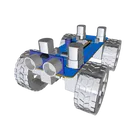
The Robo Project is a mobile robotic platform featuring a Particle Argon board, 4 motor-wheels controlled by L293D drivers, and an HC-SR04 ultrasonic sensor for obstacle detection. It's ideal for exploration, remote control, and robotics education. #project #robot #L293D #car

Properties

Pricing & Availability

Distributor

Qty 1

Digi-Key

$29.01

LCSC

$0.28

Mouser

$35.04

Assets

Robo Project-removebg-preview.png

Robo Project-removebg-preview.png

Robo Project-removebg-previewThumbnail

Controls