Board Design with Resistors
Started implementing a plan
#Goal
- Prevent the 3‑pin header (H1) from overlapping the optical sensor window and ensure trace routing avoids the sensor aperture to maintain optimal sensor performance on the QRE1113GR Reflective Optical Sensor 3.3V Breakout Board.
#Implementation plan
1. Reposition Header H1:
1. Move H1 away from the sensor aperture to clear the optical sensor’s window.
2. Align and rotate H1 as needed for proper breadboard access while maintaining clearance.
2. Incorporate a Keepout Region:
1. Create a mechanical/copper keepout over the optical sensor window.
2. Remove any copper area underneath the sensor aperture to avoid interference.
3. Re-route Traces:
1. Reroute nets (3V3, OUT, GND) around the keepout region, preserving original net names and connectivity.
4. Update Board Documentation:
1. Adjust silkscreen labels to reflect the new header placement and clear area around the sensor.
2. Run DRC and ERC to verify that the layout complies with design rules and that no traces cross the optical aperture.
#Success criteria
- Header H1 is repositioned so that no pins or traces cross the optical sensor window.
- A keepout region is present over the sensor aperture with no copper underneath.
- All nets (3V3, OUT, GND) are successfully rerouted around the keepout region with maintained connectivity.
- Updated silkscreen labels are clear, and the design passes DRC/ERC checks.
Repositioning header H1 for clearance...
0:06
Started: Move component H1 away from the sensor’s optical window and rotate it for proper breadboard access, ensuring no overlap with the sensor aperture.
Rotating H1 for breadboard alignment...
0:08
Started: Rotate H1 for proper breadboard access and orientation.
0:00
To get started, talk to Flux or create a New Document.
Reviews
Documents
Documents are markdown text files which describe project goals, capture details, or even simulation outputs.
Assets
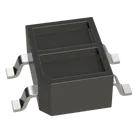
QRE1113GR-Symbol-2.svg
QRE1113GR-Symbol-2DefaultOnSemi_CASE100CY-3D.step
3D3D ModelQRE1113GR image.png
QRE1113GR imageThumbnailOnSemi_CASE100CY-Footprint_V5.kicad_mod
Footprint_V5FootprintQRE1113GR
Properties
graph LR VCC[3V3] --> C1[100nF Decoupling] C1 --> GND[GND] VCC --> R1[160Ω Series Resistor] R1 --> LED(IR LED in QRE1113GR) LED --> GND VCC --> R2[51kΩ Pull-Up] R2 --> PT(Phototransistor in QRE1113GR) PT --> GND PT --> OUT[OUT] subgraph Header[3-Pin Header] H1(3V3) H2(OUT) H3(GND) end VCC --> H1 OUT --> H2 GND --> H3
16.175
Sensor
Standard 4 Layer
21.9
ON Semiconductor
QRE1113GR
U
Pricing & Availability
Distributor | Qty 1 |
|---|---|
Arrow | $0.24–$0.27 |
Digi-Key | $0.61 |
LCSC | $0.35 |
Mouser | $0.24 |
TME | $0.26 |
Verical | $0.10–$0.44 |
Controls
Welcome 👋
Flux accelerates your PCB design with AI.
Create your account to start using this component and bring your ideas to life.

AI-Powered Component Placement
Let AI place your components intelligently. AI Placement analyzes your schematic and positions components for optimal routing, signal integrity, and board density.
From Schematic to Layout in Seconds
Skip the tedious manual placement. AI Placement generates a starting layout you can refine, saving hours of repetitive work on every new design.
Works With Auto-Layout
Pair AI Placement with Auto-Layout for a complete AI-driven PCB design flow — from component placement through trace routing, all with one click.