MIDI Controller PCB Design

0:19
Project
Hello! How can I help you today with your MIDI controller PCB design in Flux?
308 days
0:24
Chat History
Project
Sure—what would you like help with in your schematic? For example, would you like to:
- Verify power-and-ground connections and decoupling capacitors?
- Add pull-up or pull-down resistors for digital signals?
- Review net names and signal routing?
- Select or size passive components?
Let me know which area to focus on, or feel free to describe your specific concern.
Check decoupling capacitors
Verify reset pull-up
Review ground connections
308 days
Ready.
Give a rundown of what this project is.

@copilot Give a rundown of what this project is.
1y
This project is for a MIDI controller PCB designed to connect to a computer via a USB Type-C interface and be recognized as a MIDI device. The controller enables the user to change between two effects (labeled A and B), adjust the effect speed (Tempo), and control the volume. It's a complex mix of analog inputs, digital signal processing, and communications interfacing.
Major Functionalities and Components Involved:
-
USB Type-C Connectivity: Utilizes a USB connector (Designator: USB) for power and data communication with a computer. The USB interface is managed by an ATmega32U4 microcontroller (U3), a popular choice for USB-enabled projects.
-
Microcontroller: ATmega32U4 (Designator: U3) acts as the brain of the controller, handling USB communications, processing encoder inputs, and controlling the OLED displays. Its connections include various GPIO pins for interfacing with encoders, buttons, and displays, and USB specific pins (D+, D-, VBUS, etc.) for communication.
-
Input Encoders: Four encoders (E1, E2, E3, E4) with associated nets for interfaces like A, B, and their connections to the MCU for processing the rotational input to control effects and settings.
-
Tactile Buttons: Tactile buttons (Designator: KEY1, KEY2, KEY3, KEY4) for user input, allowing for effects and settings adjustment.
-
OLED Displays: OLED displays (Designator: OLED1, OLED2, OLED3, OLED4) connected via SDA and SCL lines for I2C communication, showing effects, tempo, volume, and other user interface information.
-
Power Supply: +5V net is extensively used throughout the PCB to power components, including the MCU, OLED displays, and external interfaces. Ground nets are also pervasive for completing the circuits.
-
Filter and Decoupling Capacitors: A variety of capacitors (C1-C20) with values ranging from 47pF to 1uF for filtering and decoupling purposes. These are critical for ensuring stable operation of the digital and analog components.
-
Resistors for Pull-up/Pull-down, Filtering, and Current Limiting: A selection of resistors (R1-R21) with various resistance values are used throughout the circuit for pull-up/pull-down configurations, filtering, and current limiting to protect the components.
-
Communications and Programming Interfaces: In addition to USB, designated nets for SDA, SCL (I2C communication), MISO, MOSI, SCK (SPI communication for programming and data transfer), and RESET for programming and resetting the microcontroller.
-
Signal Diodes for Protection and Rectification: Diodes (D1-D4) employed for protection against reverse polarity and ensuring correct power flow.
-
Oscillator: A crystal oscillator (Y1) at 16 MHz provides a precise clock signal for the microcontroller, vital for timing-sensitive tasks, including USB communications and MIDI signal processing.
This project integrates various components and interfaces into a complex PCB design focused on musical application control, leveraging the capabilities of the ATmega32U4 microcontroller for processing and interfacing.
1y
Someone is typing...
8
que dispositivo es este

@copilot que dispositivo es este
1y
El proyecto en el que estás trabajando parece ser un controlador MIDI que se conectará a una computadora mediante un puerto USB tipo C. Actúa como un dispositivo MIDI y permite al usuario cambiar dos efectos (A y B), la velocidad del efecto (tempo) y el volumen.
Algunos de los componentes destacados en este diseño incluyen:
- Un microcontrolador ATmega32U4, que es popular para proyectos de interfaces USB.
- Conectores USB tipo C.
- Varias puertas lógicas 74HC14D.
- Sensores y botones para la interacción del usuario.
¿Cuál parte del dispositivo te gustaría saber más detalles, o necesitas ayuda con algo específico?
1y
el E3
1y
El componente E3 es un encoder rotatorio. Específicamente, el modelo es el EC12E24104A6 de ALPSALPINE.
Los encoders rotatorios son comunes en interfaces de usuario donde se requieren controles rotativos para ajustar configuraciones como volumen, desplazamiento o selección de elementos, que pueden ser ideales para un controlador MIDI.
Las conexiones de los pines para este encoder son las siguientes:
- Pin A: Conexión al net de entrada del encoder.
- Pin B: Conexión al net de salida del encoder.
- Pin C (pines comunes): Es típicamente el pin de referencia o tierra.
- MP1 y MP2 (Push Button): Pueden estar conectados para la función de pulsador que muchas veces incluyen estos encoders.
Si tienes alguna pregunta sobre cómo conectarlo o usarlo, no dudes en decírmelo.
1y
Someone is typing...
12
please explain what ENCODER1\_A does.

1y
In your project, the term ENCODER1_A appears to refer to one of the signals from a rotary encoder. Let's break down what a rotary encoder is and how ENCODER1_A might be utilized in your design:
Rotary Encoder Basics
A rotary encoder is a type of position sensor that converts the angular position or motion of a shaft or axle to an analog or digital signal. There are two main types of rotary encoders:
- Incremental Encoders: These provide information about the position of the shaft by generating output signals (often called channels or phases) as the shaft is rotated.
- Absolute Encoders: These provide a unique position value from the moment they are powered on.
Given your project description, you are likely using incremental encoders.
Encoder Signals
Rotary encoders typically output two square wave signals, often referred to as Channel A and Channel B, which are 90 degrees out of phase with each other. These signals can be used to determine the direction and amount of rotation:
- Channel A (e.g., ENCODER1_A): This signal changes state (from high to low or low to high) as the encoder shaft is turned.
- Channel B (ENCODER1_B): This signal also changes state as the shaft is turned but is 90 degrees out of phase with Channel A.
In a microcontroller, such as your ATmega32U4 (U3), the encoder signals can be connected to digital input pins. The microcontroller can then:
- Detect the transitions of Channel A and Channel B.
- Determine the direction of rotation based on the order of transitions.
- Count the number of transitions to measure the amount of rotation.
In your project, ENCODER1_A is likely connected to signal pin $A$ of the encoder. This signal is then routed to the microcontroller for processing.
Schematic Connections for ENCODER1_A
Here are some possible connections based on your project:
- Connect E1 to ENCODER1_A.
- Connect ENCODER1_A to the microcontroller pin U3 (as per Net (U1 – 1Y)).
In summary, ENCODER1_A is one of the signals from a rotary encoder used to detect the rotational position and direction of the encoder shaft. This information can be used to control the effects and tempo in your MIDI device project. Let me know if you need any further details!
1y
Someone is typing...
9

2
explain this project.

@copilot explain this project.
2y
The goal of this project is to design a MIDI controller PCB.
The MIDI (Musical Instrument Digital Interface) controller will be connected to a computer via USB Type-C and will be recognized as a MIDI device. It provides functionalities like altering two effects (coded as A and B), manipulating effect speed (Tempo), and adjusting volume.
Here are the key components present in the circuit:
-
ATMEGA32U4 Microcontroller (U3): This is the central processing element. It handles MIDI data processing and USB-C communication.
-
Rotary Encoders (E1, E2, E3, E4): These are inputs that user can turn to manipulate effects, speed, or volume.
-
Switches (KEY1, KEY2, KEY3, KEY4): These are additional user inputs, probably used to select or enable specific effects.
-
OLED Displays (OLED1, OLED2, OLED3, OLED4): These small displays likely provide visual feedback showcasing the currently selected effects, speed and volume levels.
-
74HC14 Hex Schmitt-Trigger Inverters (U1, U2): These could be used for signal conditioning, perhaps to debounce the encoders and switches.
-
Diodes (D1, D2, D3, D4): These are likely used for protection against reverse polarities or transient voltages.
-
Resistors and Capacitors: These are used for various purposes like filter circuits, pull-ups, debouncing etc.
-
Crystal Oscillator (Y1): This is used for providing a stable clock signal to the ATMEGA32U4 microcontroller.
The schematic file does not provide details on how these components are interconnected. You would need to analyze the connections (nets) to understand the complete functionality of the circuit. But broadly, the project is about a hardware MIDI controller with rotary encoder inputs, digital switches and OLED display outputs. The controller uses a microcontroller for data processing and communicates with a computer over USB Type-C.
2y

fsfffsfg
2y
Apologies, but I didn't understand your statement. Could you please provide more context or clarify your question? I'm here to assist you.
2y
Someone is typing...
7
copilot add atmega2560

Someone is typing...
5
prompt// add mcu atmega 2560 in the schematic
prompt// add mcu atmega 2560 in the schematic
2y
Someone is typing...
6
what is it

555
2y

@copilot what is it
2y
This is a MIDI controller project. MIDI controllers are devices that are able to generate and send MIDI signals to MIDI-enabled devices. In this case, the MIDI controller will be connected to a computer through a Type-C USB connection and recognized as a MIDI device. The user can control two effects (A and B) from lists, the speed of the effects (Tempo), and the volume.
The controller is designed with various components like capacitors, resistors, encoders, buttons (designated as 'KEY', manufactured by Omron Electronics), an oscillator, a diode, and two ICs - an ATmega32U4 microcontroller from Microchip and a 74HC14D Hex inverting Schmitt trigger from Nexperia.
It also features 4 OLED screens for user interface interaction.
Based on the components and description, it appears to be an advanced MIDI controller featuring rotary encoders for user input, OLED displays for user interface, and is powered by a 5V power supply.
Please let me know if you want information about a specific part of the circuit or if there's something more you need help with!
2y
i mean this specific ic
2y
The specific IC mentioned in your project is the ATmega32U4.
The ATmega32U4 is a microcontroller from the Atmel's AVR family. It has 32 KB (with 4 KB used for the bootloader) of programmable flash memory, 2.5 KB SRAM, and an operating frequency of up to 16MHz. It offers a variety of features, including:
- 26 I/O lines
- 12-channel 10-bit ADC
- 4 PWM channels
- A full-speed USB 2.0 low-power device
This microcontroller is particularly popular in many open-source hardware projects, most notably in the Arduino Leonardo and Micro boards, due to its ability to communicate using USB with a computer. This enables the ATmega32U4 to emulate a mouse or keyboard, making it very valuable in custom human interface device (HID) projects.
In this specific MIDI controller project, the ATmega32U4 is used to control various elements such as OLED screens, rotary encoders, buttons, and it seems to handle data communication over USB as well.
2y
show me minimal circuit for this controller
2y
To create a minimal version of a MIDI controller using ATmega32U4, you'd need several basic components as follows:
- ATmega32U4 microcontroller, for the main computation and signals generation.
- Oscillator: To provide the clock signal to the microcontroller. A crystal oscillator of 16MHz is commonly used.
- Capacitors and Resistors: Necessary for debouncing the switches, and setting up the oscillator.
- Encoders for effects (A and B), tempo, and volume control.
- USB type-C connector for power supply and data transfer to the computer.
- Several Buttons for user interaction.
- LEDs or OLED displays for user feedback.
The minimal circuit would connect these components like this:
- Connect VCC and GND pins of ATmega32U4 to the power supply (+5V and ground respectively).
- Connect the XTAL1 and XTAL2 pins of the ATmega32U4 to the oscillator, and place two capacitors (typically 22pF) from these pins to ground for stability.
- The encoders (effects A and B, tempo, and volume controls) would be connected directly to the I/O pins of the ATmega32U4.
- The buttons would each be connected to an I/O pin on the ATmega32U4, and would also need pull-up or pull-down resistors to establish a known state when the button is not being pressed.
- A pull-up resistor would also be connected to HWB/PE2 pin to disable hardware boot loading and start the MCU normally.
- For the USB connection, the DP and DM lines would be connected directly to the D+ and D- pins of the USB Type-C connector.
- If you're using OLEDs for display, you would connect the SCK and SDA pins to corresponding pins on the ATmega32U4 microcontroller, merely ensuring they support I2C protocol.
This is quite a simplified version of your MIDI controller project. For a full-featured product you might need more components like additional pull-up/pull-down resistors, bypass capacitors, protective diodes, possibly more sophisticated power management, and further conditioning of the analogue signals.
If you need more detail on parts' connections or their values, feel free to ask!
2y
from datasheet
2y
Sure, here's a simplified example of how you might connect the necessary components for an ATmega32U4-based system according to its datasheet:
-
Connect power to the microcontroller.
- Connect
VCCpin to a +5V power supply. - Connect
GNDpin to the ground of your power supply. - Connect
AVCCpin to a +5V power supply. - Connect
AGNDpin to the ground of your power supply. - Add a 100nF decoupling capacitor close to the
VCCandGNDpins.
- Connect
-
Connect a 16MHz Crystal Oscillator.
- Connect the crystal oscillator between
XTAL1andXTAL2. - Connect one pin of the crystal to
XTAL1and the other pin toXTAL2. - Connect two 22pF capacitors. Each capacitor is connected to the
XTAL1andXTAL2pins respectively and then to the ground.
- Connect the crystal oscillator between
-
Implement a reset button.
- A 10KΩ resistor could connect the
RESETpin toVCC. - A momentary push button switch should connect the
RESETpin toGND. When pressed, this will force a reset.
- A 10KΩ resistor could connect the
-
Implement USB communication.
- Connect the
D-andD+pins to your USB data lines. - Place a 22Ω resistor between each data line (
D-, D+) and the corresponding microcontroller pin.
- Connect the
-
For firmware updating, you could add an In-System Programming (ISP) header.
- The ISP header often includes connections to
MISO, MOSI, SCK, RESET, VCC, GND.
- The ISP header often includes connections to
These steps should give you a minimal operating system with the ATmega32U4. However, this doesn't include any MIDI functionality or the additional components in your original project.
Note: You should also consider any additional circuitry required based on the specifics of your application and study the Cautions and Recommendations in the datasheet.
2y
Someone is typing...
3
que codigo es este diodo
@copilot que codigo es este diodo
1y
El código del diodo que tienes en tu proyecto es 1N4007W. Es un diodo rectificador de propósito general, comúnmente usado en circuitos electrónicos para manejar corrientes de hasta 1 A y voltajes inversos de hasta 1000 V. Si tienes alguna pregunta sobre cómo usarlo en tu circuito, estaré encantado de ayudarte.
1y
Someone is typing...
11
what is this component used for ?

1y
It seems you haven't specified which component you're asking about. Could you please provide the designator or part number of the component you're interested in? This will help me to give you a specific explanation of its use.
1y
What is the component 74HC14D653 used for in this circuit? Why are the encoders connected with that?
1y
The 74HC14D,653 is a hex Schmitt-Trigger Inverter. In your circuit, it is likely used to debounce the signals from the rotary encoders and to ensure a clean digital signal.
Here's why it is connected to the encoders:
-
Signal Conditioning: Rotary encoders can produce noisy signals due to mechanical bouncing or other interferences. The Schmitt-Trigger circuit helps clean up these signals by providing hysteresis, which ensures a clear transition between high and low states.
-
Debouncing: The mechanical nature of encoders can result in bouncing, causing multiple unwanted transitions for a single turn or press. By using the Schmitt-Trigger Inverter U1 and U2, the circuit can effectively debounce these signals, providing a steady output for each encoder step.
In your schematic:
- The Schmitt-Trigger inputs are connected to the rotary encoders' outputs. For instance, in U1, inputs like
1A,2A,3A, etc., are connected to various encoder outputs such as ENCODER1A, ENCODER1B, etc. - Corresponding outputs
1Y,2Y, etc., then provide debounced signals to the microcontroller or subsequent circuit stages.
The use of the 74HC14D is crucial in applications where signal integrity is vital, particularly in digital signal processing, to ensure accurate signal interpretation by the microcontroller.
Would you like more details on this or how specific encoders are connected?
1y
Is it also a good idea to add inverters like this in front of potentiometers?
1y
In general, using Schmitt-Trigger inverters like the 74HC14D,653 in front of potentiometers is not typical. Potentiometers are usually used for generating an analog voltage that varies smoothly and continuously, which doesn't require debouncing as mechanical switches or encoders do. Instead, here are some common practices when interfacing potentiometers in a circuit:
-
Voltage Divider: Potentiometers are often used as voltage dividers that provide a variable voltage output correlating with the wiper's position.
-
Filtering: Instead of using inverters, you might add a low-pass filter to smooth out any high-frequency noise or potential minor variations in the potentiometer's output.
-
ADC Connection: A potentiometer output can be connected directly to the analog input of a microcontroller's ADC (Analog-to-Digital Converter) channel to read the variable voltage.
-
Buffering: If the signal from a potentiometer needs to be isolated or requires current amplification, an operational amplifier might be used to buffer the output.
If you were thinking of an application that requires clean threshold-detection on a potentiometer's output, you would likely follow a different approach, using an op-amp comparator or a dedicated voltage detection IC rather than a Schmitt-Trigger inverter.
Would you like any specific advice or something else regarding potentiometers?
1y
Someone is typing...
10
Reviews

- Wirelessly connects nets on schematic. Used to organize schematics and separate functional blocks. To wirelessly connect net portals, give them same designator. #portaljharwinbarrozo43.0M
- Wirelessly connects power nets on schematic. Identical to the net portal, but with a power symbol. Used to organize schematics and separate functional blocks. To wirelessly connect power net portals, give them the same designator. #portal #powerjharwinbarrozo11.4M
- A generic fixed resistor for rapid developing circuit topology. Save precious design time by seamlessly add more information to this part (value, footprint, etc.) as it becomes available. Standard resistor values: 1.0Ω 10Ω 100Ω 1.0kΩ 10kΩ 100kΩ 1.0MΩ 1.1Ω 11Ω 110Ω 1.1kΩ 11kΩ 110kΩ 1.1MΩ 1.2Ω 12Ω 120Ω 1.2kΩ 12kΩ 120kΩ 1.2MΩ 1.3Ω 13Ω 130Ω 1.3kΩ 13kΩ 130kΩ 1.3MΩ 1.5Ω 15Ω 150Ω 1.5kΩ 15kΩ 150kΩ 1.5MΩ 1.6Ω 16Ω 160Ω 1.6kΩ 16kΩ 160kΩ 1.6MΩ 1.8Ω 18Ω 180Ω 1.8KΩ 18kΩ 180kΩ 1.8MΩ 2.0Ω 20Ω 200Ω 2.0kΩ 20kΩ 200kΩ 2.0MΩ 2.2Ω 22Ω 220Ω 2.2kΩ 22kΩ 220kΩ 2.2MΩ 2.4Ω 24Ω 240Ω 2.4kΩ 24kΩ 240kΩ 2.4MΩ 2.7Ω 27Ω 270Ω 2.7kΩ 27kΩ 270kΩ 2.7MΩ 3.0Ω 30Ω 300Ω 3.0KΩ 30KΩ 300KΩ 3.0MΩ 3.3Ω 33Ω 330Ω 3.3kΩ 33kΩ 330kΩ 3.3MΩ 3.6Ω 36Ω 360Ω 3.6kΩ 36kΩ 360kΩ 3.6MΩ 3.9Ω 39Ω 390Ω 3.9kΩ 39kΩ 390kΩ 3.9MΩ 4.3Ω 43Ω 430Ω 4.3kΩ 43KΩ 430KΩ 4.3MΩ 4.7Ω 47Ω 470Ω 4.7kΩ 47kΩ 470kΩ 4.7MΩ 5.1Ω 51Ω 510Ω 5.1kΩ 51kΩ 510kΩ 5.1MΩ 5.6Ω 56Ω 560Ω 5.6kΩ 56kΩ 560kΩ 5.6MΩ 6.2Ω 62Ω 620Ω 6.2kΩ 62KΩ 620KΩ 6.2MΩ 6.8Ω 68Ω 680Ω 6.8kΩ 68kΩ 680kΩ 6.8MΩ 7.5Ω 75Ω 750Ω 7.5kΩ 75kΩ 750kΩ 7.5MΩ 8.2Ω 82Ω 820Ω 8.2kΩ 82kΩ 820kΩ 8.2MΩ 9.1Ω 91Ω 910Ω 9.1kΩ 91kΩ 910kΩ 9.1MΩ #generics #CommonPartsLibraryjharwinbarrozo1.5M
- A generic fixed capacitor ideal for rapid circuit topology development. You can choose between polarized and non-polarized types, its symbol and the footprint will automatically adapt based on your selection. Supported options include standard SMD sizes for ceramic capacitors (e.g., 0402, 0603, 0805), SMD sizes for aluminum electrolytic capacitors, and through-hole footprints for polarized capacitors. Save precious design time by seamlessly add more information to this part (value, footprint, etc.) as it becomes available. Standard capacitor values: 1.0pF 10pF 100pF 1000pF 0.01uF 0.1uF 1.0uF 10uF 100uF 1000uF 10,000uF 1.1pF 11pF 110pF 1100pF 1.2pF 12pF 120pF 1200pF 1.3pF 13pF 130pF 1300pF 1.5pF 15pF 150pF 1500pF 0.015uF 0.15uF 1.5uF 15uF 150uF 1500uF 1.6pF 16pF 160pF 1600pF 1.8pF 18pF 180pF 1800pF 2.0pF 20pF 200pF 2000pF 2.2pF 22pF 20pF 2200pF 0.022uF 0.22uF 2.2uF 22uF 220uF 2200uF 2.4pF 24pF 240pF 2400pF 2.7pF 27pF 270pF 2700pF 3.0pF 30pF 300pF 3000pF 3.3pF 33pF 330pF 3300pF 0.033uF 0.33uF 3.3uF 33uF 330uF 3300uF 3.6pF 36pF 360pF 3600pF 3.9pF 39pF 390pF 3900pF 4.3pF 43pF 430pF 4300pF 4.7pF 47pF 470pF 4700pF 0.047uF 0.47uF 4.7uF 47uF 470uF 4700uF 5.1pF 51pF 510pF 5100pF 5.6pF 56pF 560pF 5600pF 6.2pF 62pF 620pF 6200pF 6.8pF 68pF 680pF 6800pF 0.068uF 0.68uF 6.8uF 68uF 680uF 6800uF 7.5pF 75pF 750pF 7500pF 8.2pF 82pF 820pF 8200pF 9.1pF 91pF 910pF 9100pF #generics #CommonPartsLibraryjharwinbarrozo1.5M
- A generic fixed inductor for rapid developing circuit topology. *You can now change the footprint and 3D model at the top level anytime you want. This is the power of #genericsjharwinbarrozo15.4k
- An electrical connector acting as reusable interface to a conductor and creating a point where external circuits can be connected.Terminal
- 47 kOhms ±5% 0.125W, 1/8W Chip Resistor 0805 (2012 Metric) Automotive AEC-Q200 Thick Film #forLedBlinkjharwinbarrozo1.2M
- 10uF Capacitor Aluminum Polymer 20% 16V SMD 5x5.3mm #forLedBlink #commonpartslibrary #capacitor #aluminumpolymer #radialcanjharwinbarrozo1.2M
- Yellow 595nm LED Indication - Discrete 1.7V 1206 (3216 Metric) #forLedBlinkjharwinbarrozo1.1M


Inspect
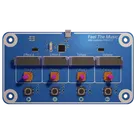
MIDI controller PCB
Controls
Properties
Availability & Pricing
| Distributor | Qty 1 | |
|---|---|---|
| Digi-Key | $12.95–$17.51 | |
| LCSC | $9.98–$10.02 | |
| Mouser | $26.11 | |
Assets
- midi-controller.png
id=midi-controller
 Rect_40x40.svg
id=Rect_40x40
 Rect_40x40 - 2.svg
id=Rect_40x40 - 2
 Rect_40x40 - 3.svg
id=Rect_40x40 - 3
 Mute icon.svg
id=Mute icon
 Play icon.svg
id=Play icon
 Pause icon.svg
id=Pause icon
 Stop icon.svg
id=Stop icon
Thumbnail

Default
Welcome 👋
Flux helps you build PCBs faster with an AI teammate!
Create your account to collaborate, stay updated, fork your own version, and get instant answers from our AI agent.
ianben
ianben
copilot
zuariansakurniawan
zuariansakurniawan
copilot
-
Check connections from the 5V:
- Connect +5V:P1 to U1:VCC, U2:VCC, U3:VCC, and U3:AVCC, UVCC.
- Make sure all capacitors (C13, C14, C15, etc.) that are connected to +5V for filtering are properly connected.
-
If any +5V connections are missed for important ICs or devices, ensure they are fixed.
2. Microcontroller Connections- Connect U3:VCC to +5V:P1.
- Connect U3:GND, UGND to the GND.
3. Signal Routing- Ensure that communication signals (SDA, SCL) are correctly connected:
- Connect U3:PD0 to SCL:P1.
- Connect U3:PD1 to SDA:P1.
4. Functionality of Switches and Encoders-
Encoders:
- Check connections for ENCODER1/2/3/4 and ensure that their A/B/C pins are connected to the MCU correctly.
- For example:
- Connect E1:C to GND.
- Connect E1:A to U1:1A.
- Connect E1:B to U1:2A, and so on.
-
Switches:
- Ensure Key switches are connected properly:
- Connect KEY1:~ to GND.
- Connect KEY1:P1 to pull-up resistors if required and any necessary debounce circuits.
5. USB Connectivity- Double-check the USB connections:
- Connect USB:D- to U3:DN.
- Connect USB:D+ to U3:DP.
6. Passive Component Values- Verify the resistor and capacitor values:
- Ensure resistors like R1 (100k), R2 (100k), R8 (4.7k) are correctly placed.
- Ensure capacitor values like C1 (47pF), C15 (1uF) are correctly placed.
To Do in Flux or Manually:- Ensure that you have all connections mentioned in the steps.
- Double-check each component and its connections according to the PCB design file.
- Simulate/check each net for any floating connections or miswiring.
Example Debugged Connection List:copilot
- Power Supply (+5V):
Ensure the +5V rail is properly distributed to all components needing power.
- Connect +5V to:
- U1:VCC
- U2:VCC
- U3:VCC, AVCC, UVCC, VBUSA1, VBUSA2
- R1:P1
- OLED1:5V
- OLED2:5V
- OLED3:5V
- OLED4:5V
- Multiple resistors, capacitors, and other components.
GND Connections- Ground (GND):
Ensure the GND rail is also properly distributed.
- Connect GND to:
- U1:GND
- U2:GND
- U3:GND, UGND
- USB:GNDA1, GNDB1, GNDA2, GNDB2, GND/SHIELD
- Various capacitors
Microcontroller Connections- Microcontroller (U3):
- Ensure all necessary pins are connected correctly.
- Crystal Oscillator:
- Connect Y1:~ to U3:XTAL1 and XTAL2, with C19 and C20 connected to ground.
- USB Data Lines:
- Connect USB-D+ to U3:D+.
- Connect USB-D- to U3:D-.
- I2C Connections for OLED displays:
- Connect SDA net to U3:PD1.
- Connect SCL net to U3:PD0.
- Reset pin:
- Connect RST net to U3:RESET and ISP: RST.
Encoder and Key Connections- Rotary Encoders and Keys:
- Ensure the rotary encoders and keys are properly connected to the microcontroller.
- For each encoder (e.g., E1):
- Connect E1:A to U1, and B to U1, and common (C) to GND.
- For each key (e.g., KEY1):
- Connect KEY1:P1 to U1 and GND.
- Ensure pull-up resistors are included where necessary.
Signal Routing and Buffers- Signal Routing and Buffers (U1 and U2):
- Ensure each signal path is properly routed through the buffers and connected to the correct microcontroller pins.
Testing and Verification