Chat
Welcome to Flux
Treat Flux like your intern. Tell it what you'd like to build and it'll get to work. You can also ask it questions, brainstorm ideas, and teach it your preferences. Learn More
Explain project
Write a project description
Find schematic issues
Create a test plan
Simulate a circuit
Prepare for Manufacturing
Component Selection Workflow
New Subsystem Wizard
Ready.
list all U1 pins in a table format. For each pin provide its pin number, pin nam...

1y
Certainly! Here's a table listing all the pins for the LM2596DSADJR4G IC (U1), along with their pin numbers, names, and functions:
Table
| Pin Number | Pin Name | Function |
|---|---|---|
| 1 | VIN | Positive input supply for the LM2596 step-down switching regulator. |
| 2 | OUT | Output pin for the step-down voltage. |
| 3 | GND | Circuit ground pin. |
| 4 | FB | Feedback pin for connecting the resistor network to program the output voltage. |
| 5 | Allows the regulator to be shut down using logic level signals (threshold 1.6 V). | |
| 6 | EPAD | Exposed pad, usually connected to ground for heat dissipation and electrical connectivity. |
Let me know if you need additional information or further assistance!
1y
is U1 same as linear regulator?
1y
No, the LM2596 is not a linear regulator. It is a buck converter, which is a type of DC-DC switching regulator.
Here's a comparison between the two:
-
Linear Regulators:
- Operate by converting excess voltage into heat, making them less efficient, especially with large differences between input and output voltages.
- Simpler design with fewer components.
- Provide very low output noise and ripple.
- Suitable for low-power applications where efficiency is less critical.
-
Buck Converters (Switching Regulators), like LM2596:
- Use a switch (typically a transistor) to control the energy transfer from the input to the output, which makes them more efficient than linear regulators.
- Can handle larger input-output voltage differences with higher efficiency.
- Require additional components like inductors and diodes.
- Provide higher output ripple compared to linear regulators but are suitable for applications where power efficiency is important.
If you have specific requirements or further questions about the LM2596, feel free to ask!
1y
Someone is typing...
6
how do I use Flux?

1y
To get started with Flux, you can follow these general steps:
-
Create a Flux Account: Sign up for an account on Flux.ai.
-
Migrate Projects: If you have existing projects in tools like EasyEDA or KiCad, you can follow the migration tutorials to bring them into Flux. Here are links to the tutorials for[1] and
 [2].
[2]. -
Learn the Features: To get a comprehensive look at Flux’s features and how to integrate them into your workflow, check out the full documentation[3].
-
Using the Simulator: To learn how to use the simulator within Flux, you can refer to the available tutorials[4].
-
Hands-On Practice: Start by creating a new project and experimenting with the schematic and PCB layout tools. Add components from the library, connect them, and simulate your designs.
-
Community and Resources: Engage with community resources, participate in discussions, and stay updated with Flux's news and updates.
Is there a specific aspect of using Flux you want to dive deeper into? Let me know!
1y
Someone is typing...
4
how do I use Flux?

1y
To get started with Flux and bring your electronic design ideas to life, you can follow these steps:
-
Sign Up: Create an account on Flux[1].
-
Explore: Once you're in, explore the interface and familiarize yourself with the tools available. Flux provides a variety of components and features to aid in your design process.
-
Create Schematics: Begin by placing components from the library onto the canvas and connecting them to form your schematic. The components can be dragged and dropped easily[2].
-
Design PCB Layouts: After completing your schematic, you can move to PCB layout design. Arrange your components and design the pathways for your circuit.
-
Simulate: Use the simulation features to test your circuit electronically and ensure it behaves as expected[3].
-
Use Copilot: If you're ever unsure about a feature or need assistance, you can ask Copilot for guidance and even act on specific connection suggestions directly[4].
-
Access Documentation: For a comprehensive look at Flux’s features and how to integrate them into your workflow, check out the full documentation available on their website[2].
If you're transitioning from other CAD tools like EasyEDA or KiCad, there are specific migration tutorials available to help you move your projects to Flux[5][6].
Feel free to ask if you have more questions or need help with specific tasks!
1y
Someone is typing...
7
L1
Inductance
33u H
D1
+5V
R2
Resistance
1k Ω
+5V
+5V
C3
Capacitance
470u F
U1
R1
Resistance
3.0k Ω
C1
Capacitance
1.2n F
2
Why is this here and what does it do

1y
It looks like you're working on a project involving a DC-DC Buck converter based on the LM2596 IC. Allow me to break down how this works and what its purpose is:
Purpose of the Project:
- Voltage Step-Down: The primary function of this buck converter is to step down an input voltage of 12V to a regulated output of 5V. It's useful for applications where you need a stable 5V power supply.
-
LM2596 IC: This integrated circuit is the heart of the buck converter. It regulates the output voltage to 5V.
-
Inductor L1 (33uH): This component stores energy in a magnetic field when current flows through it. In a buck converter, it helps smooth the output current, reducing voltage ripples.
-
Schottky Diode D1: This provides a path for current when the switch inside the LM2596 turns off. Its fast switching and low forward voltage drop are suitable for high-frequency applications.
-
Capacitors (C1, C2, C3): These components filter the input and output voltages, reducing fluctuations and stabilizing the voltage.
-
Resistors (R1, R2): They set the voltage feedback to the LM2596, determining the output voltage.
-
Connectors (VIN, VOUT): These provide connection ports for input power and output voltage.
In operation, the circuit takes a 12V input and goes through a switching process controlled by the LM2596. The output voltage is continuously adjusted by feedback from the resistors, ensuring it remains stable at 5V. The inductor and capacitors work together to reduce ripple and noise.
If you have any specific questions or need explanations about particular connections or components, feel free to ask!
1y
The question is why is there a test point on the ON/OFF pin?
1y
The test point on the ON/OFF pin of the LM2596 serves a couple of purposes:
Reasons for the Test Point on the ON/OFF Pin:
- Debugging and Testing:
- The test point provides easy access to the ON/OFF pin for debugging during development and testing. You can easily measure or apply a logic level to this pin to test the converter's response without making intrusive connections or modifications to the board.
- Controlled Operation:
- The ON/OFF pin allows you to enable or disable the converter, potentially useful during testing. By accessing this pin through the test point, you can simulate power-on and power-off conditions easily or automate these states in testing environments.
- External Control Interface:
- If you connect the test point to an external circuit or microcontroller, it can be used to enable or disable the converter remotely, based on certain conditions or stimuli.
In the LM2596, the ON/OFF pin is used to turn the regulator on or off. By grounding the pin, the regulator is turned off, and by floating it—that is, leaving it unconnected or connecting it to a high logic level—the regulator is turned on. This test point can therefore serve numerous purposes, including diagnosis and integration into a larger system or application.
If you'd like more information on how to leverage this pin or set up specific tests, feel free to ask!
1y
Someone is typing...
5
Can I safely use a 47uH inductor instead of this 33uH?
1y
Using a 47µH inductor instead of a 33µH inductor in your LM2596 buck converter circuit may have implications on the performance characteristics of the converter. Here are some considerations:
-
Inductor Value Impact: The inductor value in a buck converter influences the ripple current and the converter’s transient response. Using a higher inductance like 47µH will generally reduce the ripple current, but it might slow down the transient response. This might not be a problem depending on the specifics of your application.
-
Frequency: The LM2596 operates at a switching frequency of about 150 kHz. Using a different inductor value will influence how the converter reacts to this frequency but should still work as long as all other parameters are within acceptable ranges.
-
Current Rating: Ensure that the 47µH inductor can handle the peak currents of your circuit without saturating. This is crucial to avoid performance issues or damage to the inductor.
-
Output Ripple: The change in inductance will affect the ripple voltage on the output. If you need tight regulation and low ripple, you might want to verify if the system still meets your requirements with the new inductor value.
It's a good idea to simulate the circuit with the new inductor value or test it on a prototype to ensure it meets your design requirements. Let me know if you need help with any specific calculations or simulations!
1y
Someone is typing...
8
New Comment
Someone is typing...
Reviews

- Wirelessly connects nets on schematic. Used to organize schematics and separate functional blocks. To wirelessly connect net portals, give them same designator. #portaljharwinbarrozo43.0M
- Wirelessly connects power nets on schematic. Identical to the net portal, but with a power symbol. Used to organize schematics and separate functional blocks. To wirelessly connect power net portals, give them the same designator. #portal #powerjharwinbarrozo11.4M
- A generic fixed resistor for rapid developing circuit topology. Save precious design time by seamlessly add more information to this part (value, footprint, etc.) as it becomes available. Standard resistor values: 1.0Ω 10Ω 100Ω 1.0kΩ 10kΩ 100kΩ 1.0MΩ 1.1Ω 11Ω 110Ω 1.1kΩ 11kΩ 110kΩ 1.1MΩ 1.2Ω 12Ω 120Ω 1.2kΩ 12kΩ 120kΩ 1.2MΩ 1.3Ω 13Ω 130Ω 1.3kΩ 13kΩ 130kΩ 1.3MΩ 1.5Ω 15Ω 150Ω 1.5kΩ 15kΩ 150kΩ 1.5MΩ 1.6Ω 16Ω 160Ω 1.6kΩ 16kΩ 160kΩ 1.6MΩ 1.8Ω 18Ω 180Ω 1.8KΩ 18kΩ 180kΩ 1.8MΩ 2.0Ω 20Ω 200Ω 2.0kΩ 20kΩ 200kΩ 2.0MΩ 2.2Ω 22Ω 220Ω 2.2kΩ 22kΩ 220kΩ 2.2MΩ 2.4Ω 24Ω 240Ω 2.4kΩ 24kΩ 240kΩ 2.4MΩ 2.7Ω 27Ω 270Ω 2.7kΩ 27kΩ 270kΩ 2.7MΩ 3.0Ω 30Ω 300Ω 3.0KΩ 30KΩ 300KΩ 3.0MΩ 3.3Ω 33Ω 330Ω 3.3kΩ 33kΩ 330kΩ 3.3MΩ 3.6Ω 36Ω 360Ω 3.6kΩ 36kΩ 360kΩ 3.6MΩ 3.9Ω 39Ω 390Ω 3.9kΩ 39kΩ 390kΩ 3.9MΩ 4.3Ω 43Ω 430Ω 4.3kΩ 43KΩ 430KΩ 4.3MΩ 4.7Ω 47Ω 470Ω 4.7kΩ 47kΩ 470kΩ 4.7MΩ 5.1Ω 51Ω 510Ω 5.1kΩ 51kΩ 510kΩ 5.1MΩ 5.6Ω 56Ω 560Ω 5.6kΩ 56kΩ 560kΩ 5.6MΩ 6.2Ω 62Ω 620Ω 6.2kΩ 62KΩ 620KΩ 6.2MΩ 6.8Ω 68Ω 680Ω 6.8kΩ 68kΩ 680kΩ 6.8MΩ 7.5Ω 75Ω 750Ω 7.5kΩ 75kΩ 750kΩ 7.5MΩ 8.2Ω 82Ω 820Ω 8.2kΩ 82kΩ 820kΩ 8.2MΩ 9.1Ω 91Ω 910Ω 9.1kΩ 91kΩ 910kΩ 9.1MΩ #generics #CommonPartsLibraryjharwinbarrozo1.5M
- A generic fixed capacitor ideal for rapid circuit topology development. You can choose between polarized and non-polarized types, its symbol and the footprint will automatically adapt based on your selection. Supported options include standard SMD sizes for ceramic capacitors (e.g., 0402, 0603, 0805), SMD sizes for aluminum electrolytic capacitors, and through-hole footprints for polarized capacitors. Save precious design time by seamlessly add more information to this part (value, footprint, etc.) as it becomes available. Standard capacitor values: 1.0pF 10pF 100pF 1000pF 0.01uF 0.1uF 1.0uF 10uF 100uF 1000uF 10,000uF 1.1pF 11pF 110pF 1100pF 1.2pF 12pF 120pF 1200pF 1.3pF 13pF 130pF 1300pF 1.5pF 15pF 150pF 1500pF 0.015uF 0.15uF 1.5uF 15uF 150uF 1500uF 1.6pF 16pF 160pF 1600pF 1.8pF 18pF 180pF 1800pF 2.0pF 20pF 200pF 2000pF 2.2pF 22pF 20pF 2200pF 0.022uF 0.22uF 2.2uF 22uF 220uF 2200uF 2.4pF 24pF 240pF 2400pF 2.7pF 27pF 270pF 2700pF 3.0pF 30pF 300pF 3000pF 3.3pF 33pF 330pF 3300pF 0.033uF 0.33uF 3.3uF 33uF 330uF 3300uF 3.6pF 36pF 360pF 3600pF 3.9pF 39pF 390pF 3900pF 4.3pF 43pF 430pF 4300pF 4.7pF 47pF 470pF 4700pF 0.047uF 0.47uF 4.7uF 47uF 470uF 4700uF 5.1pF 51pF 510pF 5100pF 5.6pF 56pF 560pF 5600pF 6.2pF 62pF 620pF 6200pF 6.8pF 68pF 680pF 6800pF 0.068uF 0.68uF 6.8uF 68uF 680uF 6800uF 7.5pF 75pF 750pF 7500pF 8.2pF 82pF 820pF 8200pF 9.1pF 91pF 910pF 9100pF #generics #CommonPartsLibraryjharwinbarrozo1.5M
- A generic fixed inductor for rapid developing circuit topology. *You can now change the footprint and 3D model at the top level anytime you want. This is the power of #genericsjharwinbarrozo15.4k
- An electrical connector acting as reusable interface to a conductor and creating a point where external circuits can be connected.Terminal
- 47 kOhms ±5% 0.125W, 1/8W Chip Resistor 0805 (2012 Metric) Automotive AEC-Q200 Thick Film #forLedBlinkjharwinbarrozo1.2M
- 10uF Capacitor Aluminum Polymer 20% 16V SMD 5x5.3mm #forLedBlink #commonpartslibrary #capacitor #aluminumpolymer #radialcanjharwinbarrozo1.2M
- Yellow 595nm LED Indication - Discrete 1.7V 1206 (3216 Metric) #forLedBlinkjharwinbarrozo1.1M


Inspect
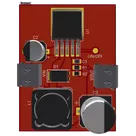
LM2596 Buck converter 5V
Controls
Properties
Availability & Pricing
| Distributor | Qty 1 | |
|---|---|---|
| Digi-Key | $1.89–$3.76 | |
| LCSC | $2.96 | |
| Mouser | $3.70 | |
Assets
- LM2596-removebg-preview.png
id=LM2596-removebg-preview
- LM2596 Buck converter 5V-removebg-preview.png
id=LM2596 Buck converter 5V-removebg-preview

Thumbnail

Welcome 👋
Flux helps you build PCBs faster with an AI teammate!
Create your account to collaborate, stay updated, fork your own version, and get instant answers from our AI agent.
nnnnnzz
copilot