vasy_skral / ESP32-MINI-1U

Loaded

0

0

Files

Schematic

PCB

Log InSign Up

Pin Category Analysis for ESP32

flux

2:06

Considering component options.

Analyzing the schematic.

Working.

Looking for "Identify the strapping/bootstrap pins, input-only GPIO pins, pins used for connecting embedded flash or PSRAM / internal memory interfaces, and whether any USB D+ or D- pins are present." in esp32-mini-1_datasheet_en.pdf

Looking for "Pin definitions table for GPIO34 GPIO35 GPIO36 GPIO39 and notes about input-only pins." in esp32-mini-1_datasheet_en.pdf

Looking for "Strapping pins table or boot configuration pins for ESP32-MINI-1 / ESP32 chip: GPIO0 GPIO2 GPIO5 GPIO12 GPIO15 and any notes." in esp32-mini-1_datasheet_en.pdf

Looking for "SPI flash / SPI memory interface pins and module pin definitions, including SD0 SD1 SD2 SD3 CMD CLK or similar internal flash connections, and whether they are recommended for other uses." in esp32-mini-1_datasheet_en.pdf

From the datasheet for ESP32-MINI-1U, here are the pin groups you asked for:
Bootstrap / strapping pins
  • GPIO0
  • GPIO2
  • GPIO5
  • GPIO12 = MTDI
  • GPIO15 = MTDO
Input-only pins
  • GPIO34
  • GPIO35
  • GPIO36
  • GPIO37
  • GPIO38
  • GPIO39
These are input-only and do not support output functions.
Pins connected to internal memory
Pins tied to the in-package SPI flash / memory interface:
  • GPIO6
  • GPIO7
  • GPIO8
  • GPIO11
  • GPIO16
  • GPIO17
These are not intended for normal GPIO use. The datasheet notes they are connected to the integrated SPI flash and cannot be used for other purposes, except in the external PSRAM context.
USB pins
  • None
  • There are no native USB D+ / D- pins on this module.
If you want, I can also turn this into a pin audit table for your current part project and check whether the existing terminal properties match these categories.
Use the attached datasheet
Pull exact pin names
Flag package differences
Save pin notes
12 days

​
Sign up to send

To get started, talk to Flux or create a New Document.

Reviews

Documents

    Documents are markdown text files which describe project goals, capture details, or even simulation outputs.

    Assets

    noop

    noop

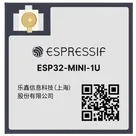
    ESP32-MINI-1U-removebg-previewThumbnail
    kicad_mod

    MODULE_ESP32-MINI-1U-FS.kicad_mod

    MODULE_ESP32-MINI-1U-FSFootprint
    step

    ESP32-MINI-1U-N4.step

    ESP32-MINI-1U-N43D Model
    ESP32-MINI-1U-N4

    ESP32-MINI-1U-N4

    ESP32-MINI-1U-N4 Symbol.svgDefault

    ESP32-MINI-1U

    ESP32-MINI-1U thumbnail
    Bluetooth, WiFi 802.11b/g/n, Bluetooth v4.2 +EDR, Class 1, 2 and 3 Transceiver Module 2.4GHz Antenna Not Included, U.FL Surface Mount #RF #wifi #ESP32 #ESP32MINI #CommonPartsLibrary #MCU #module

    Properties

    Module

    Espressif Systems

    ESP32-MINI-1U

    espressif.com/sites/default/files/documentation/esp32-mini-1_datasheet_en.pdf

    ESP

    creativecommons.org/licenses/by/4.0/

    parametric-v1

    Pricing & Availability

    Distributor

    Qty 1

    Controls

    Welcome 👋

    Flux accelerates your PCB design with AI.

    Create your account to start using this component and bring your ideas to life.

        Introducing AI Placement!
        AI Placement Demo

        AI-Powered Component Placement

        Let AI place your components intelligently. AI Placement analyzes your schematic and positions components for optimal routing, signal integrity, and board density.

        From Schematic to Layout in Seconds

        Skip the tedious manual placement. AI Placement generates a starting layout you can refine, saving hours of repetitive work on every new design.

        Works With Auto-Layout

        Pair AI Placement with Auto-Layout for a complete AI-driven PCB design flow — from component placement through trace routing, all with one click.

        Try it