PCB Design for Rocket Flight Computer

If I am routing a via on the top signal layer, then I want to flip it to the bottom layer (signal) what is the keyboard shortcut to flip it from top to bottom layer? This is a 4 layer board where the middle layers are power.
Thought for 25 sec
The most relevant entry I found related to switching layers while routing says:
Routing Across Multiple LayersTo switch layers while routing a trace:
- Hover over the target component's pad until a green dot appears
- Click on the green dot to begin routing - the trace will follow your cursor on the currently selected layer
- To move the trace to a different layer, right-click and select the target layer
- A via will be automatically placed, connecting the two layers
- Continue routing on the new layer
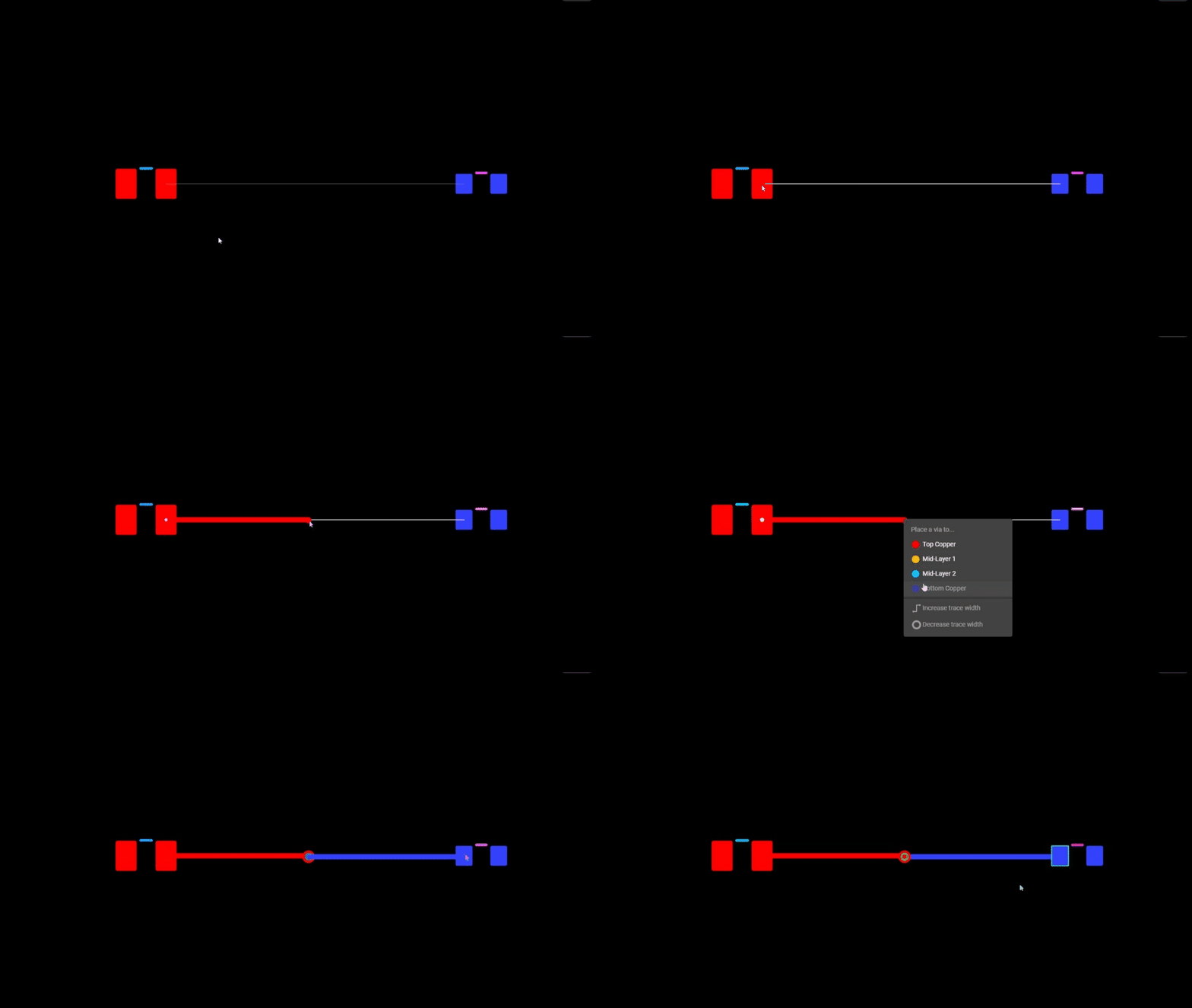
Image
Check routing layer shortcut
Confirm no hotkey exists
Route via through power layers
Find shortcut list


Welcome 👋
Flux helps you build PCBs faster with an AI teammate!
Create your account to collaborate, stay updated, fork your own version, and get instant answers from our AI agent.