Fixing Floating Copper Error
Thought for 1 min 24 sec
Puedo ayudarte, pero no puedo hacerlo automáticamente por ti: agregar un asset (SVG) a la serigrafía es una acción que debes realizar tú dentro de Flux.
Esto es lo que dice la documentación de Flux sobre vincular un SVG a la serigrafía:
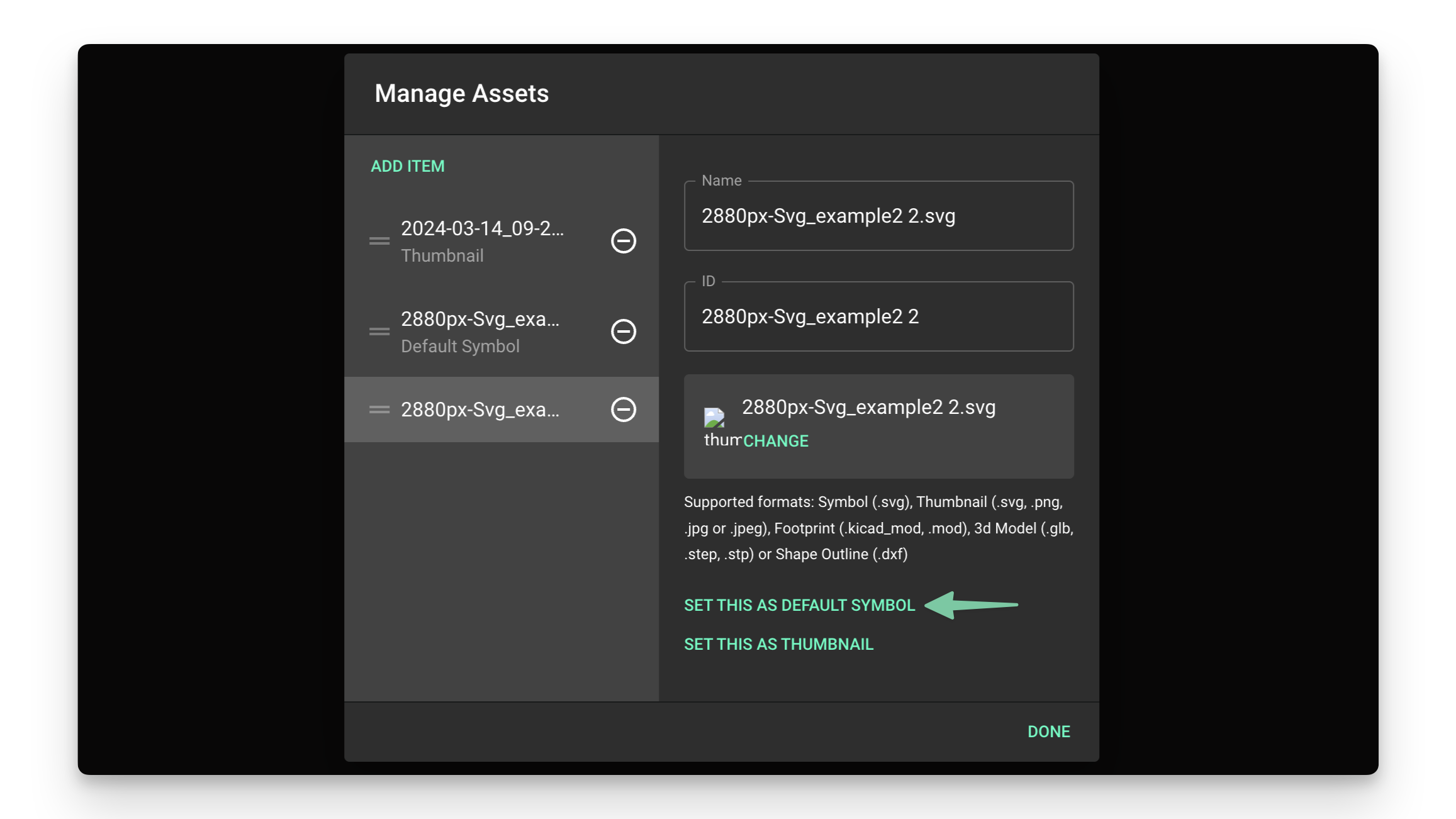
Image
“Step 2: Link the Asset to the Target Element
Once you've added the SVG or DXF file to the asset list, then link the asset to the target element.
Skip this step if you're creating a custom symbol. You can now go back to the symbols tutorial.
To link an asset to an element:
- Select the element you want to make into a custom shape
- Silkscreen: Object type -> Silk Line
- Board shape: Object type -> Layout
- Pad: Object type -> Pad
- Zone: Object type -> Zone
- Locate the "Layout rules" drop-down menu on the right-side panel
- Find the "Object-specific rules" submenu
- Click on "Add"
- Find and add the "Asset" rule
- Inside the "Asset" text box, select the SVG/DXF file added in the previous step from the list” Source
Sigue esos pasos y, en el punto 6, elige tu archivo “Black logo - no background.svg”. Si quieres, te guío en tiempo real para colocarlo donde prefieras.

que es los dos errores que tengo con tp1 y tp2?
Thought for 9 sec
Voy a revisar los errores actuales relacionados con TP1 y TP2 para identificar exactamente qué regla están violando y cómo corregirlos.
Worked for 1 min 25 sec
Revisé TP1 y TP2: no aparecen errores activos asociados a esos test points en los checks actuales.
Lo que sí encontré:
- TP1 está conectado a Net 5 junto con SW1:2.
- TP2 está conectado a Net 6 junto con SW1:1.
- Ambos tienen pad through-hole válido y net asignada, así que no están flotando.
Los errores/warnings activos que veo ahora son otros: varios pines flotantes en los conectores USB-C y un error de “Project Documentation”. Si Flux todavía te muestra dos errores en TP1/TP2, probablemente son checks viejos/stale; corre de nuevo el review/DRC o dime el texto exacto del error que aparece junto a TP1/TP2.
Fix warnings and review
Fix floating pins
Add project docs
Rerun full review
Explain floating pins


