Part Information Review
Thought for 3 sec
Work done
Required updates when edit access is available
Blocker
- Verified the official NXP datasheet source. The direct part-number URL was not the active NXP datasheet, but the official NXP document is IMXRT1170CEC Rev. 5, 01/2024 at https://www.nxp.com/docs/en/data-sheet/IMXRT1170CEC.pdf, and it explicitly covers MIMXRT1176DVMAA.
- Audited project metadata against the datasheet:
- MPN: MIMXRT1176DVMAA matches.
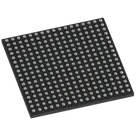
- Package: MAPBGA-289_L14.0-W14.0-R17-C17-P0.80-TL matches the datasheet package family: 289-pin MAPBGA, 14 mm x 14 mm, 0.8 mm pitch.
- Manufacturer: should be normalized to NXP Semiconductors.
- Part Type: should be Microcontroller or Crossover MCU, not a sourcing/category label.
- Datasheet URL: missing and should be set to the official NXP URL above.
- Description: missing and should summarize the part as a dual-core i.MX RT1170 crossover MCU with 1 GHz Arm Cortex-M7, 400 MHz Arm Cortex-M4, 2 MB SRAM, and the 289 MAPBGA package.
- Audited schematic terminal count against the datasheet ball map:
- Datasheet: 289-ball 17 x 17 MAPBGA.
- Project schematic: 289 terminal elements.
- Project layout: 289 pads and 1 footprint.
- Count-level alignment is good.
- Audited the official ball map:
- Datasheet Table 115 lists a full 17 x 17 ball map from rows A through U, skipping I/O-style row letters as expected for BGA notation.
- The observed project terminals match many sampled datasheet pin/ball pairs, including USB, MIPI, GPIO, power, clock, control, and ground pins.
- Audited footprint/package details:
- Datasheet mechanical package: SOT1534-4 / LFBGA289, 14 mm x 14 mm x 1.37 mm nominal body, 289 balls, 0.8 mm pitch, 17 x 17 array.
- Project layout has a matching 289-pad footprint at count level.
Table
| Criterion | Status | Notes |
|---|---|---|
| Datasheet URL property updated | ❌ Blocked | I identified the official URL, but the project is read-only for this session, so I could not write the property. |
| Metadata and properties match datasheet | ⚠️ Partially verified | MPN and package match. Manufacturer, part type, description, operating temperature, and datasheet URL need updates. |
| Schematic terminals fully synchronized | ⚠️ Partially verified | Terminal count matches 289, but terminal metadata is incomplete: observed terminals have Pin Type: Unspecified, Terminal Type: unspecified, and no populated short pin descriptions. The part-project sync guidance requires exact terminal count, exact pin numbers, and per-terminal properties such as pin type, pin description, section, pin group, orientation, and sub-symbol grouping . |
| NC/exposed pad handling confirmed | ⚠️ Needs follow-up | The datasheet ball map is complete at 289 balls. The extracted datasheet note says NC signals are no-connect if present, but I did not find separate exposed-pad terminals in the sampled package data. |
| Footprint corresponds to package | ⚠️ Count-level verified | Layout has 289 pads, matching the datasheet. Full geometry validation still needs pad pitch/diameter/body-outline comparison in an editable or exportable footprint environment. |
Table
| Area | Required value/action |
|---|---|
| Datasheet URL | https://www.nxp.com/docs/en/data-sheet/IMXRT1170CEC.pdf |
| Manufacturer Name | NXP Semiconductors |
| Part Type | Microcontroller or Crossover MCU |
| Description | Crossover MCU with Arm Cortex-M7/M4 cores, 1 GHz M7, 400 MHz M4, 2 MB SRAM, 289 MAPBGA 14 mm x 14 mm package |
| Operating Temperature | 0°C to +95°C junction |
| Operating Voltage | Use 3.6 V as the max recommended external I/O/supply-domain operating voltage field, with domain-specific rails documented separately. The sync guidance says Operating Voltage should use the maximum recommended operating voltage as a numeric field where applicable . |
| Terminal pin types | Populate from signal category: VSS/DCDC_GND = Ground; VDD*/NVCC*/VDDA*/DCDC_IN = Power In; DCDC_DIG/DCDC_ANA = Power Out or Power domain depending project convention; GPIO* = Bi-Directional; USB/MIPI/CLK/crystal/control pins by function. |
| Terminal descriptions | Add short 3-6 word functional labels, not long datasheet text, per the part sync guidance . |
| Section / Pin Group / Orientation / Sub-symbol | Add for all terminals. For a >20-pin MCU/SoC, each terminal should belong to a sub-symbol, with power and ground in a dedicated Power group, per the grouping guidance . |
I could not apply the metadata and terminal-property updates because this session does not have edit permission on the project. The audit identified the needed corrections and verified the count-level schematic and footprint alignment, but the write portion of the plan remains pending until edit access is granted.
Create review note
List pin issues
Check footprint geometry
Review pin metadata