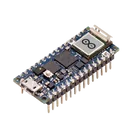
In order to make your project using the Arduino Nano RP2040 Connect, you will need to connect the pins of your Arduino to the required components of your project. Since there aren't any specific peripheral components listed in your project, I'm going to assume that you want to know how to connect some general components like LEDs, buttons and sensors to the Arduino.
Here are some general guidelines:
For LEDs:
Connect the cathode (shorter lead) of the LED to a current-limiting resistor (220-1K ohm typically).
Connect the other terminal of the resistor to the digital I/O pin of the Arduino that you want to control the LED with (e.g., D13/GPIO6).
Connect the anode (longer lead) of the LED to Ground (GND__1 or GND).
For Buttons:
Connect one side of the button to a digital I/O pin (e.g., D10/GPIO5).
Connect the other side of the button to Ground (GND__1 or GND).
To avoid "floating states" (undefined states) when the button is not pressed, use an internal or external pull-up resistor connected to +3V3 or +5V.
For Analog Sensors:
Connect the Vcc (power) pin of the sensor to +3V3 or +5V depending on the requirements of the sensor.
Connect the GND pin of the sensor to Ground (GND__1 or GND).
Connect the Analog output of the sensor to one of the Analog Input pins (e.g., A0/DAC0/GPIO26, A1/GPIO27, A2/GPIO28, A3/GPIO29, A4/GPIO12, A5/GPIO13, A6, or A7).
NOTE: Always refer to the datasheet of the component/sensor you're using. The voltage levels (+3V3 or +5V) should match the operating voltage level of the sensor.
Once you've made the physical connections, you can program the Arduino Nano RP2040 Connect using the Arduino IDE.
Please provide more specific details if you need help connecting specific components to your Arduino.
It looks like you're mentioning the 5V power supply. How can I help you with that? Are you looking to power the Arduino Nano RP2040 Connect, or do you need advice on connecting a component that requires 5V? Let me know how I can assist you further!
Wirelessly connects nets on schematic. Used to organize schematics and separate functional blocks. To wirelessly connect net portals, give them same designator. #portal
General Purpose Thick Film Standard Power
and High-Power Chip Resistor
47 kOhms ±5% 0.125W, 1/8W Chip Resistor 0805 (2012 Metric) Automotive AEC-Q200 Thick Film
Features:
- RMCF – standard power ratings
- RMCP – high power ratings
- Nickel barrier terminations standard
- Power derating from 100% at 70ºC to zero at +155ºC
- RoHS compliant, REACH compliant, and halogen free
- AEC-Q200 compliant
Arduino Nano RP2040 Connect allows you to build your next smart project. Ever wanted an automated house? Or a smart garden? Well, now it’s easy with the Arduino IoT Cloud compatible boards.
Properties
Microcontroller
ABX00053
Texas Instruments Inc.
U
Pricing & Availability
Distributor
Qty 1
Controls
Welcome 👋
Flux accelerates your PCB design with AI.
Create your account to start using this component and bring your ideas to life.
juakerjuan
copilot
D13/GPIO6).GND__1orGND).D10/GPIO5).GND__1orGND).+3V3or+5V.+3V3or+5Vdepending on the requirements of the sensor.GND__1orGND).A0/DAC0/GPIO26,A1/GPIO27,A2/GPIO28,A3/GPIO29,A4/GPIO12,A5/GPIO13,A6, orA7).+3V3or+5V) should match the operating voltage level of the sensor.syug
copilot
syug
copilot