Chat
Welcome to Flux
Treat Flux like your intern. Tell it what you'd like to build and it'll get to work. You can also ask it questions, brainstorm ideas, and teach it your preferences. Learn More
Explain this part
Write a part description
Describe each pin
Operating conditions
Electrical max ratings
Part Specifications
Application circuits
Verify Part Details
Recommend similar parts
Check availability & lifecycle
Ready.
TTC
*PG
VCC
ACSET
*BATDRV
ISET2
GND
TS
PH
VREF
SRN
BTST
STAT2
ACP
EPAD
STAT1
CE
ACN
VFB
ISET1
*ACDRV
LODRV
REGN
SRP
HIDRV
Reviews

- Wirelessly connects nets on schematic. Used to organize schematics and separate functional blocks. To wirelessly connect net portals, give them same designator. #portaljharwinbarrozo43.0M
- Wirelessly connects power nets on schematic. Identical to the net portal, but with a power symbol. Used to organize schematics and separate functional blocks. To wirelessly connect power net portals, give them the same designator. #portal #powerjharwinbarrozo11.4M
- A generic fixed resistor ideal for rapid circuit topology development. Its footprint automatically adapts based on the selected package case code—supporting 0402, 0603, 0805, 1203, and many other standard SMD packages, as well as axial horizontal and vertical configurations. Save precious design time by seamlessly add more information to this part (value, footprint, etc.) as it becomes available. Standard resistor values: 1.0 ohm, 10 ohm, 100 ohm, 1.0k ohm, 10k ohm, 100k ohm, 1.0M ohm 1.1 ohm, 11 ohm, 110 ohm, 1.1k ohm, 11k ohm, 110k ohm, 1.1M ohm 1.2 ohm, 12 ohm, 120 ohm, 1.2k ohm, 12k ohm, 120k ohm, 1.2M ohm 1.3 ohm, 13 ohm, 130 ohm, 1.3k ohm, 13k ohm, 130k ohm, 1.3M ohm 1.5 ohm, 15 ohm, 150 ohm, 1.5k ohm, 15k ohm, 150k ohm, 1.5M ohm 1.6 ohm, 16 ohm, 160 ohm, 1.6k ohm, 16k ohm, 160k ohm, 1.6M ohm 1.8 ohm, 18 ohm, 180 ohm, 1.8K ohm, 18k ohm, 180k ohm, 1.8M ohm 2.0 ohm, 20 ohm, 200 ohm, 2.0k ohm, 20k ohm, 200k ohm, 2.0M ohm 2.2 ohm, 22 ohm, 220 ohm, 2.2k ohm, 22k ohm, 220k ohm, 2.2M ohm 2.4 ohm, 24 ohm, 240 ohm, 2.4k ohm, 24k ohm, 240k ohm, 2.4M ohm 2.7 ohm, 27 ohm, 270 ohm, 2.7k ohm, 27k ohm, 270k ohm, 2.7M ohm 3.0 ohm, 30 ohm, 300 ohm, 3.0K ohm, 30K ohm, 300K ohm, 3.0M ohm 3.3 ohm, 33 ohm, 330 ohm, 3.3k ohm, 33k ohm, 330k ohm, 3.3M ohm 3.6 ohm, 36 ohm, 360 ohm, 3.6k ohm, 36k ohm, 360k ohm, 3.6M ohm 3.9 ohm, 39 ohm, 390 ohm, 3.9k ohm, 39k ohm, 390k ohm, 3.9M ohm 4.3 ohm, 43 ohm, 430 ohm, 4.3k ohm, 43K ohm, 430K ohm, 4.3M ohm 4.7 ohm, 47 ohm, 470 ohm, 4.7k ohm, 47k ohm, 470k ohm, 4.7M ohm 5.1 ohm, 51 ohm, 510 ohm, 5.1k ohm, 51k ohm, 510k ohm, 5.1M ohm 5.6 ohm, 56 ohm, 560 ohm, 5.6k ohm, 56k ohm, 560k ohm, 5.6M ohm 6.2 ohm, 62 ohm, 620 ohm, 6.2k ohm, 62K ohm, 620K ohm, 6.2M ohm 6.8 ohm, 68 ohm, 680 ohm, 6.8k ohm, 68k ohm, 680k ohm, 6.8M ohm 7.5 ohm, 75 ohm, 750 ohm, 7.5k ohm, 75k ohm, 750k ohm, 7.5M ohm 8.2 ohm, 82 ohm, 820 ohm, 8.2k ohm, 82k ohm, 820k ohm, 8.2M ohm 9.1 ohm, 91 ohm, 910 ohm, 9.1k ohm, 91k ohm, 910k ohm, 9.1M ohm #generics #CommonPartsLibraryjharwinbarrozo1.5M
- A generic fixed capacitor ideal for rapid circuit topology development. You can choose between polarized and non-polarized types, its symbol and the footprint will automatically adapt based on your selection. Supported options include standard SMD sizes for ceramic capacitors (e.g., 0402, 0603, 0805), SMD sizes for aluminum electrolytic capacitors, and through-hole footprints for polarized capacitors. Save precious design time by seamlessly add more information to this part (value, footprint, etc.) as it becomes available. Standard capacitor values: 1.0pF, 10pF, 100pF, 1000pF, 0.01uF, 0.1uF, 1.0uF, 10uF, 100uF, 1000uF, 10000uF 1.1pF, 11pF, 110pF, 1100pF 1.2pF, 12pF, 120pF, 1200pF 1.3pF, 13pF, 130pF, 1300pF 1.5pF, 15pF, 150pF, 1500pF, 0.015uF, 0.15uF, 1.5uF, 15uF, 150uF, 1500uF 1.6pF, 16pF, 160pF, 1600pF 1.8pF, 18pF, 180pF, 1800pF 2.0pF, 20pF, 200pF, 2000pF 2.2pF, 22pF, 220pF, 2200pF, 0.022uF, 0.22uF, 2.2uF, 22uF, 220uF, 2200uF 2.4pF, 24pF, 240pF, 2400pF 2.7pF, 27pF, 270pF, 2700pF 3.0pF, 30pF, 300pF, 3000pF 3.3pF, 33pF, 330pF, 3300pF, 0.033uF, 0.33uF, 3.3uF, 33uF, 330uF, 3300uF 3.6pF, 36pF, 360pF, 3600pF 3.9pF, 39pF, 390pF, 3900pF 4.3pF, 43pF, 430pF, 4300pF 4.7pF, 47pF, 470pF, 4700pF, 0.047uF, 0.47uF, 4.7uF, 47uF, 470uF, 4700uF 5.1pF, 51pF, 510pF, 5100pF 5.6pF, 56pF, 560pF, 5600pF 6.2pF, 62pF, 620pF, 6200pF 6.8pF, 68pF, 680pF, 6800pF, 0.068uF, 0.68uF, 6.8uF, 68uF, 680uF, 6800uF 7.5pF, 75pF, 750pF, 7500pF 8.2pF, 82pF, 820pF, 8200pF 9.1pF, 91pF, 910pF, 9100pF #generics #CommonPartsLibraryjharwinbarrozo1.5M
- A generic fixed inductor suitable for rapid circuit topology development. The footprint automatically adapts based on the selected package, supporting standard SMD sizes (e.g., 0402, 0603, 0805) as well as well-known inductor packages such as SDR1806, PA4320, SRN6028, and SRR1260. Standard inductor values: 1.0 nH, 10 nH, 100 nH, 1.0 µH, 10 µH, 100 µH, 1.0 mH 1.2 nH, 12 nH, 120 nH, 1.2 µH, 12 µH, 120 µH, 1.2 mH 1.5 nH, 15 nH, 150 nH, 1.5 µH, 15 µH, 150 µH, 1.5 mH 1.8 nH, 18 nH, 180 nH, 1.8 µH, 18 µH, 180 µH, 1.8 mH 2.2 nH, 22 nH, 220 nH, 2.2 µH, 22 µH, 220 µH, 2.2 mH 2.7 nH, 27 nH, 270 nH, 2.7 µH, 27 µH, 270 µH, 2.7 mH 3.3 nH, 33 nH, 330 nH, 3.3 µH, 33 µH, 330 µH, 3.3 mH 3.9 nH, 39 nH, 390 nH, 3.9 µH, 39 µH, 390 µH, 3.9 mH 4.7 nH, 47 nH, 470 nH, 4.7 µH, 47 µH, 470 µH, 4.7 mH 5.6 nH, 56 nH, 560 nH, 5.6 µH, 56 µH, 560 µH, 5.6 mH 6.8 nH, 68 nH, 680 nH, 6.8 µH, 68 µH, 680 µH, 6.8 mH 8.2 nH, 82 nH, 820 nH, 8.2 µH, 82 µH, 820 µH, 8.2 mH #generics #CommonPartsLibraryjharwinbarrozo15.7k
- An electrical connector acting as reusable interface to a conductor and creating a point where external circuits can be connected.Terminal
- 47 kOhms ±5% 0.125W, 1/8W Chip Resistor 0805 (2012 Metric) Automotive AEC-Q200 Thick Film #forLedBlinkjharwinbarrozo1.2M
- 10uF Capacitor Aluminum Polymer 20% 16V SMD 5x5.3mm #forLedBlink #commonpartslibrary #capacitor #aluminumpolymer #radialcanjharwinbarrozo1.2M
- Yellow 595nm LED Indication - Discrete 1.7V 1206 (3216 Metric) #forLedBlinkjharwinbarrozo1.1M


BQ24610
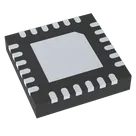
Standalone 1-6 cell Buck battery charge controller with 5V-28V input #CommonPartsLibrary #IntegratedCircuit #PowerManagement #Battery-Charger #BQ24610
Properties
Power Management
Texas Instruments
BQ24610
U
Pricing & Availability
Distributor | Qty 1 |
|---|
Controls
Welcome 👋
Flux accelerates your PCB design with AI.
Create your account to start using this component and bring your ideas to life.
shrutihire
shrutihire
copilot
shrutihire
copilot
-
Choose a suitable switch: You'll need a simple single-pole, single-throw (SPST) switch. Alternatively, you could use a transistor controlled by a microcontroller or another logic circuit.
-
Connection:
- One terminal of the switch should be connected to the GND (ground).
- The other terminal should be connected to the CE pin (Pin 4) of the BQ24610 via a pull-up resistor. The pull-up resistor ensures that the CE pin is high (charging enabled) when the switch is open.
Example Connection:- CE Pin (Pin 4) to a pull-up resistor (e.g., 10kΩ) which then connects to VCC.
- One terminal of the switch to GND.
- The other terminal of the switch to the CE Pin (Pin 4).
Steps in Flux:- Insert Resistor: Place a 10kΩ pull-up resistor between CE (Pin 4) and VCC (Pin 24).
- Insert Switch: Place an SPST switch between CE (Pin 4) and GND (Pin 17).
Detailed Connections:shrutihire
copilot
- Source of the P-channel MOSFET to BATDRV:23.
- Drain of the P-channel MOSFET to the positive terminal of the battery.
- Gate to ground through a pull-down resistor (e.g., 10kΩ).
- The switch is connected between the Gate and VCC:24.
Detailed Connections:- Connect BATDRV:23 to the Source pin of the P-channel MOSFET.
- Connect the Drain pin of the P-channel MOSFET to the positive terminal of the battery.
- Connect the Gate pin of the P-channel MOSFET to one terminal of a 10kΩ resistor.
- Connect the other terminal of the 10kΩ resistor to GND:17.
- Connect one terminal of the switch to the Gate pin of the P-channel MOSFET.
- Connect the other terminal of the switch to VCC:24.
Schematic Snippet: Operation:shrutihire
copilot
-
Direct Battery Load Connection (Primary Scenario):
- Connect the positive terminal of the battery to the load's positive input.
- Connect the negative terminal of the battery to the load's negative input.
Adding a Load Switch- This is the simplest and most common method. The load is connected directly to the battery terminals.
- When the charger is operating, it charges the battery and supplies power to the load simultaneously.
Connection:- Using a P-channel MOSFET Load Switch:
- The P-channel MOSFET can be used to disconnect the load from the battery during certain conditions, such as when charging is stopped.
Detailed Connections:- Source of the P-channel MOSFET connected to the positive terminal of the battery.
- Drain of the P-channel MOSFET connected to the load's positive input.
- Gate to ground through a pull-down resistor (e.g., 10kΩ).
- Connect the control switch between the Gate and VCC (or other control logic to enable/disable the load).
Example Connection:- Connect the negative terminal of the battery to the load's negative input.
- Source of the P-channel MOSFET to the battery's positive terminal.
- Drain of the P-channel MOSFET to the load's positive input.
- Gate of the P-channel MOSFET to ground through a 10kΩ pull-down resistor.
- Connect a control switch (or a microcontroller pin, etc.) between the MOSFET's Gate and VCC.
When the Load Switch is Controlled:- When the control signal (or switch) is turned on, the Gate is pulled to VCC, turning off the MOSFET and disconnecting the load.
- When the control signal (or switch) is turned off, the Gate is pulled to ground, turning on the MOSFET and connecting the load to the battery.
Schematic Snippet: Load Directly from the Charger Output:- In a more integrated configuration, loads can be connected to the same node as BATDRV (or similar). This approach ensures the load gets power from the charger directly when the charger is connected and from the battery when the charger is not connected.
Simplified Scenario:- Connect the load in parallel with the battery.
Final Connections:shrutihire
copilot
- SPST Switch
- P-Channel MOSFET
- Schottky Diode (e.g., 1N5819)
- Resistors (10kΩ for pull-down)
- BQ24610 IC
Connections:-
Controlling CE:
- Use the switch to control the CE pin of the BQ24610.
- When the switch is on, the CE pin is pulled high (charging enabled).
- When the switch is off, the CE pin is pulled low (charging disabled).
-
Power Supply Selection:
- Use a Schottky diode to automatically switch between external power and battery.
- Use a P-channel MOSFET to control whether the load is powered by the external power or battery, based on the switch status.
Detailed Connections:-
Switch and CE Pin:
- Connect one terminal of the switch to VCC.
- Connect the other terminal of the switch to CE.
- Add a pull-down resistor between CE and GND to ensure it goes low when the switch is off (10kΩ).
-
External Power Supply and Battery Connection:
- Connect the external power supply positive to the Source pin of the P-channel MOSFET.
- Connect the Source pin of the P-channel MOSFET to the anode of a Schottky diode.
- Connect the cathode of the Schottky diode to the positive terminal of the battery.
-
Load Connection:
- Connect the Drain pin of the P-channel MOSFET to the load's positive input.
- Connect the load's negative input directly to the battery's negative terminal.
- Add another Schottky diode between the Source pin of the MOSFET and the load to protect against reverse current when the external power is disabled.
-
MOSFET Gate Control:
- Connect the Gate pin to GND through a pull-down resistor (10kΩ).
- Connect a pull-up resistor (10kΩ) between the Gate pin and the external power supply positive.
Operation:-
When the switch is ON:
- CE pin is high, enabling the charger.
- The external power supply powers the load via the P-channel MOSFET.
- The battery is charging.
-
When the switch is OFF:
- CE pin is low, disabling the charger.
- The P-channel MOSFET is turned off by the pull-down resistor, disconnecting the external power from the load.
- The load is not powered (Vout is low).
-
When the external supply is removed:
- The Schottky diode allows the battery to supply power to the load.
Schematic Snippet: Summary of Key Connections:shrutihire
copilot
- Turning the switch ON enables battery charging and powers the load from the adapter.
- Turning the switch OFF disables charging, and the load’s output is low.
- If the adapter supply is removed and the switch is ON, the load will then be powered by the battery.
Components- SPST Switch
- P-Channel MOSFET (suitable for 28V and required current)
- Schottky Diode (e.g., 1N5819)
- Resistors (10kΩ for pull-down and pull-up)
- BQ24610 IC
Connections Overview- Switch to control the Charge Enable (CE) pin.
- Use a Schottky diode for automatic switching between external power and battery for the load.
- Control the power to the load using a P-channel MOSFET or relay.
Connection Steps:-
Controlling the CE Pin:
- Use the switch to control the CE pin of the BQ24610.
- When the switch is ON, CE pin is pulled high (charging enabled).
- When the switch is OFF, CE pin is pulled low (charging disabled).
-
Power Supply Selection:
- Use a Schottky diode for automatic switching between the adapter and the battery.
- Use a P-channel MOSFET (PQ1) to control whether the load is powered by the adapter or the battery.
Detailed Connections:- MOSFET Gate Control:
Operation Summary:shrutihire
copilot
-
Switch Control:
- SPST Switch connected to CE $(Pin 4)$ of the BQ24610
- 10kΩ Pull-down resistor to keep CE grounded when the switch is off
-
Power Path Management:
- Schottky Diodes $(D1$ and $D2$ $1N5819)$ are used for automatic switching
- P-Channel MOSFETs $(PQ1$ and $PQ2)$ for power management
Operation Summary:-
Switch ON:
- The CE pin is pulled high, enabling the charger
- Load is powered from the adapter through $PQ1$
- Battery is charging
-
Switch OFF:
- The CE pin is pulled low, disabling the charger
- $PQ1$ is turned off, disconnecting the load from the adapter
- $Vout$ is low
-
External Adapter Removed:
- Schottky diode $D2$ allows the battery to power the load if the adapter is not present and the switch is ON
Detailed Schematic Snippet for Each Connection:shrutihire
Image
copilot
- SPST Switch
- Schottky Diodes (e.g., 1N5819)
- P-Channel MOSFET (optional depending on exact power requirements but recommended)
Integrations: Switch and CE Control:- Connect the SPST switch:
- One terminal of the switch goes to VCC (Adapter +28V).
- The other terminal goes to CE (Pin 4) of the BQ24610.
- A 10kΩ pull-down resistor should be placed between the CE pin and GND.
Automatic Power Path Control:-
Schottky Diode for Battery to Load Path:
- Connect the cathode of the Schottky diode to the VCC line from the adapter.
- Connect the anode of the Schottky diode to BATDRV (which goes to the battery positive terminal).
-
Diode for Load Protection:
- Connect another Schottky diode (D2):
- The anode to the battery positive terminal.
- The cathode to the load's positive input.
P-Channel MOSFET for Load Power Switching:shrutihire
shrutihire
copilot
- CE Pin Control via Switch:
- When the switch is ON, the CE pin is activated and the IC starts charging the battery.
- When the switch is OFF, the CE pin is deactivated, stopping the battery charging.
- Power Path Control:
- When the external adapter (28V) is present, it supplies power to the system.
- When the adapter is removed, the battery supplies power to the system.
- Ensure that output is low when the switch is off.
Updated Components:- SPST Switch
- Schottky Diodes (e.g., 1N5819)
- P-Channel MOSFET (to control the power path to the load)
Integrating with the Existing Application Circuit:-
Switch Control for CE Pin:
- Use the SPST switch to control the CE (Pin 4) pin.
- When the switch is ON, the CE pin is pulled high (charging enabled).
- When the switch is OFF, the CE pin is pulled low through a pull-down resistor (charging disabled).
-
Power Path Control using P-Channel MOSFET and Schottky Diodes:
- Use diodes to ensure proper direction of current flow.
- Use a P-Channel MOSFET to control power to the load based on the presence of the external adapter.
Detailed Connections:-
Switch and CE Control:
- Connect one terminal of the switch to the 28V supply (Adapter).
- Connect the other terminal of the switch to the CE pin (Pin 4) of the BQ24610.
- Connect a 10kΩ pull-down resistor between the CE pin and GND to ensure it is low when the switch is off.
-
Power Path Control:
- Schottky Diode D1: Connect the external adapter's positive terminal to the cathode of D1, and the anode of D1 to the ACDRV pin (Pin 3) of BQ24610.
- P-Channel MOSFET for Load:
- Source to the adapter’s positive terminal.
- Drain to the load's positive input.
- Gate controlled through a resistor from the adapter.
- Schottky Diode D2: Connect the battery's positive terminal to the load's positive input to manage automatic switching.
Simplified Schematic Integration: 1. Switch to Control CE: 2. Power Path Control with Diodes and MOSFET: Detailed Schematic:copilot
- Switch ON:
- The battery starts charging.
- The load is supplied from the external adapter.
- Switch OFF:
- The battery charging is disabled.
- The output to the load should be low.
- External Supply Removed:
- The load is powered by the battery.
Key Components:- SPST Switch
- Schottky Diodes (e.g., 1N5819)
- P-Channel MOSFET (optional for load control)
Setup with the Given Application Circuit: Integrations:-
Switch and CE Control:
- The CE pin of the BQ24610 controls whether charging is enabled.
- Use the SPST switch to control the CE pin.
-
Automatic Power Path Control:
- Use Schottky diodes for automatic switching between the external adapter and the battery.
- Use a P-channel MOSFET to control the power to the load.
Configuration Steps:-
Control Charging via CE Pin:
- Connect one terminal of the switch to VCC (through a pull-up resistor).
- Connect the other terminal of the switch to CE (Pin 4) of the BQ24610.
- Connect CE Pin 4 to GND using a 10kΩ pull-down resistor.
-
Power Path Management using Diodes and MOSFETs:
- Connect the external adapter (28V positive terminal) to the anode of a Schottky diode (D1).
- Connect the cathode of D1 to the positive terminal of the battery (BAT+).
- **Connect the positive terminal of the battery to the BATDRV pin on the BQ24610 (if not already part of the application circuit).
- **Connect the Source of a P-channel MOSFET (PQ1) to the external adapter (28V positive terminal).
- **Connect the Drain of PQ1 to the load’s positive input.
- Connect the Gate of PQ1 to VCC (28V) through a 10kΩ resistor.
- Connect the Gate of PQ1 to GND through another 10kΩ resistor.
- **Connect the negative terminal of the battery (BAT-) and load’s negative input to GND.
Circuit Diagram: 1. Switch for CE Control:shrutihire
copilot
-
HIDRV (Pin 21):
- High-Side Driver Output. This pin drives the gate of the high-side N-channel MOSFET, which is part of the synchronous buck converter used to regulate the charging current and voltage.
-
LODRV (Pin 19):
- Low-Side Driver Output. This pin drives the gate of the low-side N-channel MOSFET, which is also part of the synchronous buck converter.
-
PH (Pin 20):
- Phase Node Connection. This pin connects to the switching node (junction of the high-side and low-side MOSFETs) in the synchronous buck converter. The PH node is where the inductor connects, and it is a key point for power conversion from the adapter to the battery.
Understanding the P-channel MOSFET Integration:- The BATDRV pin (Pin 23) is used to drive the gate of a P-MOSFET.
- When the BATDRV pin is low, the P-MOSFET is turned on, allowing current to flow from the battery to the system, providing a low impedance path.
- When the BATDRV pin is high, the P-MOSFET is turned off, disconnecting the battery from the system.
Connection Summary:- Source of P-MOSFET: Connect to the battery positive terminal (BAT+).
- Drain of P-MOSFET: Connect to the system (load) positive input.
- Gate of P-MOSFET: Connect to the BATDRV pin (Pin 23) via a suitable pull-up resistor (to ensure it turns off when not driven).
Detailed Schematic Integration:- BATDRV Control:
- BATDRV Pin (Pin 23): This pin will control the gate of the P-channel MOSFET (PQ1).
- Source of PQ1: Connected to the battery positive (BAT+).
- Drain of PQ1: Connected to the load/system positive input.
- Gate of PQ1: Connected to BATDRV, controlled to turn PQ1 on/off.
Step-by-step Function:-
Switch ON (Charging Enabled):
- CE pin is pulled high by the switch, enabling charging.
- The battery is charged via the BQ24610.
- The system is powered by the adapter through the synchronous buck converter (HIDRV and LODRV MOSFETs are switching).
-
Switch OFF (Charging Disabled):
- CE pin is pulled low by the switch, disabling charging.
- BATDRV pin goes low, turning on the P-channel MOSFET (PQ1), connecting the battery to the system.
- The system is disconnected from the adapter, and Vout is low because the power supply path to the system is cut off.
-
External Adapter Removed:
- When the adapter is removed, the Schottky diode (D1) ensures the current path from the battery through the P-MOSFET (PQ1) to the system.
- BATDRV pin remains low, keeping PQ1 on and allowing the battery to supply power to the system.
Diagram Representation: