Chat
Welcome to Flux
Treat Flux like your intern. Tell it what you'd like to build and it'll get to work. You can also ask it questions, brainstorm ideas, and teach it your preferences. Learn More
Explain project
Write a project description
Find schematic issues
Create a test plan
Simulate a circuit
Prepare for Manufacturing
Component Selection Workflow
New Subsystem Wizard
Ready.
M1
U2
Part Type
Integrated Circuit
Designator Prefix
U
Manufacturer Name
Aerosemi
how do I connect U2 and M1?

@copilot how do I connect U2 and M1?
1y
To connect the power manager IC M1 and the boost converter U2, follow these steps:
-
Power Input from Battery Management IC M1:
- Connect M1:BAT to U2:IN. This connection will supply power to the boost converter.
-
Ground Connection:
- Connect M1:GND to U2:GND. This ensures a common ground between the two components.
-
Enable Pin:
- You may want the boost converter to be enabled whenever the battery management IC indicates a valid battery. Connect M1:VBAT_OK to U2:EN.
- Connect M1:BAT to U2:IN.
- Connect M1:GND to U2:GND.
- Connect M1:VBAT_OK to U2:EN.
Would you like any more details on the connections?
1y
7
create a detailed step by step plan table for D1, CC1, BAT\_ADC, USB\_N, CS, C5,...
@copilot create a detailed step by step plan table for D1, CC1, BAT_ADC, USB_N, CS, C5, BUTTON_3, CC2, BOOT, C4, C3, USB_N, SW2, R3, R1, U3, SDA, BUTTON_4, 5V, U2, USB_P, SCL, C1, RST, R2, CC2, CS, DC, SDA, J1, SCL, DC, BOOT, EN_RST, 3V3, C7, BUTTON_1, U1, 3V3, USB_P, VBUS, RST, VBAT, EN_RST, 3V3, 3V3, USB_N, CC1, C2, C6, BUTTON_2, USB_P, SW1 to verify their functionality.
1y
Sure! Here’s a detailed step-by-step verification plan for the components listed:
Verification Plan
| Step | Component | Action | Expected Outcome |
|---|---|---|---|
| 1 | D1 | Connect 1 (K) to +5V and 2 (A) to GND | Check if the diode is forward biased and current flows |
| 2 | CC1 | Measure the voltage at pin 1 | Ensure it matches the reference voltage for CC1 |
| 3 | BAT_ADC | Measure voltage | Voltage at P1 should correspond to VBAT level |
| 4 | USB_N | Measure differential signal | Ensure proper communication with USB |
| 5 | CS | Measure signal | Ensure communication with required interface |
| 6 | C5 | Measure capacitance between P1 and P2 | Should read 0.1μF |
| 7 | BUTTON_3 | Press button and measure continuity | Button press should show continuity |
| 8 | CC2 | Measure voltage at pin 1 | Ensure it aligns with system design |
| 9 | BOOT | Check boot pin status | Should initiate boot operations |
| 10 | C4 | Measure capacitance | Should be 0.1μF |
| 11 | C3 | Measure capacitance | Should be 10μF |
| 12 | USB_N | Check data lines for activity during communication | Confirm USB data transfer |
| 13 | SW2 | Press button and measure continuity | Should show continuity when pressed |
| 14 | R3 | Measure resistance | Should be 5.1kΩ |
| 15 | R1 | Measure resistance | Should be 10kΩ |
| 16 | U3 | Apply voltage at VIN and measure VOUT | VOUT should be +3.3V |
| 17 | SDA | Check signal integrity | Ensure proper data transfer on I2C |
| 18 | BUTTON_4 | Press button and measure continuity | Should show continuity when pressed |
| 19 | 5V | Measure voltage | Should show +5V |
| 20 | U2 | Initialize and run a simple program | Confirm operation of STM32WB5 microcontroller |
| 21 | USB_P | Measure differential signal | Ensure proper communication with USB |
| 22 | SCL | Check signal integrity | Ensure proper clock signal on I2C |
| 23 | C1 | Measure capacitance | Should be 10μF |
| 24 | RST | Measure signal when reset is triggered | Confirm system reset occurs |
| 25 | R2 | Measure resistance | Should be 5.1kΩ |
| 26 | CC2 | Measure voltage at pin 1 | Ensure it aligns with USB-C configuration |
| 27 | CS | Measure signal | Confirm proper operation in the interface |
| 28 | DC | Measure signal | Ensure proper data communication |
| 29 | SDA | Check signal integrity | Validate data line operation on I2C |
| 30 | J1 | Test connection | Ensure all pins are properly connected |
| 31 | SCL | Check signal integrity | Validate clock line operation on I2C |
| 32 | DC | Measure signal | Confirm proper operation |
| 33 | BOOT | Check boot pin status | Confirm boot operations initiate correctly |
| 34 | EN_RST | Measure signal | Confirm enable/reset functionality |
| 35 | 3V3 | Measure voltage | Should be +3.3V |
| 36 | C7 | Measure capacitance | Should be 1μF |
| 37 | BUTTON_1 | Press button and measure continuity | Should show continuity when pressed |
| 38 | U1 | Test display | Ensure LCD driver functions properly |
| 39 | 3V3 | Measure voltage | Should be +3.3V |
| 40 | USB_P | Measure differential signal | Confirm proper USB communication |
| 41 | VBUS | Measure voltage | Should be +5V |
| 42 | RST | Apply reset | Confirm system reset |
| 43 | VBAT | Measure voltage | Should be battery voltage level |
| 44 | EN_RST | Apply enable/reset signal | Confirm function |
| 45 | 3V3 | Measure voltage | Should be +3.3V |
| 46 | 3V3 | Measure voltage | Should be +3.3V |
| 47 | USB_N | Ensure proper connection for USB data | Verify USB connection |
| 48 | CC1 | Measure voltage | Ensure it meets required levels |
| 49 | C2 | Measure capacitance | Should be 0.1μF |
| 50 | C6 | Measure capacitance | Should be 1μF |
| 51 | BUTTON_2 | Press button and measure continuity | Should show continuity when pressed |
| 52 | USB_P | Ensure proper connection for USB data | Verify USB connection |
| 53 | SW1 | Press button and measure continuity | Should show continuity when pressed |
Each step can be carried out using standard equipment like a multimeter, an oscilloscope, and a function generator when needed. Let me know if you need details on any specific step or equipment required!
1y
3
create a high level mermaid block diagram of D1, CC1, BAT\_ADC, USB\_N, CS, C5, ...
@copilot create a high level mermaid block diagram of D1, CC1, BAT_ADC, USB_N, CS, C5, BUTTON_3, CC2, BOOT, C4, C3, USB_N, SW2, R3, R1, U3, SDA, BUTTON_4, 5V, U2, USB_P, SCL, C1, RST, R2, CC2, CS, DC, SDA, J1, SCL, DC, BOOT, EN_RST, 3V3, C7, BUTTON_1, U1, 3V3, USB_P, VBUS, RST, VBAT, EN_RST, 3V3, 3V3, USB_N, CC1, C2, C6, BUTTON_2, USB_P, SW1. Include key component's manufacturer part number in each block whenever possible.
1y
Sure, here is a high-level Mermaid block diagram capturing the essential components and their connections:
Diagram
The diagram captures high-level connections between key components and includes the manufacturer's part number wherever available. This should give you a clear view of the relationships between the main components in your climate control system design.
1y
1
how do I connect U2 and M1?
@copilot how do I connect U2 and M1?
1y
To connect the MT3608 (U2) boost converter to the power manager IC (M1), you need to follow these steps:
Connections
-
Power Input from Battery and Solar Panel:
-
Connecting the Boost Converter Input:
-
Enable Pin:
- Connect M1:VBAT_OK to U2:EN (if you want the boost converter to be enabled when the battery voltage is okay).
Would you like any additional components or connections for this setup?
1y
5
list all D1 pins in a table format. For each pin provide its pin number, pin nam...
@copilot list all D1 pins in a table format. For each pin provide its pin number, pin name and function.
1y
2
Reviews

- Wirelessly connects nets on schematic. Used to organize schematics and separate functional blocks. To wirelessly connect net portals, give them same designator. #portaljharwinbarrozo43.0M
- Wirelessly connects power nets on schematic. Identical to the net portal, but with a power symbol. Used to organize schematics and separate functional blocks. To wirelessly connect power net portals, give them the same designator. #portal #powerjharwinbarrozo11.4M
- A generic fixed resistor for rapid developing circuit topology. Save precious design time by seamlessly add more information to this part (value, footprint, etc.) as it becomes available. Standard resistor values: 1.0Ω 10Ω 100Ω 1.0kΩ 10kΩ 100kΩ 1.0MΩ 1.1Ω 11Ω 110Ω 1.1kΩ 11kΩ 110kΩ 1.1MΩ 1.2Ω 12Ω 120Ω 1.2kΩ 12kΩ 120kΩ 1.2MΩ 1.3Ω 13Ω 130Ω 1.3kΩ 13kΩ 130kΩ 1.3MΩ 1.5Ω 15Ω 150Ω 1.5kΩ 15kΩ 150kΩ 1.5MΩ 1.6Ω 16Ω 160Ω 1.6kΩ 16kΩ 160kΩ 1.6MΩ 1.8Ω 18Ω 180Ω 1.8KΩ 18kΩ 180kΩ 1.8MΩ 2.0Ω 20Ω 200Ω 2.0kΩ 20kΩ 200kΩ 2.0MΩ 2.2Ω 22Ω 220Ω 2.2kΩ 22kΩ 220kΩ 2.2MΩ 2.4Ω 24Ω 240Ω 2.4kΩ 24kΩ 240kΩ 2.4MΩ 2.7Ω 27Ω 270Ω 2.7kΩ 27kΩ 270kΩ 2.7MΩ 3.0Ω 30Ω 300Ω 3.0KΩ 30KΩ 300KΩ 3.0MΩ 3.3Ω 33Ω 330Ω 3.3kΩ 33kΩ 330kΩ 3.3MΩ 3.6Ω 36Ω 360Ω 3.6kΩ 36kΩ 360kΩ 3.6MΩ 3.9Ω 39Ω 390Ω 3.9kΩ 39kΩ 390kΩ 3.9MΩ 4.3Ω 43Ω 430Ω 4.3kΩ 43KΩ 430KΩ 4.3MΩ 4.7Ω 47Ω 470Ω 4.7kΩ 47kΩ 470kΩ 4.7MΩ 5.1Ω 51Ω 510Ω 5.1kΩ 51kΩ 510kΩ 5.1MΩ 5.6Ω 56Ω 560Ω 5.6kΩ 56kΩ 560kΩ 5.6MΩ 6.2Ω 62Ω 620Ω 6.2kΩ 62KΩ 620KΩ 6.2MΩ 6.8Ω 68Ω 680Ω 6.8kΩ 68kΩ 680kΩ 6.8MΩ 7.5Ω 75Ω 750Ω 7.5kΩ 75kΩ 750kΩ 7.5MΩ 8.2Ω 82Ω 820Ω 8.2kΩ 82kΩ 820kΩ 8.2MΩ 9.1Ω 91Ω 910Ω 9.1kΩ 91kΩ 910kΩ 9.1MΩ #generics #CommonPartsLibraryjharwinbarrozo1.5M
- A generic fixed capacitor ideal for rapid circuit topology development. You can choose between polarized and non-polarized types, its symbol and the footprint will automatically adapt based on your selection. Supported options include standard SMD sizes for ceramic capacitors (e.g., 0402, 0603, 0805), SMD sizes for aluminum electrolytic capacitors, and through-hole footprints for polarized capacitors. Save precious design time by seamlessly add more information to this part (value, footprint, etc.) as it becomes available. Standard capacitor values: 1.0pF 10pF 100pF 1000pF 0.01uF 0.1uF 1.0uF 10uF 100uF 1000uF 10,000uF 1.1pF 11pF 110pF 1100pF 1.2pF 12pF 120pF 1200pF 1.3pF 13pF 130pF 1300pF 1.5pF 15pF 150pF 1500pF 0.015uF 0.15uF 1.5uF 15uF 150uF 1500uF 1.6pF 16pF 160pF 1600pF 1.8pF 18pF 180pF 1800pF 2.0pF 20pF 200pF 2000pF 2.2pF 22pF 20pF 2200pF 0.022uF 0.22uF 2.2uF 22uF 220uF 2200uF 2.4pF 24pF 240pF 2400pF 2.7pF 27pF 270pF 2700pF 3.0pF 30pF 300pF 3000pF 3.3pF 33pF 330pF 3300pF 0.033uF 0.33uF 3.3uF 33uF 330uF 3300uF 3.6pF 36pF 360pF 3600pF 3.9pF 39pF 390pF 3900pF 4.3pF 43pF 430pF 4300pF 4.7pF 47pF 470pF 4700pF 0.047uF 0.47uF 4.7uF 47uF 470uF 4700uF 5.1pF 51pF 510pF 5100pF 5.6pF 56pF 560pF 5600pF 6.2pF 62pF 620pF 6200pF 6.8pF 68pF 680pF 6800pF 0.068uF 0.68uF 6.8uF 68uF 680uF 6800uF 7.5pF 75pF 750pF 7500pF 8.2pF 82pF 820pF 8200pF 9.1pF 91pF 910pF 9100pF #generics #CommonPartsLibraryjharwinbarrozo1.5M
- A generic fixed inductor for rapid developing circuit topology. *You can now change the footprint and 3D model at the top level anytime you want. This is the power of #genericsjharwinbarrozo15.5k
- An electrical connector acting as reusable interface to a conductor and creating a point where external circuits can be connected.Terminal
- 47 kOhms ±5% 0.125W, 1/8W Chip Resistor 0805 (2012 Metric) Automotive AEC-Q200 Thick Film #forLedBlinkjharwinbarrozo1.2M
- 10uF Capacitor Aluminum Polymer 20% 16V SMD 5x5.3mm #forLedBlink #commonpartslibrary #capacitor #aluminumpolymer #radialcanjharwinbarrozo1.2M
- Yellow 595nm LED Indication - Discrete 1.7V 1206 (3216 Metric) #forLedBlinkjharwinbarrozo1.1M


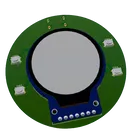
This is a climate control system reference design with a STM32WB5 microcontroller, power manager IC, USB Type-C, JST connectors, and an LCD driver.
#referenceDesign #edge-computing #edgeComputing #stm #template #iot #control #BLE #reference-design
Pricing & Availability
Distributor | Qty 1 |
|---|---|
Digi-Key | $1.25–$2.91 |
LCSC | $0.45–$0.54 |
Mouser | $2.05 |
Verical | $0.08 |
Assets

Climate Control System Reference Design.png
Climate Control System Reference DesignThumbnailControls
Welcome 👋
Flux helps you build PCBs faster with an AI teammate!
Create your account to collaborate, stay updated, fork your own version, and get instant answers from our AI agent.
dinesh6379
copilot