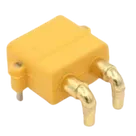
cherepanyadima / XT30PW-M

Loaded

0

0

Files

Schematic

PCB

Log InSign Up

Part Information Audit

cherepanyadima

cherepanyadima

Review all available part information (MPN, package, pin count, description, properties). If no datasheet URL is already set, search the web for the official datasheet and update the part's Datasheet property with the URL. Then cross-check the schematic symbol, footprint, and pin descriptions against the datasheet. Summarize key specs and flag any mismatches.
44 days

flux

1:07

Evaluating user request.

Gathering necessary information.

Preparing changes.

Checking the bill of materials.

Analyzing the schematic.

Thinking deeply.

Working on your request.

Creating a high-level plan.

You want a full audit of this part project, including metadata review, datasheet linking, and symbol/footprint/pin cross-checking.
  • I created a plan to:
    1. Review existing metadata
    2. Add the official datasheet URL if missing
    3. Verify symbol, footprint, and pin descriptions against the datasheet
    4. Summarize specs and flag mismatches
Click Start on the plan bar to run it. Let me know if you want anything adjusted first.
Plan
#Goal
  • Audit the XT30PW-M part project by reviewing its metadata (including MPN, package, pin count, description, and properties), ensuring that the official manufacturer datasheet is referenced and that the schematic symbol, footprint, and pin descriptions accurately match the datasheet details.
#Implementation plan
  1. Review all available project metadata for the XT30PW-M part:
    1. Confirm existing properties including MPN (XT30PW-M), package details (5 mm, Amass), and descriptions.
    2. Check if a datasheet URL is present in the part properties.
  2. If the datasheet URL is missing:
    1. Locate the official manufacturer datasheet using the manufacturer information.
    2. Update the part's Datasheet property with the retrieved datasheet URL.
  3. Cross-check the schematic symbol and footprint:
    1. Verify that the schematic terminals (P and N) correctly reflect the pinout as described in the datasheet.
    2. Review pin names and descriptions to ensure they match the official documentation.
    3. Check the footprint and mechanical details against the package specifications.
  4. Summarize the key published specifications:
    1. List the MPN, package type, pin count, and any important ratings (e.g., current handling, voltage rating).
    2. Highlight any electrical or mechanical specifications detailed in the datasheet relevant to part reuse.
  5. Document any mismatches or missing information:
    1. Flag any discrepancies found between the schematic symbol, footprint, and datasheet.
    2. Identify any missing metadata or specification details that require updating in the part project.
#Success criteria
  • The official manufacturer datasheet URL is added to the part properties if it was missing.
  • The schematic symbol and footprint are verified to match the datasheet, with any discrepancies clearly flagged.
  • A summary of key specifications (MPN, package, pin count, ratings) is provided, with corrections noted for any mismatches or missing information.
Add official datasheet
Audit pins and footprint
Include spec summary
44 days

​
Sign up to send

To get started, talk to Flux or create a New Document.

Reviews

Documents

    Documents are markdown text files which describe project goals, capture details, or even simulation outputs.

    Assets

    image.png

    image.png

    imageThumbnail
    step

    XT30PW-M

    XT30PW-M.step3D Model
    XT30PW-M

    XT30PW-M

    XT30PW-M Symbol.svgDefault
    kicad_mod

    XT30PW-M

    AMASS_XT30PW-M.kicad_modFootprint

    XT30PW-M

    XT30PW-M thumbnail
    Socket; DC supply; XT30; male; PIN: 2; on PCBs; THT; Colour: yellow

    Properties

    XT30PW-M

    AMASS

    Connector

    snapeda.com/parts/XT30PW-M/AMASS/datasheet/

    J

    Parametric

    Pricing & Availability

    See prices from popular manufacturers for your project.

    Controls

    Welcome 👋

    Flux accelerates your PCB design with AI.

    Create your account to start using this component and bring your ideas to life.

        Introducing AI Placement!
        AI Placement Demo

        AI-Powered Component Placement

        Let AI place your components intelligently. AI Placement analyzes your schematic and positions components for optimal routing, signal integrity, and board density.

        From Schematic to Layout in Seconds

        Skip the tedious manual placement. AI Placement generates a starting layout you can refine, saving hours of repetitive work on every new design.

        Works With Auto-Layout

        Pair AI Placement with Auto-Layout for a complete AI-driven PCB design flow — from component placement through trace routing, all with one click.

        Try it