cherepanyadima / XFL4020-102MEC

Loaded

0

0

Files

Schematic

PCB

Log InSign Up

Review all available part information (MPN, packag...

cherepanyadima

cherepanyadima

Review all available part information (MPN, package, pin count, description, properties). If no datasheet URL is already set, search the web for the official datasheet and update the part's Datasheet property with the URL. Then cross-check the schematic symbol, footprint, and pin descriptions against the datasheet. Summarize key specs and flag any mismatches.
8 days

flux

0:00

Sorry, something went wrong. Please try again later.
8 days

​
Sign up to send

To get started, talk to Flux or create a New Document.

Reviews

Documents

    Documents are markdown text files which describe project goals, capture details, or even simulation outputs.

    Assets

    step

    XFL4020-102MEC

    XFL4020-102MEC.step3D Model
    XFL4020-102MEC

    XFL4020-102MEC

    XFL4020-102MEC Symbol.svgDefault
    image.png

    image.png

    imageThumbnail
    kicad_mod

    XFL4020-102MEC

    IND_XFL4020-102MEC.kicad_modFootprint

    XFL4020-102MEC

    XFL4020-102MEC thumbnail
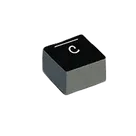
    1 µH Shielded Molded Inductor 13 A 7.2mOhm Max 1616 (4040 Metric) Power inductor, shielded, 20% tol, SMT, RoHS, halogen free Coilcraft

    Properties

    XFL4020-102MEC

    Coilcraft

    Inductors

    coilcraft.com/getmedia/032d9c73-4222-482f-b6bc-7808590e27c9/xgl4030.pdf

    L

    1u

    H

    Surface Mount

    Rohs, Halogen Free

    Pricing & Availability

    See prices from popular manufacturers for your project.

    Controls

    Welcome 👋

    Flux accelerates your PCB design with AI.

    Create your account to start using this component and bring your ideas to life.

        Introducing AI Placement!
        AI Placement Demo

        AI-Powered Component Placement

        Let AI place your components intelligently. AI Placement analyzes your schematic and positions components for optimal routing, signal integrity, and board density.

        From Schematic to Layout in Seconds

        Skip the tedious manual placement. AI Placement generates a starting layout you can refine, saving hours of repetitive work on every new design.

        Works With Auto-Layout

        Pair AI Placement with Auto-Layout for a complete AI-driven PCB design flow — from component placement through trace routing, all with one click.

        Try it