Part Datasheet Review Process

@file @web For this part project, do the following steps in order. Do NOT ask for permission — execute each step fully before moving to the next.
  1. Review all available part information (MPN, package, pin count, description, properties).
  2. If no datasheet URL is set on this part, use @web to find the official datasheet for the MPN or description. Once found, immediately use @action to add/update the 'Datasheet' property with the URL. Do not ask — just do it.
  3. Once a datasheet is available (either already set or just added), use @file to fully scan it. Extract and summarize all metadata: electrical characteristics, absolute maximum ratings, recommended operating conditions, pin descriptions, package dimensions, and any special features.
  4. Cross-check the schematic symbol and footprint against the datasheet. Flag any mismatches that could cause manufacturing issues, incorrect part ordering, or board failure.
I found an official datasheet for this part and can update the project’s Datasheet property to point to it:
After that property update is applied, I can continue with the datasheet scan and the symbol/footprint cross-check.

To get started, talk to Flux or create a New Document.

Documents

    Documents are markdown text files which describe project goals, capture details, or even simulation outputs.

    Assets

    image.png

    image.png

    imageThumbnail
    step

    PJ-037AH

    PJ-037AH.step3D Model
    kicad_mod

    PJ-037AH

    CUI_PJ-037AH.kicad_modFootprint
    PJ-037AH

    PJ-037AH

    PJ-037AH Symbol.svgDefault

    PJ-037AH

    PJ-037AH thumbnail
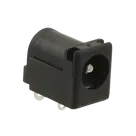
    Power Barrel Connector Jack 2.10mm ID (0.083"), 5.50mm OD (0.217") Through Hole, Right Angle

    Properties

    PJ-037AH

    Same Sky (Formerly CUI Devices)

    Connector

    J

    Pricing & Availability

    See prices from popular manufacturers for your project.

    Controls