cherepanyadima / H485CGDL

Loaded

0

0

0

Files

Schematic

PCB

Log InSign Up

Part Information Review

cherepanyadima

cherepanyadima

Review all available part information (MPN, package, pin count, description, properties). If no datasheet URL is already set, search the web for the official datasheet and update the part's Datasheet property with the URL. Then cross-check the schematic symbol, footprint, and pin descriptions against the datasheet. Summarize key specs and flag any mismatches.
34 days

flux

1:17

Considering datasheet updates.

Clarifying file access.

Checking if I can make the changes for you.

Searching the project.

Reviewing the bill of materials.

Analyzing the schematic.

Analyzing the PCB layout.

Searching 2 domains.

Refining search queries.

Searching properties.

Searching for project props.

Searching components.

Considering component properties.

Search complete — 113 results across 2 domains.

Thinking deeply about your request.

Working on your request.

Creating a concise plan.

Your goal is to audit the H485CGDL part project, add the official datasheet URL, and verify the symbol, footprint, and pin metadata against that datasheet.
  • I’ve prepared a plan to:
    1. Review current metadata and 8-pin setup
    2. Find the official datasheet and fill missing properties
    3. Check pin definitions and descriptions
    4. Validate footprint/STEP/package match
    5. Report key specs and mismatches
Click Start on the plan bar to run it.
Plan
#Goal
  • Review and update all available part information for the current part project H485CGDL by ensuring the Datasheet URL property is added (if missing), cross-checking the schematic symbol, footprint, and pin descriptions against the official datasheet, summarizing the key specifications, and flagging any mismatches.
#Implementation plan
  1. Review part baseline
    1. Inspect the current project properties of H485CGDL.
    2. Confirm that essential properties such as Datasheet URL, description, package, and manufacturer are missing.
    3. Verify that the schematic contains 8 terminals with unspecified pin types and note the imported footprint (H485CGDL.kicad_mod) and STEP model (H485CGDL_BIV.step).
  2. Locate and update the datasheet
    1. Search for the official H485CGDL datasheet online.
    2. Extract key information including manufacturer, package details, pin count, pin functions, and mechanical details.
    3. Update the project by adding the Datasheet URL property along with other missing core properties (description, package, manufacturer).
  3. Cross-check schematic symbol against datasheet
    1. Compare the datasheet pinout with the 8 terminal schematic symbol.
    2. Verify the pin numbers, names, functions, and descriptions as per the datasheet and update the pin types if needed.
  4. Cross-check the footprint and STEP model
    1. Compare the datasheet package drawing and recommended land pattern with the imported footprint (H485CGDL.kicad_mod) and STEP model (H485CGDL_BIV.step).
    2. Verify mechanical details and pad configurations.
  5. Document key specifications and flag mismatches
    1. Summarize key specs: pin count, package type, electrical characteristics, and mechanical details from the datasheet.
    2. Flag any discrepancies between the datasheet and the current schematic symbol or layout assets.
#Success criteria
  • The Datasheet URL property is updated with the official datasheet link.
  • The description, manufacturer, and package properties are populated based on datasheet information.
  • The schematic symbol pin definitions are verified and updated as needed.
  • The footprint and STEP model are confirmed to match the datasheet package details.
  • A detailed summary of the key specifications is generated and any mismatches are clearly flagged.
Audit all mismatches
Check package match
Add datasheet URL
34 days

​
Sign up to send

To get started, talk to Flux or create a New Document.

Reviews

Documents

    Documents are markdown text files which describe project goals, capture details, or even simulation outputs.

    Assets

    image.png

    image.png

    imageThumbnail
    step

    H485CGDL

    H485CGDL_BIV.step3D Model
    kicad_mod

    H485CGDL

    H485CGDL.kicad_modFootprint
    H485CGDL

    H485CGDL

    H485CGDL Symbol.svgDefault

    H485CGDL

    H485CGDL thumbnail
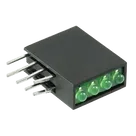
    LED Circuit Board Indicator LED Circuit Board Indicator 4 High Green (x 4) Diffused 2.1V Round with Domed Top 1.80mm Dia Through Hole

    Properties

    H485CGDL

    Bivar

    LED

    bivar.com/parts_content/Datasheets/H485CXX.pdf

    LED

    Pricing & Availability

    See prices from popular manufacturers for your project.

    Controls

    Welcome 👋

    Flux accelerates your PCB design with AI.

    Create your account to start using this component and bring your ideas to life.

        Introducing AI Placement!
        AI Placement Demo

        AI-Powered Component Placement

        Let AI place your components intelligently. AI Placement analyzes your schematic and positions components for optimal routing, signal integrity, and board density.

        From Schematic to Layout in Seconds

        Skip the tedious manual placement. AI Placement generates a starting layout you can refine, saving hours of repetitive work on every new design.

        Works With Auto-Layout

        Pair AI Placement with Auto-Layout for a complete AI-driven PCB design flow — from component placement through trace routing, all with one click.

        Try it