Part Review and Datasheet Verification
Thought for 3 sec
I can’t continue with the requested review because this account currently has no available ACUs, so AI tool execution is unavailable.
What appears to be done already from the project history:
- Project name is set to ESDAULC6-1U2.
- Manufacturer Part Number is set to ESDAULC6-1U2.
- Manufacturer is set to STMicroelectronics.
- Part Type is set to Diode.
- Datasheet URL appears to already be set to an STMicroelectronics URL.
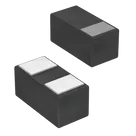
- Description is set to 13V Clamp 1.4A (8/20µs) Ipp TVS Diode Surface Mount 0201.
- Designator prefix is set to D.
- Project context shows 2 pads, consistent with a 2-terminal diode/TVS device.
What remains to be done once ACUs are available:
- Inspect the full part properties, symbol pins, footprint pads, and any attached assets.
- Open the official ST datasheet and verify package, pin count, pin naming/polarity, footprint dimensions, and electrical specs.
- Cross-check the schematic symbol and PCB footprint against the datasheet.
- Flag any mismatches and summarize key specs such as working voltage, clamping voltage, peak pulse current, capacitance, polarity, and package.
Retry after ACUs
Check datasheet URL
List pins pads
Inspect in Flux
To get started, talk to Flux or create a New Document.