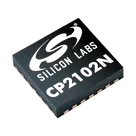
cherepanyadima / CP2102N-A02-GQFN28

Loaded

0

0

Files

Schematic

PCB

Log InSign Up

Part Information Review

cherepanyadima

cherepanyadima

Review all available part information (MPN, package, pin count, description, properties). If no datasheet URL is already set, search the web for the official datasheet and update the part's Datasheet property with the URL. Then cross-check the schematic symbol, footprint, and pin descriptions against the datasheet. Summarize key specs and flag any mismatches.
33 days

flux

1:26

Evaluating user request.

Examining project properties.

Searching for datasheet info.

Checking if I can make the changes for you.

Searching the project.

Analyzing the schematic.

Analyzing the PCB layout.

Exploring search properties.

Searching 2 domains.

Clarifying data parameters.

Search complete — 102 results across 2 domains.

Thinking deeply about your request.

Working on your request.

You want this part project reviewed and synced to its official datasheet.
  • I created a plan to:
    1. Add the missing Datasheet URL
    2. Verify terminals and pin functions
    3. Check the footprint/package against the datasheet
    4. Summarize key specs and flag mismatches
The plan is ready to execute. Click Start in the plan bar to run it.
Plan
#Goal
  • Review the CP2102N-A02-GQFN28 part metadata to ensure that the official datasheet URL is correctly set, and verify that the symbol terminals, footprint, and pin descriptions match the datasheet. Summarize key specifications and identify any mismatches between the part definition and the datasheet.
#Implementation plan
  1. Review and update metadata
    1. Examine the current CP2102N-A02-GQFN28 metadata to identify if the official datasheet URL is present and correct.
    2. Locate the authoritative CP2102N-A02-GQFN28 datasheet and update the metadata if the link is missing or incorrect.
  2. Cross-check part definitions against the datasheet
    1. Verify that the symbol terminals and their naming conventions are consistent with the datasheet.
    2. Inspect the footprint details to ensure the QFN-28 package matches the documented dimensions and pin layout.
    3. Compare the pin descriptions to ensure they accurately reflect the datasheet information.
  3. Summarize key specifications and identify discrepancies
    1. Extract and document key device specifications relevant to library quality such as electrical and interface characteristics.
    2. Identify and list mismatches or ambiguities between the project definitions and datasheet requirements.
    3. Prepare a summary report that highlights confirmed matches, missing metadata, and actionable corrections.
#Success criteria
  • All CP2102N-A02-GQFN28 metadata includes a verified and correct official datasheet URL.
  • The symbol, footprint, and pin descriptions align fully with datasheet specifications.
  • A concise summary report highlights key specs and actionable mismatches for further review.
Add thermal limits
Check every pin
Review footprint match
33 days

​
Sign up to send

To get started, talk to Flux or create a New Document.

Reviews

Documents

    Documents are markdown text files which describe project goals, capture details, or even simulation outputs.

    Assets

    image.png

    image.png

    imageThumbnail
    kicad_mod

    CP2102N-A02-GQFN28

    QFN50P500X500X80-29N.kicad_modFootprint
    step

    CP2102N-A02-GQFN28

    CP2102N-A02-GQFN28.step3D Model

    CP2102N-A02-GQFN28

    CP2102N-A02-GQFN28 thumbnail
    USB TO UART BRIDGE, -40 TO 85DEG C; Bridge Type:USB to UART; Supply Voltage Min:3V; Supply Voltage Max:3.6V; Interface Case Style:QFN; No. of Pins:28Pins; Operating Temperature Min:-40°C; Operating Temperature Max:85°C; Product Range:-; Automotive Qualification Standard:-; MSL:MSL 2 - 1 year; SVHC:No SVHC (15-Jan-2019)

    Properties

    CP2102N-A02-GQFN28

    Silicon Labs

    Integrated Circuit

    snapeda.com/parts/CP2102NA02GQFN28/Silicon%20Labs/datasheet/

    U

    Parametric

    Pricing & Availability

    See prices from popular manufacturers for your project.

    Controls

    Welcome 👋

    Flux accelerates your PCB design with AI.

    Create your account to start using this component and bring your ideas to life.

        Introducing AI Placement!
        AI Placement Demo

        AI-Powered Component Placement

        Let AI place your components intelligently. AI Placement analyzes your schematic and positions components for optimal routing, signal integrity, and board density.

        From Schematic to Layout in Seconds

        Skip the tedious manual placement. AI Placement generates a starting layout you can refine, saving hours of repetitive work on every new design.

        Works With Auto-Layout

        Pair AI Placement with Auto-Layout for a complete AI-driven PCB design flow — from component placement through trace routing, all with one click.

        Try it