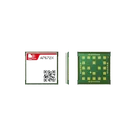
Integration of A7672S Module

A7672S
Thought for 1 min 6 sec
What would you like to do with the A7672S?
- Pull key details from its datasheet (pinout, supply rails/peaks, SIM, USB, UART levels, antennas).
- Plan its integration: power delivery, SIM interface, USB vs power-only decision, UART/logic-level compatibility, RF/antenna connections.
- Check/insert the part from the Flux library into your project.
- Help complete a symbol/footprint and reference connections.
Notes:
- Decide early if you need full USB data or power-only; this impacts schematic and layout.
- Verify all serial I/O levels match your host.
- Power design should balance size, cost, thermal, and EMI holistically.
Pull A7672S datasheet specs
Decide USB vs UART approach
Find module in Flux library
Review current schematic integration
To get started, talk to Flux or create a New Document.