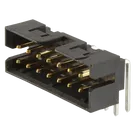
Part Information Review

Review all available part information (MPN, package, pin count, description, properties). If no datasheet URL is already set, search the web for the official datasheet and update the part's Datasheet property with the URL. Then cross-check the schematic symbol, footprint, and pin descriptions against the datasheet. Summarize key specs and flag any mismatches.
Thought for 2 sec
I’m blocked from reviewing or updating the project right now because AI execution is unavailable due to no available ACUs. I have not made any changes to the part properties, datasheet URL, schematic symbol, footprint, or pin descriptions in this session.
What remains to be done once ACUs are available:
- Inspect the part metadata: MPN, package, pin count, description, and properties.
- Check whether the Datasheet property is already populated.
- If missing, find the official manufacturer datasheet URL and update the Datasheet property.
- Cross-check the schematic symbol pins, footprint pad count/numbering, and pin descriptions against the datasheet.
- Summarize key specs and flag any symbol/footprint/property mismatches.
Check datasheet fields
List BOM metadata
Manual datasheet property
Prioritize mismatches