Arduino Shield Design Overview
Thought for 1 min 28 sec
Below is a detailed breakdown of the "Arduino Uno R3 Shield Template" project:
1. Purpose and Overall Concept
-
Template Objective:
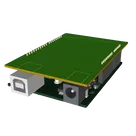
This project is designed as a template for creating Arduino Uno R3 shields. It helps designers by providing an official Arduino pinout, board outline, and a 3D model of the Arduino Uno R3. This ensures that any shield you design will have proper mechanical and electrical compatibility with the Arduino board. -
Use Case:
The template is intended for users looking to build add-on boards (shields) that plug into the Arduino Uno. It ensures that critical elements, such as the pin arrangement and board dimensions, follow officially recognized standards.
2. Core Components and Their Roles
Table
| Component | Purpose | Interaction |
|---|---|---|
| Arduino Uno R3 Pinout Object | Provides a visual reference for the Arduino’s multifunction pins (e.g., SDA, SCL, VIN, GND). | Acts as a guide for aligning schematic nets and PCB footprints with the Arduino board. |
| Arduino Uno R3 Outline (Silkscreen) | Defines the physical boundary and mechanical features of the Arduino Uno. | Ensures that the shield design aligns with the Arduino’s connector locations and board dimensions. |
| Connector Headers (J1, J2, J3, J4) | Represent physical connectors that will mate with the Arduino pins and other peripherals. | The headers are used to establish electrical connectivity in the schematic; their locations are then matched in the PCB layout. |
| Net Portals (e.g., RESET, VIN, +5V, +3V3) | Create standardized net labels for power and signal lines across the design. | They allow the designer to "broadcast" the same net (like power or ground) across different schematic locations without cluttering the wiring. |
| Route Branch Point | Provides a means to distribute signals to several branches in the schematic. | Simplifies wiring by splitting a complex net into multiple connected segments, easing both schematic clarity and PCB routing. |
3. Design, Implementation, and Functionality
-
Design Stage:
- Schematic Entry:
The project begins with establishing the Arduino pinout as a reference. Critical nets such as power (VIN, +5V, +3V3) and ground are defined by adding net (or power) portals. Connector headers are placed for incoming and outgoing signals. - Component Placement:
Using Flux’s schematic editor, components (such as connector headers and net portals) are arranged so that they mimic the physical configuration of an Arduino shield. - Routing:
A special branch (the Route Branch Point) is included to manage net splits, ensuring that the same signal can be routed to different parts of the design.
- Schematic Entry:
-
Implementation in the PCB Editor:
- The template also includes an Arduino Uno R3 board outline on the silkscreen.
- A 3D model is part of the PCB node setup to help the designer visualize the final physical arrangement.
- Design rules are defined and the layout is optimized to ensure proper connectivity and spacing according to the Arduino specification.
-
Functionality:
- Schematic Connectivity:
Each connector header is linked through nets to the corresponding Arduino pins. The net portals ensure that power and reset signals are consistently propagated. - PCB Alignment:
By including both the official board outline and the 3D model, the designer can verify that the shield will physically fit without interfering with the Arduino’s mechanical features. - Design Verification:
Built-in design rule checks (DRC) and review tools in Flux help ensure signal integrity, proper clearance, and valid routing before fabrication.
- Schematic Connectivity:
4. Key Technologies and Dependencies
-
Flux.ai Browser-Based CAD:
The project utilizes Flux for both schematic capture and PCB layout, benefiting from features like integrated DRC, 3D visualization, and a component library. -
Industry Standard Components:
The connector headers and net portals are chosen based on standard footprints (e.g., 2.54 mm pitch for through-hole pin headers) to ensure compatibility. -
3D Model Integration:
Including a 3D representation of the Arduino Uno allows for visual verification of mechanical fit and clearances, ensuring the shield aligns with the host board.
5. Trade-Offs and Design Choices
Table
| Design Aspect | Trade-Offs & Considerations |
|---|---|
| Component Footprints | Standard vs Custom: Standard footprints (e.g., 2.54 mm headers) ensure wide compatibility. Custom designs may optimize space but require extra verification. |
| Net Portal Usage | Simplicity vs Flexibility: Using portals simplifies connectivity across the schematic but may obscure detailed wiring if overused. Designers must balance clarity with convenience. |
| 3D Model Integration | Visualization vs Complexity: Adding complete 3D models increases design complexity and file size but gives a more realistic preview of fit and mount issues. |
| Schematic Branching | Signal Clarity vs Routing Flexibility: The Route Branch Point allows neat division of nets. However, too many branches may make signal tracking more challenging during debugging. |
6. Potential Challenges and Considerations
-
Physical Alignment:
Ensuring that the shield aligns exactly with the Arduino Uno R3 connector positions can be challenging. Any misalignment might require adjusting the board outline or component placement. -
Signal Integrity:
Maintaining clean net connections, particularly for high-speed signals, is critical. Designers should pay attention to the routing around decoupling capacitors and branch points. -
Design Rule Checks:
Managing overlapping copper zones, clearances, and mechanical constraints may require iterative refinement using Flux’s integrated DRC tools. -
Manufacturing Constraints:
Optimizing for both schematic clarity and PCB manufacturability (e.g., pad sizes, trace widths) when transitioning from conceptual design to production.
7. Areas for Improvement and Future Enhancements
-
Enhanced Documentation:
Include more detailed component attributes (e.g., decoupling capacitor values, resistor ratings) directly in the design properties for easier reference during layout and manufacturing. -
Modular Design:
Consider breaking down the shield into modular blocks (power, I/O, communication, etc.) for improved scalability and easier re-use in future designs. -
Simulation and Testing:
While Flux focuses on layout and schematic capture, adding simulation results from external tools (like LTSpice) could help verify signal integrity and power distribution. -
Automated Routing and Annotation:
Explore using Flux’s automated layout features to optimize trace routing, and implement annotations that directly tie schematic nets to PCB features for easier troubleshooting. -
3D Fit Verification:
Enhance the 3D model integration by simulating mechanical stresses or verifying collisions, especially if multiple shields or stacked boards are part of a larger system.
8. Real-World Applications
-
Prototype Development:
The template is an ideal starting point for developers who want to quickly create shields for robotics, IoT devices, sensor interfacing, or home automation projects using the popular Arduino Uno. -
Educational Tools:
It serves as an educational example for students learning electronic design and PCB layout, demonstrating how to integrate power, signal routing, and mechanical design in a single project. -
Commercial Products:
Well-designed shields using this template can be scaled into commercial products, provided that further optimizations for manufacturability, compliance, and environmental factors are incorporated.
Conclusion
The "Arduino Uno R3 Shield Template" is a comprehensive starting point designed to bridge the gap between schematic design and PCB layout for Arduino-compatible shields. By leveraging Flux.ai’s robust set of features—from schematic capture and net connectivity to integrated 3D modeling—the project streamlines the design process while ensuring adherence to industry standards. Although challenges like precise alignment and signal integrity must be addressed, the template offers a solid framework that is scalable and open to further enhancements, making it highly valuable for both educational and professional applications.
Component Selection
Power Section
Main IC Selection


Welcome 👋
Flux helps you build PCBs faster with an AI teammate!
Create your account to collaborate, stay updated, fork your own version, and get instant answers from our AI agent.