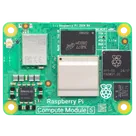
Raspberry Pi CM5 Board Design
Thought for 1 min 22 sec
This is the most relevant entry I found related to your question:
“In this tutorial, we'll explore the different ways to create and modify board outlines in Flux, allowing you to customize your PCB shape and size to fit your project requirements.
The board outline defines the physical boundaries of your PCB and is one of the first design decisions you'll make. Flux provides several options for creating board outlines, from simple shapes to complex custom designs.
We'll cover the following topics:
- Basic shapes: Create circular or rectangular boards with precise dimensions
- Rounded corners: Add rounded corners to rectangular boards for improved manufacturability
- Custom shapes: Import external shapes for complex designs
- Best practices: Guidelines for creating effective board outlines
Basic Shapes
Flux has built-in support for simple shapes (circular and rectangular). For complex shapes, please refer to the section on Advanced (custom) shapes.
Changing the Outline Shape”
That’s helpful, but I need the exact UI steps. Where do I click in the PCB editor to resize a rectangular outline?
Thought for 52 sec
I couldn’t find Flux documentation that gives exact, click-by-click UI steps to resize a rectangular board outline. The most relevant article is:
“Creating and Modifying PCB Board Outlines in Flux” Source
If you need more detail, you can browse or ask the community:
Ask about numeric input
Clarify rectangle-only case
Ask about units
Ask about corner radius
Ask for alternative workflow