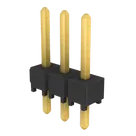
adrian95 / TSW-103-07-G-S

Loaded

6

Files

Schematic

PCB

Log InSign Up

Saving Component to Library

deanza-88

deanza-88

how can I save someone elses component to my library?
289 days

flux

0:37

Reading docs about how to save someone else's component to my library.

Here’s the most relevant guidance from the Flux documentation on how to bring someone else’s component into your own library:
“Whenever you find a publicly accessible project or part in the library, and you decide to duplicate the project, then you will need to decide whether to clone or fork the project.
If you want to maintain access to all earlier versions of the project in your duplicate version, then you should fork the project. This is a common option you would use when experimenting with an earlier version of a design. However, if you do not need to have access to the earlier versions of the duplicate project, then you should clone the project.
Read this resource to learn more about using cloning and forking in Flux.”
Source: Flux Reference – Forking and cloning
Fork the project
Clone the project
Publish forked component
Adjust visibility
289 days

​
Sign up to send

To get started, talk to Flux or create a New Document.

Reviews

Documents

    Documents are markdown text files which describe project goals, capture details, or even simulation outputs.

    Assets

    image-removebg-preview.png

    image-removebg-preview.png

    image-removebg-previewThumbnail
    stp

    TSW-103-07-G-S.stp

    3D_TSW-103-07-G-S3D Model
    Conn_01x03

    Conn_01x03

    defaultDefault
    kicad_mod

    TSW-103-XX-YY-S.kicad_mod

    FP_TSW-103-XX-YY-SFootprint

    TSW-103-07-G-S

    TSW-103-07-G-S thumbnail
    Connector Header Through Hole 3 position 0.100" (2.54mm) #connector #pinheader #tht

    Properties

    Connector

    Samtec Inc.

    TSW-103-07-G-S

    suddendocs.samtec.com/prints/tsw-xxx-xx-x-x-xx-xxx-footprint.pdf

    J

    creativecommons.org/licenses/by/4.0/

    Pricing & Availability

    Distributor

    Qty 1

    Controls

    Welcome 👋

    Flux accelerates your PCB design with AI.

    Create your account to start using this component and bring your ideas to life.

        Introducing AI Placement!
        AI Placement Demo

        AI-Powered Component Placement

        Let AI place your components intelligently. AI Placement analyzes your schematic and positions components for optimal routing, signal integrity, and board density.

        From Schematic to Layout in Seconds

        Skip the tedious manual placement. AI Placement generates a starting layout you can refine, saving hours of repetitive work on every new design.

        Works With Auto-Layout

        Pair AI Placement with Auto-Layout for a complete AI-driven PCB design flow — from component placement through trace routing, all with one click.

        Try it