Using Flux Features
0:42
Consulting on Flux usage.
Reading docs about How do I use Flux? Give a concise beginner overview of the editor layout, how to start a project, place parts, wire a schematic, switch to PCB layout, inspect properties, run reviews, and export files..
Reading docs about Beginner guide for using Flux Editor: first project, schematic capture, placing parts, wiring, PCB editor, reviews, and exports..
Reading docs about Overview of using Flux chat and editor: execution plans, tool context menu, referencing parts, model menu, file uploads, and context chips..
Using FluxFlux provides several ways to refine its responses and guide how it interacts with your project. These menus allow you to choose AI models, upload reference files, and specify how Flux should process your requests.Flux Execution PlanFlux creates a step-by-step plan before making changes — so you’re always in control.Flux outlines all proposed modifications before executing them in the editor. This gives you complete visibility into what’s about to happen and the chance to review, adjust, or reject any part of the plan.How it worksInitiate a task Start by asking Flux to make a change — like Make me a usb-c device with bluetooth connectivity powered by the USB bus. I want to connect it directly to a usb port, and use it as a BLE dongle. Flux responds with a plan Before applying any changes, Flux will generate a plan. This plan includes all the design actions Flux intends to take. Review the plan Read through the proposed steps. Each one is explained clearly and linked to the part of the design it affects. You can expand steps for more details or collapse them to scan quickly.
@help how do I place parts@help how do I route a PCB@help how do I export manufacturing files
Ready.
To get started, talk to Flux or create a New Document.
Reviews
Documents
Documents are markdown text files which describe project goals, capture details, or even simulation outputs.
Assets
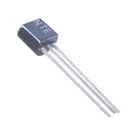
TRANS_2N3819.kicad_mod
FP_TRANS_2N3819Footprint
2N3819.png
2N3819Thumbnail
n-channel-jfet.svg
n-channel-jfetDefault2N3819.step
3D_2N38193D ModelTN0610N3-G
Properties
Pricing & Availability
Distributor | Qty 1 |
|---|
Controls
Welcome 👋
Flux accelerates your PCB design with AI.
Create your account to start using this component and bring your ideas to life.