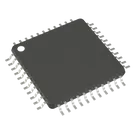
adrian95 / PIC18F46K42-I/PT

Loaded

0

1

Files

Schematic

PCB

Log InSign Up

Conexiones PIC a Pines Through-Hole

rair

rair

SACAR LINEAS DE CONECCION DEL PIC A PINES TRU HOLD
11 days

flux

0:22

Crafting project details.

Sí, se puede hacer, pero no puedo modificar este proyecto directamente porque aquí no tienes permiso de edición.
Para “sacar” las señales del microcontrolador a pines through-hole, la forma correcta en Flux es trabajar el proyecto como un part project: añadir terminales para los pines que quieras exponer y mantener el número de pin exactamente igual al datasheet; no se deben adivinar números ni nombres de pin
Te dejo un fork listo para abrir y seguir en tu propia copia:
Fork del proyecto para sacar pines a through-hole
Si quieres, también te puedo indicar qué opción conviene más en esa copia:
  • exponer todos los pines
  • solo GPIO
  • solo alimentación, reset y programación
  • ponerlos en headers de 1xN / 2xN through-hole
Agregar pines THT
Usar header 2.54mm
Revisar RD3
11 days

​
Sign up to send

To get started, talk to Flux or create a New Document.

Reviews

Documents

    Documents are markdown text files which describe project goals, capture details, or even simulation outputs.

    Assets

    PIC18F46K42-I_PT

    PIC18F46K42-I_PT

    PIC18F46K42-I_PT Symbol.svgDefault
    kicad_mod

    QFP80P1200X1200X120-44N.kicad_mod

    FP_QFP80P1200X1200X120-44NFootprint
    image-removebg-preview.png

    image-removebg-preview.png

    image-removebg-previewThumbnail
    stp

    PIC18F46K42-I_PT.stp

    3D_PIC18F46K42-I_PT3D Model

    PIC18F46K42-I/PT

    PIC18F46K42-I/PT thumbnail
    PIC PIC® XLP™ 18K Microcontroller IC 8-Bit 64MHz 64KB (32K x 16) FLASH 44-TQFP (10x10) #commonpartslibrary #integratedcircuit #microcontroller

    Properties

    PIC18F46K42-I/PT

    Microchip Technology

    IC

    Microcontroller

    microchip.com/downloads/en/DeviceDoc/PIC18(L)F26-27-45-46-47-55-56-57K42-Data-Sheet-40001919G.pdf

    creativecommons.org/licenses/by/4.0/

    Pricing & Availability

    Distributor

    Qty 1

    Controls

    Welcome 👋

    Flux accelerates your PCB design with AI.

    Create your account to start using this component and bring your ideas to life.

        Introducing AI Placement!
        AI Placement Demo

        AI-Powered Component Placement

        Let AI place your components intelligently. AI Placement analyzes your schematic and positions components for optimal routing, signal integrity, and board density.

        From Schematic to Layout in Seconds

        Skip the tedious manual placement. AI Placement generates a starting layout you can refine, saving hours of repetitive work on every new design.

        Works With Auto-Layout

        Pair AI Placement with Auto-Layout for a complete AI-driven PCB design flow — from component placement through trace routing, all with one click.

        Try it