Design Reference Import Inquiry

2:13

Guiding project importing.

Prioritizing tool use.

Following tool protocols.

Checking project context for NUCLEO-F446RE.

Accessing knowledge base.

Reading docs about How to reuse an existing design by publishing it as a module and placing it in another project. Steps to publish a module, add terminals, set designator prefix, and then insert the module into a different project. Also include how to fork/duplicate a project if I want to edit it directly, and whether cross-project copy/paste is supported..

Reading docs about How to add a published module from the library into a different project schematic in Flux. Steps to search the library, drag the module into the schematic, and connect terminals..

Clarifying module reference and options.

I’m sorry for the frustration. Here’s what the Flux documentation says about reusing an existing design in another project by adding it as a module:
“Using a module is no different from using regular parts. They have a symbol with terminals to connect it to the schematic, and pads to connect it to the rest of the layout. This allows you to use an existing PCB layout in new projects.
Adding a Module to a Project
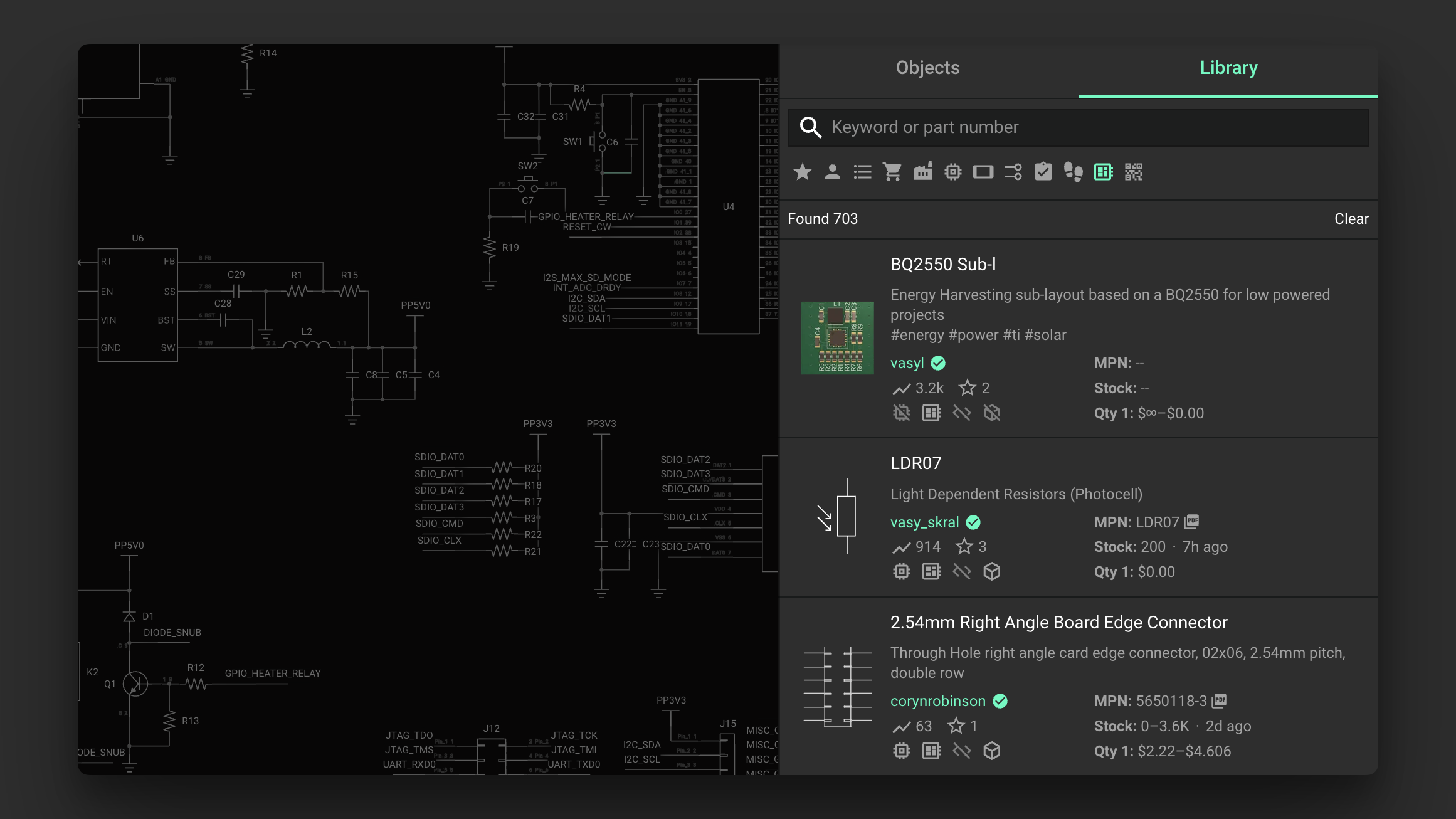
You'll find publicly available modules in the library like you find other parts. To differentiate a module from a part look for the module icon.
Pro tip: you can enable the module filter to only get modules in the search result.
Image

Image

Once you've found a module in the library, add it to your project by dragging it into the schematic. You can then connect the available pins on the module to other parts. The module then works like any other component!” Source
If you want, tell me the name of the module you’re targeting and I’ll help you find it in the Library and get it placed.
83 days
can I convert this module into a project?
83 days

1:10

Considering tool usage and steps.

Accessing knowledge base.

Reading docs about How to convert or clone a Flux module into a standalone project so I can edit its schematic and PCB; steps to open module source, fork, or duplicate into a new project; any limitations about exploding modules or publishing/unpublishing.

Exploring module conversion in Flux.

Reading docs about Can a Flux module be turned into a standalone project? Is there an 'Open as project' or 'fork module into project' workflow? If not, what does the documentation recommend?.

Reading docs about How do I open and edit a module’s source in Flux, and is there a way to create a standalone project from a module? Any documentation about opening a module or duplicating it as a project..

Searching for module conversion options.

I’m sorry this has been frustrating.
I couldn’t find any Flux documentation that supports converting a module into a standalone project. This likely isn’t available in Flux right now.
If you share the specific module link, I can check what documented options exist around it.
Share module link
Open module source
Fork vs clone
Convert to component
Make module editable
83 days

To get started, talk to Flux or create a New Document.

Documents

    Documents are markdown text files which describe project goals, capture details, or even simulation outputs.

    Assets

    image-removebg-preview.png

    image-removebg-preview.png

    image-removebg-previewThumbnail
    kicad_mod

    MODULE_NUCLEO-F446RE.kicad_mod

    fp_MODULE_NUCLEO-F446REFootprint
    step

    NUCLEO-F446RE.step

    3d_NUCLEO-F446RE3D Model

    NUCLEO-F446RE

    NUCLEO-F446RE thumbnail
    STM32F446 Nucleo-64 STM32F4 ARM® Cortex®-M4 MCU 32-Bit Embedded Evaluation Board #commonpartslibrary #developmentboard #stm32f446 #evaluationboard #mcu #nucleo

    Properties

    Pricing & Availability

    Distributor

    Qty 1

    Controls