Part Information Review and Datasheet Analysis
Thought for 3 mins 17 sec
Here is the ordered execution you requested.
- Review of currently available part info in this project
- MPN: MCDP2900A4T
- Manufacturer: Kinetic Technologies
- Description: DisplayPort1.4a to HDMI2.0b Protocol Converter with HDCP2.3 Repeater
- Designator prefix: IC
- Datasheet URL property: https://www.mouser.com/datasheet/2/936/MCDP2900_03b-3105415.pdf
- Package/Case property (current): TO
- Schematic symbol pin count observed: 64 terminals (A1–H8 grid present)
- Footprint: 64 pads present, pad names match symbol pins
- Datasheet property check/update
- A datasheet URL is already set. No change made.
- Datasheet scan and metadata summary
Features and special capabilities (summary)
- DP 1.4a receiver up to 5.4 Gbps/lane, 1/2/4 lanes; AUX 1 Mbps; programmable equalization; DPCD 1.4; CEC tunneling; HPD_OUT 3.3 V.
- HDMI 2.0b transmitter, 600 MHz TMDS, scrambling, pre-emphasis/edge-rate control, deep color to 16 bpc, HDR (static/dynamic), SCDC, CEC, HPD_IN handling.
- Video: up to 4Kp60; RGB/YCbCr 444/422/420; color space conversion; chroma down-sampling; internal pattern generator.
- Audio: LPCM/compressed; up to 8-ch 192 kHz or 2-ch 768 kHz.
- HDCP repeater: 1.3/1.4 and 2.3.
- Security: encrypted keys, secure boot, signed firmware.
- Low power: 570 mW operation; 11 mW sleep.
- Power rails: 3.3 V I/O; 1.2 V core.
Absolute maximum ratings (Table 12)
| Parameter | Symbol | Min | Typ | Max | Units |
| 3.3 V supply voltages (1,2) | VVDD_3.3 | -0.3 | 3.3 | 3.96 | V |
| 1.2 V supply voltages (1,2) | VVDD_1.2 | -0.3 | 1.2 | 1.44 | V |
| Input tol. for 3.3 V, 5 V tolerant I/O | VIN5tol | -0.3 | | 5.5 | V |
| Input tol. for 3.3 V I/O | VIN3V3 | -0.3 | | 3.75 | V |
| ESD HBM (all pins) | VESD | | | ±2.0 | kV |
| ESD HBM (connector-facing) | VESD | | | ±6.5 | kV |
| ESD CDM | VESD | | | ±500 | V |
| Latch-up | ILA | | | ±100 | mA |
| Ambient operating temp | TA | 0 | | 70 | °C |
| Storage temp | TSTG | -40 | | 150 | °C |
| Operating junction temp | TJ | 0 | 75 | 125 | °C |
| θJA | | | | 37.6 | °C/W |
| θJC | | | | 18.8 | °C/W |
| Peak reflow | TSOL | | | 260 | °C |
Recommended operating and thermal data (as specified)
- Ambient operating temperature: 0 to 70 °C
- Operating junction temperature: 0 (min), 75 (typ), 125 °C (max)
- θJA: 37.6 °C/W; θJC: 18.8 °C/W
- Peak IR reflow: 260 °C
Electrical characteristics (key values)
- Supply rails: 1.2 V and 3.3 V
- Power: 570 mW in protocol converter operation; 11 mW in sleep mode
- Supply current (as shown on electrical specifications page):
- 3.3 V rails: 25 mA / 332 mA
- 1.2 V rails: 27 mA / 390 mA
- Power supply ripple requirement: ripple amplitude ≤ 30 mV, max ripple frequency up to 30 MHz
- IO DC characteristics (3.3 V, 5 V tolerant open-drain type):
- VIH min 2.0 V; VIL max 0.8 V; VHYST 300 mV; IIH/IIL ±10 µA; CIN 5 pF
- Outputs: IOL 4 mA at VOL 0.2 V; tri-state leakage IOZ 10 µA
- 3.3 V tristate IO: VIH 2.0 V, VIL 0.8 V, VHYST 300 mV, IIH/IIL ±10 µA, CIN 1.0 pF
- VDD12ON output: VOL 0.4 V at 0.25 mA; VOH 2.9 V at -0.25 mA
Pin descriptions (summary)
- Package/ball map: 64-ball BGA, grid A1–H8
- DisplayPort RX lanes: A1–A8 (DPRX_L3/2/1/0 P/N)
- AUX: C7 DPRX_AUXP, C8 DPRX_AUXN; B1 DPRX_HPD_OUT
- HDMI TX: H1/H2 (CLK), H3/H4 (CH0), H5/H6 (CH1), H7/H8 (CH2), E1/F1 (DDC SCL/SDA), F2 (CEC), G1 (HPD_IN)
- System/host interfaces: I2C_SDA (E6), I2C_SCL (F6), UART_TX (D7), UART_RX (E7)
- SPI: C1 (CSN), C2 (DI), D1 (DO), D2 (CLK), E2 (WPN)
- Clocking: E8 (XTAL), F8 (TCLK)
- Analog ref/filters: F7 (C_EXT, 2.2 µF to GND)
- Power control/status: G8 (VDD12ON output)
- Power pins:
- 3.3 V: B2/C4 (VDD33_RX), C5 (VDD33_AUX), D3/E3 (VDD33_IO), G2/G4 (VDD33_TX)
- 1.2 V: B4/B5 (VDD12_RX), B7 (VDD12_PLL), F4 (VDD12_OSC), D6/F5 (VDD12_DIG), G5/G7 (VDD12_TX)
- Grounds: B3, B6, D4, D5, E4, E5, G3, G6, D8
Package dimensions and footprint requirements
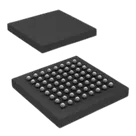
- Package: 64 LFBGA (7 × 7 mm)
- Mechanical: LFBGA (7 × 7 × 1.4 mm), 8 × 8 array, ball pitch 0.8 mm, ball diameter 0.4 mm
- Recommended PCB footprint/land pattern: per LFBGA-64, 0.8 mm pitch guidance in the datasheet
- Cross-check: symbol and footprint vs datasheet
Findings
- Pin count and naming:
- Symbol has 64 terminals arranged A1–H8, consistent with the 64-ball BGA.
- Pin names closely match datasheet conventions (power nets use numeric suffixes where duplicated, e.g., VDD33_TX_1/2).
- Critical mismatch found:
- Datasheet G8 is VDD12ON (3.3 V output, power control). In the symbol, G8 is labeled NC. This is incorrect and could lead to missed functionality or wiring error. Recommend renaming to VDD12ON and marking as an output per datasheet guidance.
- Grounds/powers:
- Package property:
- Project property “Package or Case Code” is set to “TO” but the datasheet specifies 64 LFBGA (7 × 7 mm), pitch 0.8 mm, ball 0.4 mm. This mismatch can cause ordering/manufacturing confusion. Recommend updating the package/case property to LFBGA-64, 7 × 7 mm, 0.8 mm pitch.
- Footprint:
- Pad count and pad names in the footprint match the 64-ball map (A1–H8, names consistent).
- Unable to verify exact ball pitch, ball size, and overall body dimensions from the layout data returned. Please ensure the footprint implements:
- 8 × 8 grid, pitch 0.8 mm
- Ball diameter 0.4 mm
- Body size 7 × 7 mm
- Solder mask/paste apertures per datasheet recommendations
- Confirm special pins’ layout considerations (e.g., keepouts/guarding on DP lanes, crystal pins E8/TCLK routing to 27 MHz XTAL, dedicated decoupling for C_EXT/F7) as you proceed with board design.
If you want, I can:
- Rename G8 from NC to VDD12ON and set its pin type to Output.
- Update the part’s package/case property to the correct LFBGA-64 (7 × 7 mm, 0.8 mm pitch).
- Verify footprint geometry (pitch/ball/body) if you share or enable detailed footprint dimensions.
Run DRC/ERC review
Check footprint pitch
Fix G8 pin name
Verify package property