Creating Circuit Schematics
Thought for 44 sec
Below is a summary of the schematic changes to create the described design. You can apply these suggestions to your project in Flux:
Transmitter Section
-
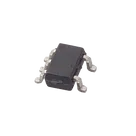
Electret Mic & MAX4466 Amplifier Module
- Use your existing MAX4466EXK as the electret mic amplifier module.
- Ensure that the amplifier module has its proper biasing, decoupling capacitors, and ground connections.
- Connect the amplifier’s audio output to an ADC or analog pin on the microcontroller.
-
Seeed Studio XIAO ESP32S3 (Transmitter)
- Add a Seeed Studio XIAO ESP32S3 to the schematic as the transmitter board.
- Wire the ADC input (receiving the amplified mic signal) from the amplifier module to one of its analog inputs.
- Power all the modules properly (connect VCC and GND) and add decoupling capacitors where required.
- Note: The ESP32’s built-in Bluetooth radio will be used to send the audio data wirelessly to the computer.
Receiver Section
-
Seeed Studio XIAO ESP32S3 (Receiver)
- Add a second Seeed Studio XIAO ESP32S3 to act as the Bluetooth receiver board.
- This board will receive the Bluetooth signal (originating from the first ESP32) which has been forwarded by the computer.
-
OLED Display
- Add an OLED Display to show the received data.
- Connect it via the I²C interface to the receiver ESP32 (typically wiring SDA and SCL along with power and ground).
- Include any necessary decoupling capacitors and, if needed, pull-up resistors on the I²C lines (commonly 4.7kΩ–10kΩ).
Additional Connections
- Power and Ground:
- For all sections (amplifier, both ESP32 boards, and the OLED), ensure the VCC pins are tied to the proper supply and all ground pins are interconnected using the Ground component.
- Bluetooth Communication:
- Label the Bluetooth data path between the first ESP32 (transmitter) and the computer and then from the computer to the second ESP32 (receiver).
- While the schematic does not include the computer, you can denote the connection with a note or a dedicated net label to represent the Bluetooth link.
You can use the "Apply changes" button to add these components and wiring suggestions to your Flux schematic project. Let me know if you need further details on any connection or component selection!
Component Selection
Add Power Connections
Configure Bluetooth Communication
Pin Mapping Suggestions