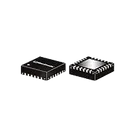
adrian95 / HSWA4-63DR+

Loaded

0

0

0

Files

Schematic

PCB

Log InSign Up

Part Information Review and Datasheet Update

flux

2:26

Evaluating project parameters.

Assessing update actions.

Checking if I can make the changes for you.

Reviewing the bill of materials.

Analyzing the schematic.

Running multiple web searches.

Found 10 results.

Found 10 results.

Looking for "part description and overview" in HSWA4-63DR+.pdf

Looking for "package information mechanical dimensions package case and exposed pad" in HSWA4-63DR+.pdf

Looking for "pin connection table or pin description" in HSWA4-63DR+.pdf

Looking for "absolute maximum ratings and supply voltage" in HSWA4-63DR+.pdf

Looking for "operating frequency insertion loss isolation control voltage current temperature" in HSWA4-63DR+.pdf

Analyzing the PCB layout.

Looking for "exposed paddle pad 25 ground description" in HSWA4-63DR+.pdf

Looking for "package drawing pad 25 exposed paddle" in HSWA4-63DR+.pdf

Looking for "control truth table control 1 control 2 control 3 routing" in HSWA4-63DR+.pdf

Confirming pin count.

Reviewing the bill of materials.

I reviewed the available part data and found the official Mini-Circuits datasheet here: PDF

Part review summary


FieldResult
MPNHSWA4-63DR+
ManufacturerMini-Circuits
DescriptionMMIC absorptive SP4T RF switch with internal driver
Frequency range30 MHz to 6000 MHz
Supply voltage2.3 V to 5.5 V
Absolute max VDD-0.3 V to +5.5 V
Operating temperature-40 C to +105 C
PackageDG984-1, 4 mm x 4 mm
Lead style24-lead QFN / MCLP with exposed paddle
Pad count including EP25 pads total
Typical insertion loss0.9 dB to 1.8 dB over band
Typical isolation61 dB down to 30 dB over band

What matches


AreaStatusNotes
Footprint package familyGoodThe footprint is a 4 mm x 4 mm 24-lead package with exposed pad, consistent with the datasheet.
Exposed paddleGoodPad 25 is present and the datasheet says the exposed paddle is ground.
Total terminal countGoodProject has 25 terminals, which matches 24 leads + exposed paddle.
Control/VDD terminal names presentGoodCONTROL1, CONTROL2, CONTROL3, and VDD exist.
Mismatches found
The main issue is symbol pin numbering does not match the datasheet pinout, which means symbol-to-footprint mapping is currently wrong even though the footprint geometry itself looks plausible.

Pin mapping mismatches


Datasheet padDatasheet functionProject terminal now
1RF4GND
3RF3GND
5RF2RF4
7RF1GND
8GNDRF3
9RF COMGND
11GNDRF2
14GNDRF1
16GNDVDD
17GNDCONTROL1
18GNDCONTROL2
20VDDGND
21Control 2GND
22Control 1RF_COM

Datasheet pinout reference


PadFunction
1RF4
2GND
3RF3
4GND
5RF2
6GND
7RF1
8GND
9RF COM
10-18GND
19Control 3
20VDD
21Control 2
22Control 1
23-24GND
25Exposed paddle, GND
Conclusion
  • The official datasheet URL is available.
  • The footprint package style appears correct.
  • The symbol terminal numbering is substantially incorrect versus the datasheet.
  • Because of that, the current part would connect several RF, control, and supply pins to the wrong footprint pads.
I can update the part’s Datasheet property to the official Mini-Circuits URL next.
39 days

​
Sign up to send

To get started, talk to Flux or create a New Document.

Reviews

Documents

    Documents are markdown text files which describe project goals, capture details, or even simulation outputs.

    Assets

    HSWA4-63DR+

    HSWA4-63DR+

    HSWA4-63DR+ Symbol.svgDefault
    HSWA4-63DR+-thumb.png

    HSWA4-63DR+-thumb.png

    HSWA4-63DR+-thumbThumbnail
    step

    HSWA4-63DR+

    DG984-1_MNC.step3D Model
    kicad_mod

    HSWA4-63DR+

    HSWA4-63DR&plus_.kicad_modFootprint

    HSWA4-63DR+

    HSWA4-63DR+ thumbnail
    RF Switch IC General Purpose SP4T 50Ohm 24-QFN (4x4) #CommonPartsLibrary #IntegratedCircuit

    Properties

    HSWA4-63DR+

    Mini-Circuits

    Integrated Circuit

    minicircuits.com/pdfs/HSWA4-63DR+.pdf

    IC

    creativecommons.org/licenses/by/4.0/

    Pricing & Availability

    See prices from popular manufacturers for your project.

    Controls

    Welcome 👋

    Flux accelerates your PCB design with AI.

    Create your account to start using this component and bring your ideas to life.

        Introducing AI Placement!
        AI Placement Demo

        AI-Powered Component Placement

        Let AI place your components intelligently. AI Placement analyzes your schematic and positions components for optimal routing, signal integrity, and board density.

        From Schematic to Layout in Seconds

        Skip the tedious manual placement. AI Placement generates a starting layout you can refine, saving hours of repetitive work on every new design.

        Works With Auto-Layout

        Pair AI Placement with Auto-Layout for a complete AI-driven PCB design flow — from component placement through trace routing, all with one click.

        Try it