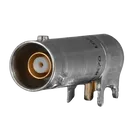
adrian95 / CBJR70

Loaded

0

0

Files

Schematic

PCB

Log InSign Up

Extracting Specifications for CBJR70

azet

azet

@file Extract and summarize all key specifications for this part including: electrical ratings, mechanical dimensions, package type, pin configuration, operating conditions, and any special features or certifications.
95 days

flux

2:30

Organizing tool usage.

Querying component specifications.

Clarifying component linking.

Linking and summarizing components.

Accessing knowledge base.

Looking for "Part number identification CBJR70 and product description" in dr-ccs-trom-cbjr70.pdf

Looking for "Electrical specifications impedance frequency voltage power VSWR return loss dielectric withstanding insulation resistance contact resistance" in dr-ccs-trom-cbjr70.pdf

Looking for "Operating temperature range" in dr-ccs-trom-cbjr70.pdf

Looking for "Materials and plating body contact insulator" in dr-ccs-trom-cbjr70.pdf

Looking for "Mechanical dimensions overall length height width right angle board mount three lug footprint" in dr-ccs-trom-cbjr70.pdf

Looking for "Recommended PCB layout or mounting hole dimensions pad sizes" in dr-ccs-trom-cbjr70.pdf

Looking for "Termination type and pin configuration center contact and shell or lugs numbering" in dr-ccs-trom-cbjr70.pdf

Looking for "Package type packaging information" in dr-ccs-trom-cbjr70.pdf

Looking for "Compliance certifications RoHS REACH MIL STD or IEC" in dr-ccs-trom-cbjr70.pdf

Looking for "Mating cycles durability torque coupling retention force" in dr-ccs-trom-cbjr70.pdf

Looking for "Interface standard type TRB twinax or coax description" in dr-ccs-trom-cbjr70.pdf

Looking for "Notes tolerances units unless otherwise specified" in dr-ccs-trom-cbjr70.pdf

Searching web for: "Cinch CBJR70 datasheet drawing TRB jack right angle board mount 3-lug specifications"

Found 1 results.

Querying connector specifications.

I tried to extract specs from the provided drawing, but that PDF appears to be an image-only mechanical drawing with no selectable text, so I can’t reliably pull structured data from it.
How would you like to proceed for CBJR70?
  • Option A: Share a text-searchable datasheet/spec sheet (PDF) for CBJR70 (or the TRB family) and I’ll extract electrical ratings, mechanical dimensions, package/termination, pin configuration, operating conditions, and any certifications precisely.
  • Option B: Approve using Cinch’s official product page (not a datasheet) to extract specs. I can cross-check there and note it as the source.
  • Option C: If you only need mechanical dimensions now, upload a clear image/screenshot of the dimensioned drawing page, and I’ll transcribe the key dimensions and PCB hole pattern exactly.
If you choose Option B, I’ll proceed using:
  • Manufacturer page: https://www.cinch.com/products/rf-microwave/connectors/cbjr70
  • Drawing (same as the one in your project): https://www.cinch.com/media/drawings/products/rf-microwave/connectors/dr-ccs-trom-cbjr70.pdf
Your call: which source should I use?
Use product page
Upload text datasheet
Transcribe mechanical drawing
Find alternate datasheet
Need key electrical limits
95 days

​
Sign up to send

To get started, talk to Flux or create a New Document.

Reviews

Documents

    Documents are markdown text files which describe project goals, capture details, or even simulation outputs.

    Assets

    kicad_mod

    CBJR70.kicad_mod

    FP_CBJR70Footprint
    stp

    CBJR70.stp

    3D_CBJR703D Model
    CBJR70-thumb.png

    CBJR70-thumb.png

    CBJR70-thumbThumbnail
    CBJR70

    CBJR70

    CBJR70 Symbol.svgDefault

    CBJR70

    CBJR70 thumbnail
    RF Connectors / Coaxial Connectors TRB Jack R/A Board Mount 3-lug #CommonPartsLibrary #Connector #RF-connector

    Properties

    Cinch Connectivity Solutions

    J

    cinch.com/media/drawings/products/rf-microwave/connectors/dr-ccs-trom-cbjr70.pdf

    CBJR70

    CBJR70

    Connector

    creativecommons.org/licenses/by/4.0/

    Pricing & Availability

    See prices from popular manufacturers for your project.

    Controls

    Welcome 👋

    Flux accelerates your PCB design with AI.

    Create your account to start using this component and bring your ideas to life.

        Introducing AI Placement!
        AI Placement Demo

        AI-Powered Component Placement

        Let AI place your components intelligently. AI Placement analyzes your schematic and positions components for optimal routing, signal integrity, and board density.

        From Schematic to Layout in Seconds

        Skip the tedious manual placement. AI Placement generates a starting layout you can refine, saving hours of repetitive work on every new design.

        Works With Auto-Layout

        Pair AI Placement with Auto-Layout for a complete AI-driven PCB design flow — from component placement through trace routing, all with one click.

        Try it