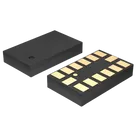
Pin Function Grouping

Looking at the datasheet of this component, can you group together pins by their functions? for example for Power, VDD, gnd_1 gnd_2 etc
NOTE: If you group them, can you not add the same pin if you already added them in a group? You should know which pin function is common for its function
Worked for 1 min 31 sec
I grouped the ADXL345 pins into unique functional groups with no duplicated pins: Power, Ground, Communication/Serial Interface, Interrupt Outputs, Reserved, and No Connect. Full table is in the ADXL345BCCZ-RL Pin Function Groups project file.
Organize symbol pins
Verify symbol pins
Review NC pins
Create pin map
Refine this doc
Ask about this doc
ADXL345BCCZ-RL Pin Function Groups
Source: Analog Devices ADXL345 datasheet, Pin Configuration and Function Descriptions / Table 5. The grouping below assigns each physical pin to exactly one functional group; duplicate/common functions are grouped once and no pin is repeated across groups.
Recommended groups
Table
| Group | Pins | Why grouped here | Suggested Section | Suggested Pin Group | Suggested Flux Pin Type |
|---|---|---|---|---|---|
| Power | Pin 1 VDD I/O; Pin 6 VS | Supply rails: digital interface supply and main supply voltage | Power | Power | Power In |
| Ground | Pin 2 GND; Pin 4 GND; Pin 5 GND | All ground/return pins | Ground | Ground | Ground |
| Communication / Serial Interface | Pin 7 CS; Pin 12 SDO / ALT ADDRESS; Pin 13 SDA / SDI / SDIO; Pin 14 SCL / SCLK | SPI/I2C bus and address/control signals | Communication | Serial_Interface | Pin 7 Input; Pin 12 Output/Bi-Directional depending mode; Pin 13 Bi-Directional; Pin 14 Input |
| Interrupt Outputs | Pin 8 INT1; Pin 9 INT2 | Dedicated interrupt output pins | Signal | Interrupt | Output |
| Reserved | Pin 3 RESERVED; Pin 11 RESERVED | Datasheet-reserved pins with required connection/open guidance | No Connect or Control* | Reserved | Unspecified* |
| No Connect | Pin 10 NC | Not internally connected | No Connect | NC | Not Connected |
* For reserved pins, I would keep them in their own
Reserved group rather than mixing them with Power/Ground, even though the datasheet gives connection guidance: Pin 3 must be connected to VS or left open, and Pin 11 must be connected to ground or left open. This prevents them from being duplicated in Power or Ground while still preserving their required handling in the pin description.Full pin list, one group per pin
Table
| Pin No. | Datasheet mnemonic | Datasheet function | Assigned group |
|---|---|---|---|
| 1 | VDD I/O | Digital interface supply voltage | Power |
| 2 | GND | Must be connected to ground | Ground |
| 3 | RESERVED | Must be connected to VS or left open | Reserved |
| 4 | GND | Must be connected to ground | Ground |
| 5 | GND | Must be connected to ground | Ground |
| 6 | VS | Supply voltage | Power |
| 7 | CS | Chip select | Communication / Serial Interface |
| 8 | INT1 | Interrupt 1 output | Interrupt Outputs |
| 9 | INT2 | Interrupt 2 output | Interrupt Outputs |
| 10 | NC | Not internally connected | No Connect |
| 11 | RESERVED | Must be connected to ground or left open | Reserved |
| 12 | SDO / ALT ADDRESS | Serial data output for SPI 4-wire / alternate I2C address select | Communication / Serial Interface |
| 13 | SDA / SDI / SDIO | I2C serial data / SPI serial data input / SPI 3-wire data I/O | Communication / Serial Interface |
| 14 | SCL / SCLK | Serial communication clock for I2C/SPI | Communication / Serial Interface |
Notes
- I did not place Pin 3 in the Power group or Pin 11 in the Ground group, even though their allowed connections reference
VSand ground respectively, because their actual function isRESERVED. SDO / ALT ADDRESS,SDA / SDI / SDIO, andSCL / SCLKare common serial-interface functions and belong together.INT1andINT2are common interrupt output functions and belong together.- If you want this applied to the part terminals, the next step is to update each terminal’s
Section,Pin Group,Pin Type,Pin Orientation, and shortPin Descriptionproperties from this mapping.
Recommended groups
Full pin list, one group per pin
Notes